1. Pengenalan
This manual provides instructions for the safe and effective use of your GT POWER AC/DC Power Adapter, Model 109. This adapter is designed to provide power to compatible TP-Link Mesh Wi-Fi 7 Systems, specifically Deco BE63, BE10000, and BE11000 models. Please read this manual thoroughly before use and retain it for future reference.
2. Maklumat Keselamatan
WARNING: To reduce the risk of fire or electric shock, carefully follow these instructions.
- Pastikan volum penyesuaitage and current ratings match the requirements of your device.
- Jangan dedahkan penyesuai kepada hujan atau kelembapan.
- Do not open the adapter casing. Tiada bahagian yang boleh diservis pengguna di dalamnya.
- Keep the adapter away from excessive heat sources.
- Always unplug the adapter from the power outlet before cleaning or if it will be unused for an extended period.
- Jangan gunakan penyesuai jika kord atau palam rosak.
- This adapter is designed for indoor use only.
- The adapter features Over Voltage Protection (OVP), Over Current Protection (OCP), and Short Circuit Protection (SCP) for enhanced safety.
3. Produk Lebihview
The GT POWER AC Adapter (Model 109) is a compact power supply unit designed for specific TP-Link Deco Mesh Wi-Fi systems. It converts AC wall power to the DC power required by your device.

Rajah 1: Depan view of the GT POWER AC Adapter. The label indicates input voltage (AC100-240V) and output (DC12V 3A).
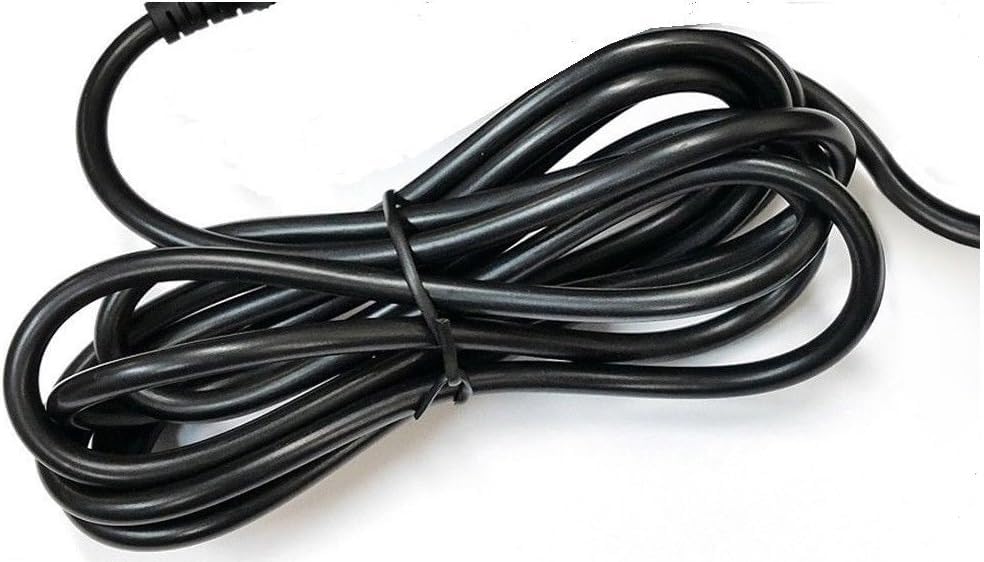
Rajah 2: sebelah view of the adapter, highlighting the barrel connector that plugs into your device.
4. Persediaan
Follow these steps to connect your GT POWER AC Adapter to your TP-Link Deco Mesh Wi-Fi System:
- Ensure your TP-Link Deco device is powered off.
- Locate the power input port on your TP-Link Deco device. This is typically a circular port.
- Insert the barrel connector of the GT POWER AC Adapter firmly into the power input port of your Deco device.
- Pasangkan penyesuai AC ke soket dinding AC 110V standard.
- Power on your TP-Link Deco device.
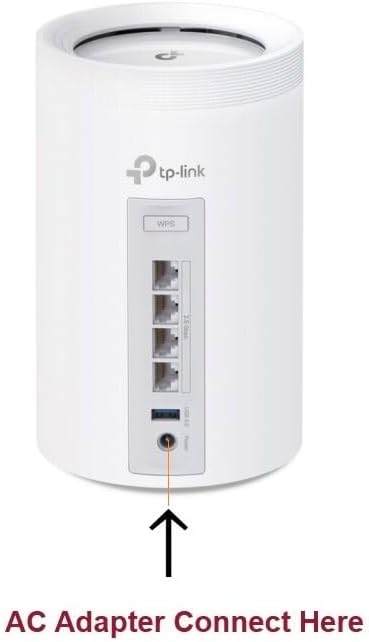
Rajah 3: Example of connecting the AC adapter to a compatible TP-Link Deco device. The arrow indicates the power input port.
5. Arahan Operasi
Once properly connected and plugged into a power outlet, the GT POWER AC Adapter will continuously supply power to your TP-Link Deco device. No further user interaction is required for operation.
- Ensure the adapter is always plugged into a functional power outlet.
- Avoid disconnecting the adapter during critical operations of your Deco device.
6. Penyelenggaraan
The GT POWER AC Adapter requires minimal maintenance:
- Keep the adapter clean and free from dust. Use a dry, soft cloth for cleaning.
- Jangan gunakan pembersih cecair atau aerosol.
- Regularly inspect the power cord and connector for any signs of damage. If damage is observed, discontinue use immediately.
- Simpan penyesuai di tempat yang sejuk dan kering apabila tidak digunakan.
7. Penyelesaian masalah
If your TP-Link Deco device is not receiving power, consider the following:
- Tiada Kuasa:
- Verify the adapter is securely plugged into both the wall outlet and the Deco device.
- Uji alur keluar dinding dengan peranti lain untuk memastikan ia berfungsi.
- Inspect the adapter's cable and connector for any visible damage.
- Kuasa Selang-seli:
- Pastikan semua sambungan rapat.
- Avoid bending or stressing the power cord.
Jika masalah berterusan, hubungi sokongan pelanggan.
8. Spesifikasi
| Ciri | Perincian |
|---|---|
| Jenama | GT POWER |
| Nombor Model | 109 |
| Input Voltage | AC 100-240V |
| Keluaran Voltage / Semasa | DC 12V / 3A |
| Format Palam | Type A (US Standard) |
| Ciri-ciri Perlindungan | OVP (Lebih Voltage Protection), OCP (Over Current Protection), SCP (Short Circuit Protection) |
| UPC | 781834735527 |
9. Waranti dan Sokongan
This GT POWER AC Adapter comes with a Waranti SetahunSelain itu, seorang Wang Dikembalikan 30 Hari guarantee is offered.
For technical support or warranty claims, please contact the seller, GTXPower, through the platform where the product was purchased.


