1. Produk Lebihview
The Sense-U AI 2.5K PTZ Baby Camera Monitor provides comprehensive monitoring of your baby's environment and well-being. This system integrates a high-resolution camera with advanced sensor technology to offer sensor-free breathing movement detection, pan-tilt-zoom video streaming, background audio monitoring, and cry detection. Designed for peace of mind, it offers a secure and feature-rich monitoring solution without recurring monthly fees for local storage.
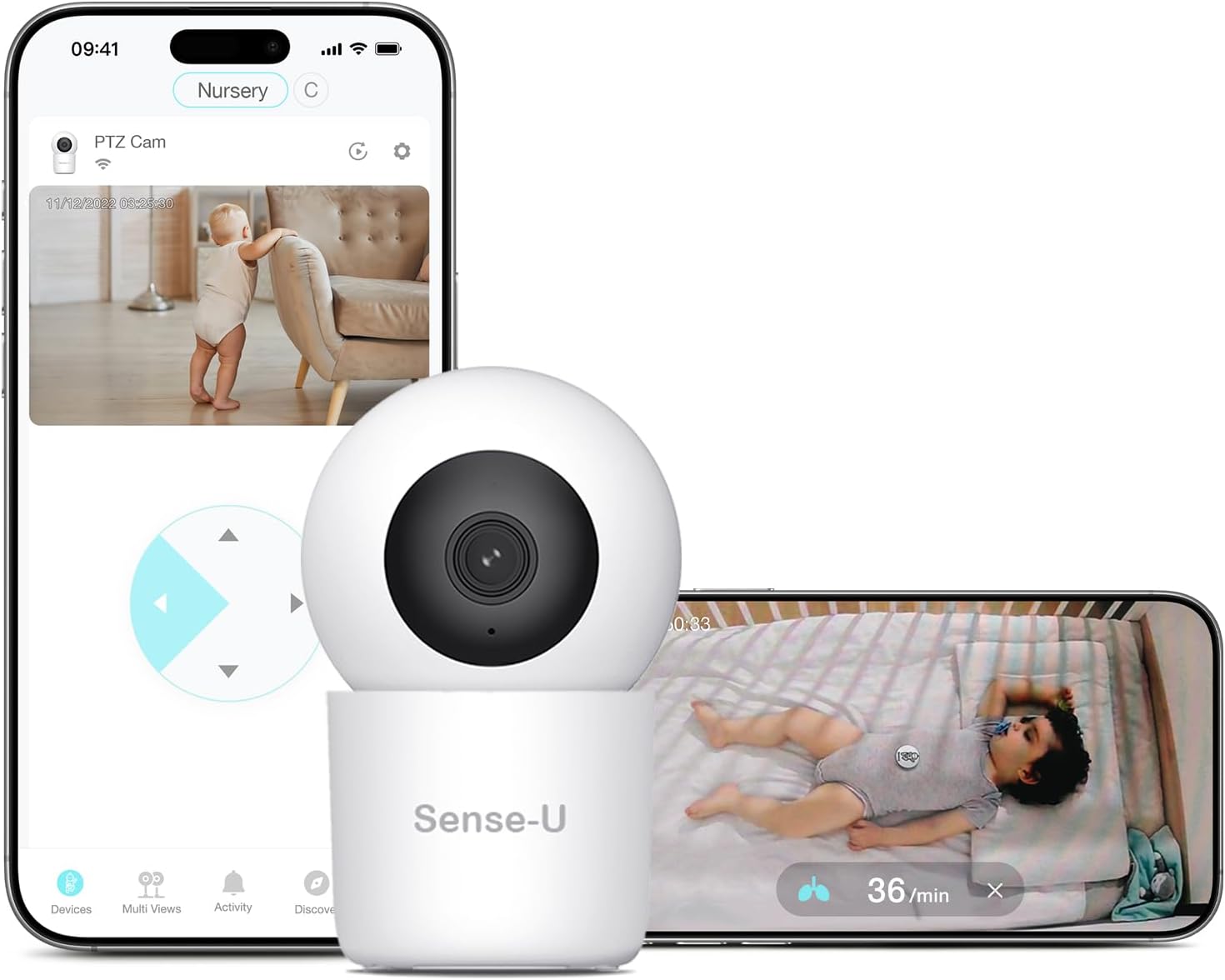
Figure 1: Sense-U AI 2.5K PTZ Baby Camera Monitor and companion app interface.
Ciri-ciri Utama:
- Sensor-Free Breathing Monitoring: Monitors baby's breathing movement when paired with the Sense-U Breathing Badge.
- 2.5K Pan-Tilt-Zoom Video: Offers 345° pan and 50° tilt with 2.5K HD video streaming for wide room coverage, day and night.
- Background Audio Monitoring with Cry Detection: Provides clear audio even when the app is in the background, with AI algorithms for cry, human, and motion detection.
- Tiada Bayaran Bulanan: One-time purchase with free local storage (SD card not included). Optional cloud storage is available.
- Berbilang Views & Secure Wi-Fi: View multiple rooms/children on one screen via the Sense-U app with enterprise-level encryption.
2. Panduan Persediaan
2.1 Menyahkotak dan Komponen
Carefully unpack all components from the box. Ensure you have the Sense-U AI 2.5K PTZ Baby Camera, power adapter, USB cable, and any included mounting hardware.
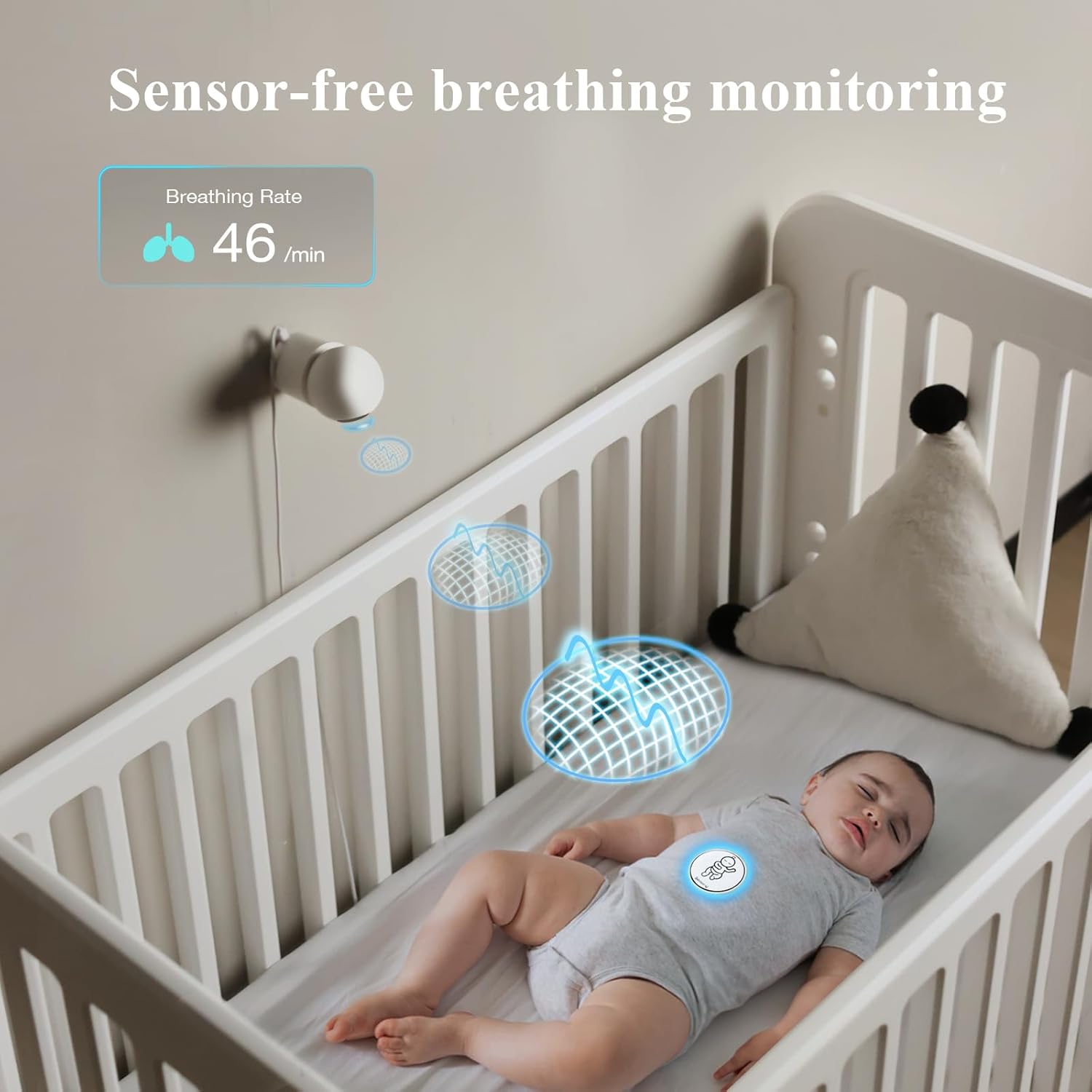
Figure 2: Sensor-Free Breathing Monitoring in action with the Breathing Badge.
2.2 Muat Turun Apl dan Pembuatan Akaun
- Download the free Sense-U app from the App Store (iOS) or Google Play Store (Android).
- Create a Sense-U account and follow the on-screen instructions for registration.
2.3 Berpasangan Peranti
- Pastikan Bluetooth telefon pintar anda didayakan.
- In the Sense-U app, select 'Add Device' and choose the Sense-U AI 2.5K PTZ Baby Camera.
- Follow the app's instructions to pair the camera and, if applicable, the Sense-U Breathing Badge.
2.4 Penempatan Kamera
The camera can be placed on a flat surface or mounted to a wall. Ensure the camera has a clear line of sight to the baby's crib or play area. The pan-tilt-zoom feature allows for flexible positioning.

Figure 3: Day and Night Vision capabilities of the 2.5K PTZ Camera.
3. Arahan Operasi
3.1 Live Monitoring
- Open the Sense-U app to view live 2.5K HD video from your camera.
- Use the on-screen controls to pan, tilt, and zoom the camera for optimal viewing.
- Listen to real-time background audio.
3.2 Breathing Monitoring (with Badge)
Attach the Sense-U Breathing Badge securely to your baby's diaper. The badge will wirelessly transmit breathing movement data to the camera and then to your app. The app will display real-time breathing rate, body temperature, and rollover status.

Figure 4: Proper placement of the Sense-U Breathing Badge on a baby's diaper.
3.3 Amaran dan Pemberitahuan
Configure custom alerts within the Sense-U app for various events:
- Movement Notification: Alerts if no body movement is detected for a preset period.
- Rollover Notification: Notifies if the child rolls over to sleep on their stomach.
- Temperature Notification: Alerts if the baby's temperature goes outside a preset range.
- Pengesanan tangisan: AI algorithms detect and notify you of crying sounds.
- Human/Motion Detection: Alerts for general movement or human presence in the camera's view.

Figure 5: Background audio monitoring with AI cry detection.
3.4 Advanced App Features
- berbilangView: Monitor multiple rooms or children simultaneously on one screen.
- Picture-in-Picture Mode: Multitask on your phone while keeping an eye on your baby.
- Perbincangan Dua Hala: Communicate with your baby through the camera's speaker and microphone.

Rajah 6: BerbilangView feature for monitoring multiple areas.
4. Penyelenggaraan
4.1 Pembersihan
Wipe the camera and breathing badge with a soft, dry cloth. Avoid using harsh chemicals or abrasive materials.
4.2 Battery Information (Breathing Badge)
The Sense-U Breathing Badge uses a CR2032 battery with a life of up to 1 month. Replace the battery as needed. The camera is powered via a USB cable and adapter.
5. Penyelesaian masalah
5.1 Isu Kesambungan Aplikasi
If the app has trouble connecting to the camera, try closing and restarting the app. Ensure your Wi-Fi connection is stable and the camera is within range.
5.2 Breathing Badge Not Registering
If the breathing badge is not registering in the app, ensure it is correctly paired and within range of the camera. Verify that the badge's battery is functional. If issues persist, consult the Sense-U support for further assistance.
6. Spesifikasi
- Jenama: Sense-U
- model: B0DDCM7X4C
- Bahan: plastik
- warna: putih
- Peranti Serasi: Smartphones (iOS 9.0 & up, Android 4.3 & up)
- Berat Barang: 0.35 Kilogram
- Jenis Sensor: Auditory (for cry detection), Movement (for breathing badge)
- Battery Description (Breathing Badge): Lithium-Ion (CR2032)
- UPC: 198715993103
- Dimensi Pakej Item L x W x H: 4.69 x 4.49 x 3.39 inci
7. Waranti & Sokongan
The Sense-U AI 2.5K PTZ Baby Camera Monitor comes with a Waranti Pengeluar 1 Tahun. For technical support, troubleshooting, or warranty claims, please visit the official Sense-U webtapak atau hubungi perkhidmatan pelanggan mereka secara langsung.


