
Original Upright Vinyl Turntable
Manual Arahan
Model: VS-01
1. Pengenalan
Terima kasih kerana membeliasing the COOLGEEK Upright Vinyl Turntable. This manual provides essential information for the safe and efficient operation of your new record player. Please read this manual thoroughly before use and retain it for future reference.
This innovative turntable features an upright design, a high-quality AT-3600L stylus, integrated hybrid mid/treble drivers and a powerful subwoofer, along with Bluetooth 5.0 connectivity for versatile audio playback.
Maklumat Keselamatan Penting
- Jangan dedahkan unit kepada hujan atau lembapan.
- Jangan buka unit ini. Rujuk semua servis kepada kakitangan yang berkelayakan.
- Pastikan pengudaraan yang betul di sekeliling unit.
- Gunakan hanya penyesuai kuasa yang disediakan.
- Jauhkan unit daripada cahaya matahari langsung, sumber haba dan medan magnet yang kuat.
2. Kandungan Pakej
Sila pastikan semua item yang disenaraikan di bawah disertakan dalam pakej anda:
- COOLGEEK Upright Vinyl Turntable
- Penyesuai Kuasa
- Manual Arahan (dokumen ini)
3. Ciri-ciri Produk

Vertical Record Player Design
The unique upright design of this turntable allows for an unobstructed view of your records while playing. This vertical placement also minimizes the surface area where dust can settle on the record and drive shaft, contributing to a more stable needle performance and purer sound reproduction.
Kualiti Bunyi Gred Profesional
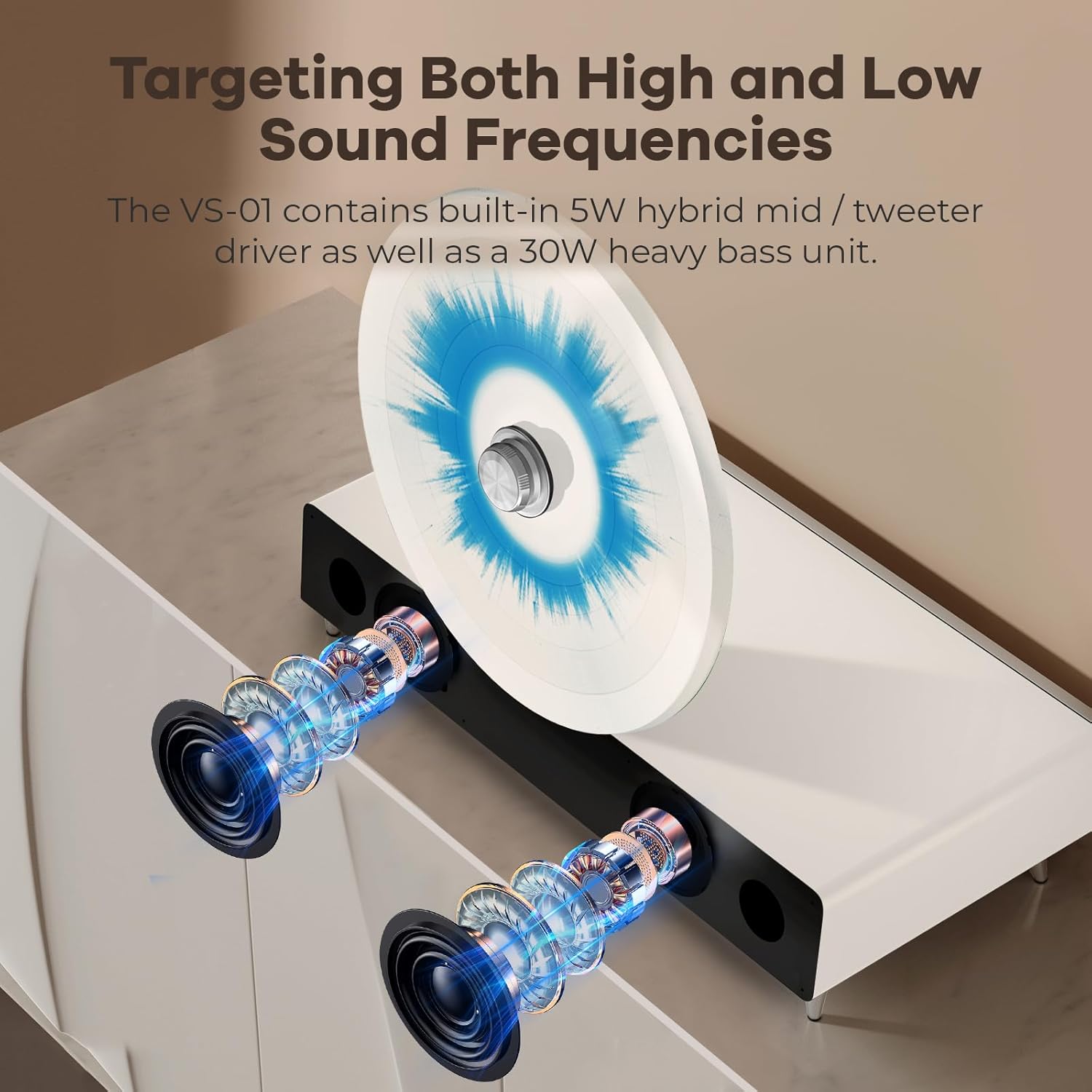
Equipped with a built-in 5-watt hybrid mid/treble driver and a powerful 30-watt subwoofer, the turntable delivers a full range of sound. This configuration ensures excellent audio quality, providing an immersive Hi-Fi listening experience.

Cushioning Shock Absorption System
The turntable incorporates three distinct shock absorbers to maintain stability during playback. These include a rotation axis shock absorber to prevent record movement, foot nail shock absorbers to absorb vibrations from the surface, and silicon seismic material shock absorbers for overall dampening. This system ensures the needle remains stable and the sound quality is clear.

AT-3600L Stylus Head
The turntable is equipped with a high-quality Audio-Technica AT-3600L cartridge and stylus head, known for its reliable performance and clear audio reproduction.

Kesambungan Bluetooth 5.0
The unit supports Bluetooth 5.0, allowing for wireless connection to your PC, tablet, or smartphone. This advanced engineering ensures a stable and high-quality audio streaming experience.

Adjustable Rotation Speed (33.3/45 RPM)
Equipped with a silent high-speed motor and closed-loop control technology, the VS-01 can play records at both 33.3 and 45 RPM. You can adjust the speed without impacting the needle or your records.

Needle Protection with Auto-Stop Function
The turntable includes a fail-stop function that automatically stops playback when the needle approaches the center of the record. This feature helps protect the needle from friction damage, extending its lifespan and ensuring consistent music playback.
4. Persediaan
4.1 Membongkar dan Meletakkan
- Tanggalkan meja putar dan semua aksesori daripada pembungkusan dengan berhati-hati.
- Place the turntable on a stable, level surface, away from direct sunlight, heat sources, and excessive dust. Ensure there is adequate space around the unit for ventilation.
- Remove any protective packaging materials from the tonearm and platter.
4.2 Sambungan Kuasa
- Connect the provided power adapter to the DC input port on the back of the turntable.
- Palamkan penyesuai kuasa ke salur keluar dinding yang sesuai.
4.3 Stylus Protection Removal
- Gently remove the clear plastic stylus protector from the needle before playing a record. Be careful not to bend the stylus.
5. Arahan Operasi
5.1 Memainkan Rekod Vinil
- Place a vinyl record onto the upright platter.
- Select the appropriate speed (33.3 RPM or 45 RPM) using the speed selector switch, typically located near the platter or control knob.
- Angkat lengan atas perlahan-lahan menggunakan tuil isyarat.
- Position the stylus over the desired starting groove of the record.
- Perlahan-lahan turunkan lengan nada menggunakan tuil isyarat. Stilus akan bersentuhan dengan rekod dan main balik akan bermula.
- Adjust the volume using the main control knob.
- When the record finishes, the auto-stop function will engage, and the platter will stop spinning. Gently lift the tonearm and return it to its rest.
5.2 Mod Bluetooth
- Turn on the turntable. The unit will automatically enter Bluetooth pairing mode, indicated by a flashing light (refer to specific indicator light in product for exact behavior).
- On your Bluetooth-enabled device (smartphone, tablet, PC), enable Bluetooth and search for available devices.
- Select "COOLGEEK Turntable" (or similar name) from the list of devices to pair.
- Once paired, the indicator light will become solid, and you can now stream audio wirelessly to the turntable's speakers.
- Adjust the volume on both your connected device and the turntable for optimal sound.
6. Penyelenggaraan
6.1 Membersihkan Stilus
A clean stylus is crucial for optimal sound quality and to prevent damage to your records. Use a soft brush designed for stylus cleaning, brushing gently from back to front (in the direction of the tonearm's movement).
6.2 Rekod Pembersihan
Always handle records by their edges. Use a carbon fiber brush or a record cleaning solution with a microfiber cloth to remove dust and debris before each play. This helps preserve both your records and the stylus.
6.3 Membersihkan Unit
Wipe the turntable's surface with a soft, dry, lint-free cloth. Do not use abrasive cleaners, waxes, or solvents as they may damage the finish.
7. Penyelesaian masalah
| Masalah | Kemungkinan Punca | Penyelesaian |
|---|---|---|
| Tiada kuasa | Penyesuai kuasa tidak disambungkan; soket tidak aktif. | Pastikan penyesuai kuasa disambungkan dengan selamat dan dipasang pada soket yang berfungsi. |
| Tiada suara dari pembesar suara | Volume too low; incorrect mode selected; Bluetooth not connected. | Increase volume. Ensure turntable is in the correct playback mode (vinyl or Bluetooth). Re-pair Bluetooth device if necessary. |
| Melangkau atau bunyi herot | Dirty record; dirty or damaged stylus; turntable not level; excessive vibration. | Clean record and stylus. Ensure turntable is on a stable, level surface. Check for external vibrations. |
| Isu berpasangan Bluetooth | Device too far; turntable not in pairing mode; interference. | Ensure device is within range. Restart turntable to re-enter pairing mode. Move away from other wireless devices. |
| Record stops prematurely | Auto-stop function engaged. | This is normal behavior due to the auto-stop feature designed to protect the stylus. |
8. Spesifikasi
| Ciri | Perincian |
|---|---|
| Jenama | COOLGEEK |
| Model | VS-01 |
| Dimensi (Pakej) | 22.97 x 18.4 x 14.66 inci |
| Berat Barang | 22 paun (lebih kurang 10 Kilogram) |
| Kelajuan Putaran Maksimum | 45 RPM (menyokong 33.3 dan 45 RPM) |
| Komponen yang Disertakan | Vinyl Turntables, Power Adapter, Instruction Manual |
| Ciri Khas | Upright Design, Built-in 5W mid/treble driver & 30W subwoofer, 3 Shock Absorbers, Bluetooth 5.0, AT-3600L Stylus Head, Auto-stop function |
| bahan | aluminium |
| warna | putih |
| Peranti Serasi | Speaker (internal), Bluetooth devices |
9. Waranti dan Sokongan
This product comes with a manufacturer's warranty. Please refer to the warranty card or documentation included in your product packaging for specific terms and conditions, including warranty period and coverage details.
For technical support, troubleshooting assistance, or warranty claims, please contact COOLGEEK customer service. Contact information can typically be found on the manufacturer's official webtapak atau pada pembungkusan produk.
Note: No specific video content from the seller was provided in the product data for embedding.


