1. Pengenalan
This manual provides essential information for setting up, operating, maintaining, and troubleshooting your Apple iPad Air 5th Generation. Please read this guide thoroughly to ensure optimal use and longevity of your device.
2. Produk Lebihview
The Apple iPad Air 5th Generation is a versatile tablet designed for performance and portability. It features a 10.9-inch Liquid Retina display and is powered by the Apple M1 chip. Key features include:
- paparan: Stunning 10.9-inch Liquid Retina Display with True Tone and P3 Wide Color.
- Pemproses: Apple M1 Chip with Neural Engine for powerful performance.
- Ketersambungan: 802.11AX Wi-Fi 6 for fast wireless connections.
- Audio: Stereo Landscape Audio for immersive sound.
- Kamera: 12MP Wide Camera (rear) and 12MP Ultra Wide Front Camera with Center Stage for enhanced video calls.
- Keselamatan: Touch ID for secure authentication.
- Hayat Bateri: Hayat bateri sehingga 10 jam.
- Sokongan Aksesori: Compatible with Apple Pencil (2nd generation) and Magic Keyboard.
- Pelabuhan: USB-C port for versatile connectivity.

Imej: Depan dan sisi view of the Apple iPad Air 5th Gen in Pink.
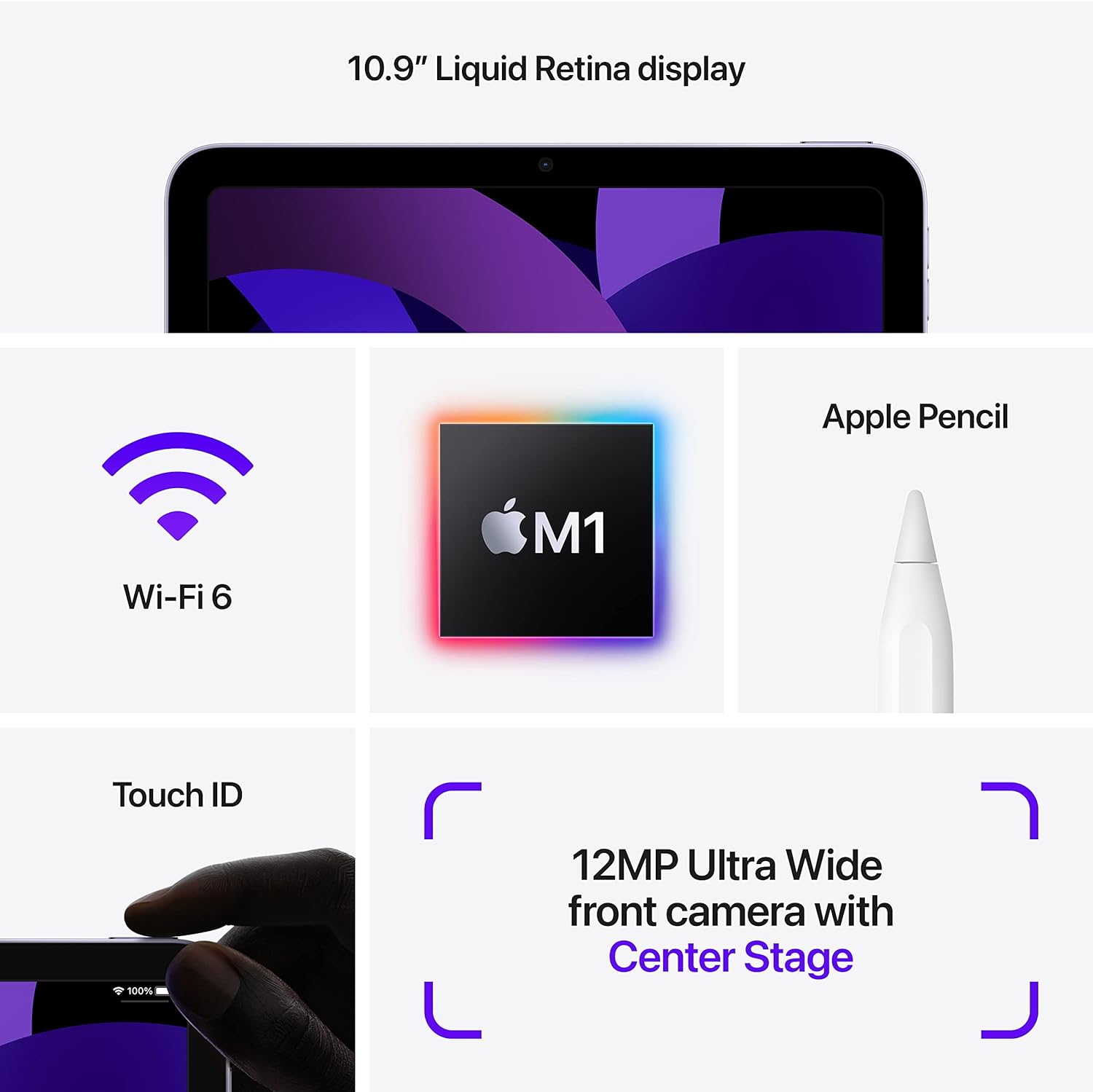
Image: Diagram highlighting key features including 10.9" Liquid Retina display, Wi-Fi 6, M1 chip, Apple Pencil support, Touch ID, and 12MP Ultra Wide front camera with Center Stage.
3. Apa yang ada di dalam Kotak
Upon unboxing your Apple iPad Air 5th Gen, you should find the following items:
- Apple 10.9-inch iPad Air 5th Gen
- Kabel Pengecas USB-C
Note: A USB-C Power Adapter may or may not be included depending on the specific package.

Image: Illustration showing the iPad Air, a USB-C Charge Cable, and a USB-C Power Adapter.
4. Persediaan
4.1 Caj Permulaan
Before first use, it is recommended to fully charge your iPad. Connect the provided USB-C charging cable to the iPad's USB-C port and plug the other end into a compatible USB-C power adapter (sold separately or included depending on package) or a computer's USB-C port.
4.2 Hidupkan/Mati Kuasa
- Untuk Menghidupkan: Tekan dan tahan butang Atas sehingga logo Apple muncul.
- Untuk Mematikan: Press and hold the Top button and either Volume button simultaneously until the power off slider appears. Drag the slider to power off.
4.3 Tatarajah Awal
Follow the on-screen instructions to set up your iPad. This includes selecting your language and region, connecting to a Wi-Fi network, setting up Touch ID, and signing in with your Apple ID. You can also restore data from a previous device or set up as a new iPad.
5. Arahan Operasi
5.1 Menavigasi iPadOS
The iPad Air 5th Gen runs on iPadOS, offering an intuitive touch interface. Use gestures to navigate:
- Skrin Utama: Leret ke atas dari tepi bawah skrin.
- Penukar Apl: Leret ke atas dari tepi bawah dan jeda di tengah-tengah skrin.
- Pusat Kawalan: Leret ke bawah dari sudut kanan atas skrin.
- Pemberitahuan: Swipe down from the top-left corner of the screen.
5.2 Using Apple Pencil (2nd Gen)
The iPad Air 5th Gen supports the Apple Pencil (2nd generation) for drawing, note-taking, and marking up documents. To pair, attach the Apple Pencil magnetically to the right side of your iPad. It will automatically pair and charge.

Image: A person sketching on the iPad Air 5th Gen with an Apple Pencil.
The following video demonstrates the responsiveness of the Apple Pencil on the iPad Air 5th Gen:
Video: A user demonstrating writing and drawing on the iPad Air 5th Gen with an Apple Pencil.
5.3 Using Magic Keyboard
Attach the Magic Keyboard magnetically to the back of your iPad. The iPad will automatically connect and adjust its display angle. The Magic Keyboard provides a comfortable typing experience and a trackpad for precise control.
5.4 Berbilang tugas
iPadOS menyokong pelbagai ciri multitasking:
- Berpisah View: Open two apps side-by-side. Drag an app from the Dock or App Library to the side of the screen.
- Slaid Ke Atas: Keep an app open in a smaller floating window over another app.
- StagPengurus e: Organize apps and windows automatically, allowing you to resize, overlap, and group them.
5.5 Penggunaan Kamera
The iPad Air 5th Gen features a 12MP Wide rear camera and a 12MP Ultra Wide front camera with Center Stage. Open the Camera app to take photos, record videos, or use features like Panorama and Time-lapse. Center Stage automatically keeps you in the frame during video calls.
6. Penyelenggaraan
- Pembersihan: Gunakan kain lembut dan tidak berbulu untuk membersihkan skrin dan bahagian luarnya. Elakkan bahan yang kasar atau bahan kimia yang keras.
- Kemas Kini Perisian: Regularly update iPadOS to the latest version to ensure optimal performance and security. Go to Tetapan > Umum > Kemas Kini Perisian.
- Penjagaan Bateri: To prolong battery life, avoid exposing the iPad to extreme temperatures. For long-term storage, charge the battery to about 50%.
- Pengurusan Storan: Semula secara berkalaview dan padam yang tidak perlu files, apps, and media to free up storage space.
7. Penyelesaian masalah
7.1 Peranti Tidak Membalas
Jika iPad anda tidak bertindak balas, cuba mulakan semula secara paksa:
- Tekan dan lepaskan butang Kelantangan Naik dengan cepat.
- Tekan dan lepaskan butang Kelantangan Turun dengan cepat.
- Tekan dan tahan butang Atas sehingga logo Apple muncul.
7.2 Isu Ketersambungan Wi-Fi
- Pastikan Wi-Fi didayakan Tetapan > Wi-Fi.
- Mulakan semula penghala Wi-Fi anda.
- Lupakan rangkaian dan sambung semula: Settings > Wi-Fi > [Network Name] > Forget This Network.
7.3 Bateri Cepat Habis
- Semak penggunaan bateri masuk Tetapan > Bateri untuk mengenal pasti apl yang menggunakan kuasa.
- Kurangkan kecerahan skrin.
- Lumpuhkan Muat Semula Apl Latar Belakang untuk apl yang tidak penting.
8. Spesifikasi
| Ciri | Perincian |
|---|---|
| Nama Model | iPad Air Gen ke-5 |
| Nombor Model Item | A2588 |
| Saiz Paparan | 10.9 Inci |
| Resolusi Skrin | 2360 x 1640 Piksel |
| Pemproses | Apple M1 Chip (3.2 GHz) |
| Saiz Memori Denyar | 64 GB |
| Sistem Operasi | iPadOS (initially 15.4, upgradable) |
| belakang Webresolusi cam | 12 MP |
| Purata Hayat Bateri | 10 Jam |
| Berat Barang | 1.02 paun |
| Dimensi Produk | 9.74 x 7.02 x 0.24 inci |
9. Waranti dan Sokongan
This Apple iPad Air 5th Gen is a Renewed Premium product. For specific warranty details and support, please refer to the documentation provided with your purchase or contact Amazon Renewed customer service. General Apple support resources can be found on the official Apple webtapak.
Untuk bantuan lanjut, lawati Apple iPad Support page.


