Selamat datang
This manual provides essential information for using your new OPPO F27 5G smartphone. Please read it carefully to ensure proper operation and to maximize your device's capabilities.
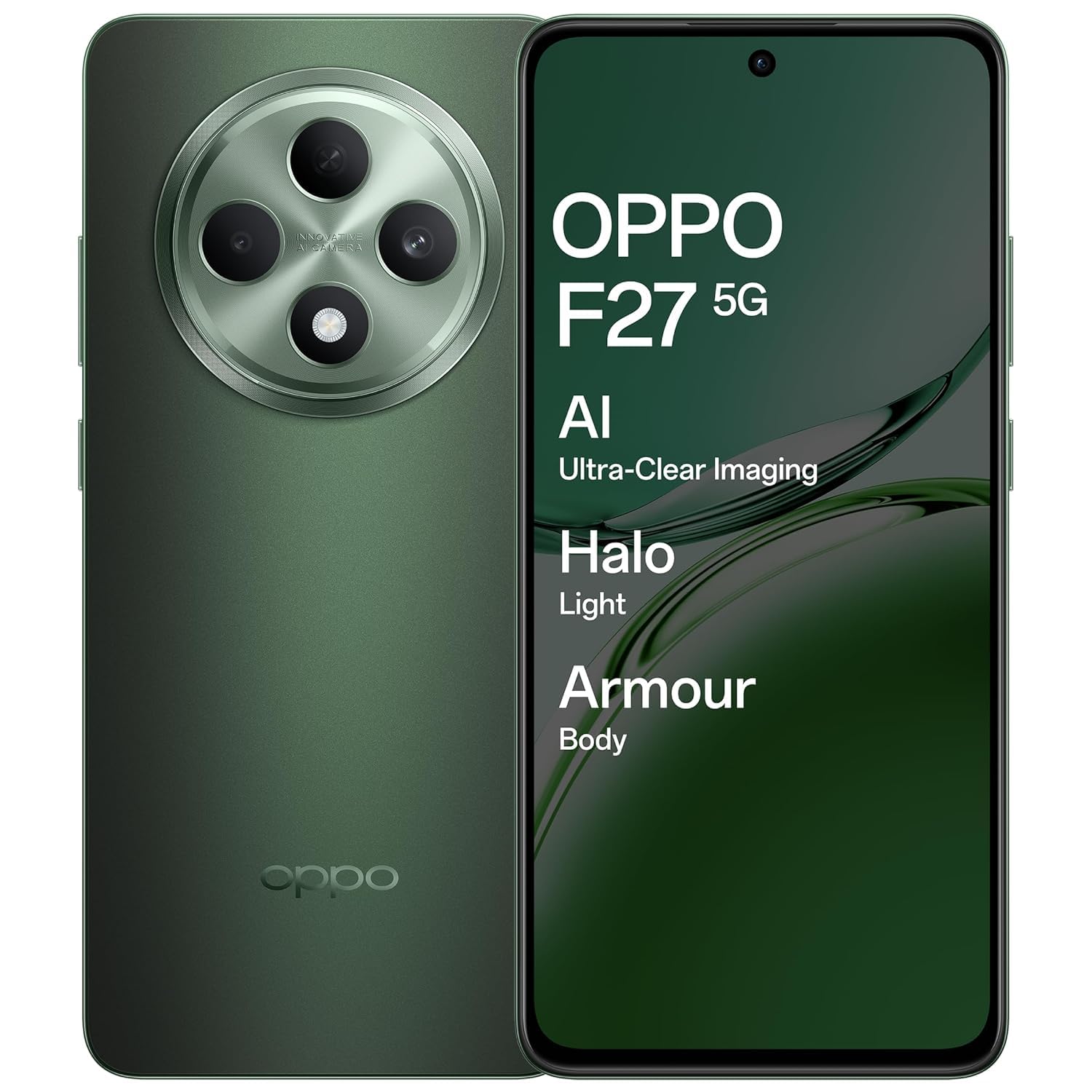
An image showing the OPPO F27 5G smartphone, highlighting its sleek design and display.
Kandungan Pakej
Sahkan bahawa semua item terdapat dalam pakej produk anda:
- OPPO F27 5G Smartphone
- Sarung Telefon
- Penyesuai Kuasa
- Kabel USB
- Ejector Dulang SIM
Persediaan Awal
1. Masukkan Kad SIM
Locate the SIM card tray on the side of your device. Use the provided SIM tray ejector tool to open the tray. Insert your Nano-SIM card(s) and/or microSD card into the tray, ensuring correct orientation. Close the tray securely.
2. Hidupkan kuasa
Press and hold the Power button (usually on the right side) until the OPPO logo appears. Follow the on-screen instructions to complete the initial setup, including language selection, Wi-Fi connection, and Google account login.
3. Cas bateri
Before first use, it is recommended to fully charge your device. Connect the USB cable to the power adapter and then to your phone's USB-C port. Plug the power adapter into a wall outlet.
Operasi Asas
Power On/Off/Restart
To power on, press and hold the Power button. To power off or restart, press and hold the Power button and Volume Up button simultaneously, then select the desired option from the menu.
Gerak isyarat skrin sentuh
- Ketik: Pilih item atau buka aplikasi.
- Sentuh dan Tahan: Akses menu kontekstual atau alihkan item.
- Leret: Navigate through screens or scroll lists.
- Cubit: Zum masuk atau keluar pada imej dan web muka surat.
Membuat Panggilan
Open the Phone app, enter the number, and tap the call icon. To answer an incoming call, swipe up on the screen. To reject, swipe down.
Menghantar Mesej
Open the Messages app, tap the new message icon, enter the recipient's number or select from contacts, type your message, and tap send.
Menyambung ke Wi-Fi
Pergi ke Tetapan > Wi-Fi, hidupkan Wi-Fi dan pilih rangkaian yang anda inginkan. Masukkan kata laluan jika digesa.
Menyambung ke Peranti Bluetooth
Pergi ke Tetapan > Bluetooth, turn Bluetooth on, and select the device you wish to pair with from the list of available devices.
Penggunaan Kamera
The OPPO F27 5G features a versatile camera system:
- Kamera Belakang: 50MP main sensor + 2MP depth sensor for clear photos.
- Kamera Depan: 32MP for high-resolution selfies.
Retouching Potret AI
Utilize AI Portrait Retouching for enhanced portrait photos, automatically optimizing facial features and skin tones.
Rakaman Video
Switch to video mode in the camera app to record high-quality videos.
Paparan Maklumat
Your device is equipped with a 6.67-inch FHD+ AMOLED 120Hz Ultra Bright Display.
- Kadar Refresh 120Hz: Provides smoother scrolling and improved responsiveness.
- Paparan Ultra Cerah: Memastikan penglihatan yang jelas walaupun dalam keadaan luar yang terang.
- Screen-to-body ratio of 92.2%: Menawarkan suasana yang mengasyikkan viewpengalaman dalam.
Tetapan Paparan
Adjust brightness, color temperature, and dark mode settings via Tetapan > Paparan & Kecerahan.
Pengurusan Bateri
The OPPO F27 5G is powered by a 5000mAh Hyper Energy Battery, designed for extended usage.
Pengecasan Kilat SUPERVOOC 45W
Use the provided 45W SUPERVOOC charger for rapid charging. This technology allows for quick power replenishment.
Pengecasan Pintar
The device features Smart Charging to optimize battery health and longevity over time.
Battery Optimization Tips
- Kurangkan kecerahan skrin.
- Lumpuhkan Wi-Fi, Bluetooth dan GPS apabila tidak digunakan.
- Tutup aplikasi latar belakang.
- Enable power saving modes.
Penjagaan Peranti
Membersihkan Peranti Anda
Gunakan kain lembut dan tidak berbulu untuk membersihkan skrin dan badan telefon anda. Elakkan menggunakan bahan kimia yang keras atau bahan yang melelas.
Kemas Kini Perisian
Regularly check for and install system updates via Tetapan > Perihal peranti > Terkini untuk memastikan prestasi dan keselamatan yang optimum.
Pengurusan Storan
Kosongkan secara berkala yang tidak perlu files, cache data, and uninstall unused applications to free up storage space. Go to Tetapan > Storan untuk butiran.
Data Sandaran
Regularly back up your important data to a cloud service or computer to prevent data loss.
Isu dan Penyelesaian Biasa
Peranti Tidak Dihidupkan
Ensure the battery is charged. Connect the charger and wait a few minutes before attempting to power on again. If unresponsive, try a force restart by holding the Power button and Volume Up button for about 10 seconds.
Masalah Pengecasan
Periksa kabel pengecas dan penyesuai untuk kerosakan. Pastikan port USB-C bersih dan bebas daripada serpihan. Cuba pengecas lain jika ada.
Isu Ketersambungan Rangkaian
Toggle Airplane Mode on and off. Restart your device. Check SIM card insertion. Verify network settings in Tetapan > Rangkaian mudah alih.
Applications Crashing/Freezing
Close and reopen the application. Clear the app's cache (Settings > Apps > [App Name] > Storage usage > Clear cache). If the issue persists, uninstall and reinstall the app.
Tetapan Semula Kilang
Amaran: Tetapan semula kilang akan memadamkan semua data pada telefon anda. Sandarkan data penting sebelum meneruskan. Pergi ke Tetapan > Tetapan sistem > Sandarkan dan tetapkan semula > Tetapkan semula telefon > Padam semua data.
Spesifikasi Teknikal
| Ciri | Spesifikasi |
|---|---|
| Nombor Model | CPH2637 |
| Sistem Operasi | MediaTek Dimensity 6300 |
| RAM | 8 GB |
| Paparan | 6.67-inch FHD+ AMOLED, 120Hz Refresh Rate |
| Kamera Belakang | 50MP + 2MP |
| Kamera Depan | 32MP |
| Kapasiti Bateri | 5000 mAh |
| Mengecas | Pengecasan Kilat SUPERVOOC 45W |
| Dimensi (LxWxH) | 16.3 x 7.6 x 0.8 cm |
| Berat badan | 187 g |
| Ketersambungan | Bluetooth, Cellular, Wi-Fi, NFC |
| Bicu Audio | USB Jenis-C |
| Ciri Khas | Built-In GPS, Dual SIM, Fast Charging Support, Mobile Hotspot Capability, Stereo Speakers |
Waranti dan Sokongan Pelanggan
Maklumat Waranti
Your OPPO F27 5G device comes with a standard manufacturer's warranty. Please refer to the warranty card included in your package for specific terms and conditions, including coverage period and limitations.
Sokongan Pelanggan
Untuk bantuan teknikal, perkhidmatan atau tuntutan jaminan, sila hubungi khidmat pelanggan OPPO:
- telefon: 18001032777
- Alamat Pengilang: OPPO Mobiles India Pvt Ltd, 5th FLOOR, Tower B, BUILDING, N-8, DLF Cyber City, DLF Phase 2, Gurugram, Haryana 122002
Sumber Dalam Talian
Lawati OPPO rasmi website for additional support, FAQs, and software downloads.


