1. Pengenalan
Thank you for choosing the Auriol Wireless Weather Station with Mold Alarm. This device provides accurate indoor and outdoor temperature and humidity readings, helps assess room climate, and features a mold alarm for a healthier living environment. Please read this manual carefully before use to ensure proper operation and longevity of your device.
2. Arahan Keselamatan
- Jauhkan peranti ini daripada suhu ekstrem, cahaya matahari langsung, getaran kuat dan hentaman.
- Do not immerse the device in water or other liquids. The outdoor sensor is splash-proof (IPX4), but not waterproof.
- Jangan cuba membuka atau mengubah suai peranti. Ini akan membatalkan jaminan.
- Use only the specified battery type (4 x 1.5 V AAA). Ensure correct polarity when inserting batteries.
- Tanggalkan bateri jika peranti tidak akan digunakan untuk tempoh yang lama.
- Jauhkan bateri daripada kanak-kanak.
- Buang bateri dan peranti mengikut peraturan tempatan.
3. Kandungan Pakej
Sila semak pakej untuk item berikut:
- 1 x Auriol Wireless Weather Station (Main Unit)
- 1 x Penderia Luar Wayarles
- 4 x 1.5 V AAA Alkaline Batteries
- 1 x Manual Arahan

Image: The product packaging, illustrating the main weather station unit, the outdoor sensor, and indicating included batteries.
4. Produk Lebihview
The Auriol Wireless Weather Station consists of a main display unit and a wireless outdoor sensor.
4.1 Main Unit (Display Station)

Image: The main display unit showing indoor and outdoor temperature and humidity, time, and climate assessment icons.
The main unit features a large LCD display that shows:
- Suhu dan kelembapan dalaman
- Suhu dan kelembapan luar
- Time (radio-controlled)
- Room climate assessment (5 levels: too dry / dry / optimal / wet / too wet)
- Window opening/closing indicator
- Mold alarm indicator
- Alarm and snooze function indicators
It has a foldable stand for tabletop use and can also be wall-mounted.
4.2 Penderia Luar Wayarles
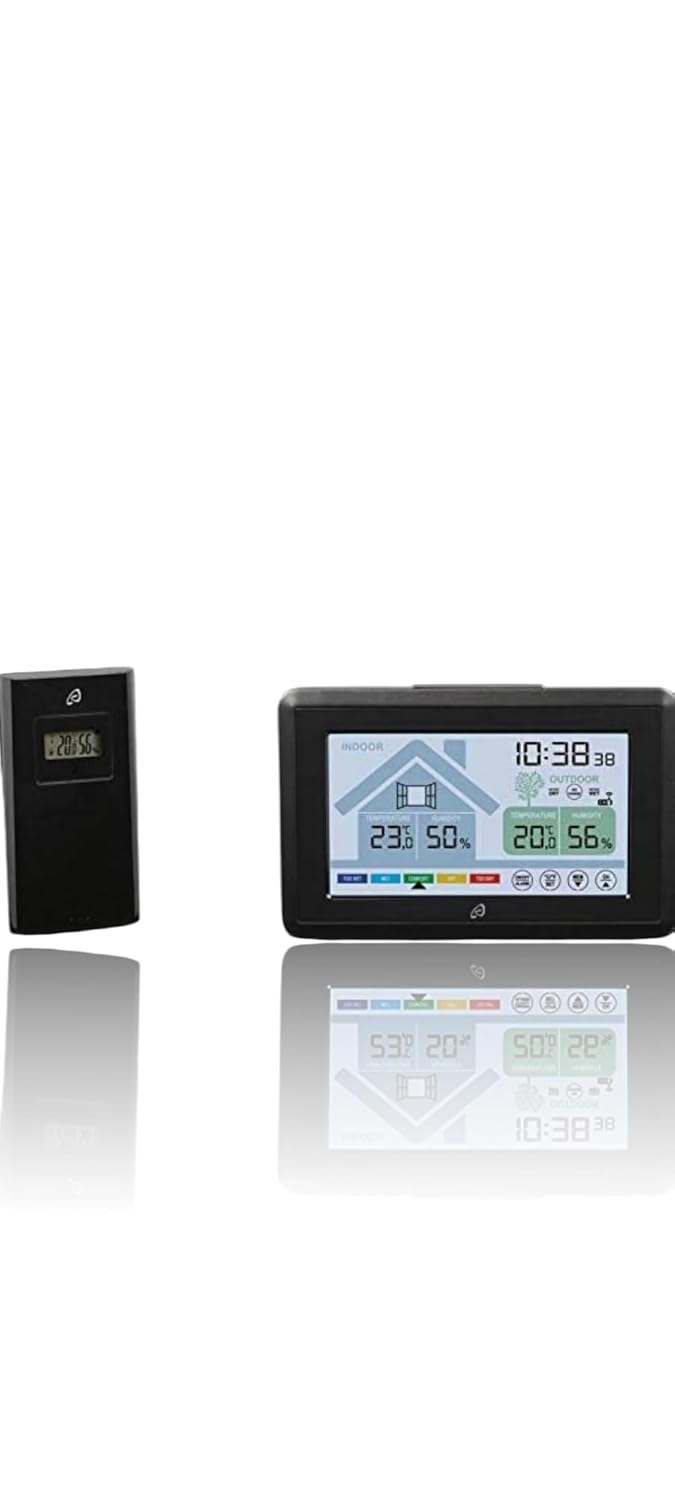
Image: The main unit and the compact outdoor sensor, which transmits data wirelessly to the main unit.
The outdoor sensor measures external temperature and humidity and transmits data wirelessly to the main unit. It is splash-proof (IPX4) and can be placed on a surface or wall-mounted. It has a range of up to 100 meters in open areas.
5. Persediaan
5.1 Pemasangan Bateri
- Open the battery compartment on the back of both the main unit and the outdoor sensor.
- Insert 2 x 1.5 V AAA batteries into the main unit and 2 x 1.5 V AAA batteries into the outdoor sensor, ensuring correct polarity (+/-).
- Tutup petak bateri dengan selamat.
- The main unit will power on and begin searching for the outdoor sensor signal.
5.2 Penempatan Sensor
- Place the outdoor sensor in a shaded, dry location away from direct sunlight and rain to ensure accurate readings and prolong its lifespan.
- Ensure the sensor is within 100 meters (open area) of the main unit. Walls, metal structures, and other electronic devices can reduce the effective range.
- The outdoor sensor can be placed on a flat surface or mounted on a wall using a screw (not included).
5.3 Initial Synchronization and Time Setting
- Once batteries are inserted, the main unit will automatically attempt to synchronize with the outdoor sensor and receive the radio-controlled time signal (DCF77).
- This process may take a few minutes. Ensure both units are close to each other during initial setup.
- If synchronization fails, try repositioning the units or pressing the reset button (if available, check device for small hole) on both units.
- The time will automatically adjust for daylight saving time. Manual time setting is also possible if the radio signal is weak.
6. Operasi
6.1 Paparan Maklumat
Paparan LCD menyediakan maklumat yang komprehensif sepintas lalu:
- Suhu & Kelembapan Dalam/Luar: Displays current readings for both environments.
- Room Climate Assessment: Icons indicate the current indoor climate in 5 stages: too dry, dry, optimal, wet, too wet. This helps you maintain a comfortable and healthy indoor environment.
- Window Opening/Closing Indicator: The display shows an icon suggesting whether to open or close windows to improve the indoor climate. It also indicates the planned room climate during ventilation.
- Penggera Acuan: An alarm function alerts you to conditions conducive to mold growth.
- Paparan Masa: Shows the current time, automatically set by radio signal. Can be switched between 12-hour and 24-hour format.
- Unit Suhu: Toggle between Celsius (°C) and Fahrenheit (°F) display.
6.2 Menetapkan Jam Penggera
The weather station includes an alarm clock with a snooze function.
- Press the "ALARM" button (or similar, refer to specific button labels on your device) to enter alarm setting mode.
- Gunakan butang "ATAS" dan "BAWAH" untuk melaraskan jam dan minit.
- Press "ALARM" again to confirm and activate the alarm.
- When the alarm sounds, press any button (except snooze) to stop it, or press the "SNOOZE" button for a temporary pause.
6.3 Paparan Lampu Belakang
The main unit features a short-duration display backlight for easy viewing in low light conditions. Press any button to activate it.
6.4 Connecting Additional Sensors
The weather station supports connection of up to two additional wireless outdoor sensors (sold separately). Refer to the additional sensor's manual for pairing instructions. The main unit will display readings from all connected sensors.
7. Penyelenggaraan
- Pembersihan: Lap peranti dengan kain lembut dan kering. Jangan gunakan pembersih atau pelarut yang melelas.
- Penggantian Bateri: Replace batteries in both the main unit and outdoor sensor when the low battery indicator appears on the display. Always replace all batteries at the same time.
- Storan: Jika menyimpan peranti untuk tempoh yang lama, tanggalkan semua bateri untuk mengelakkan kebocoran. Simpan di tempat yang sejuk dan kering.
8. Penyelesaian masalah
| Masalah | Kemungkinan Punca | Penyelesaian |
|---|---|---|
| Tiada bacaan suhu/kelembapan luar. |
|
|
| Bacaan suhu/kelembapan yang salah. |
|
|
| Masa tidak ditetapkan secara automatik. |
|
|
| Paparan malap atau kosong. |
|
|
9. Spesifikasi
| Ciri | Perincian |
|---|---|
| Model | ASAS |
| Pengeluar | Auriol |
| Teknologi Ketersambungan | 433 MHz, 868 MHz |
| Sumber Kuasa | Battery Powered (4 x 1.5 V AAA Alkaline Batteries included) |
| Jenis Paparan | LCD |
| warna | Hitam |
| Berat Barang | 250 g |
| Dimensi Pakej | 15 x 10 x 6 cm |
| Ketepatan Pengukuran | +/- 0.5 |
| Ciri Khas | Window opening/closing display, connection for up to two additional external wireless sensors, Mold Alarm, Radio Clock, Alarm with Snooze |
| Julat Sensor Luaran | 100 m (kawasan terbuka) |
| Perlindungan Sensor Luar | Kalis percikan (IPX4) |
10. Waranti dan Sokongan
For warranty information and technical support, please refer to the contact details provided with your purchase or visit the official Auriol webtapak. Simpan bukti pembelian anda untuk tuntutan waranti.


