Youshiko B0DC6XWBFR

Youshiko Radio Controlled Wall Clock (UK/Ireland Version)

Model: B0DC6XWBFR

pengenalan

This manual provides detailed instructions for the setup, operation, and maintenance of your Youshiko Radio Controlled Wall Clock. This clock is designed for the UK and Ireland, utilizing the MSF radio signal for automatic time synchronization. It features a large LCD display, indoor temperature reading, date, day of the week, and a dual alarm function.

Ciri-ciri Produk

Persediaan

1. Menghidupkan Jam

The clock can be powered via a power cable (not explicitly mentioned if included, but implied by specifications) or batteries.

  • Pemasangan Bateri: Open the battery compartment cover on the back of the clock. Insert the required batteries (typically AA or AAA, check the compartment for markings) according to the polarity indicators (+ and -). Close the cover securely.
  • Kabel kuasa: If using a power cable, connect it to the appropriate port on the clock and plug it into a wall outlet.
belakang view of the Youshiko Radio Controlled Wall Clock showing battery compartment and control buttons.

Imej: Belakang view of the clock, highlighting the battery compartment and control buttons.

2. Initial Time Synchronization (MSF Signal)

Upon powering on, the clock will automatically attempt to receive the MSF radio signal from Cumbria, UK, to set the correct time.

  • Place the clock near a window, away from electronic devices that might cause interference.
  • The signal reception icon (often a radio tower symbol) will flash during synchronization.
  • Once the signal is successfully received, the icon will become solid, and the time will be set automatically. This process may take several minutes or up to 24 hours depending on signal strength.
  • If the signal is not received, try repositioning the clock.
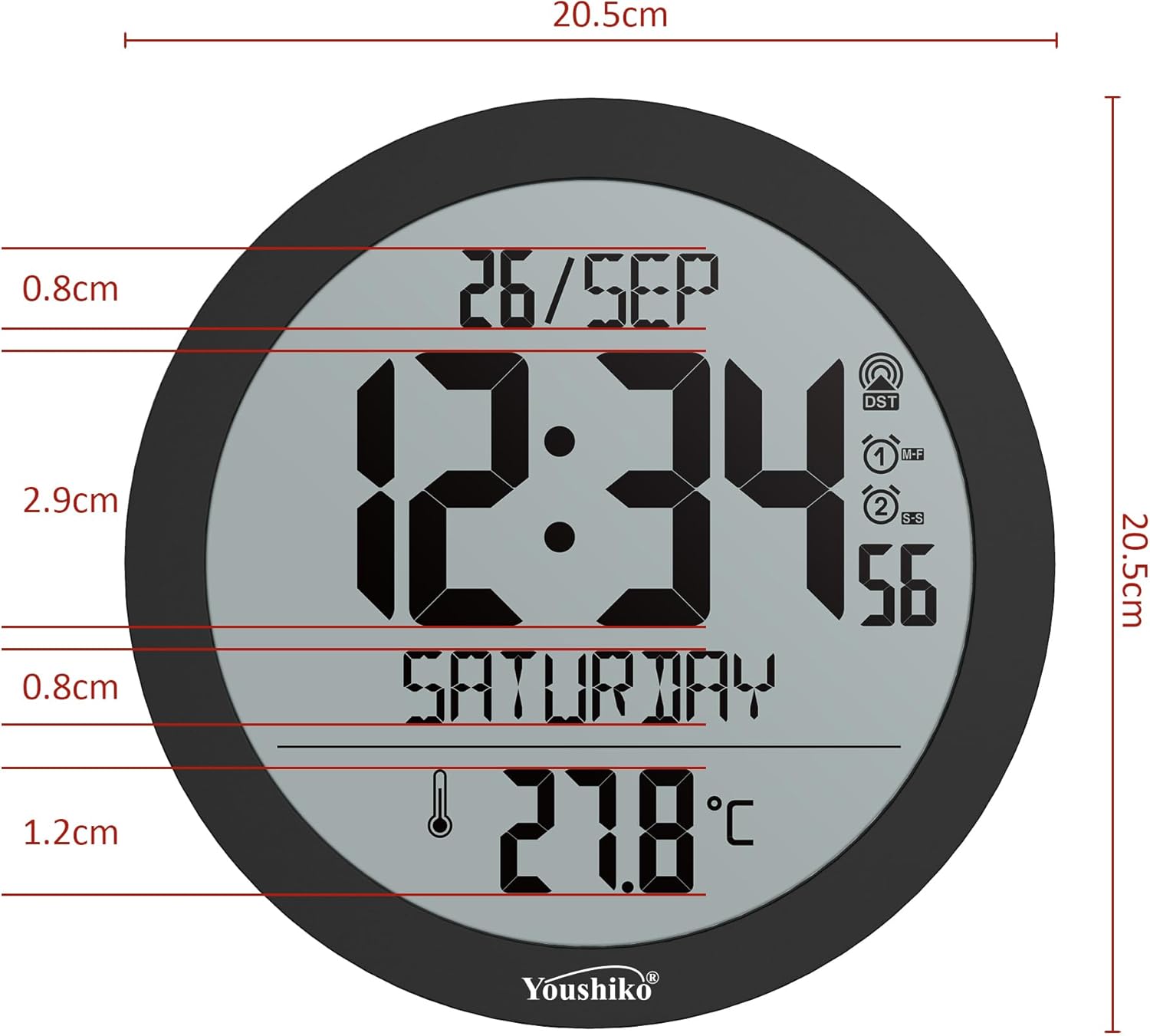
Front display of the Youshiko Radio Controlled Wall Clock showing time, date, day, and temperature, with a radio signal icon.

Image: Front display of the clock, showing the radio signal icon (top right).

3. Pilihan Pemasangan

  • Pemasangan Dinding: Use the integrated keyhole slot on the back of the clock to hang it securely on a wall hook or screw.
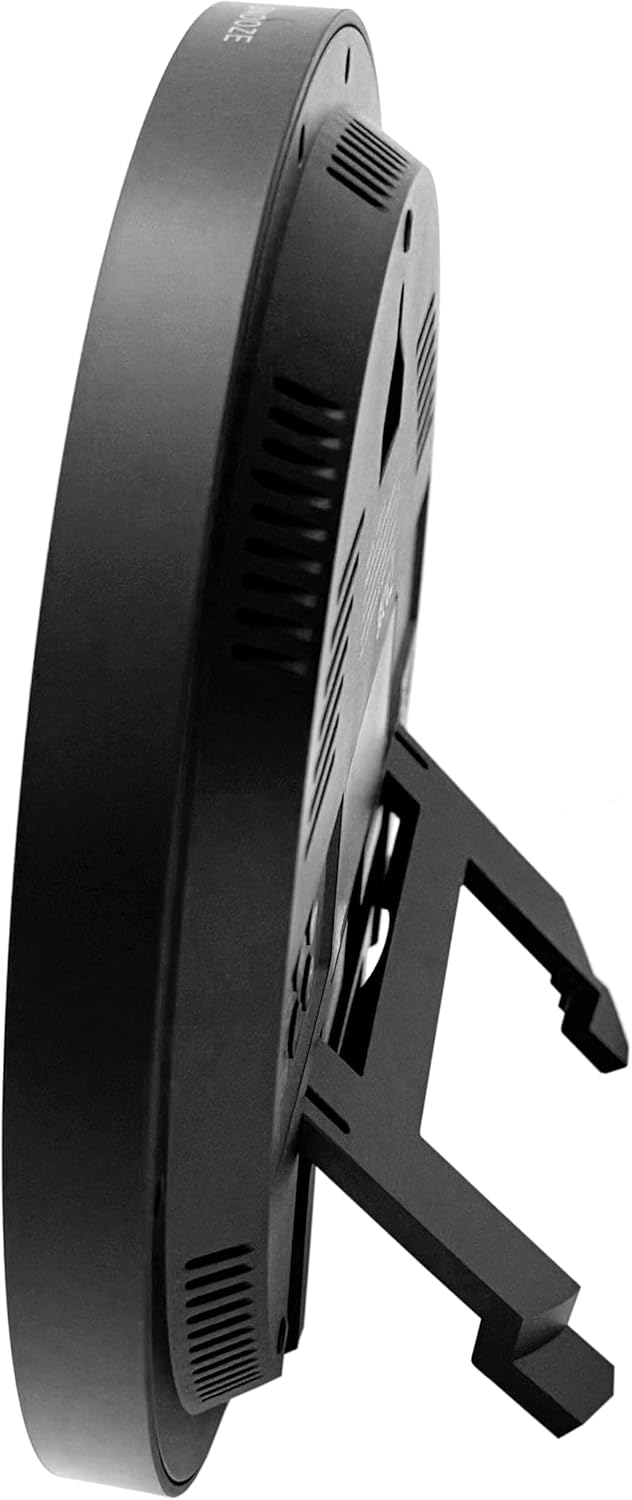
  • Stand Atas Meja: Extend the built-in stand on the back of the clock to place it on a flat surface.
sebelah view of the Youshiko Radio Controlled Wall Clock with its integrated stand extended for tabletop use.

Imej: Sisi view of the clock, demonstrating the extended tabletop stand.

Sebelah lagi view of the Youshiko Radio Controlled Wall Clock, showing its slim profile dan berdiri.

Imej: Bahagian lain view of the clock, illustrating its design and stand.

Arahan Operasi

1. Paparan Lebihview

The large LCD display shows the current time, date (day/month), day of the week, and indoor temperature.

Bahagian hadapan terperinci view of the Youshiko Radio Controlled Wall Clock display, showing time, date, day, and temperature.

Imej: Terperinci view of the clock's display, indicating various information segments.

Depan view of the Youshiko Radio Controlled Wall Clock, showcasing its clear digital display.

Image: Clear front view of the clock's digital display.

2. Setting Time Format and Temperature Unit

Use the control buttons on the back of the clock to adjust settings. Refer to the button layout image for specific button functions.

  • Format 12/24 Jam: Press the 'MODE' or 'SET' button (refer to your clock's specific button labels) to cycle through time display options.
  • Unit Suhu (°C/°F): Press the '°C/°F' button (if available) or a combination of 'MODE' and '+' buttons to switch between Celsius and Fahrenheit.
Close-up of the control buttons on the back of the Youshiko Radio Controlled Wall Clock.

Image: Close-up of the clock's rear control buttons for settings adjustment.

3. Menetapkan Penggera

The clock features a dual alarm with snooze.

  1. Press the 'ALARM' button (or similar, refer to button labels) to enter alarm setting mode.
  2. Use the '+' and '-' buttons to adjust the alarm time.
  3. Press 'ALARM' again to confirm and set the second alarm if applicable.
  4. To activate/deactivate the alarm, press the 'ALARM ON/OFF' button.
  5. When the alarm sounds, press the 'SNOOZE' button (located on top or back) to temporarily silence it. The alarm will sound again after a few minutes.
  6. To turn off the alarm completely, press any other button or let it sound for its full duration.

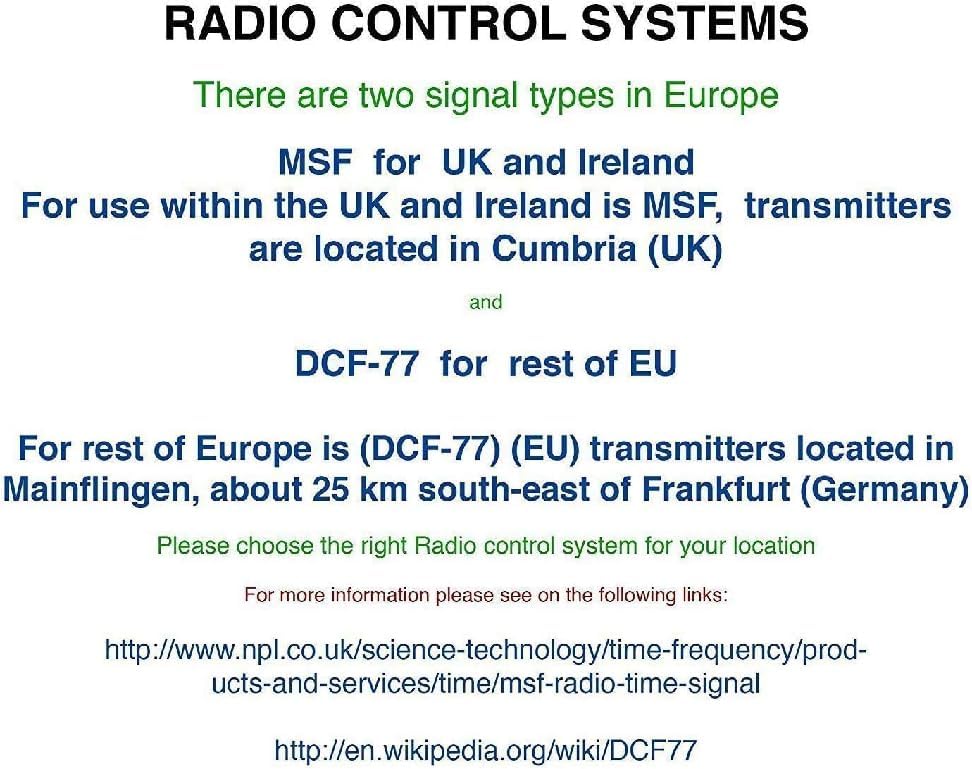
4. Radio Control Systems in Europe

It is important to understand the different radio control signals used in Europe to ensure your clock functions correctly in your region.

Diagram explaining MSF and DCF-77 radio control systems in Europe, including transmitter locations.

Image: Explanation of radio control systems (MSF for UK/Ireland, DCF-77 for rest of EU).

  • MSF (UK and Ireland): Transmitters are located in Cumbria, UK. This clock is specifically designed for the MSF signal.
  • DCF-77 (Rest of EU): Transmitters are located in Mainflingen, Germany. This clock is not designed to receive the DCF-77 signal.

Ensure you have the correct radio-controlled clock version for your geographical location.

Penyelenggaraan

Menyelesaikan masalah

Masalah Kemungkinan Punca Penyelesaian
Clock not displaying time / blank screen. Tiada kuasa atau bateri mati. Check power cable connection or replace batteries.
Masa yang dipaparkan salah. Poor MSF signal reception or incorrect region setting.
  • Ensure the clock is placed in an area with good signal reception (e.g., near a window).
  • Elakkan meletakkan berhampiran peranti elektronik yang boleh menyebabkan gangguan.
  • Benarkan sehingga 24 jam untuk penyegerakan awal.
  • Confirm you have the UK/Ireland version for MSF signal.
Penggera tidak berbunyi. Penggera tidak diaktifkan atau ditetapkan dengan tidak betul. Verify alarm settings and ensure the alarm is turned ON.
Bacaan suhu nampaknya tidak tepat. Clock exposed to direct heat/cold sources. Relocate the clock away from direct sunlight, vents, or other temperature-influencing factors.

Spesifikasi

Waranti dan Sokongan

For warranty information and customer support, please refer to the documentation included with your purchase or visit the official Youshiko webtapak.

You can also find more information and other models by Youshiko at: www.amazon.co.uk/youshiko

Dokumen Berkaitan - B0DC6XWBFR

Praview Youshiko YC740 RC Alarm Clock User Manual - Features, Setup, and Operation
Detailed user manual for the Youshiko YC740 RC Alarm Clock. Learn about its features, radio-controlled time setting, alarms, thermometer, backlight, and precautions.
Praview Youshiko YC740 RC Alarm Clock User Manual: Features, Setup, and Operation
Comprehensive user manual for the Youshiko YC740 RC Alarm Clock. Learn about its features, radio-controlled time setting, alarms, thermometer, backlight, and precautions.
Praview Manual Arahan Jam Kawalan Radio Youshiko YC8025 MSF
Detailed instruction manual for the Youshiko YC8025 MSF radio-controlled clock, covering setup, time setting, alarms, temperature, and radio signal reception.
Praview Manual Arahan Jam Kawalan Radio Youshiko YC8065 MSF
Manual arahan rasmi untuk Jam Kawalan Radio Youshiko YC8065 MSF. Ketahui cara menyediakan, mengendalikan dan menyelesaikan masalah jam anda, termasuk penyegerakan masa, tetapan penggera dan paparan suhu.
Praview Youshiko YC8059 MSF Radio Control Clock - Instruction Manual
Detailed instruction manual for the Youshiko YC8059 MSF Radio Control Clock (UK Version), covering setup, radio signal reception, manual time setting, alarm configuration, temperature and humidity display, and battery replacement.
Praview Youshiko YC9430 Weather Station User Manual
User manual for the Youshiko YC9430 Weather Station, covering features, setup, operation, and troubleshooting for radio-controlled time, temperature, humidity, and weather forecasting.