1. Pengenalan
This manual provides essential instructions for the safe and efficient operation, maintenance, and troubleshooting of your Mamibot W120-DP Window Cleaning Robot. Please read this manual thoroughly before using the device and retain it for future reference.

The Mamibot W120-DP Window Cleaning Robot, shown with its remote control and a smartphone displaying the control app.
2. Garis Panduan Keselamatan
Adherence to these safety guidelines is crucial for preventing accidents and ensuring proper device function.
- Always connect the safety rope to a secure anchor point before operation, especially for high-rise windows.
- The robot must remain connected to a power source during operation. The integrated UPS system provides temporary power in case of an outage, allowing safe retrieval.
- Ensure the window glass surface is larger than 60 x 40 cm (23.6 x 15.7 inches) for optimal cleaning. The machine may not clean the entire surface on smaller windows.
- Do not use the W120-DP on windows with irregular frame shapes, flat corners, or cracked glass.
- Use only tap water in the water tank. Purified water is not suitable and may trigger a 'no water' alert.
- For initial use, fully charge the internal UPS battery for approximately 40 minutes before connecting to power for cleaning.

The Mamibot W120-DP offers a safer alternative to manual high-rise window cleaning, featuring multiple fall protection systems.

Key safety features include a robust safety rope, an integrated Uninterruptible Power Supply (UPS) for power loss, adjustable suction, and fall protection sensors.
3. Komponen Produk
Familiarize yourself with the main parts of your Mamibot W120-DP.
- Unit Utama: Houses the motor, suction system, and control electronics.
- Pad Pembersihan: Reusable microfiber cloths for effective cleaning.
- Tangki Air: 60ml capacity for cleaning solution.
- Muncung Semburan: Four dual-directional nozzles for water application.
- Tali Keselamatan: Essential for securing the device during outdoor or high-rise use.
- Penyesuai Kuasa: Untuk bekalan kuasa berterusan.
- Kawalan Jauh: Untuk operasi manual dan pemilihan mod.
- Kawalan Apl: Smartphone application for advanced control.

Detailed diagram illustrating the various components of the Mamibot W120-DP, including dimensions, water tank lid, spray nozzles, and sensors.

Satu dalaman view highlighting the four water spray nozzles and the 60ml water tank capacity.

The robot features advanced dual-directional four-nozzle motorized spraying for comprehensive cleaning.
4. Persediaan
Follow these steps for initial setup and preparation before each cleaning session.
- Charge and Prepare: Fully charge the W120-DP's internal battery (approx. 40 minutes for first use). Attach a clean cleaning cloth to the cleaning plate. Fill the 60ml water tank with tap water (do not use purified water). Fasten the safety rope securely to an anchor point.
- Sambungan Kuasa: Plug the W120-DP into a power outlet. Wait for the voice broadcast to finish.
- penempatan: Place the W120-DP vertically on the window surface and hold it.
- Aktifkan Sedutan: Hold and press the switch button on the W120-DP for about 3 seconds to activate the suction. Once suction is firm, release the robot onto the window glass.

Step 1: Prepare the robot by charging, attaching the cleaning cloth, filling the water tank, and securing the safety rope.

Step 2: Connect the robot to a power source and await the voice prompt.

Step 3: Position the robot vertically on the window, holding it in place.

Step 4: Press and hold the power switch for 3 seconds to engage suction, then release the robot.
5. Operasi
Control your Mamibot W120-DP using the remote control or the dedicated smartphone application.
Mod Pembersihan
The W120-DP offers multiple cleaning paths to suit different window sizes and dirt levels:
- Z-Type: Ideal for horizontal windows, cleaning from top to bottom in a Z-shaped pattern.
- N-Type: Suitable for vertical windows, cleaning from side to side in an N-shaped pattern.
- N+Z Type (Deep-Type): Combines both patterns for thorough cleaning, often recommended for heavily soiled windows.
- Mod Pembersihan Tempat: For targeted cleaning of specific areas.

Illustration of the Z-Type, N-Type, and Deep-Type cleaning patterns for comprehensive coverage.

Additional cleaning modes include spot cleaning and directional N-Type cleaning for specific areas.
Kaedah Kawalan
You can operate the robot using either the included remote control or the Mamibot smartphone application.
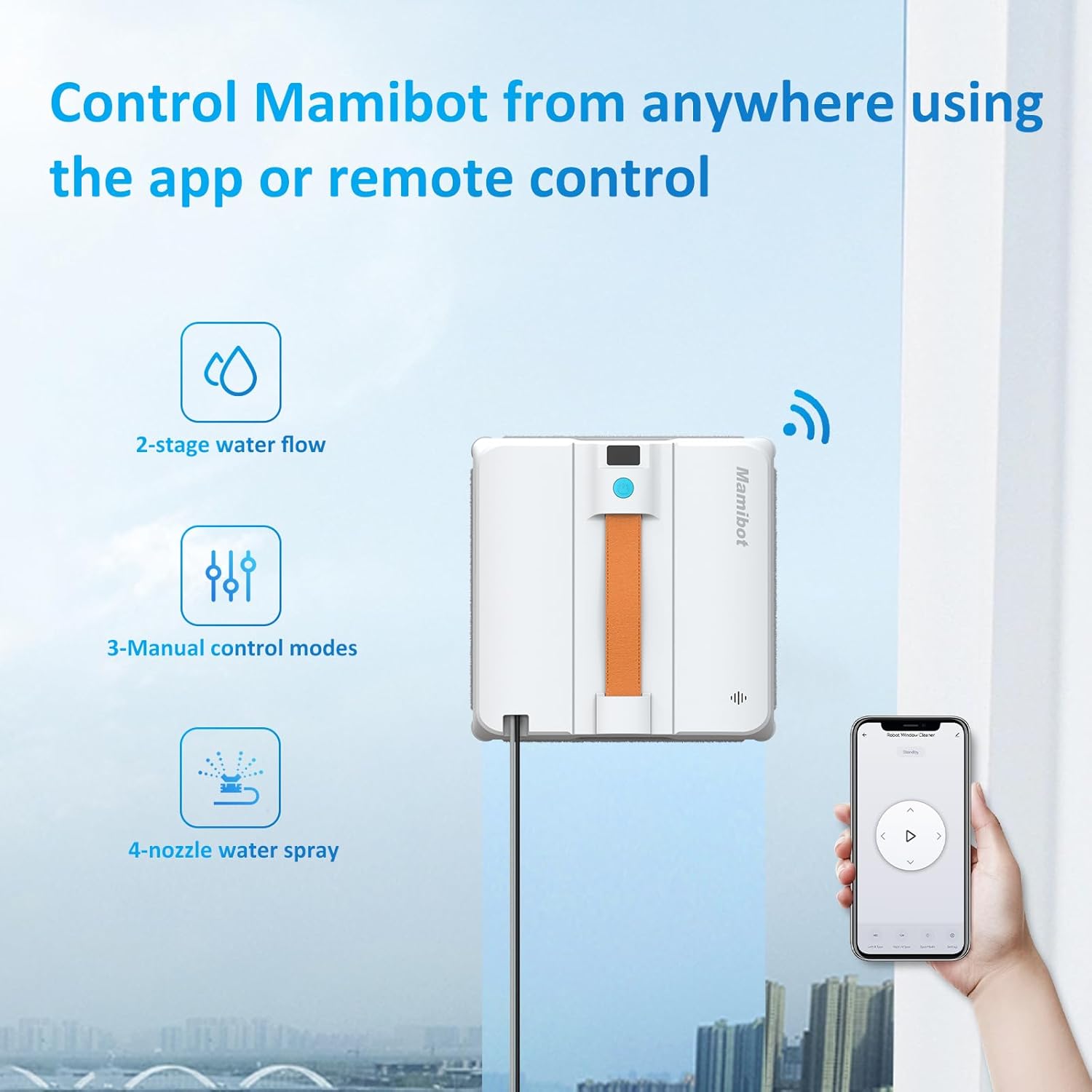
The Mamibot W120-DP can be conveniently controlled via its dedicated remote or a smartphone application.
Fungsi Penyembur Air
The robot features four water spray nozzles for effective cleaning. Ensure the water tank is filled with tap water.

The robot is designed for efficient cleaning of various types of stains, including dust, rain marks, and fingerprints.
6. Penyelenggaraan
Regular maintenance ensures the longevity and optimal performance of your W120-DP.
- Kain Pembersih: The microfiber cleaning cloths are reusable. After each use, remove them from the robot and wash them thoroughly. Ensure they are dry before reattaching.
- Muncung Semburan: If a nozzle does not spray water due to accumulated dust or impurities, gently poke it with a thin needle to clear the obstruction.
- Tangki Air: Empty and rinse the water tank after each use to prevent residue buildup.
7. Penyelesaian masalah
Rujuk bahagian ini untuk penyelesaian kepada isu biasa.
| Masalah | Kemungkinan Punca | Penyelesaian |
|---|---|---|
| Robot alerts "insufficient water" despite full tank. | Purified water used instead of tap water. | Replace purified water with clean tap water. |
| Robot cannot be turned on. | Not plugged into a power source; insufficient initial charge. | Ensure the robot is always plugged in during operation. For first use, fully charge the internal UPS battery for 40 minutes. |
| Nozzle does not spray water. | Accumulated dust or impurities in the nozzle. | Gently poke the nozzle with a thin needle to clear the obstruction. |
| Cleaning performance is not satisfactory (e.g., streaks). | Heavily soiled glass; dirty cleaning cloth. | For extremely dirty glass, use multiple cleaning modes and frequently change the cleaning rag. Perform multiple passes. |
| Robot does not clean window corners. | Inherent design limitation. | This is a known characteristic of robotic window cleaners. Manual touch-up may be required for precise corner cleaning. |
8. Spesifikasi
| Ciri | Perincian |
|---|---|
| Jenama | Mamibot |
| Nama Model | W120-DP |
| Ciri Khas | Anti-Kejatuhan |
| Dimensi Produk | 9.02"L x 9.02"W x 2.71"H |
| Komponen yang Disertakan | Charging Adapter, Cleaning Pad |
| Jenis Penapis | kain |
| Hayat Bateri (UPS) | Up to 30 minutes during power outages |
| Lebar Laluan Pembersihan | 9.02 Inci |
| Voltage | 24 Volt |
| Kapasiti Tangki Air | 60 mililiter |
| Sumber Kuasa | Elektrik Bertali |
| Kaedah Kawalan | Apl, Jauh |
| Peranti Serasi | Telefon pintar |
| Berat Barang | 3.2 paun |
| Kuasa Sedutan | 3200Pa (Variable Frequency) |
9. Sokongan Pelanggan
For further assistance, technical support, or warranty inquiries, please contact Mamibot customer service through their official webtapak atau peruncit tempat produk itu dibeli.
Mamibot Official Webtapak: Visit Mamibot Store on Amazon
Please have your model number (W120-DP) and purchase information ready when contacting support.


