pengenalan
This manual provides detailed instructions for the setup, operation, and maintenance of your Tribit Soundbar Speaker S1 with a wired subwoofer. Please read this manual thoroughly before using the product to ensure proper functionality and to maximize your audio experience. Keep this manual for future reference.
Maklumat Keselamatan
- Sumber Kuasa: Gunakan hanya penyesuai kuasa yang disediakan. Pastikan volumtage sepadan dengan bekalan kuasa tempatan anda.
- penempatan: Place the soundbar and subwoofer on a stable, flat surface. Avoid placing near heat sources, direct sunlight, or in humid environments. Ensure adequate ventilation.
- Pendedahan Air: Do not expose the unit to water or moisture. If liquid enters the unit, disconnect power immediately and contact customer support.
- Pembersihan: Bersihkan unit dengan kain lembut dan kering. Jangan gunakan pembersih cecair atau aerosol.
- Servis: Jangan cuba membaiki unit sendiri. Rujuk semua servis kepada kakitangan yang berkelayakan.
- Kanak-kanak: Jauhkan daripada kanak-kanak. Bahagian-bahagian kecil boleh menyebabkan bahaya tercekik.
Kandungan Pakej
Sahkan bahawa semua item yang disenaraikan di bawah disertakan dalam pakej anda:
- Tribit Soundbar Speaker S1
- Subwufer Berwayar
- Alat Kawalan Jauh (dengan 2 bateri AAA disertakan)
- AC Power Cord (for Soundbar)
- Kabel AUX
- Mounting Kit (x2)
- Manual Pengguna
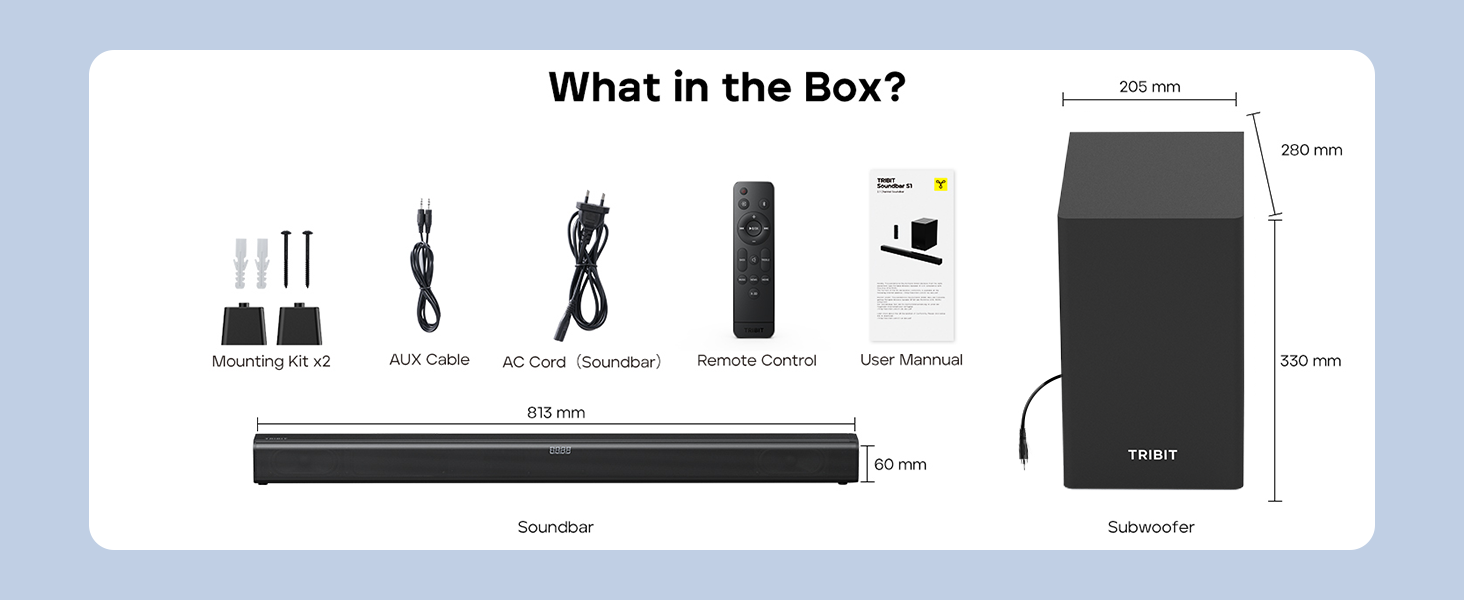
Image: Contents of the Tribit Soundbar S1 package, including the soundbar, subwoofer, remote control, power cord, AUX cable, mounting kit, and user manual. Dimensions for the soundbar and subwoofer are also shown.
Produk Selesaiview
Soundbar and Subwoofer Components

Image: The Tribit Soundbar S1, its accompanying wired subwoofer, and the remote control, displayed together.

Imej: Meletup view diagram illustrating the 100W soundbar and 100W subwoofer with its bass reflex port, highlighting the 200W peak power output.
Kawalan Bar Bunyi

Imej: A terperinci view of the soundbar's top-mounted controls, including the On/Off button, Source button, Volume + button, and Volume - button. The remote control receiver is also indicated.
- Butang Kuasa: Press to turn the soundbar On or Off.
- Butang Sumber: Press to cycle through input modes (Bluetooth, AUX, HDMI, USB).
- Butang Kelantangan +: Tingkatkan kelantangan.
- Kelantangan - Butang: Kurangkan volum.
- Paparan led: Shows current status, volume level, and EQ mode.
Sambungan Panel Belakang

Image: A diagram illustrating the rear connection panel of the soundbar, featuring ports for HDMI (ARC), USB Disk Input, AUX Input, SUB Output (for the wired subwoofer), and AC Input. Bluetooth 5.3 connectivity is also noted.
- HDMI (ARC): Connect to your TV's HDMI ARC port for audio output.
- AUX DI: Connect external audio devices via a 3.5mm AUX cable.
- USB: Untuk memainkan audio files daripada pemacu USB.
- SUB KELUAR: Connects to the wired subwoofer.
- AC DALAM: Sambungkan kord kuasa.
Alat Kawalan Jauh

Imej: A terperinci view of the remote control for the Tribit Soundbar S1, showing buttons for Power On/Off, Source Switching, Bluetooth Mode, Volume +/-, Previous/Next Song, Play/Pause, Mute, Bass/Treble +/- adjustments, and dedicated EQ Mode buttons (Music, News, Movie, X-3D).
The remote control allows full functionality from a distance. Ensure batteries are correctly inserted.
Persediaan
Penempatan
Position the soundbar centrally below your television. The subwoofer can be placed on the floor near the soundbar, ideally in a corner for enhanced bass response, but ensure it is not obstructed.

Image: The Tribit Soundbar S1 positioned below a television on a media console, with the wired subwoofer placed to the side, demonstrating a typical home theater setup.
Menyambungkan Subwoofer
Connect the wired subwoofer to the "SUB OUT" port on the rear of the soundbar using the provided cable.
Sambungan Kuasa
Connect the AC power cord to the "AC IN" port on the soundbar, then plug the other end into a wall outlet.
Sambungan Audio
Pilih salah satu daripada kaedah berikut untuk menyambungkan sumber audio anda:
- HDMI (ARC): For optimal audio quality and control, connect an HDMI cable from the soundbar's HDMI (ARC) port to your TV's HDMI ARC port. Ensure your TV's HDMI ARC function is enabled in its settings.
- AUX: Connect the provided 3.5mm AUX cable from the soundbar's AUX IN port to the audio output (headphone jack or AUX out) of your device (TV, smartphone, tablet).
- USB: Masukkan pemacu USB yang mengandungi audio files into the USB port. The soundbar will automatically switch to USB mode.
- Bluetooth: For wireless connection, refer to the "Bluetooth Pairing" section under Operating Instructions.
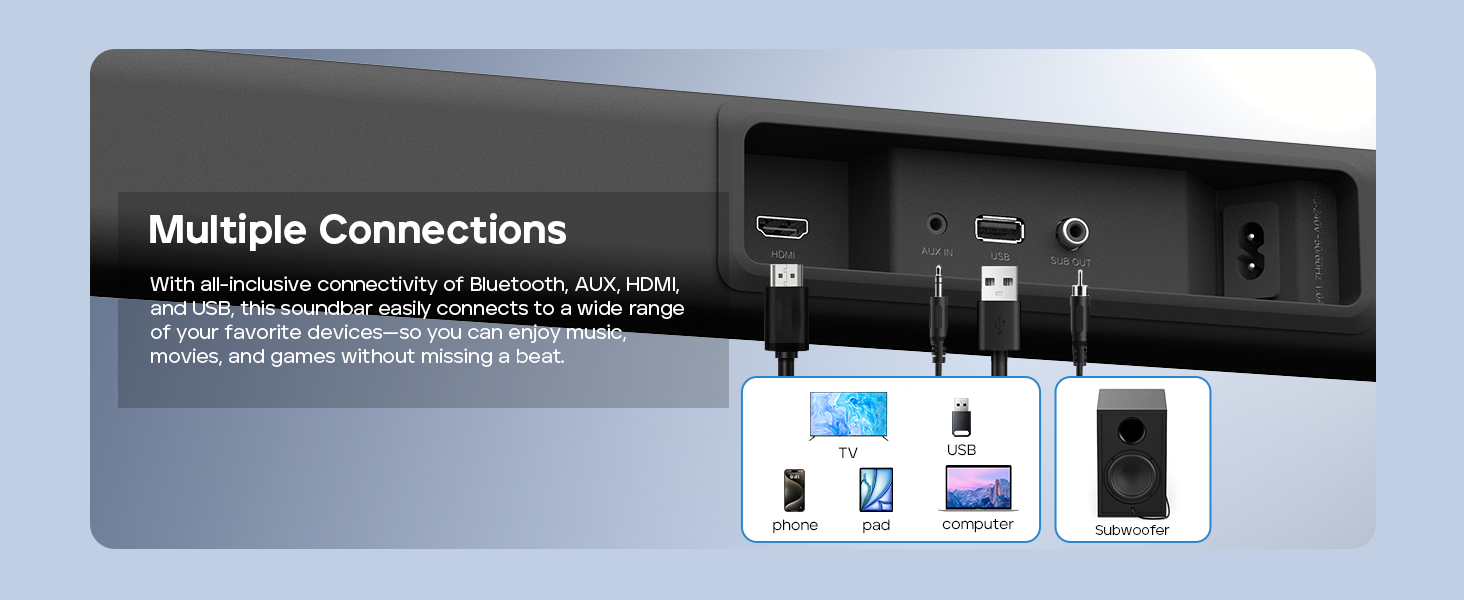
Image: A visual guide demonstrating the multiple connection options for the soundbar, including HDMI, AUX, USB, and Bluetooth, with examples of compatible devices like TVs, phones, tablets, and computers.
Pemasangan Dinding (Pilihan)
If you choose to wall-mount your soundbar, follow these steps:
- Measure 668.70mm between two points on the wall and drill two parallel holes (4x45mm).
- Firmly insert a dowel into each hole. Dowels are only required for solid walls.
- Attach the soundbar to the screws on the wall. Press and slide the soundbar to secure it in the correct position.
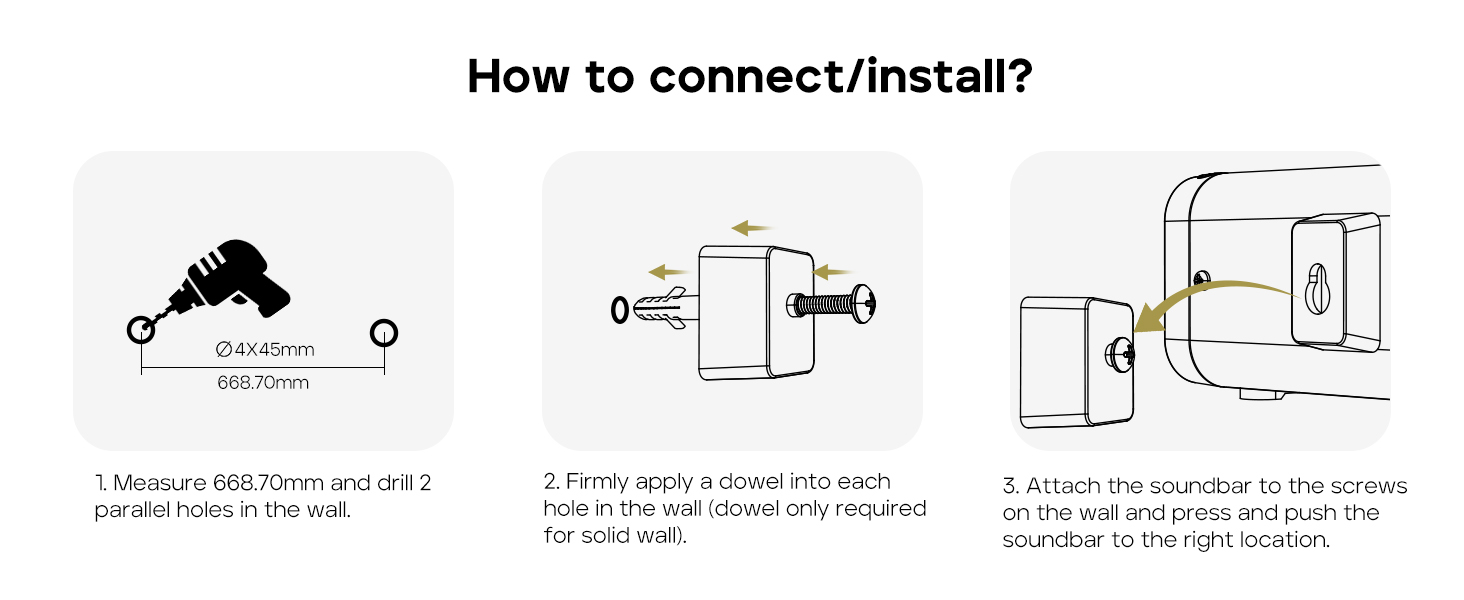
Image: A three-step instructional diagram for wall mounting the soundbar, showing measuring and drilling holes, inserting dowels, and finally attaching the soundbar to the wall.
Arahan Operasi
Hidupkan/Mati Kuasa
Tekan ke kuasa butang pada bar bunyi atau alat kawalan jauh untuk menghidupkan atau mematikan unit.
Memilih Sumber Input
Tekan ke Sumber button on the soundbar or remote control repeatedly to cycle through available input modes: Bluetooth, AUX, HDMI, USB. The LED display will indicate the current mode.
Kawalan Kelantangan
Gunakan Jilid + or Isipadu - buttons on the soundbar or remote control to adjust the volume level.
Tekan ke bisu button on the remote control to mute or unmute the audio.
Berpasangan Bluetooth
- Turn on the soundbar and select Bluetooth mode using the Source button. The LED display will show "BT" and flash, indicating it's in pairing mode.
- Enable Bluetooth on your device (smartphone, tablet, etc.) and search for "Tribit S1".
- Select "Tribit S1" from the list of available devices to connect. Once connected, the LED display will stop flashing and show "BT" steadily.
Mod EQ
The soundbar features four equalizer (EQ) modes to optimize audio for different content types. Use the dedicated buttons on the remote control to switch between modes:
- Mod Muzik: Provides balanced sound for general music listening.

Image: A person enjoying music with the soundbar, illustrating the Music EQ mode for balanced audio.
- Mod Filem: Enhances dialogue and sound effects for a cinematic experience.

Image: A couple watching a movie with the soundbar, illustrating the Movie EQ mode for an immersive surround-sound experience.
- Mod Berita: Optimizes for clear dialogue, making news broadcasts and speech easier to understand.
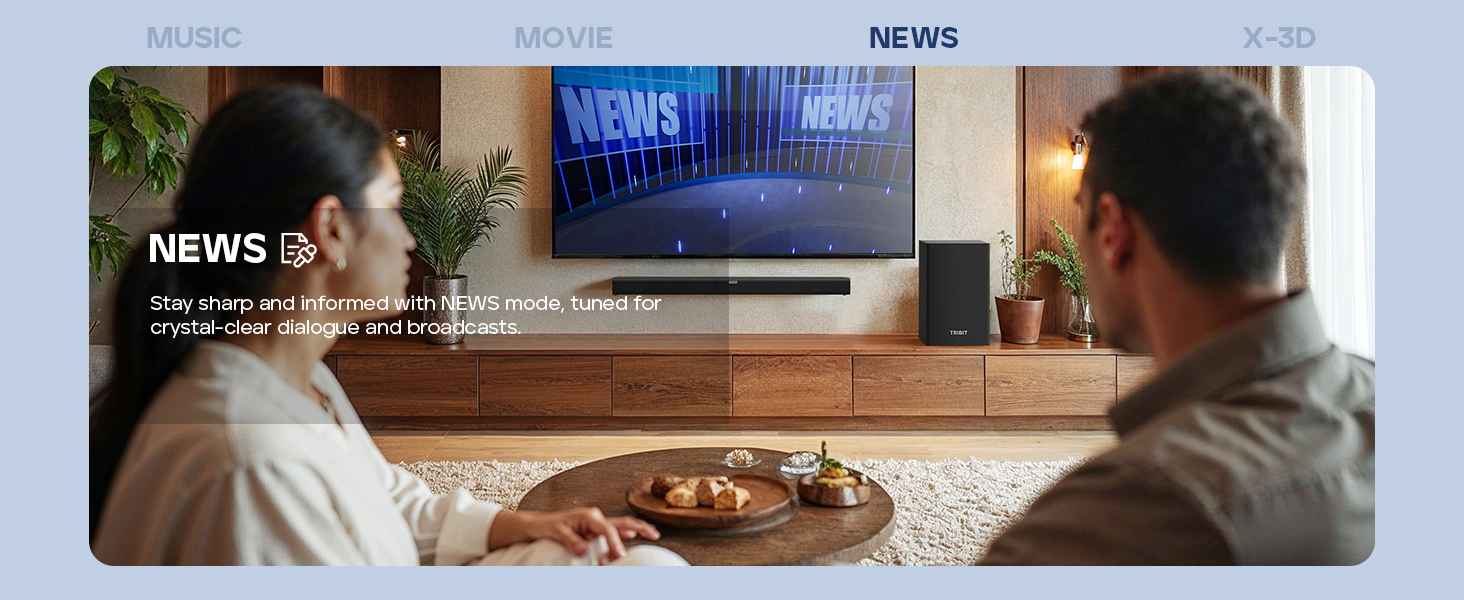
Image: A couple watching news with the soundbar, illustrating the News EQ mode for crystal-clear dialogue.
- X-3D Mode: Creates an expanded stereo effect for an immersive virtual surround sound experience.
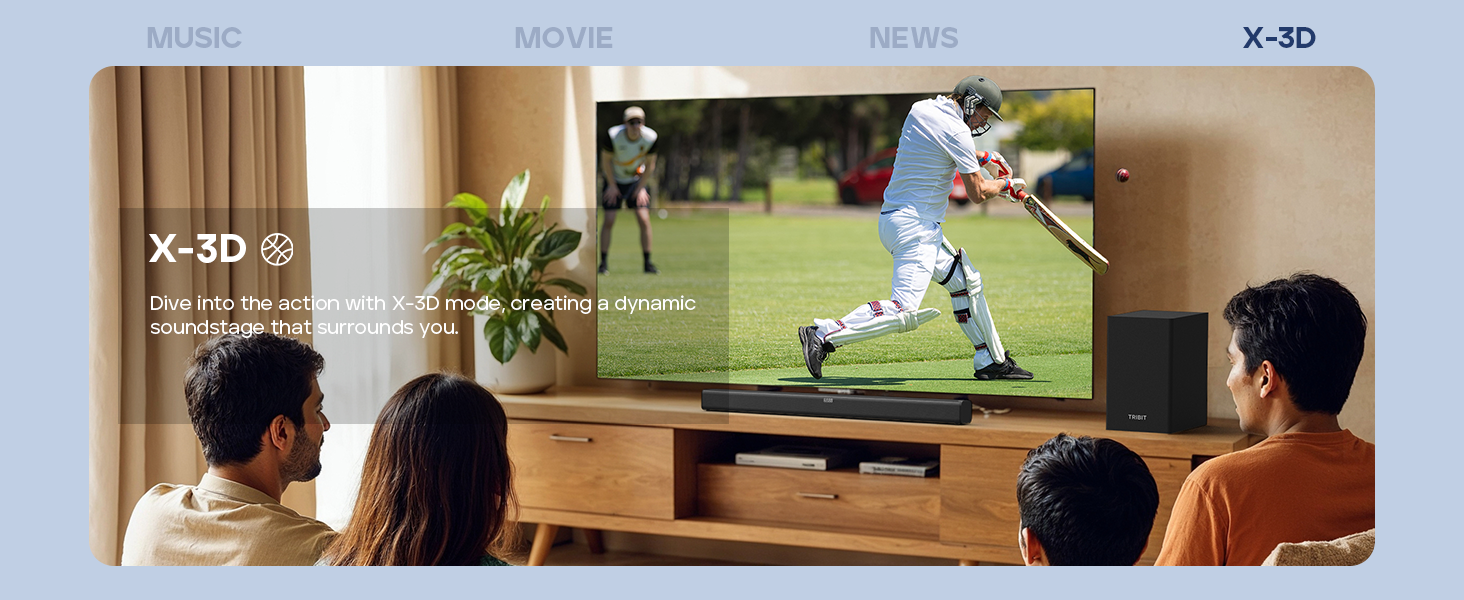
Image: People watching sports with the soundbar, illustrating the X-3D mode for a dynamic, surrounding soundstage.

Image: A visual representation of the four available EQ modes (Music, Movie, News, X-3D) and their corresponding icons, indicating how to adjust them with the remote for an immersive virtual surround sound experience.
Kawalan Bes dan Treble
Gunakan BASS +/- dan TREBLE +/- buttons on the remote control to fine-tune the low and high frequencies to your preference.
Menyelesaikan masalah
| Masalah | Kemungkinan Punca | Penyelesaian |
|---|---|---|
| Tiada kuasa | Kord kuasa tidak disambungkan; Salur keluar kuasa tidak aktif. | Ensure the power cord is securely connected to the soundbar and a working power outlet. |
| Tiada bunyi | Incorrect input source selected; Volume too low; Cables not connected properly; Mute function active. | Select the correct input source. Increase volume. Check all audio cables. Deactivate mute. |
| Penggandingan Bluetooth gagal | Bar bunyi tidak dalam mod berpasangan; Peranti terlalu jauh; Gangguan. | Ensure soundbar is in Bluetooth pairing mode (flashing "BT"). Move device closer. Avoid strong interference sources. Try re-pairing. |
| Alat kawalan jauh tidak berfungsi | Bateri berkurangan; Halangan antara alat kawalan jauh dan bar bunyi; Alat kawalan jauh tidak dihalakan dengan betul. | Replace batteries (2 AAA). Remove any obstructions. Point the remote directly at the soundbar's receiver. |
| Kualiti bunyi yang lemah | Incorrect EQ mode; Loose cable connection; Low-quality audio source. | Switch EQ modes to find the best setting. Check cable connections. Use a higher quality audio source if possible. |
Spesifikasi
- model: BTS61
- Jenis pembesar suara: Bar bunyi, Subwufer
- Konfigurasi Saluran Bunyi Sekeliling: 2.1
- Kuasa Output Maksimum Pembesar Suara: 200 Watts (100W Soundbar, 100W Subwoofer)
- Diameter subwufer: 6.5 Inci
- Teknologi Ketersambungan: Bluetooth 5.3, Auxiliary, HDMI (ARC), USB
- Mod Output Audio: Stereo, Surround
- Kaedah Kawalan: Alat Kawalan Jauh, Butang pada unit
- Ciri Khas: LED Display, 4 EQ Modes (Music, Movie, News, X-3D), Bass & Treble Control
- Sumber Kuasa: AC Bertenaga
- warna: Hitam
- Berat Barang: 8.76 kg (Soundbar + Subwoofer)
- Dimensi Pakej: 90.8 x 44.8 x 27.8 cm
- Bateri: 2 AAA batteries (for remote, included)
Penyelenggaraan
- Pembersihan: Wipe the surfaces of the soundbar and subwoofer with a soft, dry, lint-free cloth. Do not use abrasive cleaners, waxes, or solvents.
- Pengudaraan: Pastikan bukaan pengudaraan pada bar bunyi dan subwoofer tidak tersumbat.
- Storan: Jika menyimpan unit untuk tempoh yang lama, cabut sambungannya daripada salur keluar kuasa dan simpan di tempat yang sejuk dan kering.
Waranti dan Sokongan
Tribit products are designed for reliability and performance. For warranty information and customer support, please refer to the warranty card included in your package or visit the official Tribit webtapak.
Maklumat Hubungan:
- Pengeluar: Tribit
- Sokongan dalam talian: Visit the Tribit Store on Amazon
Please have your model number (BTS61) and purchase details ready when contacting support.


