
1. Pengenalan
Thank you for choosing the Intenso Buds Plus TWS T313AE Wireless Earbuds. These earbuds are designed to provide a superior audio experience with advanced features such as Active Noise Cancellation (ANC), Environmental Noise Cancellation (ENC), and Bluetooth 5.4 connectivity. This manual provides essential information for setting up, operating, and maintaining your earbuds.
2. Kandungan Pakej
Sila semak pakej untuk item berikut:
- Intenso Buds Plus TWS Earbuds (Left and Right)
- Kes Pengecasan
- Kabel Pengecas USB
- Pelbagai Saiz Petua Telinga
- Manual Pengguna
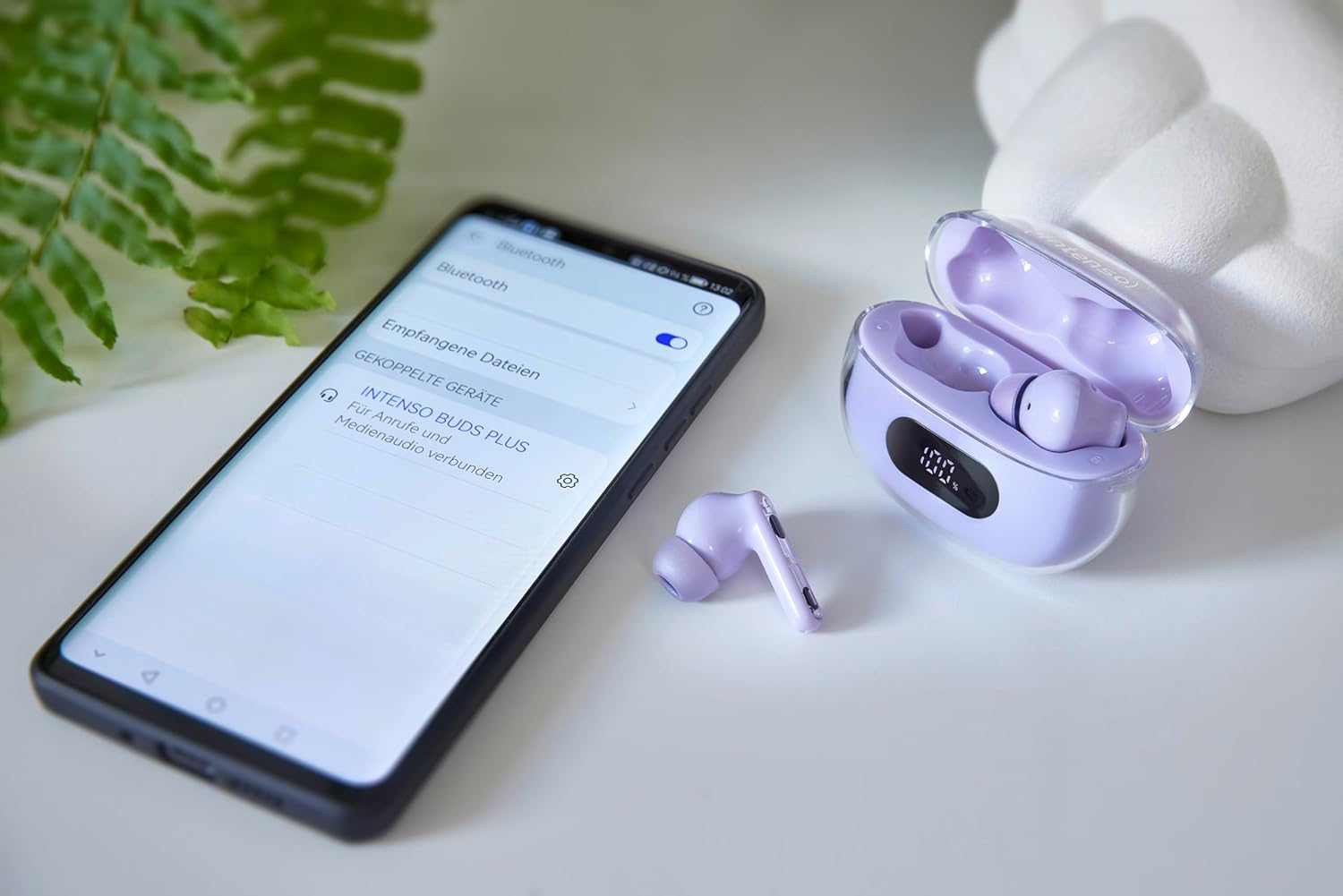
Image: Intenso Buds Plus TWS earbuds, charging case, and a smartphone displaying Bluetooth pairing settings.
3. Produk Lebihview
The Intenso Buds Plus TWS earbuds feature a compact design with a transparent charging case. The earbuds are equipped with touch controls and integrated microphones for clear communication.

Image: Earbuds in open charging case with digital display.

Image: Features highlighted: ANC, ENC, and LED display.

Image: Charging case with 100% battery display.

Image: Close-up of individual earbuds.
4. Persediaan
4.1 Mengecas Fon telinga dan Sarung
Before first use, fully charge the earbuds and the charging case. The charging case features an LED display to indicate the battery level.
- Letakkan fon telinga ke dalam bekas pengecasan.
- Sambungkan bekas pengecas ke sumber kuasa USB menggunakan kabel USB yang disediakan.
- The LED display on the case will show the charging status.
- A full charge typically takes approximately 1.5 to 2 hours for the case and earbuds.

Image: LED status display on the charging case.
4.2 Berpasangan Bluetooth
The Intenso Buds Plus earbuds utilize Bluetooth 5.4 for a stable and fast connection.
- Pastikan fon telinga dicas dan di dalam bekas pengecasan.
- Buka bekas pengecas. Fon telinga akan memasuki mod berpasangan secara automatik.
- Pada peranti anda (telefon pintar, tablet, komputer riba), pergi ke tetapan Bluetooth.
- Cari untuk available devices and select "Intenso Buds Plus" from the list.
- Setelah disambungkan, anda akan mendengar nada pengesahan dan fon telinga akan sedia untuk digunakan.

Image: Earbuds and case next to a smartphone.
5. Arahan Operasi
5.1 Kawalan Sentuhan
The earbuds feature intuitive touch controls for managing audio playback, calls, and noise cancellation modes.
- Main/Jeda: Ketik sekali pada salah satu fon telinga.
- Lagu Seterusnya: Ketik dua kali pada fon telinga kanan.
- Trek Sebelumnya: Ketik dua kali pada fon telinga kiri.
- Jawab/Tamatkan Panggilan: Ketik sekali pada salah satu fon telinga.
- Tolak Panggilan: Tekan dan tahan salah satu fon telinga selama 2 saat.
- Kelantangan: Ketik tiga kali pada fon telinga kanan.
- Perlahankan suara: Ketik tiga kali pada fon telinga kiri.
- Aktifkan Pembantu Suara: Tekan dan tahan salah satu fon telinga selama 3 saat (apabila tidak dalam panggilan).
5.2 Noise Cancellation Modes (ANC, ENC, Transparency)
The earbuds offer various modes to control your listening environment:
- Pembatalan Bunyi Aktif (ANC): Mengurangkan hingar ambien, membolehkan anda fokus pada audio anda.
- Pembatalan Bunyi Persekitaran (ENC): Enhances voice clarity during calls by filtering out background noise.
- Mod Ketelusan: Membolehkan anda mendengar persekitaran anda sambil masih menikmati audio anda, berguna untuk kesedaran dalam persekitaran yang sibuk.
To switch between ANC, Transparency, and Normal modes, press and hold the touch area on the left earbud for 2 seconds. ENC is automatically active during calls.
5.3 Hayat Bateri
The earbuds provide up to 7 hours of playback on a single charge. The charging case extends the total playtime to approximately 25 hours, allowing for multiple recharges on the go.

Image: Illustration of battery life with and without charging case.
6. Penyelenggaraan
To ensure the longevity and optimal performance of your Intenso Buds Plus earbuds, follow these maintenance guidelines:
- Pembersihan: Bersihkan fon telinga dan bekas pengecas dengan kerap menggunakan kain yang lembut, kering dan tidak berbulu. Jangan gunakan pembersih atau pelarut yang melelas.
- Petua Telinga: Tanggalkan hujung telinga secara berkala dan bersihkannya dengan air dan sabun lembut. Pastikan ia kering sepenuhnya sebelum dipasang semula.
- Mengecas Kenalan: Keep the charging contacts on both the earbuds and inside the case clean and free of debris to ensure proper charging.
- Storan: Apabila tidak digunakan, simpan fon telinga dalam bekas pengecasnya untuk melindunginya daripada habuk dan kerosakan.
- Tahan Air: The earbuds are water-resistant. Avoid submerging them in water or exposing them to excessive moisture. Dry them thoroughly if they get wet.
7. Penyelesaian masalah
Jika anda menghadapi sebarang masalah dengan fon telinga anda, rujuk penyelesaian biasa berikut:
| Masalah | Kemungkinan Punca | Penyelesaian |
|---|---|---|
| Fon telinga tidak berpasangan | Low battery; Bluetooth off; Earbuds not in pairing mode; Device already connected to another Bluetooth device. | Charge earbuds and case; Ensure Bluetooth is enabled on your device; Place earbuds in case, close, then open to re-enter pairing mode; Disconnect from other devices. |
| Tiada bunyi | Volume too low; Earbuds not connected; Audio source paused. | Increase volume on earbuds and device; Reconnect earbuds; Check audio playback on your device. |
| Kualiti bunyi yang lemah | Ear tips not properly sealed; Earbuds dirty; Interference. | Try different size ear tips for a better fit; Clean earbuds and ear tips; Move closer to your device or away from sources of interference. |
| Fon telinga tidak dicas | Charging cable faulty; Charging contacts dirty; Power source issue. | Try a different USB cable; Clean charging contacts; Use a different USB port or power adapter. |
8. Spesifikasi
| Nama Model | Buds Plus |
| Nombor Model | 3720313 |
| Jenama | Intenso |
| Teknologi Ketersambungan | Wayarles (Bluetooth 5.4) |
| Penempatan Telinga | Dalam telinga |
| Faktor Bentuk | Dalam Telinga |
| Pembatalan Bunyi | Pembatalan Bunyi Aktif (ANC), Pembatalan Bunyi Alam Sekitar (ENC) |
| Jenis Kawalan | Kawalan Sentuh |
| Ciri Khas | Noise Cancellation, Volume Control, Touch Control, Noise Isolation, Lightweight |
| Komposisi Bateri | Litium-polimer |
| Bateri boleh dicas semula | ya |
| Masa Main (Earbud) | Sehingga 7 jam |
| Jumlah Masa Main (dengan Kes) | Sehingga 25 jam |
| Tahap Ketahanan Air | kalis air |
| bahan | plastik |
| Peranti Serasi | Mobile phone, Tablet, Laptop, Game console, Car audio system |
9. Waranti dan Sokongan
Intenso products are designed for reliability and performance. For warranty information, technical support, or customer service inquiries, please refer to the contact details provided on the Intenso official webtapak atau dokumentasi pembelian anda.
Sila simpan bukti pembelian anda untuk sebarang tuntutan waranti.