1. Pengenalan dan Lebihview
Thank you for choosing the ABUS Chain Lock YARDO 7807F. This innovative chain lock provides a secure and convenient way to protect your bicycle and other valuable objects. Featuring a state-of-the-art fingerprint sensor, it offers keyless operation, allowing you to unlock it quickly and effortlessly with your unique fingerprint. This manual will guide you through the setup, operation, and maintenance of your new lock.

Image 1.1: The ABUS Chain Lock YARDO 7807F, showcasing its robust chain and integrated lock body.
2. Ciri-ciri Produk
- Akses Cap Jari: Your finger is your key. Unlock the device quickly and easily using your registered fingerprint, eliminating the need for physical keys or numerical combinations.
- Sokongan Berbilang Pengguna: The precise fingerprint sensor allows for the registration of up to 20 unique fingerprints, enabling multiple users to access the lock.
- Keselamatan Tinggi: Constructed with a 7 mm thick square chain and a lock body made of coated die-cast zinc, combined with a double ball locking mechanism, the lock offers high resistance against break-in attempts.
- Penguncian automatik: For convenience, the lock automatically engages when the bolt is inserted into the lock body, requiring no additional fingerprint scan for locking.
- Reka Bentuk Kalis Cuaca: With IP 66 and IP 68 certifications, the lock is designed to withstand various weather conditions, ensuring reliable performance outdoors.
- Panjang Optimum: The chain measures 85 cm in length, providing ample reach for securing bicycles to various fixed objects.
- Sumber Kuasa: Operates on a single CR2 battery (included).
3. Persediaan
3.1. Pemasangan Bateri
The ABUS YARDO 7807F requires one CR2 battery for operation. A battery is included with your purchase.
- Locate the battery compartment cover on the lock body. This is typically secured by a small screw or a latch.
- Using a suitable tool (e.g., a small screwdriver), carefully open or remove the battery compartment cover.
- Insert the CR2 battery, ensuring the correct polarity (+ and -) as indicated inside the compartment.
- Pasang semula penutup petak bateri dan pasangkannya dengan kukuh.
3.2. Initial Fingerprint Registration (Administrator)
The first fingerprint registered will be the administrator fingerprint, which is required to add or remove other user fingerprints.
- Ensure the lock is unlocked and the battery is installed.
- Press and hold the fingerprint sensor for approximately 5-7 seconds until an indicator light (e.g., blue or green) begins to flash rapidly, or you hear a specific sound. This indicates it's ready for registration.
- Place the pad of the finger you wish to register firmly on the sensor. Lift and place your finger repeatedly (typically 5-10 times) from different angles until the lock confirms successful registration (e.g., a solid light or a confirmation sound).
- Test the registered fingerprint immediately to ensure it unlocks the device.
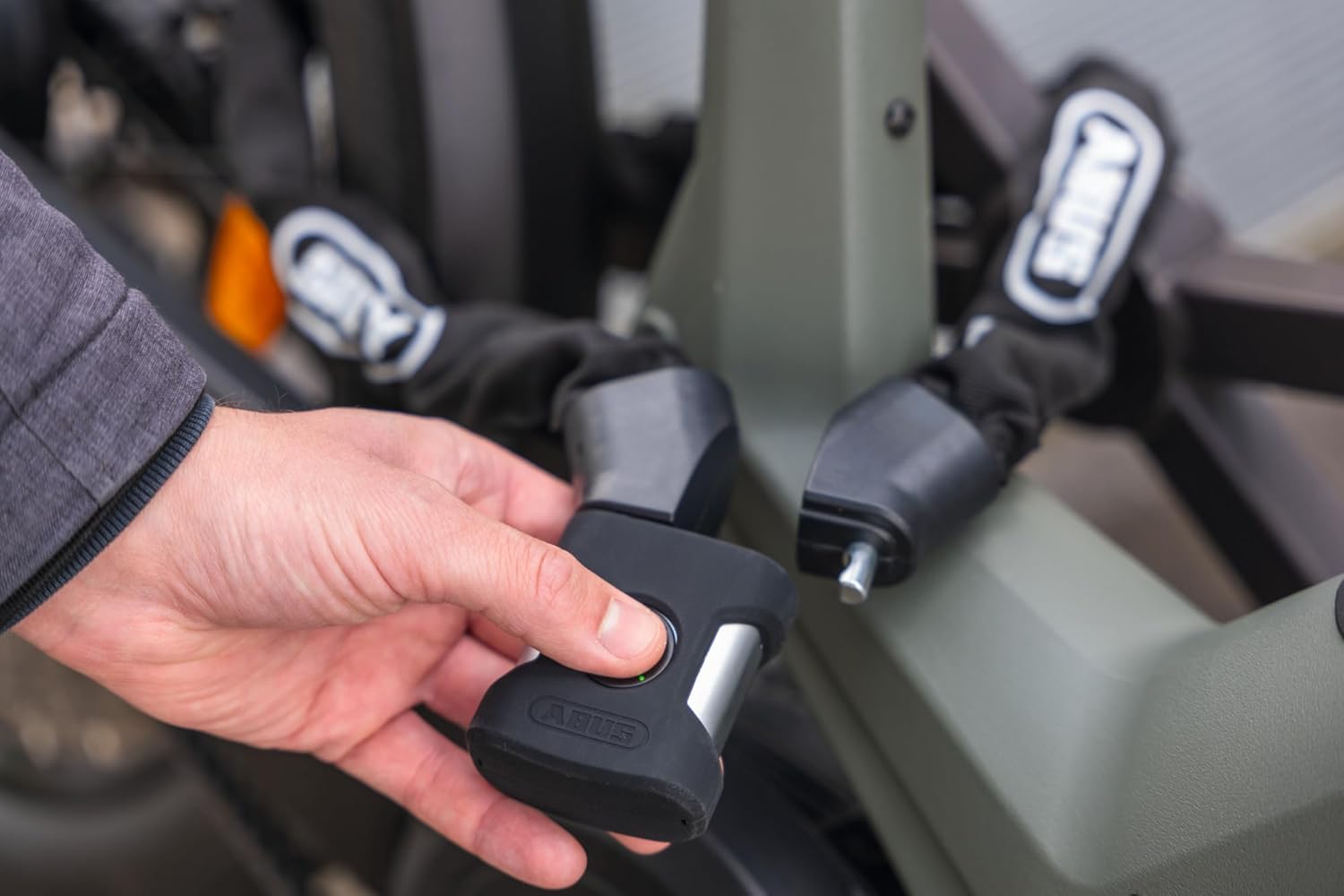
Image 3.1: A hand demonstrating interaction with the lock's fingerprint sensor.
3.3. Menambah Cap Jari Pengguna
You can add up to 19 additional user fingerprints after the administrator fingerprint has been set.
- Wake the lock by briefly touching the sensor.
- Place the administrator's registered finger on the sensor and hold it until the indicator light changes (e.g., a slower flash or a different color), indicating it's in 'add user' mode.
- Have the new user place their finger on the sensor, lifting and placing it repeatedly as done during administrator registration, until confirmed.
- Repeat for any additional fingerprints.
4. Mengendalikan Kunci
4.1. Membuka kunci
- Place a registered finger firmly on the fingerprint sensor.
- The lock will vibrate or emit a sound, and the indicator light will change (e.g., turn green) to confirm successful recognition.
- The lock mechanism will disengage, allowing you to open the chain.
4.2. Mengunci
The ABUS YARDO 7807F features an automatic locking mechanism.
- Wrap the chain around the object you wish to secure and your bicycle frame.
- Insert the bolt end of the chain into the lock body.
- The lock will automatically engage and secure itself without requiring a fingerprint scan. You will hear a click or confirmation sound.

Image 4.1: The ABUS YARDO 7807F chain lock securing a bicycle to a fixed object.
4.3. Securing Your Bicycle
For maximum security, always try to secure both the frame and at least one wheel of your bicycle to an immovable object, such as a bike rack, lamppost, or railing. Ensure the object is sturdy and cannot be easily cut or dismantled.
5. Penyelenggaraan
5.1. Pembersihan
Regular cleaning helps maintain the lock's performance and longevity.
- Wipe the lock body and chain with a soft, damp kain untuk menghilangkan kotoran dan kotoran.
- For the fingerprint sensor, use a clean, dry, lint-free cloth. Avoid abrasive materials or harsh chemicals.
- Do not immerse the lock in water, despite its weatherproof rating.
5.2. Penggantian Bateri
When the battery is low, the lock may indicate this with a specific light pattern or sound during operation. Replace the CR2 battery as described in Section 3.1.
5.3. Penjagaan Sensor
Keep the fingerprint sensor clean and dry for optimal performance. Moisture, dirt, or oils on your finger or the sensor can affect recognition accuracy.

Imej 5.1: Gambar jarak dekat view of the fingerprint sensor, highlighting its weatherproof design.
6. Penyelesaian masalah
| Masalah | Kemungkinan Punca | Penyelesaian |
|---|---|---|
| Cap jari tidak dikenali. | Finger is wet, dirty, or improperly placed. Sensor is dirty. Unregistered fingerprint. | Ensure finger and sensor are clean and dry. Place finger firmly and cover the sensor completely. Try different angles. Ensure the fingerprint is registered. |
| Kunci tidak bertindak balas. | Bateri mati atau lemah. | Gantikan bateri CR2. |
| Lock does not engage automatically. | Bolt not fully inserted. Obstruction in lock mechanism. | Ensure the bolt is pushed all the way into the lock body. Check for any debris or obstruction. |
| Cannot add new fingerprints. | Not using administrator fingerprint. Maximum fingerprints reached. | Ensure you are using the administrator fingerprint to enter 'add user' mode. The lock supports up to 20 fingerprints. |
7. Spesifikasi
- Nombor Model: 41001
- Panjang: 85 sm
- Chain Thickness: 7 mm square chain
- Bahan: Steel, Coated Zinc
- warna: Hitam
- Jenis Kunci: Biometrik (Cap Jari)
- Rintangan Cuaca: IP 66 and IP 68 certified
- Jenis Bateri: 1 x CR2 (termasuk)
- Berat Barang: Kira-kira 1.25 kg
- Komponen yang Disertakan: ABUS Chain lock 7807F/85 BK
8. Maklumat Keselamatan
- Do not attempt to disassemble or modify the lock. This may damage the device and void any warranty.
- Keep the lock away from extreme temperatures and direct sunlight for prolonged periods.
- Ensure the battery is inserted with correct polarity. Dispose of used batteries responsibly according to local regulations.
- This lock is designed as a deterrent against theft. No lock can guarantee 100% theft prevention. Always use the lock in conjunction with other security measures and common sense.
9. Waranti dan Sokongan
For information regarding warranty coverage, technical support, or service, please refer to the official ABUS website or contact ABUS customer service directly. Please have your product model number (41001) and purchase details ready when contacting support.


