pengenalan
The EMTEC D280 Dual USB Flash Drive is a versatile storage device designed for efficient and reliable data transfer. It features both USB-A and USB-C connectors, providing universal compatibility with a wide range of devices, including desktops, laptops, tablets, and smartphones. This manual provides essential information for setting up, operating, maintaining, and troubleshooting your EMTEC D280 flash drive.
Produk Selesaiview
The EMTEC D280 flash drive is engineered for convenience and durability. Its compact design integrates two distinct USB connectors, allowing seamless connection to both traditional USB-A ports and modern USB-C ports. The casing is constructed from 100% recycled plastic, reflecting an eco-conscious design approach.
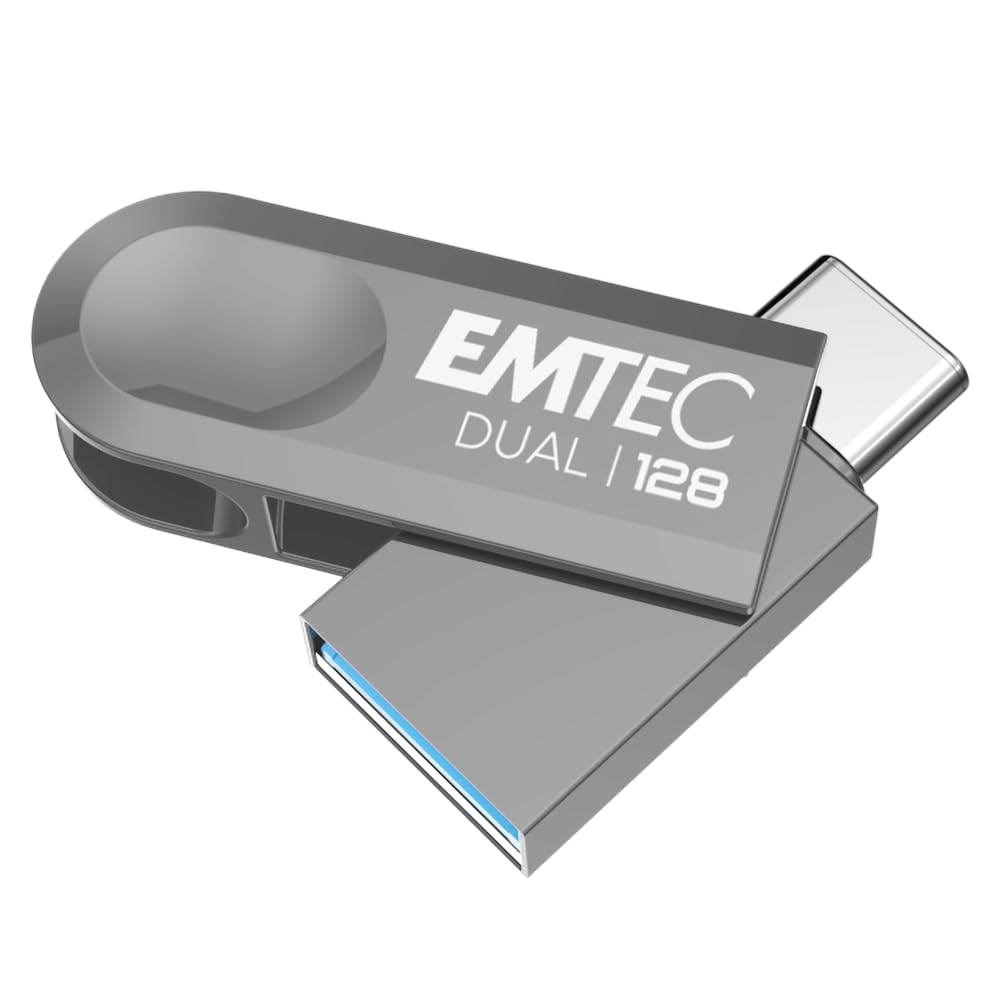
Image 1: The EMTEC D280 Dual USB Flash Drive, showcasing its compact form factor and the integrated USB-A and USB-C connectors.

Image 2: The retail packaging for the EMTEC D280 Dual USB Flash Drive, highlighting its USB 3.2 compatibility and eco-friendly materials.
Persediaan
- Sambungkan Drive: Identify the appropriate port on your device (USB-A or USB-C). Gently insert the corresponding connector of the EMTEC D280 flash drive into the port. Ensure a firm connection.
- Pengecaman Automatik: Most modern operating systems (Windows, macOS, Linux) will automatically detect the flash drive. A notification may appear, or the drive will be listed under 'My Computer' (Windows) or 'Finder' (macOS) or your file manager (Linux).
- Penggunaan Awal: The drive is pre-formatted and ready for use. No special drivers or software installation are typically required.
Arahan Operasi
- Memindahkan Files:
- Buka file explorer or finder on your computer.
- Locate the EMTEC D280 drive (often labeled as a removable disk).
- Seret dan lepas files or folders from your computer to the flash drive, or vice versa.
- For optimal performance, ensure your device supports USB 3.2.
- Kelajuan Pemindahan: The drive offers read speeds up to 80MB/s and write speeds up to 20MB/s. Actual speeds may vary based on file size, system configuration, and the USB port used.
- Keserasian: The D280 Dual USB Flash Drive is compatible with Windows 10, 11, Vista, XP, Me, 2000, Mac OS 11, and Linux 2.6x operating systems.
- Penyingkiran Selamat: Always safely eject the flash drive from your operating system before physically removing it. This prevents data corruption. On Windows, right-click the drive icon and select 'Eject'. On macOS, drag the drive icon to the Trash or click the eject symbol next to the drive in Finder.
Penyelenggaraan
- Penjagaan Fizikal: Keep the flash drive clean and free from dust and moisture. Avoid exposing it to extreme temperatures or direct sunlight.
- Sandaran Data: Regularly back up important data stored on the flash drive to another storage medium to prevent data loss.
- Perlindungan Penyambung: When not in use, ensure the connectors are protected from physical damage.
Menyelesaikan masalah
- Pemanduan Tidak Dikenali:
- Pastikan pemacu dimasukkan sepenuhnya ke dalam port USB.
- Try connecting the drive to a different USB port on your device.
- Uji pemacu pada komputer atau peranti lain untuk menolak isu khusus peranti.
- Mulakan semula komputer anda.
- Kelajuan Pemindahan Lambat:
- Verify that you are using a USB 3.2 compatible port on your device. Older USB 2.0 ports will result in slower speeds.
- Sebilangan besar kecil files can transfer slower than a single large file daripada jumlah saiz yang sama.
- Ensure no other intensive tasks are running in the background that might consume system resources.
- Tidak Boleh Menulis Files ke Drive:
- Periksa sama ada pemacu penuh. Padamkan yang tidak perlu files untuk mengosongkan ruang.
- Sahkan file system compatibility. Some file systems (e.g., FAT32) have limitations on individual file saiz.
- Semak sama ada files or folders you are trying to write have read-only permissions.
Spesifikasi
| Ciri | Perincian |
|---|---|
| Nama Model | D280 |
| Kapasiti Penyimpanan Memori | 128 GB (available in other capacities) |
| Kelajuan Baca | Sehingga 80 MB/s |
| Tulis Kelajuan | Sehingga 20 MB/s |
| Teknologi Ketersambungan | USB 3.2 |
| Antara Muka Perkakasan | USB Jenis-A, USB Jenis-C |
| Sistem Operasi | Windows 10, 11, Vista, XP, Me, 2000 / Mac OS 11 / Linux 2.6x |
| Product Dimensions (Open USB-C) | 370 x 14 mm |
| Product Dimensions (Open USB-A) | 403 x 14 mm |
| Bahan Cangkang | 100% Plastik Kitar Semula |
Waranti
The EMTEC D280 Dual USB Flash Drive is covered by a Waranti pengilang selama 2 tahun dari tarikh pembelian. Waranti ini melindungi kecacatan pada bahan dan mutu kerja di bawah penggunaan biasa. Sila simpan bukti pembelian anda untuk tuntutan waranti.
Sokongan
For further assistance, technical support, or to provide feedback on EMTEC products, please visit the official Emtec website or contact their customer service department. Contact information can typically be found on the product packaging or the Emtec brand webtapak.
Note: Product specifications and appearance are subject to change without prior notice.


