1. Maklumat Keselamatan Penting
Please read and understand all safety instructions before installing or operating the darkFlash DNA240A AIO CPU Liquid Cooler. Failure to follow these instructions may result in product damage, property damage, or personal injury.
- Keselamatan Elektrik: Ensure your power supply is disconnected from the wall outlet before beginning installation. Only connect the cooler to compatible power sources as specified.
- Pengendalian: Handle the cooler and its components with care. Avoid bending or kinking the liquid tubes. Do not apply excessive force to the radiator fins or pump head.
- Liquid Coolant: The cooler contains a sealed liquid coolant. Do not attempt to open or modify the sealed unit. In case of a leak, immediately disconnect power and contact support.
- Elektrik Statik: Always ground yourself before handling internal PC components to prevent electrostatic discharge (ESD) damage.
- Pengudaraan: Ensure adequate airflow within your PC case to facilitate proper heat dissipation from the radiator.
- Keserasian: Verify compatibility with your CPU socket (Intel LGA 1200/115X/1700/1851, AMD AM4/AM5/AM2/AM2+/AM3/AM3+/FM1/FM2) and PC case dimensions before installation.
2. Kandungan Pakej
Carefully unpack the darkFlash DNA240A AIO CPU Liquid Cooler and verify that all components are present and undamaged. If any items are missing or damaged, please contact darkFlash customer support.
- darkFlash DNA240A AIO Liquid Cooler (Radiator, Pump, and Tubes pre-assembled)
- 2 x 120mm PWM ARGB Fans
- Intel Mounting Bracket Kit (LGA 1200/115X/1700/1851)
- AMD Mounting Bracket Kit (AM4/AM5/AM2/AM2+/AM3/AM3+/FM1/FM2)
- Skru Kipas
- Skru Pemasangan Radiator
- Pes Termal (yang telah disapu terlebih dahulu atau dalam tiub)
- Manual Pengguna (dokumen ini)
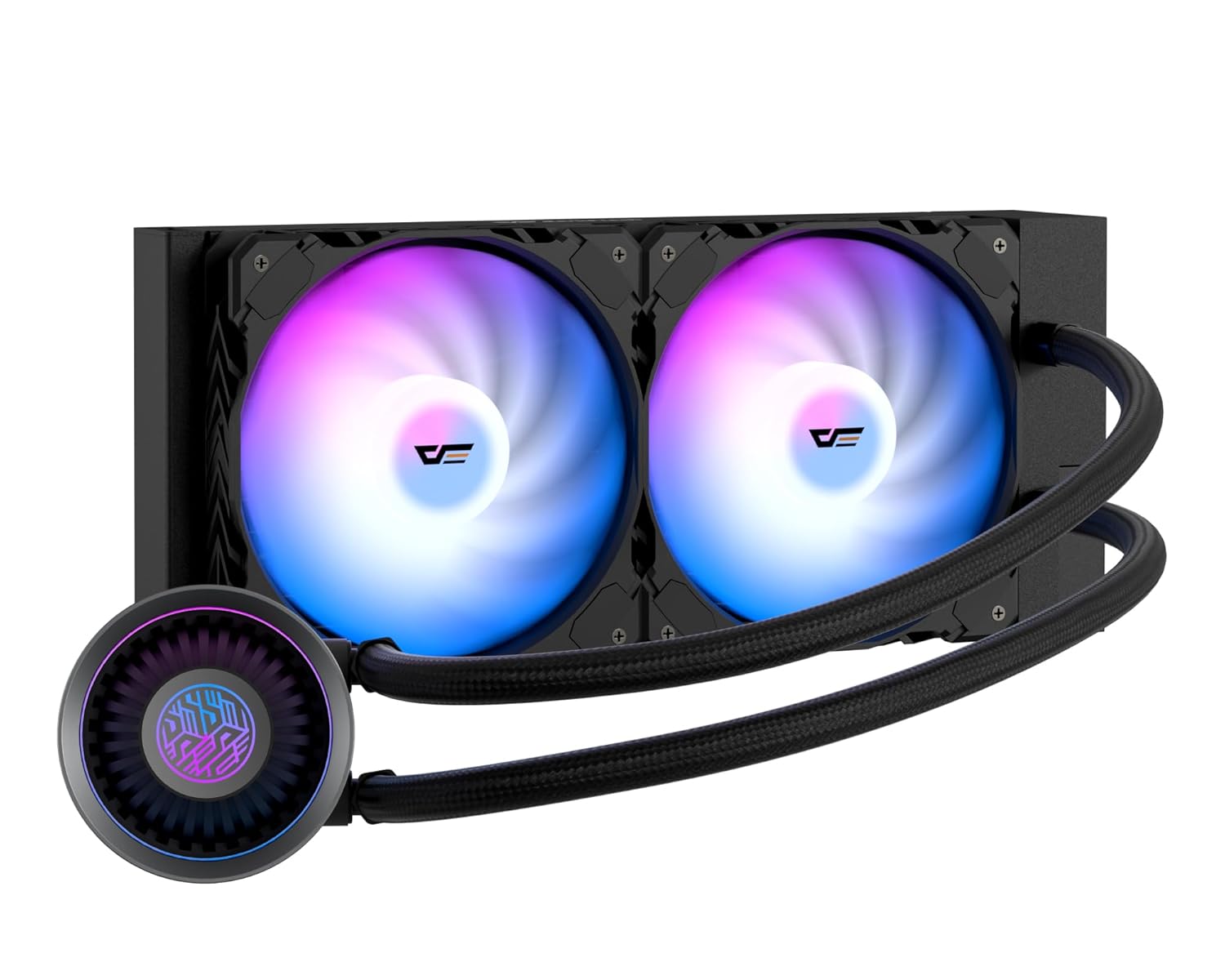
Image: The darkFlash DNA240A AIO CPU Liquid Cooler, showcasing the radiator, two ARGB fans, and the pump head with its integrated tubing.
3. Persediaan dan Pemasangan
This section provides general guidelines for installing your darkFlash DNA240A AIO CPU Liquid Cooler. Specific steps may vary slightly depending on your motherboard and PC case. Refer to your motherboard and case manuals for detailed instructions.
3.1 Sediakan Sistem Anda
- Matikan: Shut down your computer completely and disconnect the power cable from the wall outlet.
- Kes Terbuka: Buka bekas PC anda untuk mengakses papan induk dan kawasan CPU.
- Remove Old Cooler: If an existing CPU cooler is installed, carefully remove it and clean any old thermal paste from the CPU surface using isopropyl alcohol.
3.2 Pasang Pendakap Pelekap
Pilih pendakap pelekap yang sesuai untuk soket CPU anda (Intel atau AMD).

Image: Separate mounting brackets for Intel and AMD CPU sockets, ensuring broad compatibility.
- For Intel Sockets (LGA 1200/115X/1700/1851): Attach the Intel backplate to the rear of your motherboard, aligning the holes. Secure the standoffs through the motherboard from the front.
- For AMD Sockets (AM4/AM5/AM2/AM2+/AM3/AM3+/FM1/FM2): Use the existing AMD backplate (if present) or install the provided AMD backplate. Secure the AMD mounting clips to the pump head, then attach the pump to the CPU socket retention module.
3.3 Pasang Radiator dan Kipas
- Pasangkan Kipas pada Radiator: Secure the two 120mm PWM ARGB fans to the radiator using the provided fan screws. Ensure the fan airflow direction is appropriate for your case's ventilation (typically exhausting air out of the case).
- Gunung Radiator: Install the radiator assembly into your PC case. Common mounting locations include the top, front, or rear of the case, depending on available space and radiator size (240mm). Use the longer radiator mounting screws to secure it.

Image: Diagram illustrating the dimensions of the 240mm and 360mm radiators, important for case compatibility.
3.4 Install Pump Head
- Sapukan Pes Terma: If the thermal paste is not pre-applied to the cold plate, apply a small pea-sized amount to the center of your CPU's integrated heat spreader (IHS).
- Pam Kedudukan: Carefully place the pump head onto the CPU, aligning it with the mounting standoffs or clips.
- Pam selamat: Tighten the retention screws in a diagonal pattern until the pump head is firmly seated. Do not overtighten.

Imej: Meletup view of the pump's internal structure, highlighting the optimized flow rate design for efficient cooling.
3.5 Sambungkan Kabel
The darkFlash DNA240A features an embedded single-line design for simplified connections.

Image: Illustration of the simplified cable management, featuring a pre-connected 7-pin cable ready for 4-pin (PWM) and 5V 3-pin (ARGB) connections.
- Pam Kuasa: Connect the pump's 3-pin or 4-pin connector to the CPU_FAN or AIO_PUMP header on your motherboard.
- Fan Power (PWM): Connect the fan's 4-pin PWM connector to an available fan header on your motherboard (e.g., SYS_FAN or CPU_OPT).
- Pencahayaan ARGB: Connect the 5V 3-pin ARGB connector to a compatible 5V addressable RGB header on your motherboard. (Note: Do NOT connect to a 12V RGB header, as this will damage the LEDs.)
- Pengurusan Kabel: Jalankan kabel dengan kemas untuk memastikan aliran udara yang betul dan binaan yang bersih.

Image: The darkFlash AIO cooler installed in a PC, demonstrating the vibrant RGB animations from both the fans and the pump head, compatible with ASUS Aura Sync and other motherboard RGB software.
4. Arahan Operasi
Once installed, the darkFlash DNA240A AIO CPU Liquid Cooler operates automatically to maintain optimal CPU temperatures.
- Automatic Fan Control (PWM): The PWM (Pulse Width Modulation) fans automatically adjust their speed based on the CPU temperature, providing an optimal balance between cooling performance and noise levels. This is managed by your motherboard's fan control settings, which can often be configured in the BIOS/UEFI or through motherboard software.
- Penyegerakan Pencahayaan ARGB: The ARGB fans and pump head feature customizable lighting effects. These can be synchronized with most addressable RGB motherboards, including those supporting Aura Sync, Mystic Light, and Polychrome Sync. Use your motherboard's RGB software to control lighting modes, colors, and brightness.
- High-Performance Pump: The advanced pump operates at up to 4,000 RPM, ensuring efficient and quiet circulation of the coolant for superior heat dissipation.

Image: Visual representation of the optimized PWM ARGB fans, highlighting their performance metrics such as fan speed (up to 2200 RPM), air capacity (up to 61.7 CFM), fan pressure (up to 1.26 MMH2O), and low noise level (up to 30 dBA).
5. Penyelenggaraan
Regular maintenance helps ensure the longevity and optimal performance of your darkFlash DNA240A AIO CPU Liquid Cooler.
- Penyingkiran habuk: Periodically clean dust from the radiator fins and fan blades using compressed air or a soft brush. Dust accumulation can impede airflow and reduce cooling efficiency.
- Periksa Tiub: Visually inspect the liquid tubes for any signs of kinks, cracks, or leaks. While the high polymer rubber hose is designed for durability, regular checks are recommended.
- Semak Sambungan: Ensure all power and ARGB cables remain securely connected to the motherboard and components.
- No Coolant Refill: The AIO cooler is a sealed unit and does not require coolant refills or maintenance. Do not attempt to open the unit.
6. Penyelesaian masalah
If you encounter issues with your darkFlash DNA240A AIO CPU Liquid Cooler, refer to the following common problems and solutions.
| Masalah | Kemungkinan Punca | Penyelesaian |
|---|---|---|
| Suhu CPU Tinggi |
|
|
| Fans Not Spinning / No RGB |
|
|
| Bunyi Luar Biasa daripada Pam/Kipas |
|
|
7. Spesifikasi
| Ciri | Perincian |
|---|---|
| Nombor Model | DN360A (Note: This model is the 240mm variant, despite the model number DN360A) |
| Bahan Radiator | aluminium |
| Bahan Pinggan Sejuk | Tembaga, Sirip Micro Skived |
| Kaedah Penyejukan | Penyejukan Air |
| Jenis Kipas | PWM ARGB Fans |
| Kelajuan Kipas | Up to 1800 RPM ±10% (as per feature bullets, 2200 RPM in image) |
| Kapasiti Aliran Udara | 61.7 Kaki Kubik Seminit (CFM) |
| Tahap Kebisingan | ≤30 dBA |
| Kelajuan Pam | 4000 RPM ±10% |
| Jenis Penyambung Kuasa | 5-Pin (for integrated cable) |
| Voltage | 12 Volt |
| Wattage | 1.8 watt |
| Soket CPU yang Serasi | Intel: LGA 1200/115X/1700/1851 AMD: AM4/AM5/AM2/AM2+/AM3/AM3+/FM1/FM2 |
| Dimensi Pakej | 15.12 x 8.94 x 5.51 inci |
| Berat Barang | 3.42 paun |
8. Waranti dan Sokongan
darkFlash stands behind the quality of its products.
- Waranti: The darkFlash DNA240A AIO CPU Liquid Cooler comes with an exceptional 3-year assurance. Please retain your proof of purchase for warranty claims.
- Sokongan Pelanggan: For technical assistance, troubleshooting, or warranty inquiries, please visit the official darkFlash webtapak atau hubungi pasukan sokongan pelanggan mereka.
- Sumber Dalam Talian: Additional information and FAQs may be available on the darkFlash Store on Amazon.


