1. Pengenalan
This manual provides detailed instructions for the setup, operation, and maintenance of your ZEBRONICS PIXAPLAY 54 Smart LED Projector. Please read this manual thoroughly before using the product to ensure proper functionality and to prevent damage.
The ZEBRONICS PIXAPLAY 54 is a smart LED projector designed for versatile entertainment and presentation needs. It features 3800 lumens brightness, 1080p support, up to 140-inch screen size projection, a Quad-Core processor, and automatic keystone adaptation. Connectivity options include Bluetooth, Wi-Fi, HDMI, USB, and AUX.
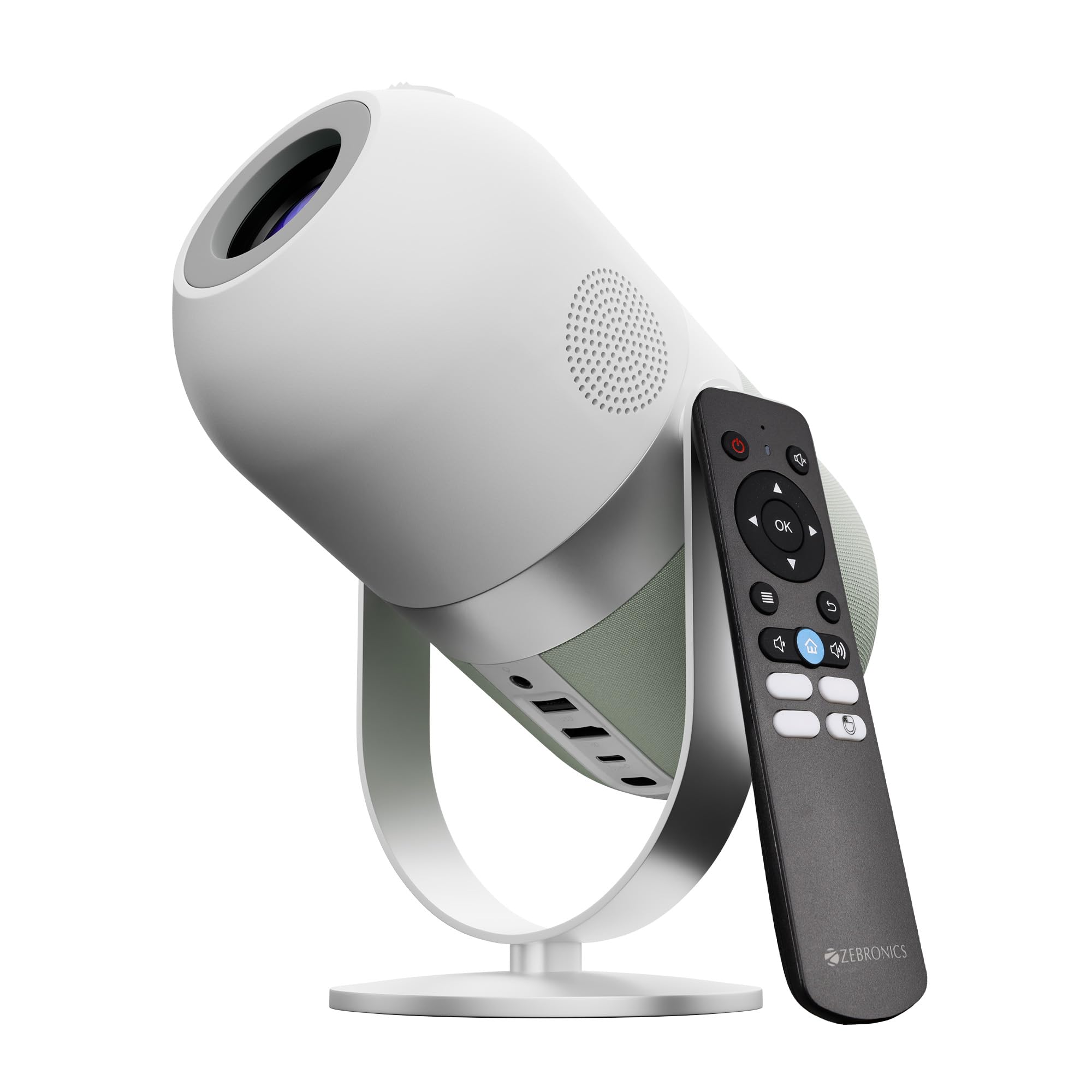
Image 1: The ZEBRONICS PIXAPLAY 54 Smart LED Projector in its upright and tilted positions.
2. Kandungan Pakej
Sahkan bahawa semua item terdapat dalam pakej:
- ZEBRONICS PIXAPLAY 54 Projector
- Alat Kawalan Jauh
- Penyesuai Kuasa
- Manual Pengguna
3. Persediaan
3.1 Penempatan
Place the projector on a stable, flat surface. Ensure there is adequate ventilation around the device. The projector can project an image up to 140 inches diagonally. Adjust the distance from the projection surface to achieve the desired screen size.
3.2 Sambungan Kuasa
Connect the provided power adapter to the projector's Type-C power input and then to a power outlet. The projector is Type-C powered.
3.3 Kuasa Awal Hidup
Press the power button on the projector or the remote control to turn on the device. Allow a few moments for the system to boot up.
3.4 Pelarasan Fokus
Use the adjustable lens wheel located on the top of the projector to sharpen the image focus. Rotate the wheel until the projected image appears clear and crisp.

Image 2: The adjustable lens wheel for focus control, along with the remote control and built-in speaker.
3.5 Auto Keystone Adaptation
The projector features automatic keystone adaptation for vertical adjustment. This function automatically corrects the image distortion when the projector is not perfectly perpendicular to the screen, ensuring a rectangular image. Manual adjustments may be available in the settings for fine-tuning.

Image 3: A projected image demonstrating the automatic keystone adaptation feature, correcting vertical distortion.
4. Arahan Operasi
4.1 Penggunaan Alat Kawalan Jauh
The included remote control allows for convenient operation of the projector. Point the remote directly at the IR remote sensor located on the projector for optimal response.
4.2 Smart Projector Features & App Support
The PIXAPLAY 54 is a smart projector with built-in app support. Navigate through the user interface using the remote control to access pre-installed applications or download new ones from the app store. This allows for direct streaming of content without needing an external device.

Image 4: The projector displaying a smart interface with various streaming and utility applications.
4.3 Multi-Connectivity Options
Projektor ini menawarkan pelbagai cara untuk menyambungkan peranti anda:
- HDMI: Sambungkan komputer riba, konsol permainan, pemain Blu-ray atau peranti lain yang didayakan HDMI.
- USB: Mainkan media files terus daripada pemacu USB.
- AUX Keluar: Sambungkan pembesar suara luaran atau fon kepala untuk audio yang dipertingkatkan.
- Bluetooth v5.1: Wirelessly connect Bluetooth-enabled audio devices like speakers or headphones.
- Wi-Fi (2.4GHz & 5GHz Dual Band): Connect to your home network for internet access, app downloads, and online streaming.
- Miracast: Wirelessly mirror the screen of compatible smartphones and tablets.
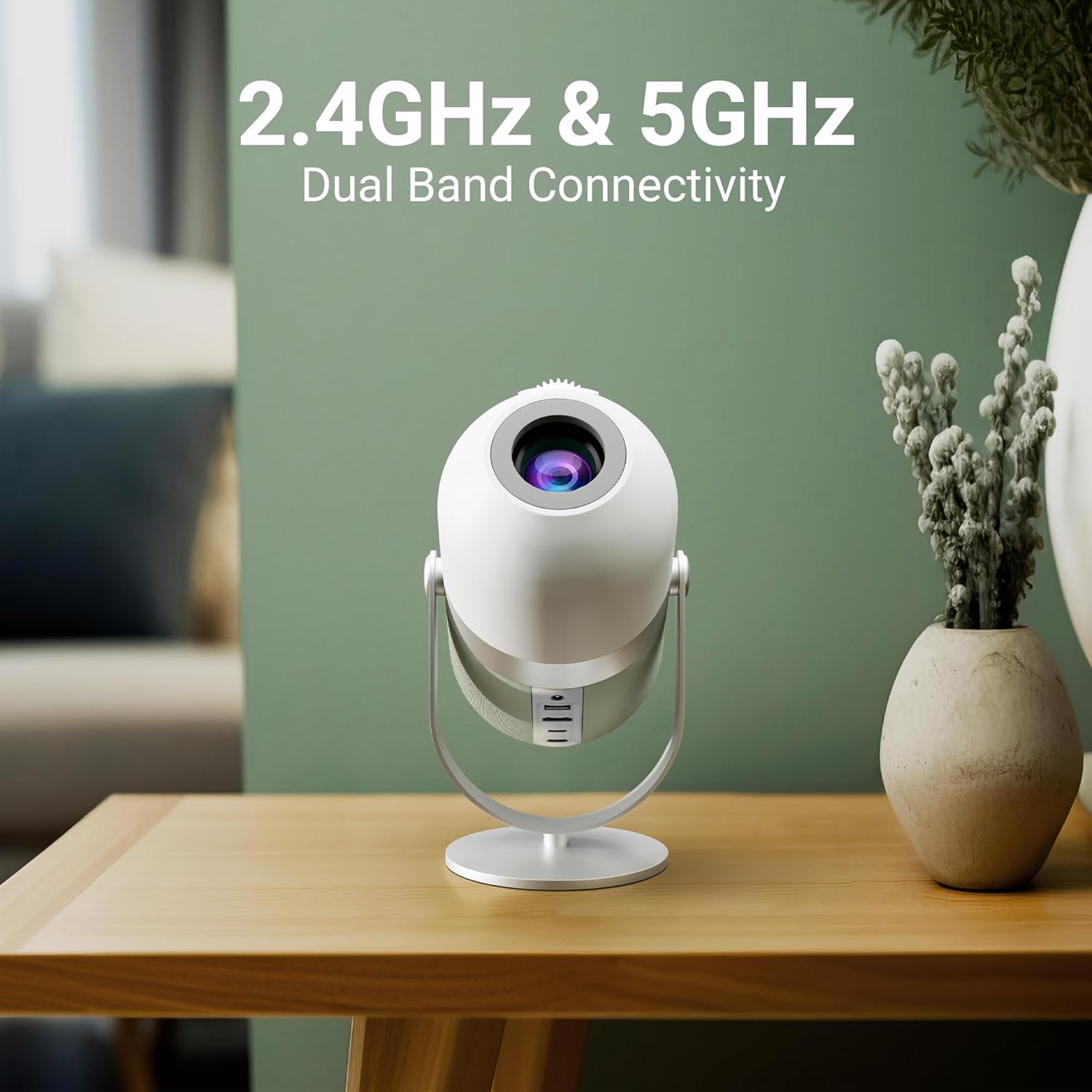
Image 5: The projector highlighting its 2.4GHz & 5GHz Dual Band Wi-Fi connectivity.
5. Penyelenggaraan
5.1 Membersihkan Lensa
Gently wipe the projector lens with a soft, lint-free cloth specifically designed for optical surfaces. Avoid using abrasive materials or harsh chemicals, as these can scratch or damage the lens.
5.2 Penjagaan Am
Keep the projector in a clean, dust-free environment. Ensure proper ventilation to prevent overheating. The LED lamp has a lifespan of approximately 50,000 hours, providing long-term usage without frequent lamp penggantian.
6. Penyelesaian masalah
- Tiada gambar: Check power connections. Ensure the correct input source is selected. Verify that the lens cap is removed.
- Imej Kabur: Adjust the focus wheel. Ensure the projector is at an appropriate distance from the screen. Use keystone correction if the image is distorted.
- Tiada Bunyi: Check the volume settings on both the projector and the connected source device. Ensure external speakers are properly connected if used.
- Alat Kawalan Jauh Tidak Menjawab: Check the batteries in the remote. Ensure there are no obstructions between the remote and the projector's IR sensor.
- Terlalu panas: Ensure the projector's vents are not blocked. Operate the projector in a well-ventilated area.
Untuk bantuan lanjut, sila rujuk bahagian sokongan.
7. Spesifikasi
| Ciri | Spesifikasi |
|---|---|
| Jenama | ZEBRONIK |
| Model | Zeb-Pixaplay 54 |
| Jenis Paparan | LED |
| Kecerahan | 3800 Lumen |
| Resolusi | 1920 x 1080 Pixels (1080p Support) |
| Nisbah Kontras Imej | 1000:1 |
| Nisbah Aspek | 16:9 |
| Saiz Skrin Maks | Sehingga 356 cm (140 inci) |
| Pemproses | Teras Empat |
| Lamp kehidupan | 50,000 jam |
| Ketersambungan | Bluetooth v5.1, HDMI, USB, AUX Out, Wi-Fi (2.4GHz & 5GHz) |
| Ciri Khas | Built-In Wi-Fi, Portable, Wireless, Auto Keystone Adaptation |
| Dimensi Produk | 21 x 13.5 x 19.5 cm |
| Berat Barang | 1 g |
8. Waranti dan Sokongan
Your ZEBRONICS PIXAPLAY 54 Projector comes with a standard manufacturer's warranty. Please retain your purchase receipt for warranty claims. For technical queries, support, or service, please use the contact information below.

Image 6: Contact details for technical support.
Maklumat Hubungan:
- telefon: +91 - 9363453681
- e-mel: support@zebronics.com


