1. Pengenalan
This manual provides detailed instructions for the operation and maintenance of your EazeID M950 Label Maker. Please read this manual thoroughly before using the device to ensure proper function and longevity.

Image 1.1: EazeID M950 Label Maker and accessories, including a label roll, USB-C cable, and printed labels.

Image 1.2: The EazeID M950 Label Maker being used to organize kitchen containers, demonstrating its practical application.
2. Kandungan Pakej
Sahkan bahawa semua item terdapat dalam pakej:
- 1 x EazeID M950 Label Maker
- 1 x Label Tape Cassette (12mm x 4M, Black on White)
- 1 x Kabel Data Jenis-C
- 1 x Manual Pengguna

Image 2.1: Visual representation of the EazeID M950 Label Maker, tape cassette, Type-C cable, and user manual as included in the product package.
3. Produk Lebihview
Familiarize yourself with the components and features of the EazeID M950 Label Maker.

Image 3.1: Key features of the EazeID M950, including the built-in 1200mAh Li-ion battery, safety label cutter, 203 DPI resolution, Bluetooth keyboard labeler functionality, and backlighting LCD screen.
Ciri-ciri Utama:
- Dual Printing Modes: Supports both QWERTY keyboard input and Bluetooth connectivity via the "Print Master" app.
- Bateri boleh dicas semula: Integrated 1200mAh lithium battery for portable use.
- Skrin LCD bercahaya belakang: Ensures visibility in various lighting conditions.
- Pemotong terbina dalam: For precise label cutting.
- Percetakan Terma: No ink or toner required.
- Waterproof Labels: Produces durable, water-resistant labels.
4. Persediaan
4.1 Mengecas Peranti
The EazeID M950 Label Maker is equipped with a built-in 1200mAh rechargeable lithium-ion battery. Before first use, fully charge the device.
- Connect the provided Type-C USB cable to the charging port on the side of the label maker.
- Sambungkan hujung kabel yang satu lagi ke penyesuai kuasa USB (tidak disertakan) atau port USB komputer.
- Lampu penunjuk pengecasan akan menyala. Cas penuh biasanya mengambil masa 1-2 jam.

Image 4.1: The EazeID M950 Label Maker being charged via its Type-C port, illustrating the fast charging capability.
4.2 Memuatkan Pita Label
Ensure the device is powered off before loading or replacing label tape.
- Open the tape compartment cover located on the top of the label maker.
- Insert the label tape cassette with the tape end facing the printing slot. Ensure it clicks into place.
- Tutup penutup petak pita dengan kemas.

Image 4.2: A visual comparison showing the integrated design of the EazeID M950's tape compartment with its rechargeable battery, contrasting with other models that use AAA batteries and separate covers.
4.3 Menghidupkan/Mematikan
Press and hold the power button (usually located on the top right of the keyboard) for a few seconds to turn the device on or off. The backlit LCD screen will illuminate upon power-on.
5. Arahan Operasi
The EazeID M950 offers two primary printing methods: direct input via the QWERTY keyboard or connection via Bluetooth to the "Print Master" app.

Image 5.1: The EazeID M950 supports two printing modes: connecting via Bluetooth to a smartphone app or direct input using the integrated QWERTY keyboard.
5.1 QWERTY Keyboard Mode
This mode allows for direct text input and printing without needing a smartphone.
- Hidupkan kuasa: Hidupkan pembuat label.
- Input Teks: Use the QWERTY keyboard to type your desired label text. The text will appear on the backlit LCD screen.
- Pemformatan: Use the function keys (e.g., 'Fn' key combined with other keys) to access formatting options such as font size, bold, italic, and symbols. Refer to the on-screen indicators for available options.
- Cetak: Press the 'Print' button to generate the label.
- Potong: After printing, press the built-in cutter lever (located on the left side) to cut the label.

Image 5.2: Instructions for QWERTY keyboard use: 1. Power On, 2. Keyboard input, 3. Print, 4. Built-in cutter.

Image 5.3: The EazeID M950 keyboard layout, highlighting access to over 100 frames, 23 languages, 3 sizes, 1000+ symbols, and accented characters.
5.2 Bluetooth App Mode (Print Master)
For advanced customization and template use, connect your label maker to the "Print Master" app.
- Muat turun Aplikasi: Download the "Print Master" app from your smartphone's app store (available on App Store and Google Play).
- Hidupkan kuasa: Hidupkan pembuat label.
- Dayakan Bluetooth: Pastikan Bluetooth didayakan pada telefon pintar anda.
- Sambung: Open the "Print Master" app and follow the on-screen instructions to connect to your EazeID M950 device.
- Design Label: Use the app's interface to create your label. The app offers a library of customizable templates, fonts, icons, barcodes, and QR codes.
- Cetak: Send the label design from the app to the label maker for printing.
- Potong: After printing, press the built-in cutter lever to cut the label.

Image 5.4: Instructions for Bluetooth app connection: 1. Power On, 2. Turn on Bluetooth, 3. Connect to "Print Master" app, 4. Printing.
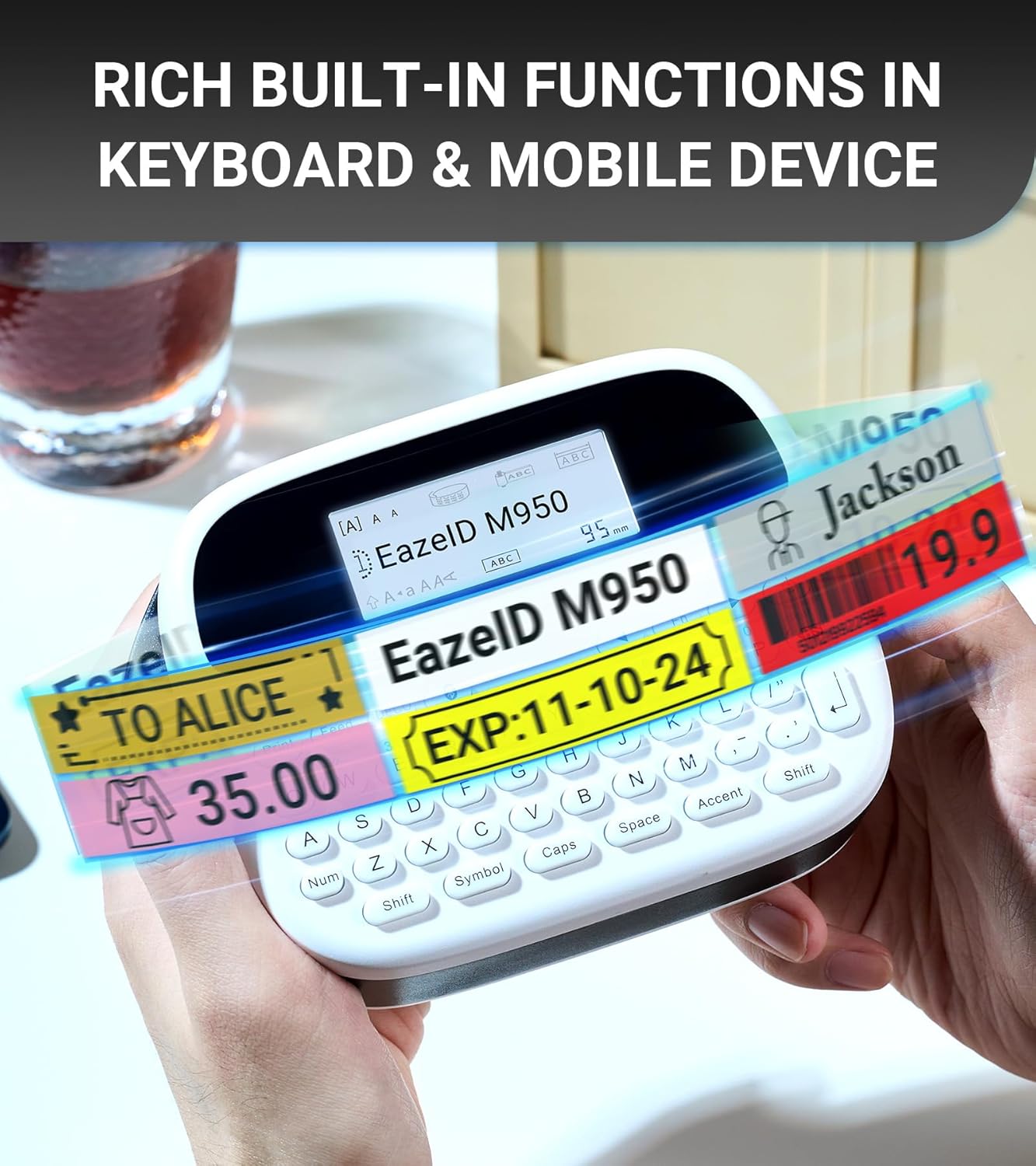
Imej 5.5: Cthamples of labels showcasing the rich built-in functions available through the keyboard and mobile app, including text, symbols, and barcodes.
6. Penyelenggaraan
6.1 Membersihkan Kepala Cetak
Pembersihan kepala cetak secara berkala memastikan kualiti cetakan yang optimum.
- Matikan peranti.
- Open the tape compartment.
- Gently wipe the print head with a soft, lint-free cloth moistened with isopropyl alcohol.
- Allow the print head to dry completely before closing the compartment and powering on the device.
6.2 Penjagaan Bateri
- Untuk memanjangkan hayat bateri, elakkan daripada menyahcas sepenuhnya bateri dengan kerap.
- Jika menyimpan peranti untuk tempoh yang lama, cas sehingga kira-kira 50% dan simpan di tempat yang sejuk dan kering.
- Recharge the device every 3-6 months during storage.
6.3 Ketahanan Label
EazeID M950 labels are designed for durability in various environments.

Image 6.1: The labels produced by the EazeID M950 are designed to withstand high temperatures, low temperatures, water exposure, and resist fading over time.
7. Penyelesaian masalah
| Masalah | Kemungkinan Punca | Penyelesaian |
|---|---|---|
| Peranti tidak dihidupkan | Bateri lemah; Kerosakan peranti | Charge the device; Contact customer support if issue persists. |
| Kualiti cetakan buruk | Dirty print head; Incorrect tape loading; Low battery | Clean the print head (Section 6.1); Re-load tape correctly; Charge the device. |
| Tidak dapat menyambung melalui Bluetooth | Bluetooth off; App not installed; Device not discoverable | Ensure Bluetooth is on; Install "Print Master" app; Restart device and app. |
| Label tape jams | Improper tape loading; Foreign object in compartment | Open compartment, remove tape, clear any obstructions, re-load tape. |
8. Spesifikasi
| Ciri | Spesifikasi |
|---|---|
| Nama Model | EazeID M950 Label Maker |
| Dimensi Produk | 1"D x 1"W x 1"H (approx. 159mm x 112mm) |
| Berat Barang | 1.08 paun (lebih kurang 489 gram) |
| Teknologi Percetakan | terma |
| Resolusi Cetakan | 203 dpi (Hitam dan Putih) |
| Saiz Media Maksimum | 12mm (0.47 inci) |
| Ketersambungan | Bluetooth, USB Jenis-C |
| Bateri | 1200mAh Lithium Ion (termasuk) |
| Kaedah Kawalan | App, Push Button (QWERTY Keyboard) |
| Ciri Khas | Backlit LCD Screen, Waterproof Labels, Portable, Built-in Cutter |

Image 8.1: Dimensions of the EazeID M950 Label Maker (159mm x 112mm) and its weight (489g), illustrating its compact and portable design.
9. Waranti dan Sokongan
9.1 Maklumat Waranti
The EazeID M950 Label Maker comes with a Limited Warranty. Please refer to the warranty card included in your package for specific terms and conditions. This warranty typically covers manufacturing defects under normal use.
9.2 Sokongan Pelanggan
For technical assistance, troubleshooting not covered in this manual, or warranty claims, please contact EazeID customer support through the retailer where the product was purchased or visit the official EazeID webtapak untuk maklumat hubungan.


