1. Pengenalan
The Nitecore HC60 UHE is a high-performance headlamp designed for various activities including night running, camping, hiking, hunting, and industrial work. It features a powerful 1600 lumen output, USB-C rechargeable functionality, and both white and red light beams. Constructed from durable aero-grade aluminum alloy, it is rated IP68 waterproof and impact resistant up to 2 meters.
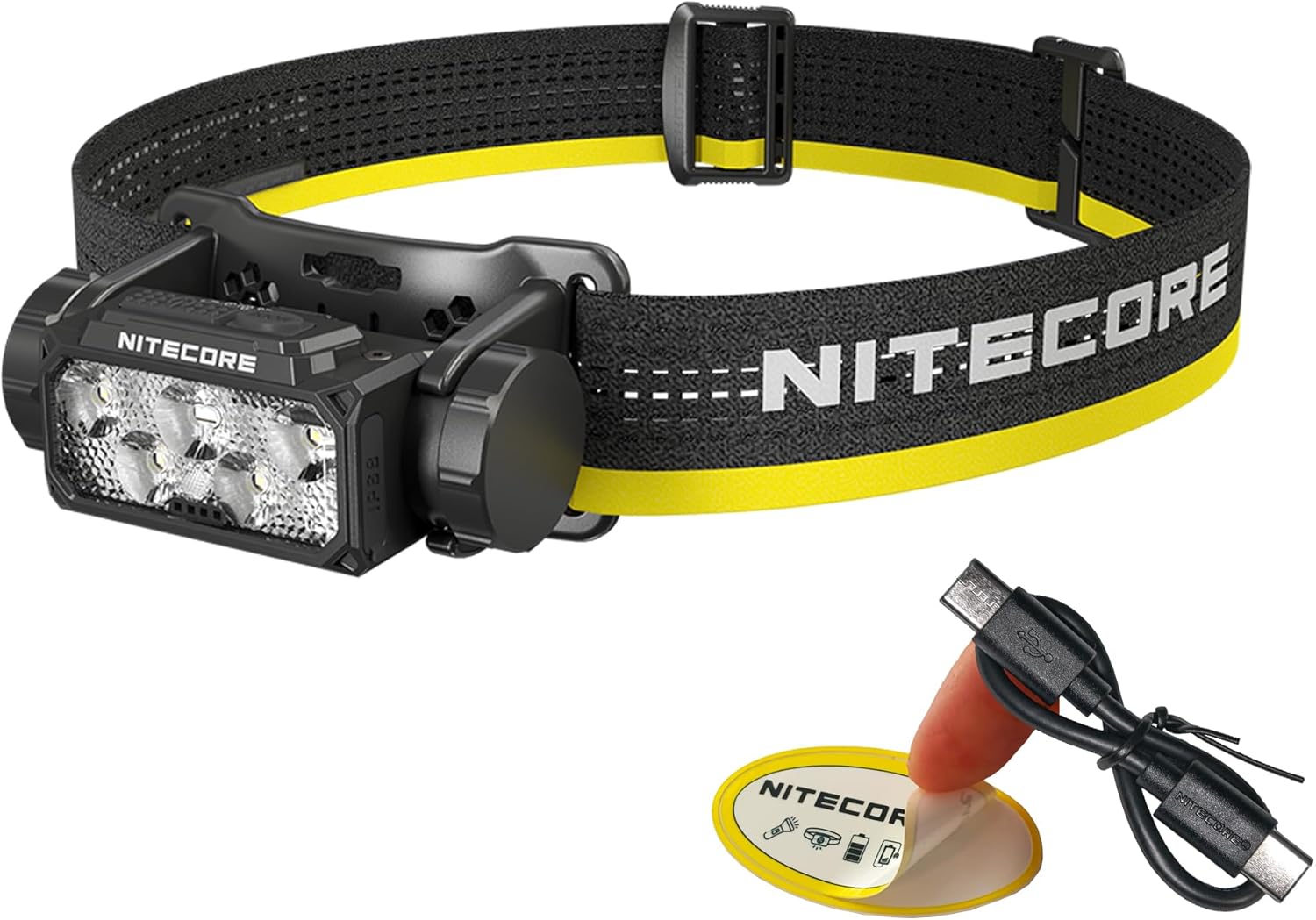
Image 1.1: Nitecore HC60 UHE Headlamp with included accessories.
2. Kandungan Pakej
Sahkan bahawa semua item terdapat dalam pakej anda:
- Nitecore HC60 UHE Headlamp
- Nitecore NL1840 18650 Li-ion Battery (pre-installed)
- Kabel Pengecasan USB-C ke USB-C
- ikat kepala
- Tali Atas
- Sarung Penyimpanan
- Pelekat Nitecore
3. Produk Lebihview
Familiarize yourself with the components of your HC60 UHE headlamp.

Imej 3.1: Depan view of the HC60 UHE headlamp, highlighting the primary white and auxiliary red LED lenses.
Imej 3.2: Atas view illustrating the dual button interface: Power Button (left) and Mode Button (right).
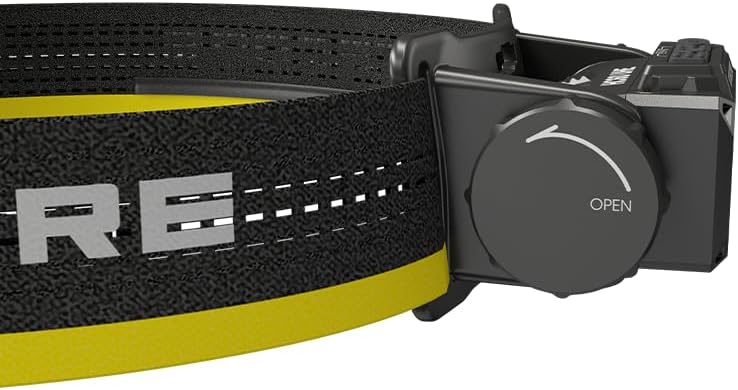
Imej 3.3: Sisi view showing the battery compartment cap with 'OPEN' indicator for battery access.
4. Persediaan
4.1. Pemasangan Bateri
The Nitecore NL1840 18650 Li-ion battery is pre-installed in the HC60 UHE headlamp. To access or replace the battery:
- Unscrew the battery compartment cap located on the side of the headlamp by rotating it counter-clockwise (refer to Image 3.3).
- Insert the 18650 Li-ion battery with the positive (+) terminal facing inwards.
- Carefully screw the cap back on clockwise until secure. Ensure proper alignment to avoid cross-threading.
4.2. Mengecas
The HC60 UHE features a waterproof USB-C charging port. It is recommended to fully charge the battery before first use.
- Cari port pengecasan USB-C pada kepalaamp.
- Sambungkan kabel pengecas USB-C yang disertakan ke kepalaamp's port and to a USB power source (e.g., wall adapter, power bank, computer).
- During charging, the power indicators will illuminate to show the charging status.
- Charging is complete when all power indicators are steadily lit. A full charge typically takes approximately 2 hours.

Image 4.1: The HC60 UHE headlamp being charged via its USB-C port.
4.3. Perhimpunan Destar
Attach the headband and optional top strap for secure and comfortable wear.
- Thread the main headband through the bracket slots on the headlamp.
- Adjust the length of the headband for a snug fit around your head.
- For added stability, especially during active use, attach the top strap to the designated loops on the main headband.
5. Arahan Operasi
5.1. Hidupkan/Mati Kuasa
- Untuk Menghidupkan: Long press the Power Button for 1 second. The headlamp will turn on in the last used white light brightness level.
- Untuk Mematikan: While the light is on, long press either the Power Button or the Mode Button until the light turns off.
5.2. White Light Brightness Levels
When the white light is on, short press the Power Button to cycle through the following brightness levels: ULTRALOW (8 lumens) → LOW (100 lumens) → MID (400 lumens) → HIGH (1000 lumens).
- Accessing ULTRALOW: Apabila kepalaamp is off, double press the Power Button.
- Accessing TURBO (1600 lumens): When the white light is on, double press the Power Button. The headlamp will temporarily activate TURBO mode.

Imej 5.1: Selesaiview of white light brightness levels and special modes.
5.3. Red Light Operation
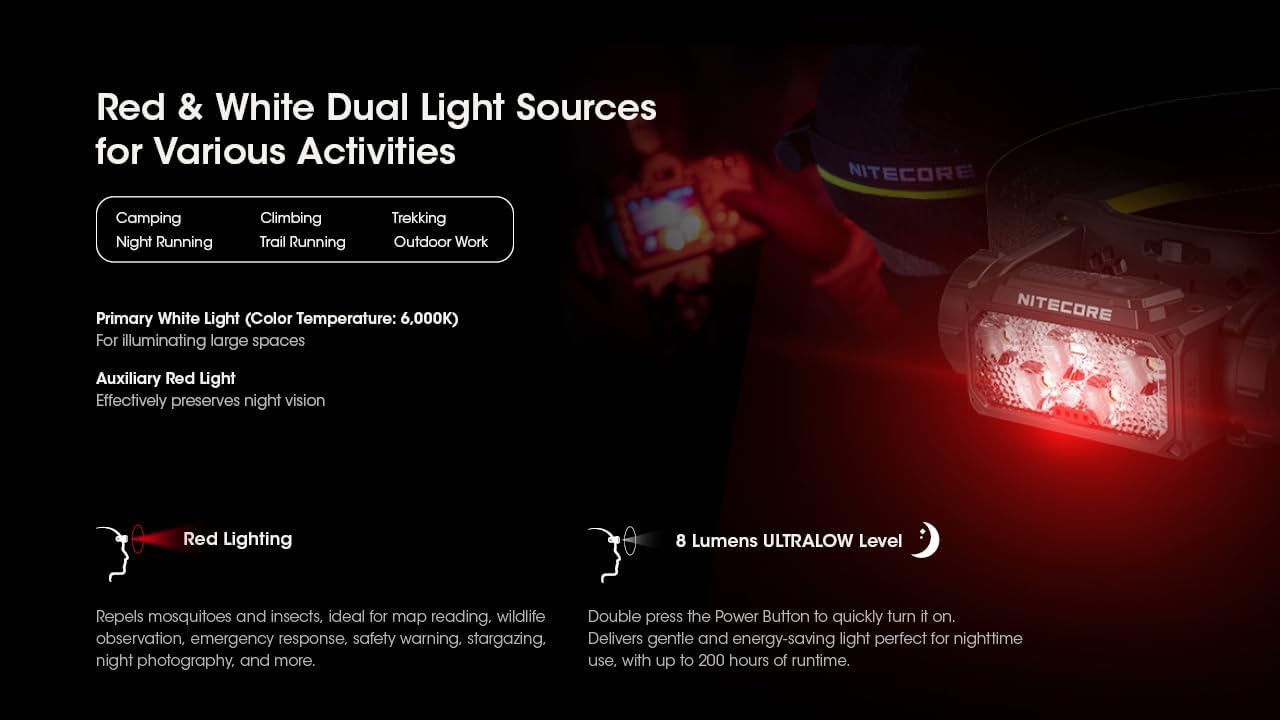
The HC60 UHE features an auxiliary red light, useful for preserving night vision and other specific tasks.
- To Turn On Red Light: Apabila kepalaamp is off, long press the Mode Button for 1 second. The red light will turn on in LOW mode.
- To Cycle Red Light Modes: While the red light is on, short press the Mode Button to cycle through LOW → HIGH → SLOW FLASHING.
- To Turn Off Red Light: While the red light is on, long press the Mode Button until the light turns off.

Image 5.2: The HC60 UHE offers both primary white light and auxiliary red light for diverse applications.
5.4. Mod Khas (SOS, Beacon)
These modes are accessible from the white light settings.
- Accessing SOS/Beacon: When the white light is on, long press the Mode Button for 1 second to activate SOS mode. Short press the Mode Button again to switch to BEACON mode.
- Exiting Special Modes: Long press the Mode Button to turn off the light, or short press the Power Button to return to the last used white light brightness level.
5.5. Petunjuk Kuasa
kepalaamp features intuitive power indicators to display the remaining battery power.
- Apabila kepalaamp is off, short press the Mode Button. The blue indicators will light up to show battery status:
- 4 constant-on indicators: 75% - 100%
- 3 constant-on indicators: 50% - 75%
- 2 constant-on indicators: 25% - 50%
- 1 constant-on indicator: 0% - 25% (Recharge or replace the battery promptly)

Image 5.3: The blue power indicators display the remaining battery charge.
6. Penyelenggaraan
6.1. Pembersihan
- Lap kepalaamp dengan kain yang bersih dan lembut.
- Untuk kotoran degil, gunakan sedikit damp kain. Elakkan bahan kimia yang keras atau bahan yang melelas.
- Ensure the USB-C port cover is securely closed to maintain its waterproof rating.
6.2. Penyimpanan
- Simpan kepalaamp di tempat yang sejuk dan kering jauh dari cahaya matahari langsung.
- If storing for an extended period, it is recommended to remove the battery to prevent potential leakage.
- Recharge the battery every three months to maintain optimal battery health.
7. Penyelesaian masalah
If you encounter issues with your Nitecore HC60 UHE, refer to the following common problems and solutions:
- Ketuaamp tidak dihidupkan:
- Ensure the battery is correctly installed with the positive (+) terminal facing inwards.
- Check if the battery is charged. Connect the headlamp to a power source using the USB-C cable. If it turns on when plugged in but not otherwise, the battery may be depleted or faulty.
- Verify that the battery compartment cap is fully and correctly screwed on to ensure proper electrical contact.
- Output cahaya malap atau berkelip:
- Bateri mungkin lemah. Cas semula bateri.
- Ensure the battery contacts are clean. Clean them with a cotton swab if necessary.
- Ketuaamp does not charge:
- Ensure the USB-C cable is securely connected to both the headlamp dan sumber kuasa.
- Try a different USB-C cable or power adapter to rule out cable/adapter issues.
- Check the charging port for any debris that might obstruct the connection.
If the problem persists after attempting these solutions, please contact Nitecore customer support.
8. Spesifikasi
| Ciri | Cahaya Putih Utama | Lampu Merah Bantu |
|---|---|---|
| Kecerahan (Lumens) | TURBO: 1600, HIGH: 1000, MID: 400, LOW: 100, ULTRALOW: 8 | HIGH: 15, LOW: 5, SLOW FLASHING: 15 |
| Masa Jalanan (Jam) | TURBO: 3h 30m, HIGH: 5h, MID: 14h, LOW: 36h, ULTRALOW: 200h | HIGH: 95h, LOW: 150h, SLOW FLASHING: 95h |
| Jarak Pancaran | TURBO: 157m, HIGH: 129m, MID: 81m, LOW: 41m, ULTRALOW: 7m | T/A |
| Rintangan Kesan | 2 meter | |
| Penarafan IP | IP68 (Waterproof and Submersible) | |
- Bahan: Aero-grade Aluminum Alloy with HA III hard-anodized finish
- Dimensi: 1.91"P x 3.15"L x 1.65"T (48.5mm x 80mm x 41.9mm)
- Berat: 4.94 ounces (140g, including battery, bracket, and headband)
- Bateri: 1 x Nitecore NL1840 18650 Li-ion Battery (included)
- Jenis Sumber Cahaya: LED
- Color Temperature (White Light): 6,000K
Note: The stated data is measured using 1 x 18650 battery (4,000mAh) under laboratory conditions. This data may vary in real-world use due to different battery usage or environmental conditions.
9. Maklumat Waranti
The Nitecore HC60 UHE Headlamp comes with a limited warranty. For detailed information regarding warranty terms, conditions, and duration, please refer to the official Nitecore webtapak atau hubungi pengedar tempatan anda. Simpan resit pembelian anda sebagai bukti pembelian untuk tuntutan waranti.
10. Sokongan Pelanggan
For further assistance, technical support, or inquiries regarding your Nitecore HC60 UHE Headlamp, please visit the official Nitecore webtapak di www.nitecore.com or contact your authorized Nitecore dealer.


