pengenalan
Terima kasih kerana membeliasing the Jazmm CD-W16 Boombox CD Cassette Player. This versatile audio system combines multiple playback options including CD, cassette, FM radio, Bluetooth, USB, TF card, and AUX-IN. It features 10W HiFi stereo speakers, a built-in rechargeable battery, and a convenient remote control for an enhanced listening experience. Please read this manual carefully before use to ensure proper operation and to maximize the product's lifespan.
Arahan Keselamatan Penting
- Baca semua arahan sebelum mengendalikan peranti.
- Simpan manual ini untuk rujukan masa hadapan.
- Jangan dedahkan unit kepada hujan atau lembapan untuk mengelakkan kebakaran atau kejutan elektrik.
- Jangan sekat sebarang bukaan pengudaraan. Pasang mengikut arahan pengilang.
- Jangan pasang berhampiran mana-mana sumber haba seperti radiator, daftar haba, dapur, atau radas lain (termasuk amppenghidup) yang menghasilkan haba.
- Lindungi kord kuasa daripada berjalan atau tersepit, terutamanya pada palam, bekas kemudahan dan tempat keluar dari radas.
- Hanya gunakan lampiran/aksesori yang ditentukan oleh pengilang.
- Cabut plag radas ini semasa ribut petir atau apabila tidak digunakan untuk jangka masa yang lama.
- Rujuk semua servis kepada kakitangan perkhidmatan yang berkelayakan. Servis diperlukan apabila radas telah rosak dalam apa jua cara, seperti kord bekalan kuasa atau palam rosak, cecair telah tertumpah atau objek jatuh ke dalam radas, radas telah terdedah kepada hujan atau lembapan, tidak beroperasi seperti biasa. , atau telah digugurkan.
- Jangan buka casing. Tiada bahagian yang boleh diservis pengguna di dalamnya.
Kandungan Pakej
- Jazmm CD-W16 Boombox CD Cassette Player
- Alat Kawalan Jauh
- Kabel Pengecas USB Jenis-C
- Manual Pengguna
Produk Selesaiview
The Jazmm CD-W16 offers a comprehensive audio experience with its multi-functional design. Below is an overview of its key features and components.

Imej: Depan view of the Jazmm CD-W16 Boombox, highlighting its seven playback modes: CD Player, FM Radio, TF Card Playback, USB Playback, Tape Player, AUX-IN Playback, and Bluetooth 5.1.
Ciri-ciri Utama:
- 7-in-1 Playback: CD, Cassette, FM Radio, Bluetooth 5.1, USB, TF Card, AUX-IN.
- Keserasian CD: Supports CD, CDR, CDRW, MP3, WMA formats.
- Cassette Player & Recorder: Play tapes and record audio.
- Radio FM: Automatic scanning, 30 preset stations.
- Bunyi Kesetiaan Tinggi: Dual 10W HiFi speakers with advanced noise reduction.
- 5 Mod Bunyi EQ: NORMAL, ROCK, POP, JAZZ, CLASS.
- Bateri boleh dicas semula: Built-in 5000mAh battery for portable use (5-8 hours playback).
- Ketersambungan: USB port, TF card slot, 3.5mm AUX-IN, 3.5mm Headphone Jack.
- Kemudahan: Remote control, portable handle, Type-C charging.
Persediaan
1. Menghidupkan dan Mengecas
The Jazmm CD-W16 features a built-in 5000mAh rechargeable battery. Before first use, it is recommended to fully charge the device.
- Connect the provided Type-C USB charging cable to the Type-C port on the boombox.
- Connect the other end of the cable to a 5V/2A USB power adapter (not included), a power bank, or a car charger.
- The charging indicator will illuminate. Once fully charged, the indicator may change color or turn off, depending on the unit's design.
- Cas penuh biasanya memberikan masa main balik selama 5-8 jam.

Image: The Jazmm CD-W16 Boombox being charged via Type-C USB cable from various sources including a wall charger, power bank, and car charger, illustrating its 5000mAh rechargeable battery.
2. Kuasa Awal Hidup
Tekan ke KUASA button on the unit or remote control to turn on the boombox. The display will light up, indicating the current mode.
Arahan Operasi
1. General Controls
Familiarize yourself with the control buttons on the unit and the remote control.
- Butang kuasa: Menghidupkan / mematikan unit.
- MODE/FUNCTION Button: Switches between CD, TAPE, FM, Bluetooth, USB, TF, AUX-IN modes.
- JILID +/-: Laraskan kelantangan main balik.
- Butang PLAY/PAUSE: Memulakan atau menjeda main balik.
- Butang STOP: Menghentikan main balik.
- PREVIOUS/NEXT Buttons: Melangkau ke trek/stesen sebelumnya atau seterusnya.
- Butang EQ: Cycles through sound equalizer modes (NORMAL, ROCK, POP, JAZZ, CLASS).
- Butang REPEAT: Cycles through repeat modes (Repeat One, Repeat All, Repeat Folder).
2. Main semula CD
- Tekan ke MOD/FUNGSI butang untuk memilih mod CD.
- Buka penutup petak CD dengan perlahan.
- Place a CD (CD, CDR, CDRW, MP3, WMA format) onto the spindle with the label side facing up.
- Close the CD compartment cover. The unit will begin reading the disc and playback will start automatically.
- Gunakan MAIN/JEDA, BERHENTI, SEBELUM / BERIKUTNYA butang untuk mengawal main balik.
- Tekan ke ULIKAN button to select repeat modes (e.g., repeat one track, repeat all tracks).
3. Cassette Playback and Recording
- Tekan ke MOD/FUNGSI butang untuk memilih mod TAPE.
- Buka pintu petak kaset.
- Insert a cassette tape into the compartment and close the door.
- Tekan ke BERMAIN butang untuk memulakan main balik.
- Mencatatkan:
- Ensure a blank cassette tape is inserted.
- Select the desired audio source (e.g., FM radio, AUX-IN, or use the built-in microphone).
- Tekan ke REKOD button (usually red) on the unit. Playback from the source will begin, and recording will start simultaneously onto the tape.
- Tekan ke BERHENTI butang untuk menamatkan rakaman.
4. Operasi Radio FM
- Tekan ke MOD/FUNGSI butang untuk memilih mod FM.
- Panjangkan antena teleskopik untuk penerimaan optimum.
- Imbasan Automatik: Tekan dan tahan butang MAIN/JEDA button (or a dedicated SCAN button if available) to automatically scan and save available FM stations. The unit can save up to 30 preset stations.
- Penalaan Manual: Gunakan SEBELUM / BERIKUTNYA butang untuk melaraskan frekuensi yang dikehendaki secara manual.
- Pratetap Mengingat: Use the number buttons on the remote control or dedicated preset buttons on the unit to select saved stations.
5. Berpasangan Bluetooth
The boombox supports Bluetooth 5.1 for wireless audio streaming.
- Tekan ke MOD/FUNGSI button to select Bluetooth (BT) mode. The display will show "BT" and an indicator will flash, signifying it's in pairing mode.
- Pada peranti berdaya Bluetooth anda (telefon pintar, tablet, komputer riba), dayakan Bluetooth dan cari peranti yang tersedia.
- Select "Jazmm CD-W16" (or similar name) from the list of devices.
- Once paired, the boombox will emit a confirmation sound, and the Bluetooth indicator will stop flashing.
- You can now play audio from your device through the boombox.
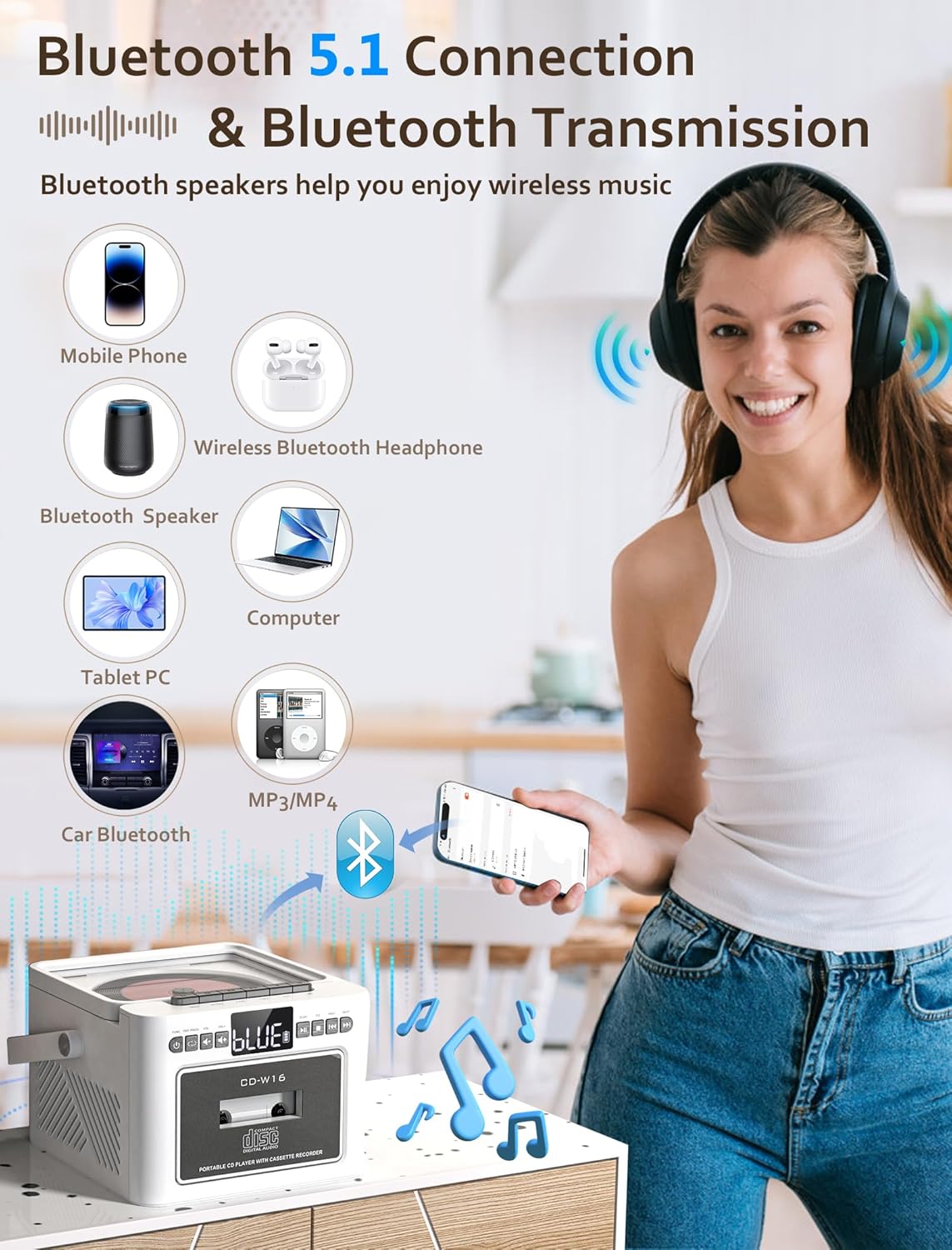
Image: The Jazmm CD-W16 Boombox demonstrating its Bluetooth 5.1 connectivity, wirelessly streaming music from a mobile phone, and connecting to other devices like Bluetooth speakers, headphones, tablets, computers, and car Bluetooth systems.
6. USB / TF Card Playback
- Masukkan pemacu kilat USB ke dalam port USB atau kad TF (Micro SD) ke dalam slot kad TF.
- Tekan ke MOD/FUNGSI button to select USB or TF mode. The unit will automatically detect and begin playing compatible audio files (MP3, WMA).
- Gunakan MAIN/JEDA, BERHENTI, SEBELUM / BERIKUTNYA butang untuk mengawal main balik.
7. AUX-IN Playback
- Connect an external audio device (e.g., MP3 player, smartphone) to the AUX-IN port on the boombox using a 3.5mm audio cable (not included).
- Tekan ke MOD/FUNGSI butang untuk memilih mod AUX-IN.
- Control playback directly from your connected external device. The boombox will act as a speaker.
8. EQ Sound Modes
The Jazmm CD-W16 offers 5 equalizer presets to optimize your listening experience for different music genres.
- Tekan ke EQ button repeatedly to cycle through the available modes: NORMAL, ROCK, POP, JAZZ, CLASS.
- Select the mode that best suits your audio content.
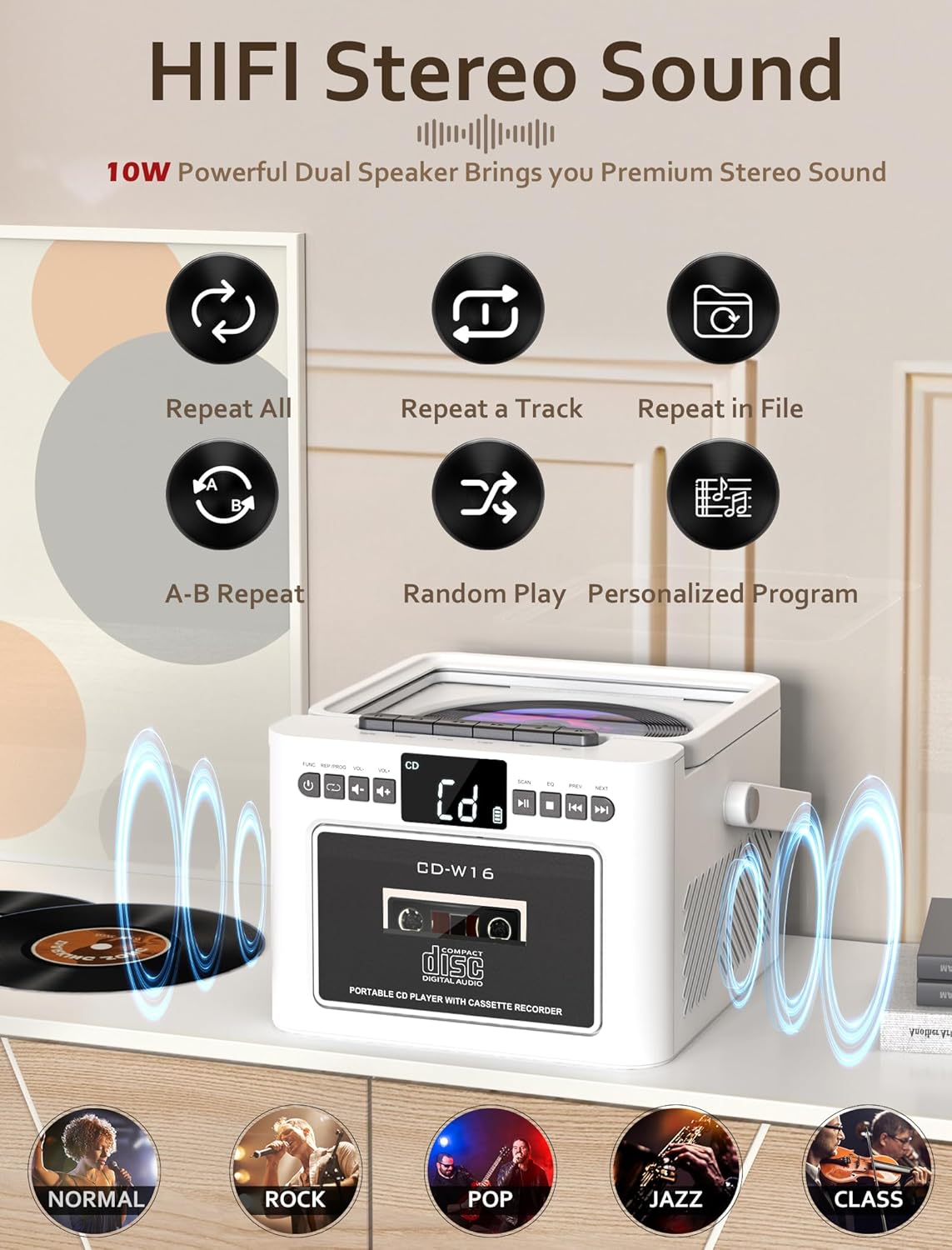
Image: The Jazmm CD-W16 Boombox illustrating its 10W HIFI stereo sound output and the five available EQ sound modes: Normal, Rock, Pop, Jazz, and Class.
9. Menggunakan Alat Kawalan Jauh
The included remote control allows convenient operation from a distance of up to 7 meters. Ensure there are no obstructions between the remote and the boombox's IR receiver.
- Insert batteries into the remote control (type usually AAA, refer to remote's battery compartment).
- The remote control duplicates most functions available on the main unit, including power, mode selection, volume, track skipping, play/pause, stop, EQ, and repeat.
- For FM radio, the remote may also offer direct number input for station frequencies or preset recall.
Penyelenggaraan
1. Pembersihan
- Sentiasa cabut plag unit daripada sumber kuasa sebelum membersihkan.
- Gunakan kain lembut dan kering untuk mengelap permukaan luar.
- Untuk tanda degil, ringankan dampen kain dengan air dan detergen lembut, kemudian lap kering serta-merta.
- Jangan gunakan pembersih, lilin atau pelarut yang melelas kerana ia boleh merosakkan kemasan.
- For the CD lens, use a specialized CD lens cleaning kit. Do not touch the lens directly.
- For the cassette head, use a cassette head cleaning solution and swab.
2. Penyimpanan
- When not in use for extended periods, store the boombox in a cool, dry place, away from direct sunlight and extreme temperatures.
- Remove any discs or tapes from the compartments before storage.
- If storing for a very long time, it is advisable to periodically charge the built-in battery to maintain its health.
Menyelesaikan masalah
| Masalah | Kemungkinan Punca | Penyelesaian |
|---|---|---|
| Tiada kuasa | Battery depleted; Power cable not connected; Unit off. | Charge the battery; Ensure power cable is securely connected; Press the POWER button. |
| Tiada bunyi | Volume too low; Mute activated; Incorrect mode selected; Headphone connected. | Increase volume; Check if mute is active; Select correct playback mode; Disconnect headphones. |
| CD tidak dimainkan | Disc dirty/scratched; Disc inserted incorrectly; Unsupported disc format; CD compartment not closed. | Clean or replace disc; Insert disc label-side up; Ensure disc is CD/CDR/CDRW/MP3/WMA; Close compartment firmly. |
| Kaset tidak dimainkan/rakam | Tape damaged; Tape inserted incorrectly; Cassette heads dirty. | Use a functional tape; Insert tape correctly; Clean cassette heads. |
| Penerimaan FM yang lemah | Antena tidak dilanjutkan; Kawasan isyarat lemah; Gangguan. | Fully extend the telescopic antenna; Reposition the unit; Move away from electronic devices causing interference. |
| Penggandingan Bluetooth gagal | Boombox not in pairing mode; Device Bluetooth off; Out of range; Already paired to another device. | Ensure boombox is in BT pairing mode; Enable Bluetooth on your device; Move device closer; Disconnect from other devices. |
| Alat kawalan jauh tidak berfungsi | Batteries depleted/incorrectly inserted; Obstruction between remote and unit; Remote sensor blocked. | Replace/reinsert batteries; Remove obstructions; Ensure remote sensor on unit is clear. |
Spesifikasi
| Ciri | Perincian |
|---|---|
| Model | CD-W16 |
| Jenama | Jazmm |
| Mod Main Semula | CD, Cassette, FM Radio, Bluetooth, USB, TF Card, AUX-IN |
| Keserasian CD | CD, CDR, CDRW, MP3, WMA |
| Versi Bluetooth | 5.1 |
| Output Speaker | 2 x 10W (Stereo) |
| Sumber Kuasa | Built-in 5000mAh Rechargeable Battery, Type-C 5V/2A Input |
| Hayat Bateri | Lebih kurang 5-8 jam (bergantung pada penggunaan) |
| Ketersambungan | USB Port, TF Card Slot, 3.5mm AUX-IN, 3.5mm Headphone Jack |
| Julat Kawalan Jauh | Sehingga 7 meter |
| Peranti Serasi | Smartphones, Laptops, Tablets, MP3 Players |
Waranti dan Sokongan
Jazmm offers a lifetime warranty on this portable CD player boombox. For any product inquiries, technical support, or warranty claims, please contact our customer service team. We provide 24/7 world-class customer service to assist you.
Sila rujuk dokumentasi pembelian anda atau maklumat penjual untuk butiran hubungan khusus.


