1. Pengenalan
This manual provides detailed instructions for the installation, operation, and maintenance of your Inateck FE3003 RGB 3.5-Inch USB 3.0 Hard Drive Enclosure. Please read this manual thoroughly before use to ensure proper functionality and to maximize the lifespan of your device.
2. Kandungan Pakej
- 1x Inateck FE3003 USB 3.0 3.5'' Hard Drive Enclosure
- 1x Type A/C to B Data Cable (100cm)
- 1x 12V/2A Penyesuai Kuasa
- 1x Manual Arahan
- Screws and Screwdriver (for optional securing)
- Rubber Feet (for stability and shock absorption)
3. Produk Lebihview
The Inateck FE3003 enclosure is designed for both 2.5-inch and 3.5-inch SATA HDDs and SSDs, supporting capacities up to 20TB. It features USB 3.0 for high-speed data transfer, RGB lighting effects, and additional expansion ports.

Gambar 1: Dalaman view of the Inateck FE3003 enclosure, demonstrating compatibility with both 2.5-inch and 3.5-inch SATA drives.
4. Persediaan dan Pemasangan
The Inateck FE3003 enclosure offers tool-free installation for convenience.
- Buka Kandang: Gently slide open the enclosure cover to reveal the internal tray.
- Sambungkan Drive: Align your 2.5-inch or 3.5-inch SATA HDD or SSD with the internal SATA connector on the tray and firmly push it into place. Ensure a secure connection.
- Insert the Drive Assembly: Slide the tray with the connected drive back into the enclosure until it clicks securely into place.
- Apply Rubber Feet (Optional): For added stability and shock absorption, attach the provided rubber feet to the bottom of the enclosure.
- Sambungkan Kuasa: Plug the 12V/2A power adapter into the DC 12V port on the enclosure and then into a power outlet.
- Sambung ke Komputer: Use the provided Type A/C to B Data Cable to connect the enclosure's USB 3.0 port to an available USB port on your computer.

Figure 2: Tool-free installation of a hard drive into the Inateck FE3003 enclosure.
5. Arahan Operasi
Once the hard drive is installed and the enclosure is connected to your computer, follow these steps:
- Hidupkan kuasa: Flip the ON/OFF switch on the back of the enclosure to the 'ON' position. The RGB lighting will activate, and the power indicator LED will illuminate.
- Pengecaman Drive: Your operating system should automatically detect the new external drive. If it's a new drive, you may need to initialize and format it through Disk Management (Windows) or Disk Utility (macOS) before it appears in 'My Computer' or 'Finder'.
- Pemindahan Data: You can now access and transfer files to and from the installed hard drive. The data transfer indicator LED will flash during activity.
- Tidur Automatik: The enclosure is designed to enter sleep mode after 30 minutes of inactivity (no read/write operations) to conserve power and extend the hard drive's lifespan. It will automatically wake up upon access.
Video 1: A demonstration of connecting and powering on the Inateck FE3003 RGB 3.5-Inch Hard Drive Enclosure, showing the drive being recognized by a computer.
6. Ciri-ciri Utama
6.1 Kesan Pencahayaan RGB
The enclosure features dynamic RGB lighting that activates when connected and in use, offering both 'Fast Flash Effect' and 'Breathing Effect' modes to enhance your workspace aesthetics.

6.2 Pemindahan Data Berkelajuan Tinggi
Equipped with a USB 3.0 interface, the enclosure supports data transfer speeds of up to 5Gbps. The internal SATA III interface further supports bandwidth up to 6Gbps, ensuring efficient and fast file transfers. It is backward compatible with SATA I and SATA II.

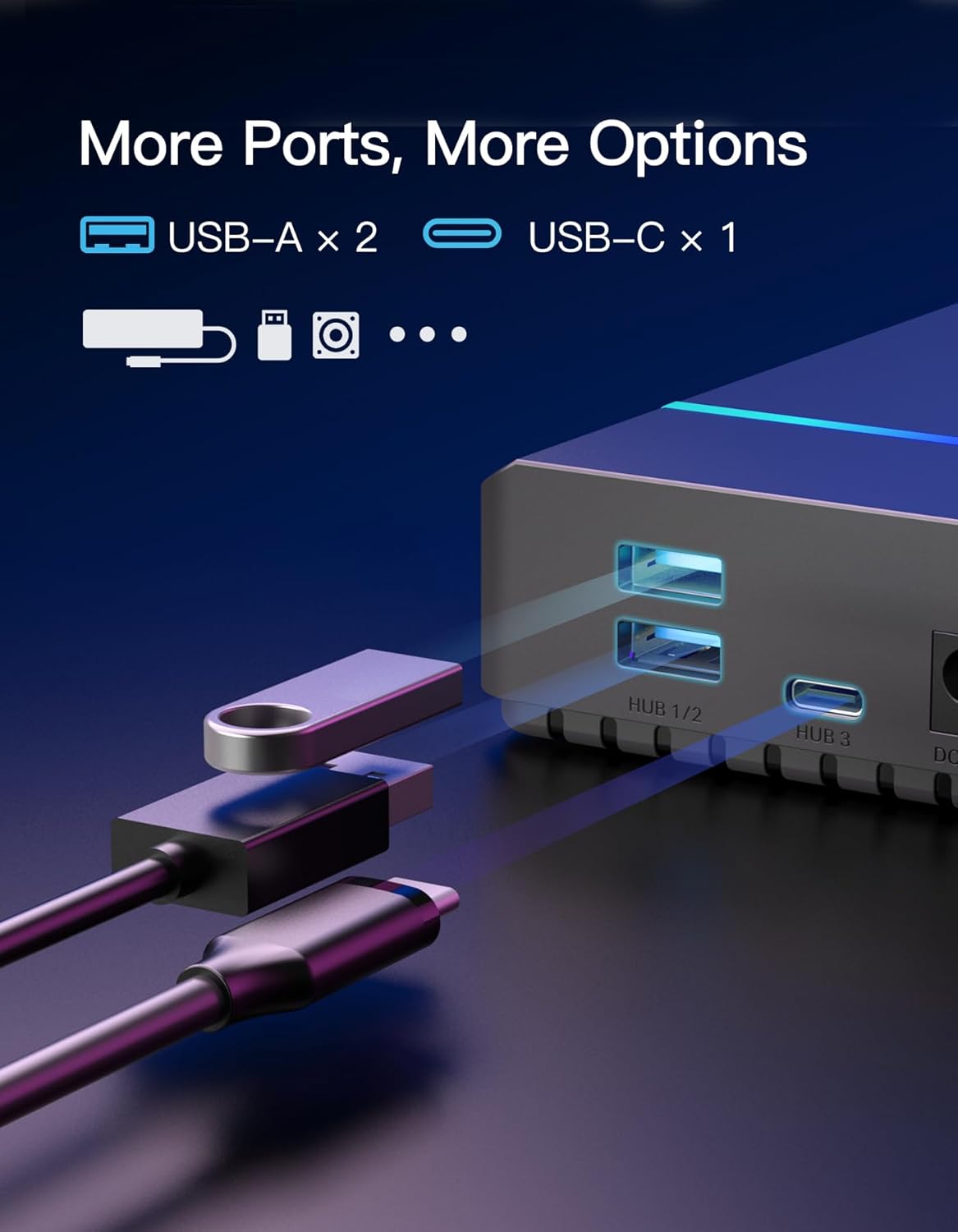
6.3 Pelabuhan Pengembangan
Beyond its primary function, the enclosure includes additional ports for enhanced connectivity: two USB-A ports and one USB-C port, catering to various peripheral needs.
6.4 Efficient Cooling
The enclosure features a rear fan-shaped vent design to facilitate efficient heat dissipation, helping to maintain optimal operating temperatures for your hard drive and prolong its lifespan.
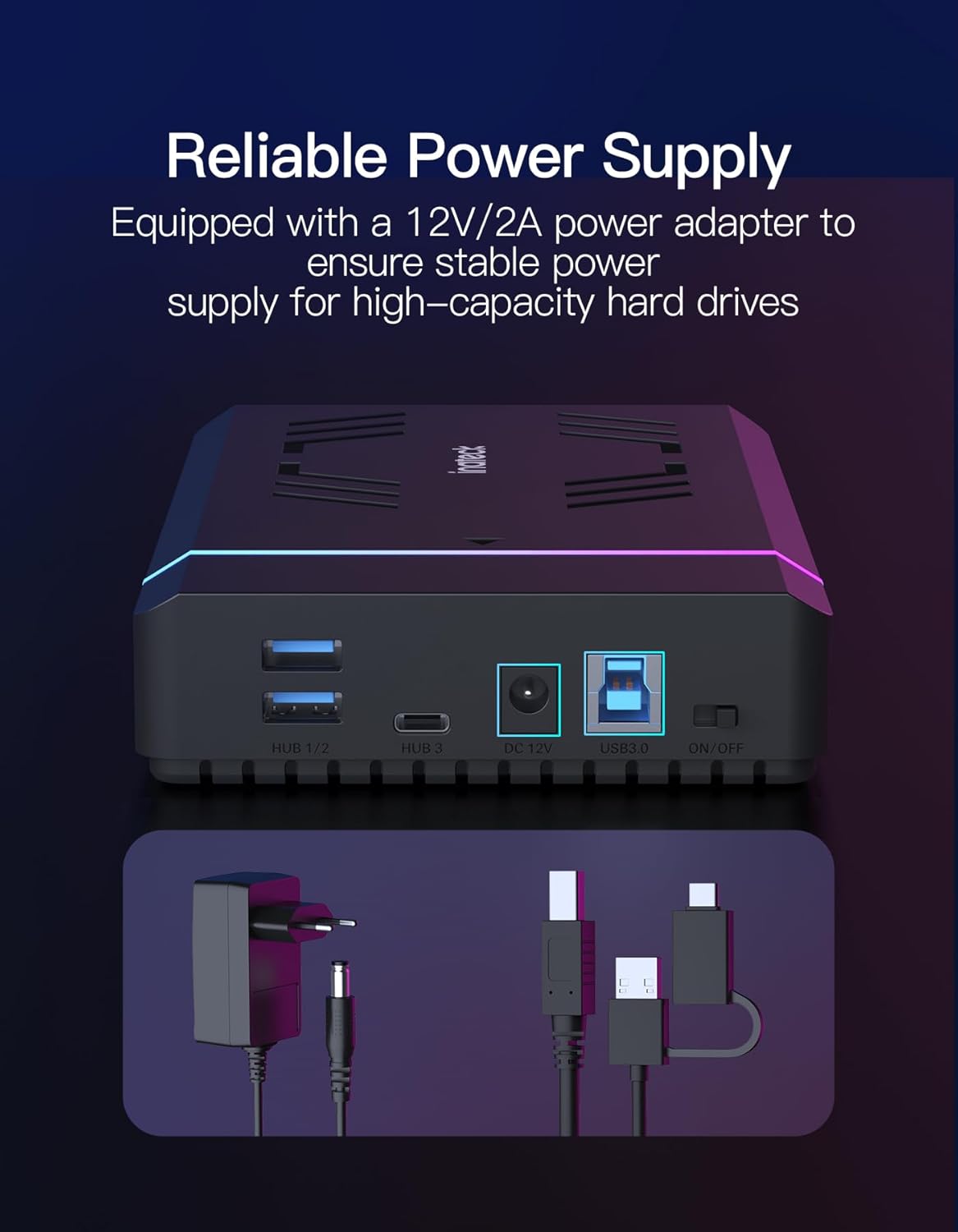
6.5 Reliable Power Supply
A dedicated 12V/2A power adapter is included to ensure a stable and sufficient power supply, especially crucial for high-capacity 3.5-inch hard drives.

7. Keserasian
- Drive Types: Supports 2.5-inch and 3.5-inch SATA I/II/III HDDs and SSDs.
- Kapasiti Maksimum: Up to 20TB.
- Sistem Operasi: Compatible with Windows XP/7/8/10/11 and Mac OS 10.3 and above.
- Peranti: Desktop PCs, Laptops, Gaming Consoles.
8. Spesifikasi
| Ciri | Perincian |
|---|---|
| Nombor Model | FE3003 |
| Antara Muka Perkakasan | USB 3.0 |
| Kadar Pemindahan Data | 5000 Megabit Sesaat (USB 3.0) |
| Faktor Bentuk Cakera Keras | 2.5 / 3.5 Inches |
| Kapasiti Penyimpanan Memori | 20 TB (Maks) |
| Bilangan Maks Peranti yang Disokong | 1 |
| Penyesuai Kuasa | 12V/2A |
| Dimensi Produk | 7.68 x 4.53 x 1.3 inci |
| Berat Barang | 7.7 auns |
| bahan | plastik |
9. Penyelesaian masalah
- Pemanduan Tidak Dikesan:
- Pastikan penyesuai kuasa disambungkan dengan kukuh dan penutupnya dihidupkan.
- Verify the USB data cable is firmly connected to both the enclosure and your computer. Try a different USB port.
- Check the internal SATA connection of the hard drive within the enclosure.
- For new drives, ensure they are initialized and formatted via your operating system's Disk Management (Windows) or Disk Utility (macOS).
- Test with a different hard drive to rule out a drive issue.
- Pemindahan Data Lambat:
- Ensure you are connected to a USB 3.0 port on your computer for optimal speeds.
- Verify the data cable is the original or a high-quality USB 3.0 compatible cable.
- Tutup sebarang aplikasi yang tidak diperlukan berjalan di latar belakang yang mungkin menggunakan sumber sistem.
- Check the health of your hard drive using appropriate diagnostic tools.
- Lampu RGB Tidak Berfungsi:
- Ensure the enclosure is powered on and connected to your computer.
- Check the power adapter connection.
10. Penyelenggaraan
- Pastikan kandang bersih dan bebas daripada habuk. Gunakan kain lembut dan kering untuk pembersihan.
- Elakkan daripada mendedahkan peranti kepada suhu yang melampau, kelembapan atau cahaya matahari langsung.
- Do not attempt to disassemble or repair the enclosure yourself, as this may void the warranty and cause damage.
- Always safely eject the hard drive from your operating system before disconnecting the enclosure to prevent data corruption.
11. Waranti dan Sokongan
Inateck products come with a standard manufacturer's warranty. For detailed warranty information, technical support, or service inquiries, please refer to the warranty card included in your package or visit the official Inateck webtapak. Sila simpan bukti pembelian anda untuk tuntutan waranti.


