1. Pengenalan
Thank you for choosing the FLEXISPOT Standing Desk. This manual provides essential information for the safe and efficient assembly, operation, and maintenance of your new adjustable height desk. Please read this manual thoroughly before use and retain it for future reference.
2. Maklumat Keselamatan
Untuk memastikan operasi yang selamat dan mengelakkan kerosakan, sila patuhi langkah berjaga-jaga keselamatan berikut:
- Jangan melebihi kapasiti berat maksimum bagi 154 paun (70 kg). Overloading may cause instability or damage.
- Jauhkan kanak-kanak dan haiwan peliharaan dari meja semasa operasi.
- Pastikan tiada halangan di laluan meja semasa pelarasan ketinggian.
- Jangan duduk atau berdiri di atas meja.
- Only use the desk indoors in a dry environment.
- Putuskan sambungan kuasa sebelum membersihkan atau melakukan penyelenggaraan.
- If any parts are damaged or missing, contact customer support immediately. Do not attempt to repair the desk yourself.
Penting: This desk is designed for office and home use. Any other use is considered improper and may lead to injury or damage.
3. Kandungan Pakej
Verify that all components are present and undamaged before beginning assembly. Refer to the image below for a visual representation of the package contents.
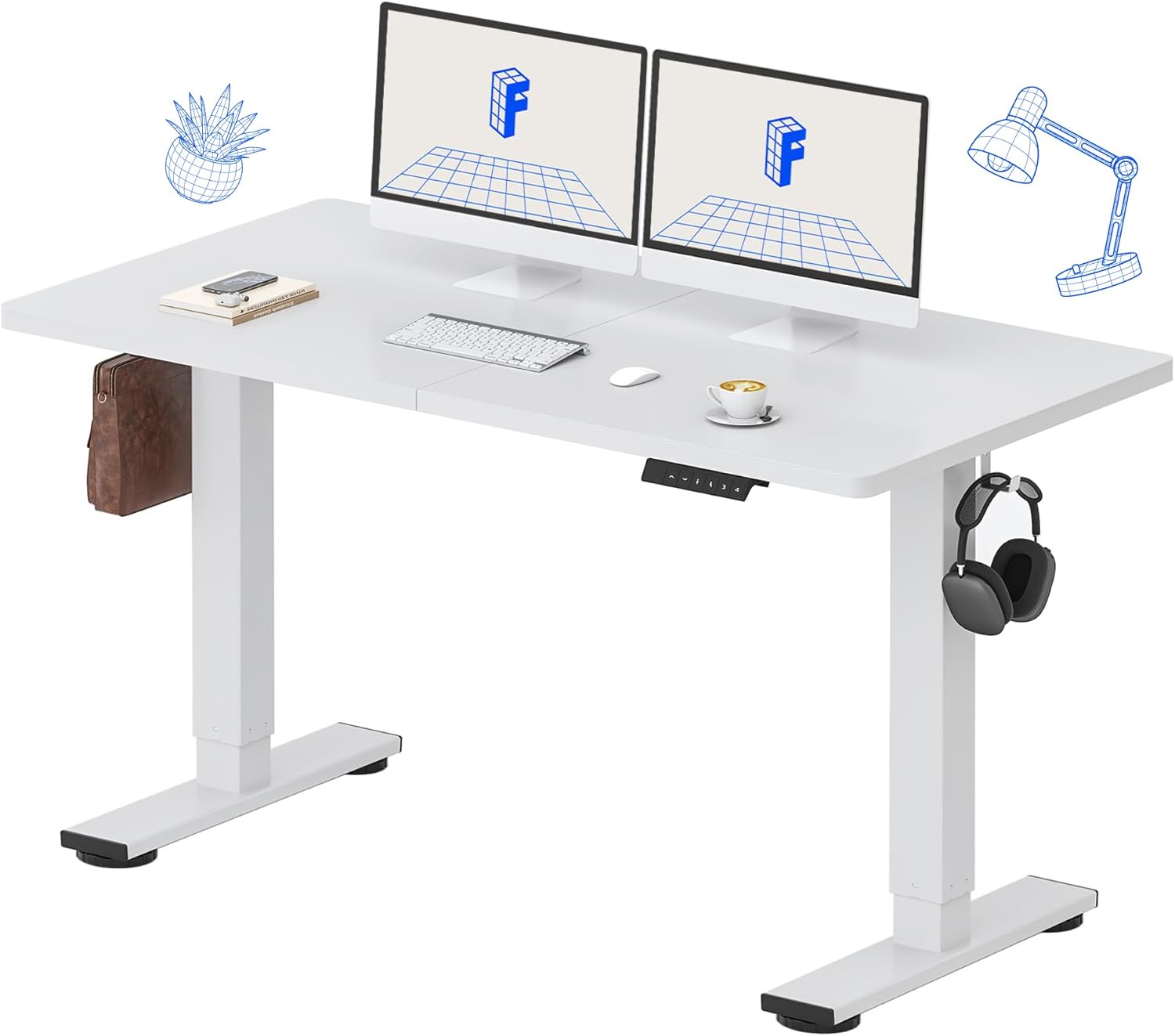
Image: All components of the FLEXISPOT Standing Desk, including the white desktop, white frame, and control panel.
- Desktop (55" x 24" White)
- Bingkai Meja (Putih)
- Panel Kawalan dengan Paparan LED
- Penyesuai Kuasa
- Alat Perhimpunan
- Penyusun Meja
- Side Storage Hooks (Set of 2)
4. Persediaan dan Pemasangan
Assembly is straightforward and all necessary tools are included. For detailed visual instructions, please refer to the included instruction booklet.
Langkah Perhimpunan:
- Buka bungkusan semua komponen dan letakkannya di atas permukaan yang bersih dan rata.
- Attach the lifting columns to the desktop using the provided screws and tools.
- Secure the foot supports to the bottom of the lifting columns.
- Pasang panel kawalan ke bahagian bawah desktop di lokasi yang mudah.
- Connect all cables (motor, control panel, power adapter) according to the diagram in the included instruction booklet.
- Palamkan penyesuai kuasa ke salur keluar dinding.
- Perform the initial reset (refer to Operating Instructions).

Image: The FLEXISPOT Standing Desk is shipped in a single package for convenience.
5. Arahan Operasi
Fungsi Panel Kawalan:

Imej: Terperinci view of the multi-function keypad, showing the LED display, Up/Down keys, and memory function buttons.
- Paparan led: Menunjukkan ketinggian meja semasa dalam inci.
- Up/Down Keys (∧ / ∨): Press and hold to adjust the desk height upwards or downwards. Release to stop.
- Pratetap Memori (1, 2, 3, 4):
- To save a height: Adjust the desk to your desired height, then press the 'M' button (or similar memory set button, if present) followed by the desired number (1, 2, 3, or 4). The display will show 'S-' followed by the number to confirm.
- To recall a height: Press the corresponding number button (1, 2, 3, or 4). The desk will automatically move to the saved position.
Julat Pelarasan Tinggi:
The desk can be adjusted from a minimum height of 28.9 inci to a maximum height of 46.5 inci.

Image: Illustration showing the adjustable height range of the desk from 28.9 inches to 46.5 inches.
Initial Reset Procedure:
After initial setup or if the desk encounters an error, a reset may be required:
- Press and hold the 'Down' (∨) button until the desk reaches its lowest position and slightly retracts.
- Release the button. The desk is now reset and ready for use.
6. Penyelenggaraan
Regular maintenance ensures the longevity and optimal performance of your FLEXISPOT Standing Desk.
- Pembersihan: Lap desktop dan bingkai dengan lembut, damp cloth. Avoid abrasive cleaners or harsh chemicals. Ensure the desk is unplugged before cleaning. The desktop is waterproof and scratch-resistant.
- Pengurusan Kabel: Periksa semua kabel secara berkala untuk memastikan ia disambungkan dengan selamat dan tidak tersepit atau rosak.
- Kapasiti Berat: Do not exceed the 154 lb weight limit. Distribute weight evenly across the desktop.
- Bunyi Motor: The desk features a whisper-quiet motor (<50dB). If you notice unusual noises, discontinue use and contact support.

Image: The desk's high-quality desktop is waterproof, scratch-resistant, and smooth.

Image: A comparison chart illustrating the low noise level of the desk's motor (under 50dB) compared to other common sounds.
7. Penyelesaian masalah
If you encounter issues with your FLEXISPOT Standing Desk, refer to the table below for common problems and solutions.
| Masalah | Kemungkinan Punca | Penyelesaian |
|---|---|---|
| Meja tidak bergerak. | Kabel kuasa terputus; Lebihan beban; Ralat motor. | Check power connection. Reduce weight on desk. Perform reset procedure. |
| Meja bergerak tidak sekata. | Uneven weight distribution; Obstruction. | Redistribute weight. Check for obstructions under or around the desk. Perform reset procedure. |
| Kod ralat pada paparan. | Kerosakan sistem. | Unplug the desk for 10 minutes, then plug back in. If error persists, contact customer support. |
| Pratetap memori tidak berfungsi. | Pratetap tidak disimpan dengan betul. | Simpan semula tetapan ketinggian yang anda inginkan mengikut arahan dalam Bahagian 5. |
Jika masalah berterusan selepas mencuba penyelesaian ini, sila hubungi khidmat pelanggan FLEXISPOT.
8. Spesifikasi
| Ciri | Perincian |
|---|---|
| Nombor Model | MAH0002206 |
| Dimensi Desktop | 55" (W) x 24" (D) |
| Julat Pelarasan Tinggi | 28.9" - 46.5" |
| Kapasiti Berat Maksimum | 154 paun (70 kg) |
| Bahan (Desktop) | Kayu Kejuruteraan |
| Bahan (Bingkai) | Keluli Aloi |
| Tahap Kebisingan Motor | <50dB |
| warna | White Top + White Frame |
| Komponen yang Disertakan | Desk Organizer, Side Storage Hooks |

Image: The FLEXISPOT Standing Desk in use, demonstrating its versatility for both sitting and standing work, even accommodating a walking pad.

Imej: Jarak dekat view of the side storage hooks, useful for hanging headphones or bags.

Image: Technical diagram illustrating the desktop and frame dimensions, including the adjustable height range.
9. Waranti dan Sokongan
FLEXISPOT products come with a warranty to ensure your satisfaction. The specific warranty type is either 'Limited' or 'Lifetime' as per product registration and terms.
- Waranti: Refer to your product registration or the official FLEXISPOT webtapak untuk terma dan syarat jaminan terperinci.
- Pulangan: Nikmati pulangan mudah 30 hari.
- Sokongan Pelanggan: If you have any questions, require assistance with assembly, or encounter any issues not covered in this manual, please contact FLEXISPOT customer support.
For further assistance, visit the official FLEXISPOT Store: Kedai FLEXISPOT di Amazon


