pengenalan
This manual provides detailed instructions for the setup, operation, and maintenance of your DrunkDeer A75 Pro Rapid Trigger Mechanical Gaming Keyboard. Designed for performance, the A75 Pro features silent magnetic switches, adjustable actuation, and customizable RGB lighting, all within a compact 75% TKL layout.
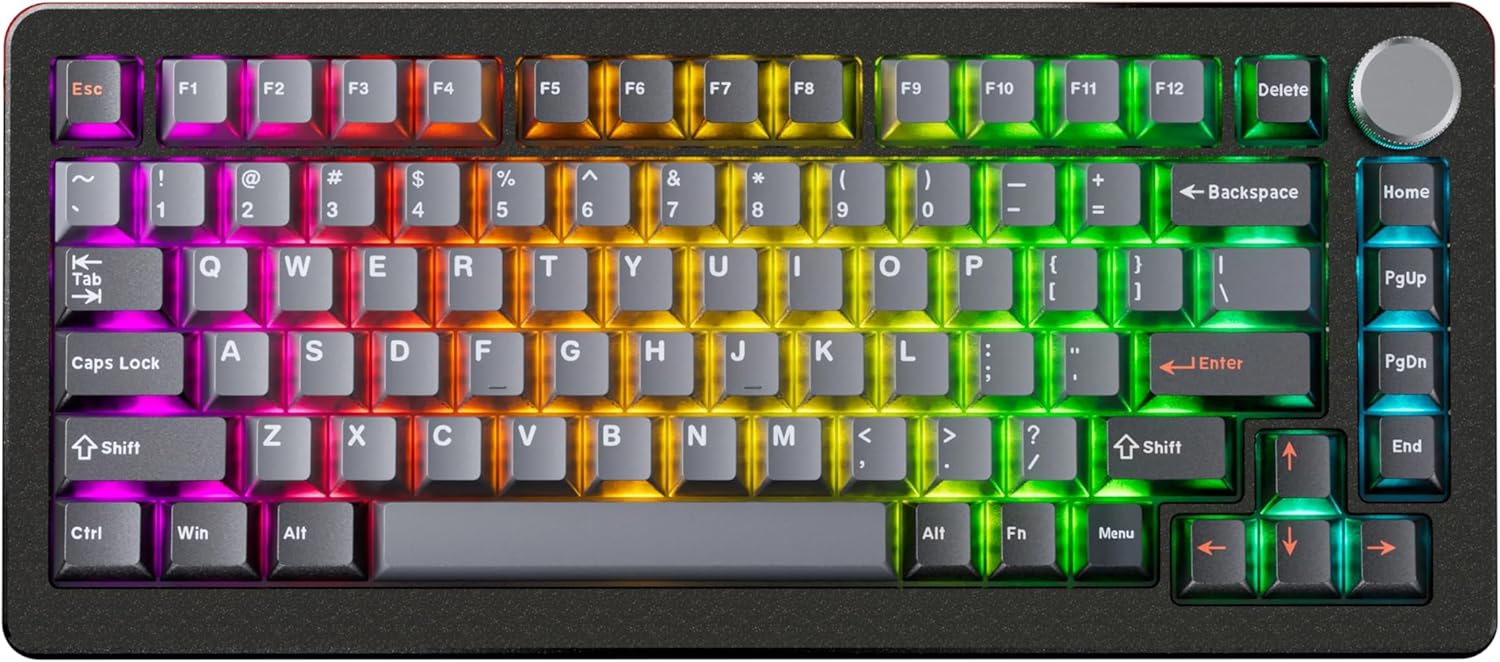
Image: The DrunkDeer A75 Pro keyboard showcasing its RGB lighting and 75% layout.
Kandungan Pakej
- DrunkDeer A75 Pro Mechanical Gaming Keyboard
- Kabel USB-A ke USB-C
- Keycap Puller (may vary by package)
- Manual Pengguna (dokumen ini)
Persediaan
Menyambung Papan Kekunci
- Locate the USB-C port on the back of the DrunkDeer A75 Pro keyboard.
- Sambungkan satu hujung kabel USB-A ke USB-C yang disediakan ke port USB-C papan kekunci.
- Sambungkan hujung kabel yang satu lagi (USB-A) ke port USB yang tersedia pada komputer anda.
- Papan kekunci akan secara automatik dikenali oleh sistem pengendalian anda.
Konfigurasi Awal
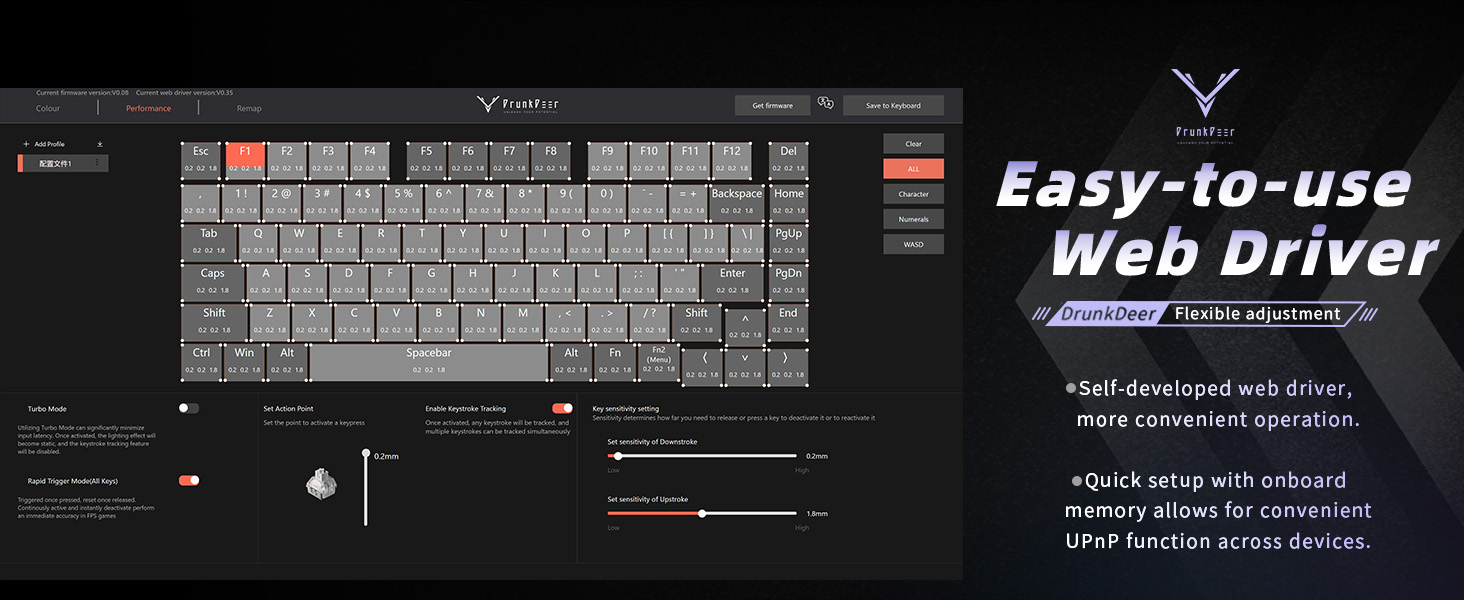
The DrunkDeer A75 Pro utilizes a web-based driver for configuration. No software installation is required. This allows for quick setup and onboard memory for settings across devices.

Imej: The web-based driver interface for the DrunkDeer A75 Pro, showing key remapping and performance settings.
- Buka a web browser and navigate to the official DrunkDeer web driver page (refer to the product packaging or official DrunkDeer webtapak untuk yang tepat URL).
- Ensure your keyboard is connected to the computer. The web driver should detect your keyboard.
- You can now adjust settings such as actuation points, rapid trigger sensitivity, and RGB lighting effects.
Arahan Operasi
Pencetus Pantas dan Pengaktifan Boleh Laras
The DrunkDeer A75 Pro features magnetic switches with Rapid Trigger technology and adjustable actuation points. This allows for precise control over keypress sensitivity and reset points.

Image: A diagram explaining the rapid trigger function and adjustable actuation distance of the magnetic switches.
- Pengaktifan Boleh Laras: Gunakan web driver to set the key travel distance required to register a keypress. This can be adjusted from 0.2mm to 3.8mm.
- Pencetus Pantas: This feature allows a key to register a reset as soon as it begins to move upwards, enabling faster repeated inputs. Configure Rapid Trigger sensitivity through the web pemandu.
- Dual Trigger, Single Key Emergency Stop (RDT): This advanced feature allows a key to trigger one action on press and another on release, providing enhanced control in specific applications. For example, pressing 'A' could trigger movement, and releasing 'A' could trigger a 'D' keypress for an emergency stop. This is configurable via the web pemandu.
- Mod Kemenangan Terakhir: When enabled, if opposite directions are pressed simultaneously (e.g., 'A' and 'D'), the keyboard prioritizes the last key pressed, allowing for instant direction changes without stopping.
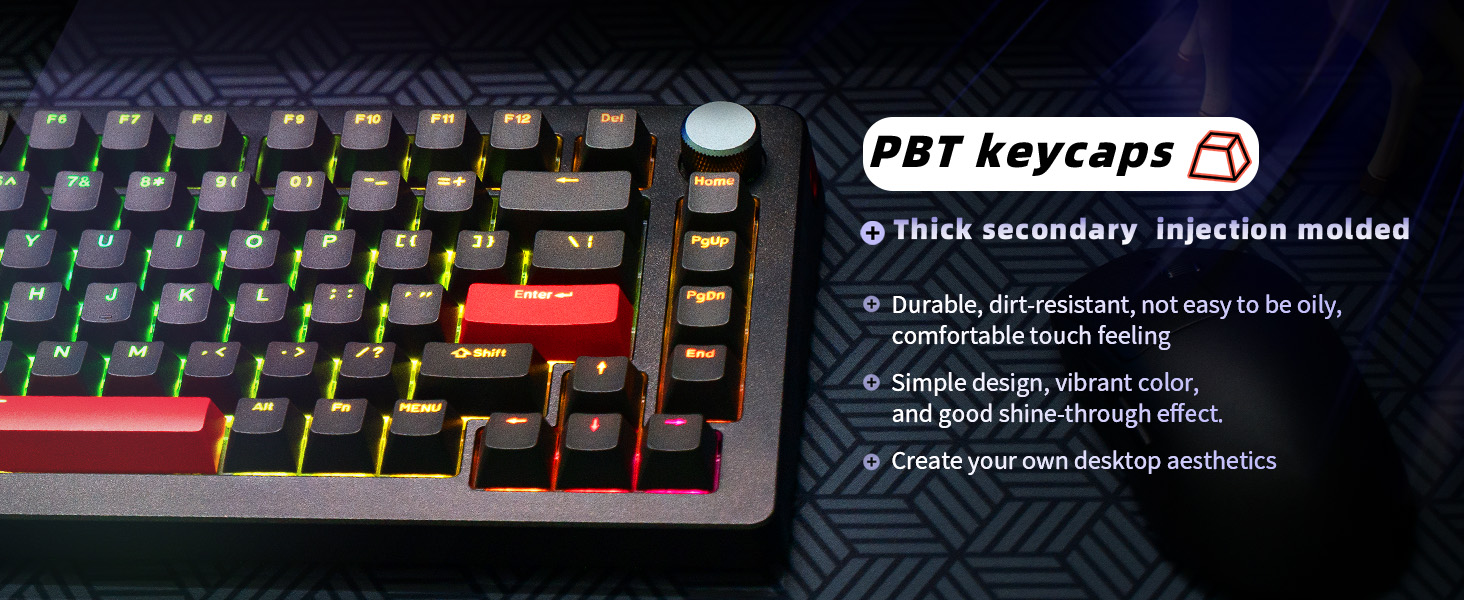
Image: An illustration demonstrating the "Last Win Mode" feature, showing how simultaneous opposite key presses are handled.
Kesan Pencahayaan RGB
The A75 Pro features customizable RGB lighting with multiple effects and brightness levels.

Image: The DrunkDeer A75 Pro keyboard displaying its customizable RGB lighting effects.
- Access the RGB settings through the web pemandu.
- Choose from 18 different lighting effects.
- Adjust brightness with 10 available levels.
- Single key custom RGB lamp effects are supported.
Kefungsian Tombol
The multi-function knob located on the top right of the keyboard typically controls volume by default. Pressing the knob usually acts as a play/pause button.
- Rotate the knob clockwise to increase volume.
- Rotate the knob counter-clockwise to decrease volume.
- Press the knob to play or pause media.
- Customization options for the knob may be available through the web pemandu.
Penyelenggaraan
Membersihkan Papan Kekunci
- Putuskan sambungan papan kekunci daripada komputer anda sebelum membersihkan.
- Gunakan kain lembut dan tidak berbulu sedikit dampened with water or a mild cleaning solution to wipe down the keycaps and case.
- For deeper cleaning, use a keycap puller to remove keycaps and clean underneath with compressed air or a small brush.
- Elakkan menyembur cecair terus ke papan kekunci.
Penjagaan Suis
The DrunkDeer A75 Pro uses hot-swappable magnetic switches. These switches are specifically designed and manufactured by Raesha for DrunkDeer.
Imej: Meletup view of a hot-swappable magnetic switch, highlighting its components.
- While switches are hot-swappable, only Raesha HE switches manufactured for DrunkDeer are compatible.
- The switches come pre-lubed for optimal performance and silent operation.
- If a switch needs replacement, carefully use a switch puller to remove it and insert a new compatible switch.
Menyelesaikan masalah
Papan Kekunci Tidak Membalas
- Pastikan kabel USB disambungkan dengan selamat ke kedua-dua papan kekunci dan komputer.
- Cuba sambungkan papan kekunci ke port USB lain pada komputer anda.
- Uji papan kekunci pada komputer lain untuk menolak isu khusus sistem.
- Mulakan semula komputer anda.
Keys Registering Unintentionally (Too Sensitive)
- Akses ke web driver and increase the actuation point distance for the affected keys or globally.
- Adjust the Rapid Trigger sensitivity settings in the web driver to a less sensitive value.
- Ensure your fingers are not resting too heavily on the keys if a very low actuation point is set.
RGB Lighting Not Working Correctly
- Check the RGB settings in the web driver to ensure desired effects and brightness are selected.
- Verify that no specific key lighting has been disabled or set to a very low brightness.
- Pastikan firmware papan kekunci dikemas kini melalui web pemandu.
Web Driver Not Detecting Keyboard
- Confirm the keyboard is properly connected via USB.
- Cuba kabel atau port USB lain.
- Pastikan anda web pelayar web adalah terkini.
- Clear browser cache and cookies, then try accessing the web driver again.
Spesifikasi
| Jenama | Rusa Mabuk |
| Nombor Model | A75P-B0PM |
| Penerangan Papan Kekunci | Mechanical, Rapid Trigger, Silent Magnetic Switch |
| Susun atur | 75% TKL, 82 Keys, ANSI |
| Kekunci Kekunci | PBT, Cherry Profile |
| Teknologi Ketersambungan | USB-A berwayar |
| Ciri Khas | Adjustable Actuation, RGB Lighting, Programmable Knob, Hot-swappable Switches (Raesha HE only) |
| Peranti Serasi | Konsol Permainan, PC |
| Berat Barang | 3.12 paun |
| Dimensi Pakej | 14.61 x 8.15 x 2.24 inci |
Waranti dan Sokongan
Untuk maklumat jaminan dan sokongan teknikal, sila rujuk laman web rasmi DrunkDeer. website or contact their customer service directly. Details regarding product registration, troubleshooting assistance, and warranty claims can typically be found on their support pages.
Pengeluar: Rusa Mabuk
Tarikh Mula-mula Tersedia: 17 Julai 2024
For the most up-to-date support resources, visit the official DrunkDeer webtapak: Kedai DrunkDeer di Amazon