pengenalan
This manual provides detailed instructions for the setup, operation, and maintenance of your bemi Kix-m Smartwatch Fitness Tracker. Please read this manual thoroughly before using the device to ensure proper function and to maximize your user experience. The bemi Kix-m is designed to assist you in monitoring your fitness activities and health metrics.
Apa yang ada dalam Kotak
- bemi Kix-m Smartwatch
- Kabel Pengecasan
- Manual Pengguna (dokumen ini)
Persediaan
1. Pemasangan Apl
The bemi Kix-m Smartwatch operates with the "H Band" application. This application is compatible with smartphones running Android 4.4 or newer and iOS 8.0 or newer.
- Cari untuk "H Band" in the App Store (for iOS devices) or Google Play Store (for Android devices).
- Download and install the application on your smartphone.
- Ikut arahan pada skrin untuk membuat akaun dan menyediakan profesional peribadi andafile.
2. Berpasangan Peranti
To connect your smartwatch with the "H Band" app:
- Pastikan Bluetooth telefon pintar anda didayakan.
- Open the "H Band" application.
- Navigate to the device pairing section within the app (usually found under "Device" or "My Device").
- The app will search for available devices. Select "Kix-m" from the list to initiate pairing.
- Sahkan permintaan pasangan pada telefon pintar dan jam tangan pintar anda jika digesa.
Nota: If you experience issues with pairing, ensure the watch is charged and within Bluetooth range of your phone. Refer to the troubleshooting section for further assistance.
Arahan Operasi
1. Navigasi Asas
The bemi Kix-m Smartwatch features a 1.5-inch touchscreen display for navigation. Swipe left, right, up, or down to access different functions and menus. Tap to select options.
2. Main balik Muzik
The Kix-m includes a built-in audio player with 512MB of internal memory, allowing you to store and play music directly from the watch.
- Transferring Music: Connect the smartwatch to a computer using the charging cable. The watch should appear as a removable storage device. Drag and drop your MP3 files into the designated music folder on the watch.
- Connecting Headphones/Speakers: The watch features a dual Bluetooth module. Navigate to the Bluetooth settings on your watch, enable Bluetooth, and pair with your wireless headphones or speaker.
- Mengawal Main Semula: Access the music player from the watch's menu. You can play, pause, skip tracks, and adjust volume directly from the watch screen.
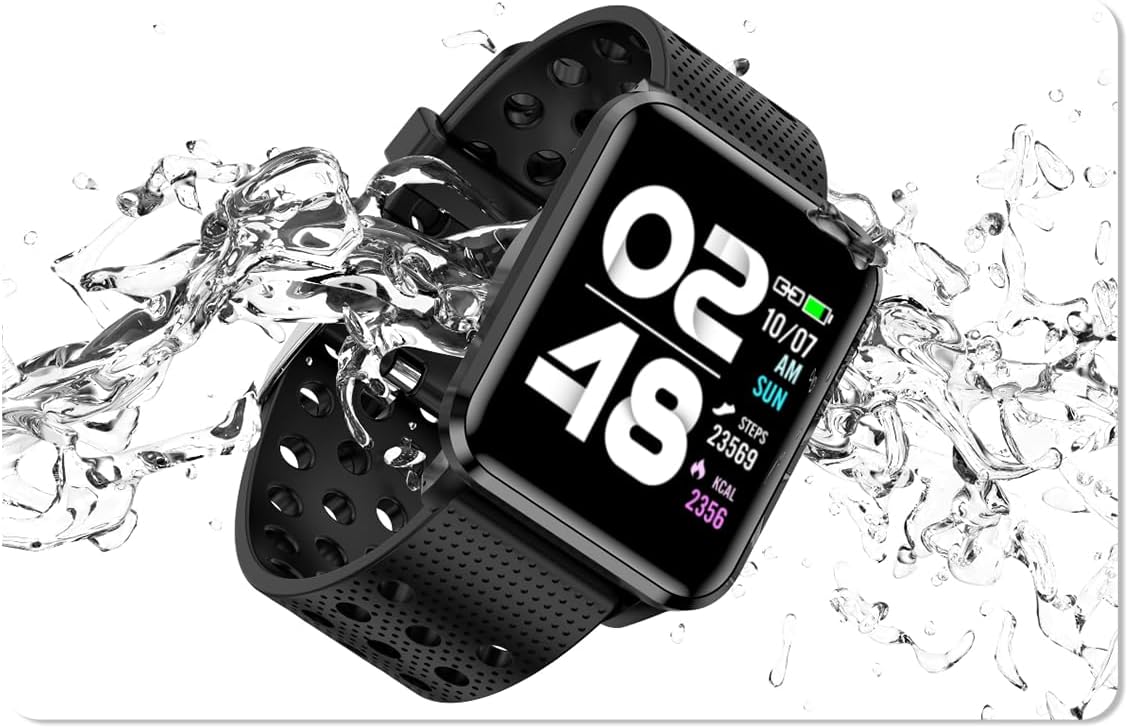
Image: The bemi Kix-m Smartwatch showing its music playback interface, with wireless earbuds positioned next to it, illustrating the device's audio capabilities.
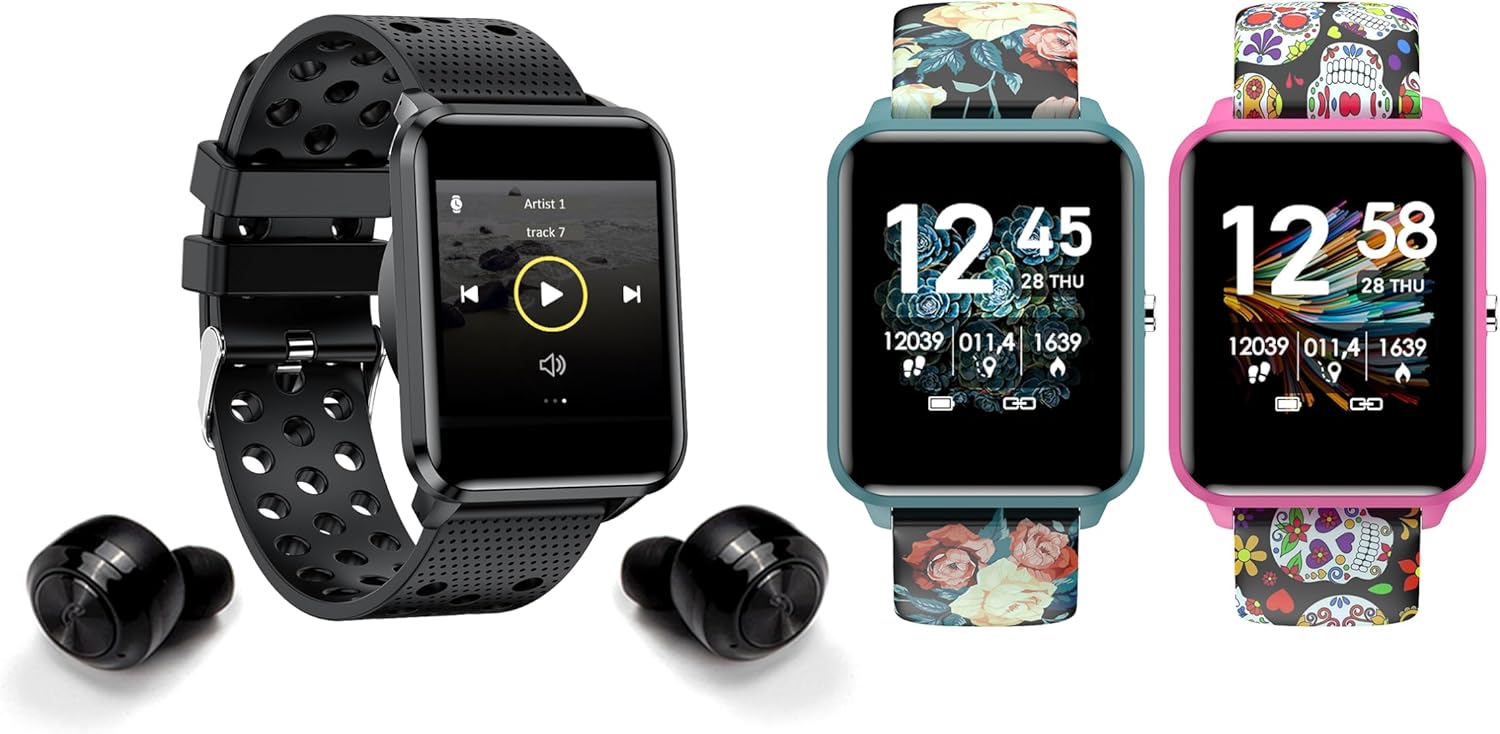
Image: The bemi Kix-m Smartwatch showing its music playback interface, with wireless earbuds positioned next to it, illustrating the device's audio capabilities.
3. Penjejakan Aktiviti
The smartwatch continuously monitors your daily activity, including steps taken, distance covered, and calories burned. This data is synchronized with the "H Band" app for detailed analysis.

Image: A screenshot of the H Band application dashboard, displaying various activity metrics such as steps, blood oxygen saturation (SpO2), heart rate, and sleep patterns, alongside a smartwatch face.
4. Mod Sukan
The Kix-m offers 10 different sport modes to track specific workouts. Select the appropriate mode before starting an activity to get accurate data for your performance.
- Access sport modes from the main menu.
- Choose your desired activity (e.g., running, cycling).
- The watch will display real-time metrics relevant to your chosen sport.
5. Pemantauan Kesihatan
The smartwatch provides continuous monitoring of several health metrics:
- Pemantau Kadar Jantung: Mengesan kadar denyutan jantung anda sepanjang hari. View data masa nyata pada jam tangan atau graf terperinci dalam aplikasi.
- Oksigen Darah (SpO2): Mengukur tahap oksigen darah anda.
- Penjejakan Tidur: Monitors your sleep patterns, including deep sleep, light sleep, and awake times. Data is analyzed in the "H Band" app to provide insights into sleep quality.

Imej: Bahagian belakang view of the bemi Kix-m Smartwatch, highlighting the optical sensors used for heart rate and blood oxygen monitoring.

Image: The bemi Kix-m Smartwatch screen showing current blood pressure and heart rate measurements, with a background graph indicating historical data.

Imej: A terperinci view of the H Band application's sleep tracking interface, showing sleep duration, quality, and different sleep stages.
6. Ciri Pintar
- Pemberitahuan: Receive alerts for calls, messages, and app notifications directly on your wrist. Configure notification settings within the "H Band" app.
- Kawalan Kamera: Use your smartwatch as a remote shutter for your smartphone camera. Access this feature from the watch's menu.
- Penjejakan Kesihatan Wanita: A dedicated mode for women's health tracking, including menstrual cycle and ovulation predictions. Set up and manage this feature in the "H Band" app.
- Peringatan Pergerakan: The watch can remind you to move after periods of inactivity.
- Penggera, Jam randik, Pemasa: Standard utility functions available on the watch.
- Cari Telefon: Use this feature to locate your paired smartphone by making it ring.

Image: The bemi Kix-m Smartwatch screen showing a photo, demonstrating its remote camera control functionality with a smartphone in the background.

Image: A screenshot of the H Band application displaying the women's health tracking interface, including menstrual cycle and ovulation prediction features.
7. Penyesuaian
Choose from 24 clock faces available in the "H Band" application. You can also upload a photo from your phone to use as a custom watch face.

Image: A display of multiple bemi Kix-m Smartwatches showcasing different customizable watch faces, including a personalized photo option.
Penyelenggaraan
1. Mengecas
Connect the provided charging cable to the charging port on the back of the smartwatch and to a USB power source. The watch will display a charging indicator. A full charge typically takes 1-2 hours.
2. Tahan Air
The bemi Kix-m Smartwatch is IP68 waterproof, meaning it is resistant to dust and can withstand immersion in water up to 1.5 meters for up to 30 minutes. It is suitable for daily use, such as washing hands or light rain. Avoid hot water, saunas, or diving, as these conditions may compromise the water resistance.

Image: The bemi Kix-m Smartwatch being splashed with water, illustrating its IP68 water resistance rating for daily activities.
3. Pembersihan
Lap skrin dan tali jam tangan dengan kain lembut,amp kain. Elakkan penggunaan bahan kimia yang keras atau bahan kasar yang boleh merosakkan peranti.
Menyelesaikan masalah
- Tonton tidak dihidupkan: Pastikan jam tangan dicas sepenuhnya. Sambungkannya ke kabel pengecas dan sumber kuasa selama sekurang-kurangnya 30 minit.
- Tidak dapat dipasangkan dengan telefon:
- Pastikan Bluetooth didayakan pada telefon anda.
- Pastikan jam tangan berada berdekatan dengan telefon anda.
- Mulakan semula kedua-dua telefon anda dan jam tangan pintar.
- Check if the "H Band" app is updated to the latest version.
- Jika sebelum ini telah dipasangkan, cuba nyahpasangkan peranti daripada tetapan Bluetooth telefon anda dan kemudian pasangkan semula melalui aplikasi.
- Data kesihatan tidak tepat:
- Pastikan jam tangan dipakai dengan kemas pada pergelangan tangan anda, tetapi tidak terlalu ketat.
- Bersihkan penderia di belakang jam tangan.
- Sila ambil perhatian bahawa jam tangan pintar bukanlah peranti perubatan dan bacaan adalah untuk rujukan sahaja.
- Pemberitahuan tidak muncul:
- Sahkan bahawa jam tangan berjaya dipasangkan dengan telefon anda.
- Check notification permissions for the "H Band" app in your phone's settings.
- Ensure notifications are enabled within the "H Band" app for the desired applications.
Spesifikasi
| Nombor Model | Kix-m |
| Saiz Skrin | 1.5 Inci |
| Kapasiti Penyimpanan Memori | 512MB (for music) |
| Teknologi Ketersambungan | Bluetooth, WiFi |
| Tahan Air | IP68 |
| Keserasian Sistem Pengendalian | Android 4.4+, iOS 8.0+ |
| Jenis Bateri | Polimer Litium |
| Berat Barang | 4.2 auns |
| Dimensi Pakej | 4.8 x 2.83 x 2.24 inci |
Nota: Spesifikasi tertakluk kepada perubahan tanpa notis terlebih dahulu.
Waranti dan Sokongan
For warranty information and customer support, please refer to the official bemi webtapak atau hubungi peruncit anda. Simpan resit pembelian anda sebagai bukti pembelian untuk tuntutan waranti.
Untuk bantuan lanjut, sila layari bemi Store on Amazon.


