pengenalan
This manual provides essential instructions for the assembly, operation, and maintenance of your FLEXISPOT QB2M-1880-IE Height-Adjustable Desk. Please read this manual thoroughly before use to ensure proper function and safety. This desk is designed to provide a versatile workspace, allowing seamless transitions between sitting and standing positions.

Image: The FLEXISPOT QB2M-1880-IE Height-Adjustable Desk in a typical office setup, showcasing its spacious maple desktop and white dual-motor frame.
Maklumat Keselamatan
- Kapasiti Beban Maksimum: Do not exceed the recommended maximum load of 120 kg (264 lbs). Overloading can cause instability and damage.
- Kedudukan Stabil: Ensure the desk is positioned on a flat, stable surface to prevent tipping or collisions during height adjustments.
- Persekitaran yang Jelas: Keep the area around the desk clear of obstructions during height adjustments to avoid pinching or damage to objects.
- Kanak-kanak dan Haiwan Kesayangan: Jauhkan kanak-kanak dan haiwan peliharaan dari meja semasa operasi.
- Kord Kuasa: Pastikan kord kuasa tidak tersepit atau rosak. Putuskan sambungan kuasa sebelum membersihkan atau menyelenggara.
- Sistem Anti-Perlanggaran: The desk is equipped with an anti-collision system. However, always exercise caution and monitor the desk's movement.
Kandungan Pakej
Sahkan bahawa semua komponen ada dan tidak rosak sebelum memulakan pemasangan. Jika mana-mana bahagian hilang atau rosak, hubungi khidmat pelanggan.
- Desktop (multi-piece)
- Desk Frame (legs, crossbar)
- Motor Dwi
- Panel Kawalan
- Penyesuai Kuasa dan Kabel
- Hardware Kit (screws, tools)
- Manual Arahan
Persediaan dan Perhimpunan
Follow these general steps for assembling your FLEXISPOT height-adjustable desk. Refer to the included assembly diagram for detailed illustrations.
- Buka Pembungkusan Komponen: Keluarkan semua bahagian dari bungkusan dengan berhati-hati dan letakkannya di atas permukaan yang bersih dan lembut untuk mengelakkan calar.
- Pasang Bingkai: Attach the desk legs to the crossbar using the provided hardware. Ensure all connections are secure.
- Pasang Motor: Secure the dual motors within the frame structure as indicated in the assembly guide.
- Lampirkan Desktop: Place the desktop sections onto the assembled frame. The desktop is composed of multiple parts designed to connect securely. Fasten the desktop to the frame using the appropriate screws.
- Sambung Panel Kawalan: Mount the control panel to the underside of the desktop in a convenient location. Connect the control panel and motors to the power adapter unit.
- Pengurusan Kabel: Use cable ties or clips (if provided) to organize and secure all cables, preventing them from interfering with desk movement.
- Kuasa Permulaan: Plug the power cable into a wall outlet. The desk may perform an initial calibration cycle.

Image: Product details showing the desk dimensions (180cm x 80cm) and illustrating that the desktop is made of 4 parts.
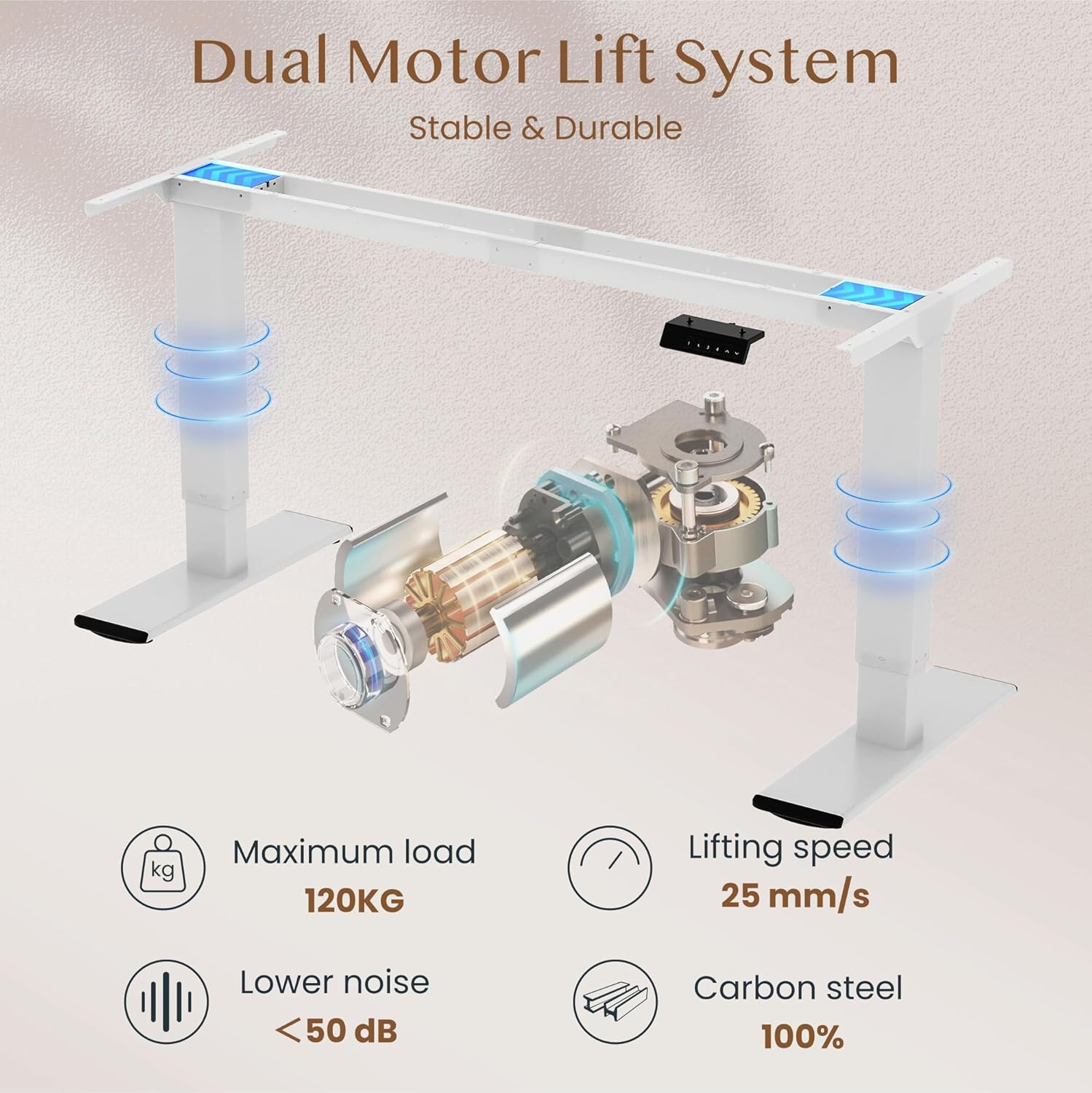
Image: Diagram illustrating the dual motor lift system, highlighting its stability, 120kg maximum load, 25 mm/s lifting speed, and quiet operation (<50 dB).
Arahan Operasi
Fungsi Panel Kawalan
The intelligent control panel allows for easy height adjustment and memory presets.

Image: Close-up of the intelligent control panel with buttons for up/down adjustment, four memory presets, and an LED screen.
- Butang Atas/Bawah (^ / v): Press and hold to continuously adjust the desk height. Release to stop at the desired position.
- Pratetap Memori (1, 2, 3, 4):
- Laraskan meja pada ketinggian yang diingini menggunakan butang Atas/Bawah.
- Press the "M" or "SET" button (if present, otherwise directly press the number) followed by one of the number buttons (1, 2, 3, or 4) within 3 seconds. The LED display will show "S-" followed by the number, indicating the height is saved.
- Untuk mengingat semula ketinggian yang disimpan, hanya tekan butang nombor yang sepadan (1, 2, 3 atau 4). Meja akan bergerak secara automatik ke kedudukan yang disimpan.
- Fungsi Anti-Perlanggaran: The desk is equipped with an anti-collision system. If the desk encounters an obstruction during movement, it will automatically stop and reverse slightly to prevent damage.

Image: Illustration of the desk's height adjustment range, from 72cm (sitting) to 121cm (standing).

Image: Comparison showing the anti-collision function preventing an object from being crushed (left) versus a system without it (right).
Penyelenggaraan
- Pembersihan: Lap desktop dan bingkai dengan lembut, damp kain. Elakkan pembersih yang melelas atau bahan kimia keras yang boleh merosakkan kemasan.
- Pemeriksaan: Periksa semua skru dan sambungan secara berkala untuk memastikan ia kekal ketat. Ketatkan semula jika perlu.
- Pengurusan Kabel: Ensure cables are neatly organized and not interfering with the desk's movement.
- Pelinciran: The lifting mechanism is generally maintenance-free. Do not attempt to lubricate internal components unless specifically instructed by FLEXISPOT support.
Menyelesaikan masalah
| Masalah | Kemungkinan Punca | Penyelesaian |
|---|---|---|
| Meja tidak bergerak. | Kabel kuasa terputus; beban lampau; ralat motor. | Check power connections. Reduce load on desk. Unplug and replug power to reset. |
| Meja bergerak tidak sekata atau mengeluarkan bunyi yang luar biasa. | Loose connections; uneven load; obstruction. | Check all assembly screws. Redistribute weight evenly. Check for obstructions. |
| Sistem anti-perlanggaran kerap dicetuskan. | Sensitivity setting; actual obstruction. | Ensure no objects are in the path of movement. Consult manual for sensitivity adjustment if available. |
| Pratetap memori tidak berfungsi. | Pratetap tidak disimpan dengan betul. | Simpan semula pratetap ketinggian yang anda inginkan mengikut arahan pengendalian. |
If you encounter issues not listed here or if solutions do not resolve the problem, please contact FLEXISPOT customer support.
Spesifikasi
| Jenama | FLEXISPOT |
| Nombor Model | QB2M-1880-IE |
| Dimensi (L x W x H) | 180 cm x 80 cm x 72-119 cm (adjustable) |
| Berat badan | 38.7 kg |
| bahan | Maple desktop, Metal frame |
| warna | White frame + Maple desktop |
| Sistem Motor | Motor Dwi |
| Kelajuan Mengangkat | Sehingga 25 mm/s |
| Kapasiti Beban Statik | 120 kg |
| Kapasiti Beban Dinamik | 100 kg |
| Tahap Kebisingan | Di bawah 50 dB |
| Ciri Khas | Height adjustable, 4 memory presets, Anti-collision system |

Image: Close-up of the thickened table legs (70cm height shown) designed for enhanced stability.

Image: Visual representation of the desk's 120kg weight capacity and the thick 75x45mm table legs ensuring stability.
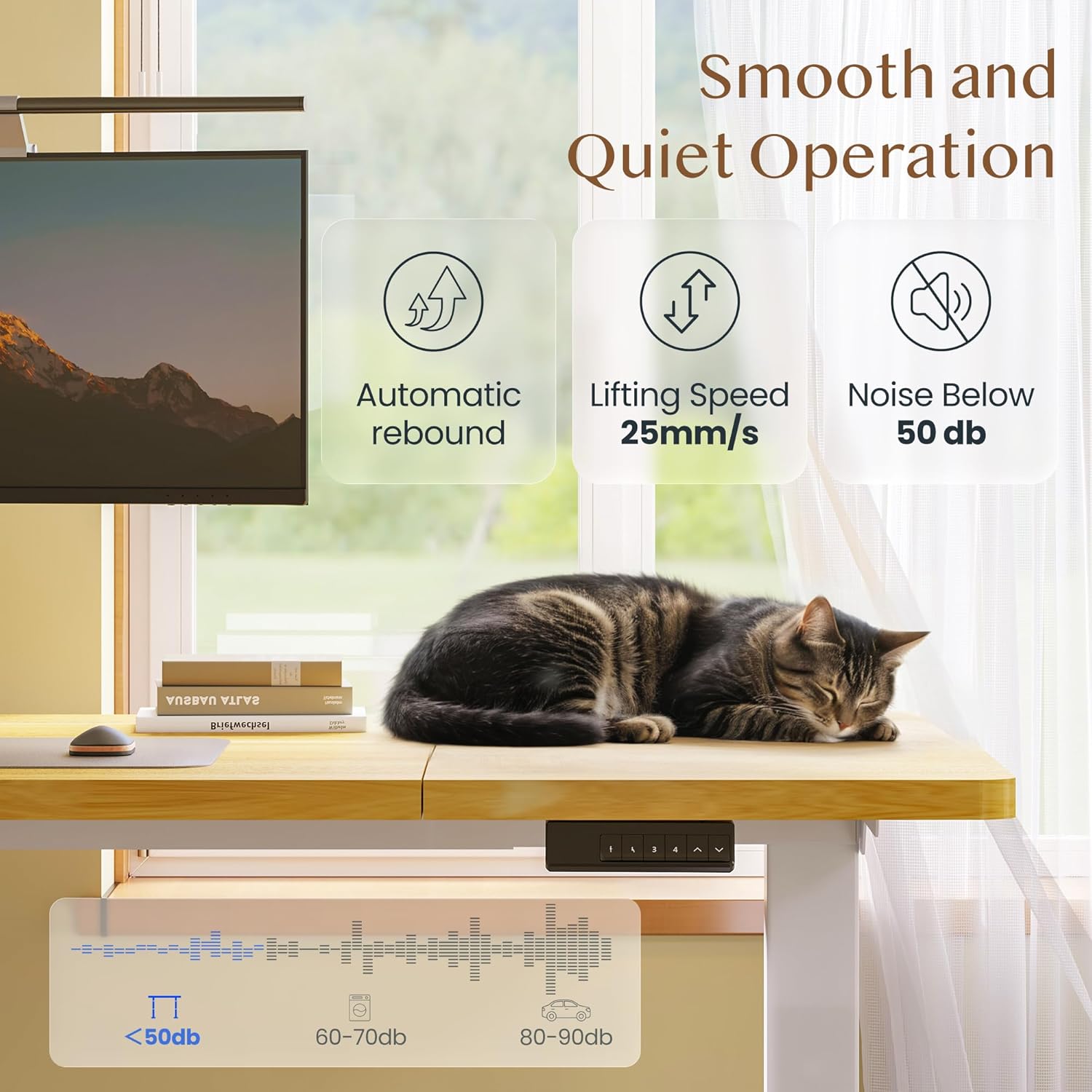
Image: Depiction of the desk's smooth and quiet operation, highlighting automatic rebound, 25mm/s lifting speed, and noise level below 50 dB.
Waranti dan Sokongan
For warranty information, technical support, or to inquire about replacement parts, please refer to the warranty card included with your product or visit the official FLEXISPOT website. Please have your model number (QB2M-1880-IE) and purchase date ready when contacting support.


