1. Pengenalan
Thank you for choosing the BOTSLAB HK30 Car Dash Cam. This manual provides detailed instructions for the installation, operation, and maintenance of your new dash camera system. Please read this manual thoroughly before using the product to ensure proper function and safety. Keep this manual for future reference.
2. Maklumat Keselamatan
- Jangan kendalikan kamera papan pemuka atau akses tetapannya semasa memandu. Sentiasa berhenti dengan selamat sebelum membuat sebarang pelarasan.
- Ensure the dash cam is securely mounted and does not obstruct the driver's view atau mengganggu pengembangan beg udara.
- Use only the original power adapter and cables provided with the device. Using unauthorized accessories may damage the product and void the warranty.
- Avoid exposing the dash cam to extreme temperatures, direct sunlight for prolonged periods, or excessive moisture.
- Jangan cuba membuka atau membaiki peranti sendiri. Hubungi sokongan pelanggan untuk mendapatkan bantuan.
- Regularly format the memory card to ensure optimal recording performance.
3. Kandungan Pakej
Sila semak pakej untuk item berikut:
- BOTSLAB HK30 Dash Cam Unit
- Car Charger (Power Cable)
- Mounting Bracket (with adhesive pad)
- Manual Pengguna
- Optional: Rear Camera (if purchased as a bundle)
- Optional: GPS Module
4. Produk Lebihview
The BOTSLAB HK30 is a multi-channel dash cam designed to provide comprehensive coverage of your driving environment. It features a main front camera with 4K resolution, and supports additional cameras for rear and interior views (sold separately or as part of a bundle).

Image: The main BOTSLAB HK30 dash cam unit, showing the front lens and the Botslab branding.
Ciri-ciri utama termasuk:
- Kamera Hadapan 4K: Captures high-resolution video of the road ahead.
- 140° Lebar Viewsudut: Provides extensive coverage, minimizing blind spots.
- Penglihatan Malam Warna: Enhances visibility and clarity in low-light conditions.
- GPS terbina dalam: Records speed and location data for your journeys.
- G-Sensor: Automatically locks video files apabila terkena hentaman untuk mengelakkan penulisan ganti.
- Rakaman Gelung: Continuously records by overwriting the oldest files apabila kad memori penuh.
- Pemantauan Tempat Letak Kereta: Offers 24-hour surveillance with time-lapse recording and collision-triggered normal recording (requires buck line kit, sold separately).
- Kawalan Apl: Connects to your smartphone for easy settings adjustment, live view, and video download.

Image: An illustration demonstrating the 140-degree wide viewing angle of the dash cam, showing its ability to capture a broad perspective of the road.
5. Persediaan dan Pemasangan
5.1 Memasukkan Kad Memori
Before first use, insert a high-speed (Class 10 or higher) microSD card (up to 256GB recommended) into the dash cam's memory card slot. Ensure the card is inserted correctly until it clicks into place. Format the card via the dash cam's settings menu or the mobile app before initial recording.
5.2 Memasang Dash Cam
- Clean the windshield area where you intend to mount the dash cam. Ensure it is free of dust and grease.
- Attach the adhesive pad to the mounting bracket, then firmly press the bracket onto the chosen spot on your windshield, ideally behind the rearview cermin untuk optimum view dan halangan yang minimum.
- Slide the dash cam unit onto the mounted bracket until it locks securely.
- Adjust the camera lens angle to ensure it captures the road ahead clearly, with approximately 60% road and 40% sky visible.
5.3 Sambungan Kuasa
- Connect the provided car charger cable to the dash cam's power input port.
- Pasangkan hujung pengecas kereta yang satu lagi ke soket kuasa 12V kenderaan anda (soket pemetik api).
- Route the power cable neatly along the edge of the windshield and dashboard to conceal it and prevent interference with driving.
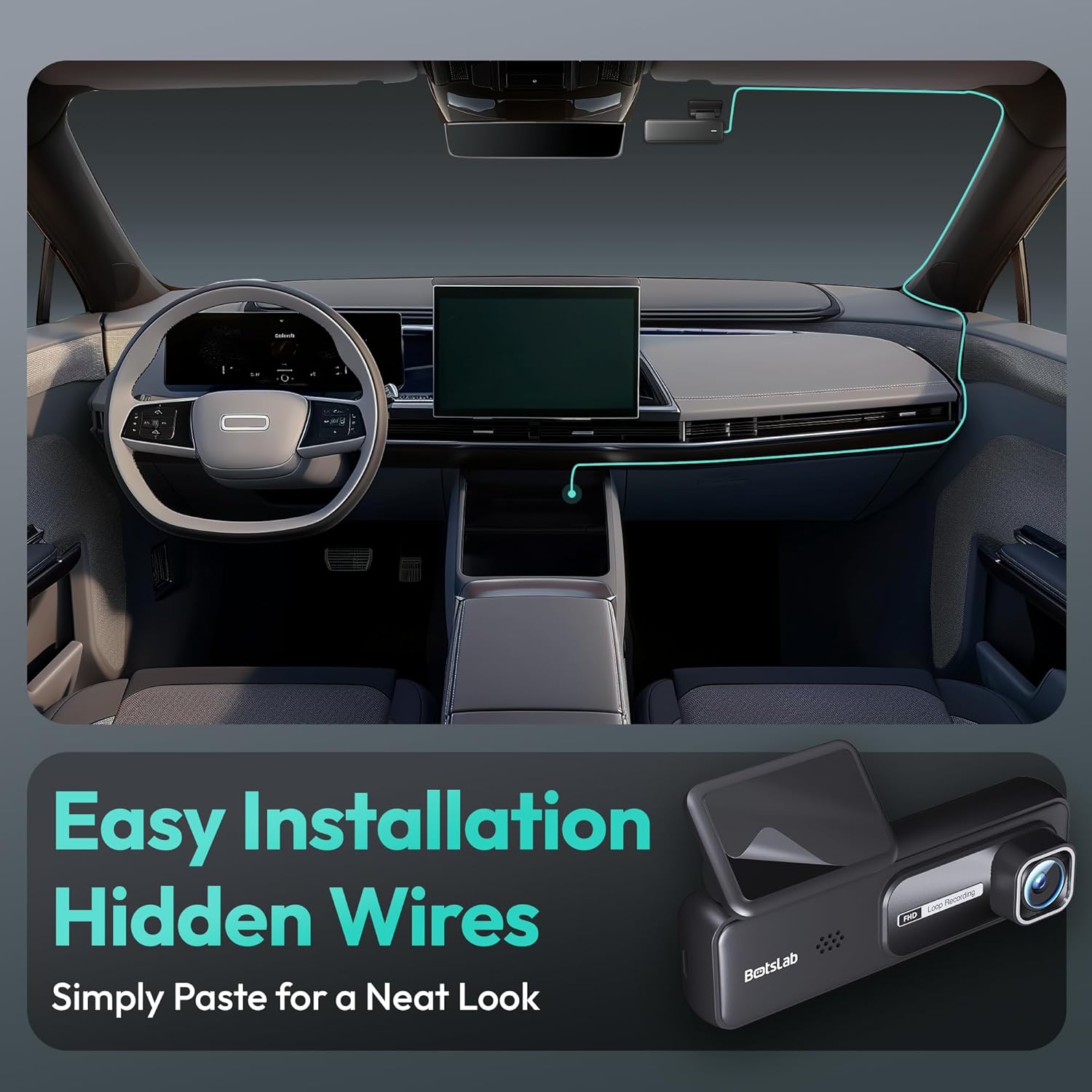
Image: A visual guide illustrating the process of easy dash cam installation with hidden wires, showing how to route the cable neatly along the car's interior for a clean look.
5.4 GPS Module Connection (if applicable)
If your package includes a separate GPS module, connect it to the designated port on the dash cam. Ensure the GPS module is placed in an area with a clear view langit untuk penerimaan isyarat yang optimum.
6. Arahan Operasi
6.1 Rakaman Automatik
Once powered on and connected to your vehicle's ignition, the dash cam will automatically start recording when the engine is started. It will stop recording and power off shortly after the engine is turned off.
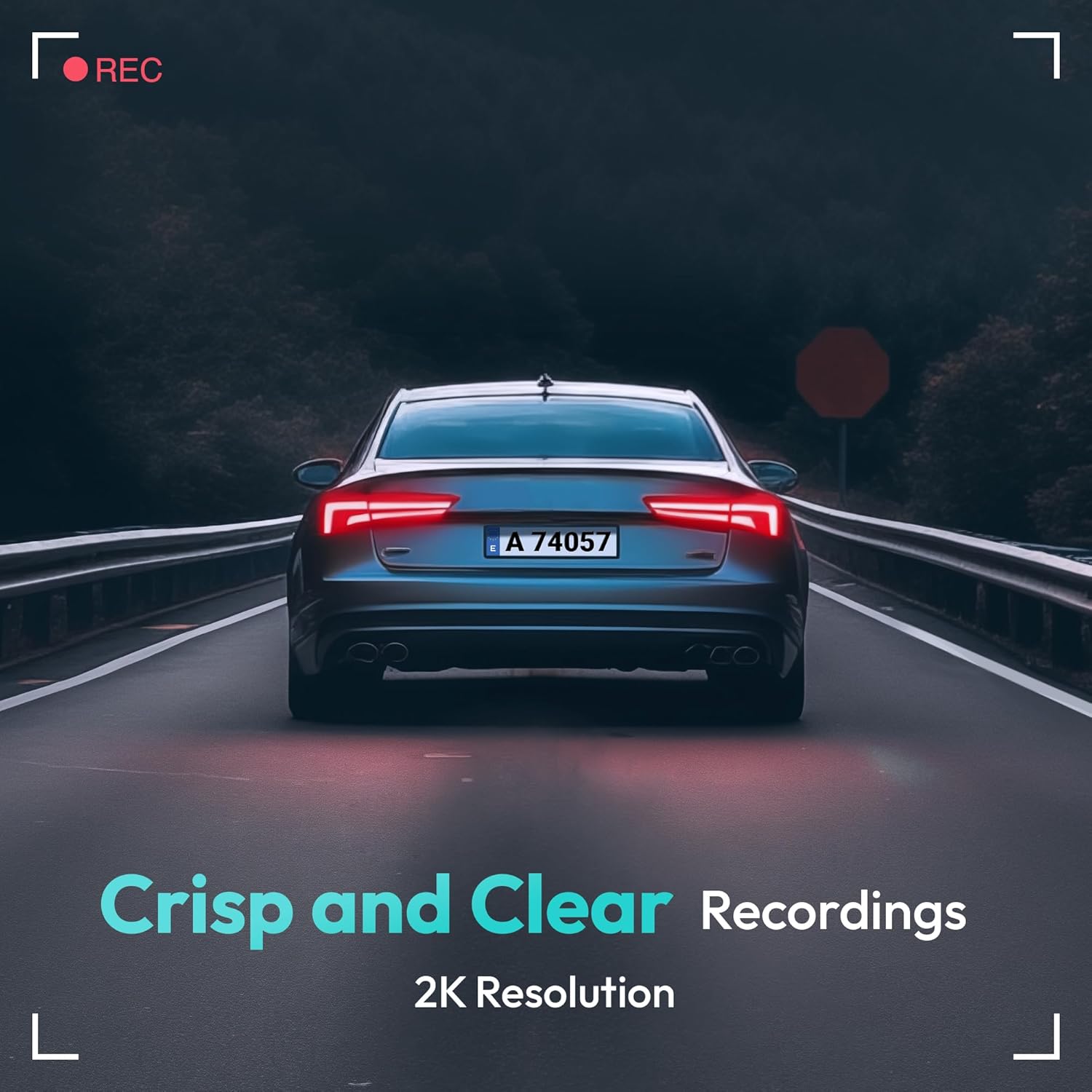
Image: A visual representation highlighting the crisp and clear recording capabilities of the dash cam, indicating 2K resolution for detailed footage.
6.2 Rakaman Gelung
Cam dash merakam video dalam gelung berterusan (cth, segmen 1, 3 atau 5 minit). Apabila kad memori penuh, yang paling lama dibuka kuncinya files akan ditulis ganti secara automatik oleh rakaman baharu. Ini memastikan rakaman berterusan tanpa campur tangan manual.
6.3 G-Sensor (Rakaman Kecemasan)
The built-in G-Sensor detects sudden impacts or collisions. When an impact is detected, the current video segment will be automatically locked and saved to a protected folder on the memory card, preventing it from being overwritten by loop recording. These files are crucial for accident evidence.
6.4 Pemantauan Tempat Letak Kereta
For 24-hour parking surveillance, a hardwire kit (buck line) is required (sold separately). Once installed, the dash cam can utilize:
- Rakaman Selang Masa: Records continuously at a low frame rate to save storage space while providing a full overview of parking events.
- Collision-Triggered Recording: If an impact is detected while parked, the dash cam will wake up and record a short video segment, which will be locked.

Image: An illustration depicting the 24/7 parking monitoring feature, highlighting time-lapse recording and collision-triggered normal recording capabilities, with a shield icon indicating protection.
6.5 App Control and Connectivity
Download the official BOTSLAB app from your smartphone's app store. Connect your phone to the dash cam's Wi-Fi network (SSID and password usually found on the device or in the manual). Through the app, you can:
- View suapan video langsung.
- Adjust dash cam settings (resolution, G-sensor sensitivity, loop recording duration, etc.).
- Main semula video yang dirakam.
- Muat turun video fileterus ke telefon anda.
- Kemas kini perisian tegar.
6.6 GPS Tracking and Playback
With the GPS module connected, the dash cam records your vehicle's speed and location data. This information can be viewed during video playback using the dedicated PC viewer software (available for download from the BOTSLAB website) or within the mobile app, often overlaid on a map (e.g., Google Maps).
7. Penyelenggaraan
7.1 Membersihkan Peranti
Use a soft, dry cloth to clean the dash cam's lens and body. Do not use liquid cleaners or abrasive materials, as they may damage the device.
7.2 Pengurusan Kad Memori
It is recommended to format the microSD card once a month to maintain optimal performance and prevent data corruption. Back up any important files sebelum memformat.
7.3 Kemas Kini Perisian Tegar
Periodically check the BOTSLAB official website or the mobile app for available firmware updates. Firmware updates can improve performance, add new features, or fix bugs. Follow the instructions provided with the firmware update carefully.
8. Penyelesaian masalah
| Masalah | Kemungkinan Punca | Penyelesaian |
|---|---|---|
| Dash cam tidak dihidupkan. | No power supply; faulty cable; vehicle's power outlet issue. | Check power cable connection; try another power outlet; ensure vehicle ignition is on. |
| Rakaman berhenti atau membeku. | Kad memori penuh atau rosak; kad memori perlahan; isu perisian tegar. | Format memory card; use a high-speed (Class 10+) card; update firmware. |
| Kualiti video kurang baik. | Kanta kotor; filem pelindung masih pada kanta; tetapan resolusi yang salah. | Clean the lens; remove protective film; set recording resolution to highest available. |
| Isyarat GPS tidak ditemui. | GPS module not connected; poor satellite reception. | Ensure GPS module is connected; move vehicle to an open area with clear sky view. |
| Tidak dapat menyambung ke Wi-Fi/Apl. | Incorrect Wi-Fi password; phone too far from device; app not updated. | Verify Wi-Fi password; ensure phone is close to dash cam; update app. |
9. Spesifikasi
| Ciri | Perincian |
|---|---|
| Nama Model | HK30 |
| Resolusi Tangkapan Video | Front: 4K (1944p), Rear/Interior: 1080P (if applicable) |
| Viewsudut | 140° (Hadapan) |
| Teknologi Ketersambungan | USB, Wireless (Wi-Fi) |
| Ciri Khas | App Control, G-Sensor, Loop Recording, Parking Monitor, Color Night Vision |
| Penyimpanan | MicroSD Card (up to 256GB, Class 10 or higher) |
| Jenis Pemasangan | Gunung Cermin Mata |
| Sumber Kuasa | Pengecas Kereta (12V) |
| Dimensi Produk | 2 x 5.5 x 5.5 inci |
| Berat Barang | 9.6 auns |
10. Waranti dan Sokongan
BOTSLAB products come with a limited warranty. Please refer to the warranty card included in your package or visit the official BOTSLAB website for detailed warranty terms and conditions. For technical support, troubleshooting assistance, or any inquiries, please contact BOTSLAB customer service through the contact information provided on their official webtapak atau dalam aplikasi mudah alih.
Webtapak: www.botslab.com (Cthamppautan tersebut, sila rujuk dokumentasi produk sebenar untuk maklumat yang betul URL)


