pengenalan
Thank you for choosing the Wings Hypebuds 230 TWS Earphones. This manual provides essential information to help you set up, operate, and maintain your earphones. Please read it carefully before use to ensure optimal performance and longevity of your device.
Apa yang ada dalam Kotak
- Wings Hypebuds 230 TWS Earphones (Left and Right)
- Kes Pengecasan
- Kabel Pengecasan USB Jenis-C
- Telinga (pelbagai saiz)
- Manual Pengguna
Produk Selesaiview
The Wings Hypebuds 230 are true wireless stereo (TWS) earphones designed for a superior audio experience. They feature 13mm high-fidelity drivers for clear sound and Smart ENC technology for enhanced call clarity. The compact charging case provides extended battery life, and the earphones are IPX5 water-resistant, making them suitable for various activities.
Depan view of the Wings Hypebuds 230 TWS Earphones in their open charging case, showcasing reka bentuk mereka.

Imej ini memberikan gambaran yang meletup view of one of the Wings Hypebuds 230 earbuds, detailing the internal components, specifically highlighting the 13mm high-fidelity audio drivers responsible for sound quality.
Persediaan
1. Mengecas Fon Telinga dan Sarung
Before first use, fully charge the charging case and earphones. The charging case provides up to 40 hours of total playtime, with each earphone offering approximately 8 hours on a single charge.
- Sambungkan kabel USB Jenis-C yang disediakan ke port pengecasan pada bekas dan ke sumber kuasa.
- Lampu penunjuk pada bekas akan menunjukkan status pengecasan. Setelah dicas sepenuhnya, lampu akan bertukar atau padam.
- Place the earphones into the charging case. They will automatically begin charging. Ensure the charging pins align correctly.

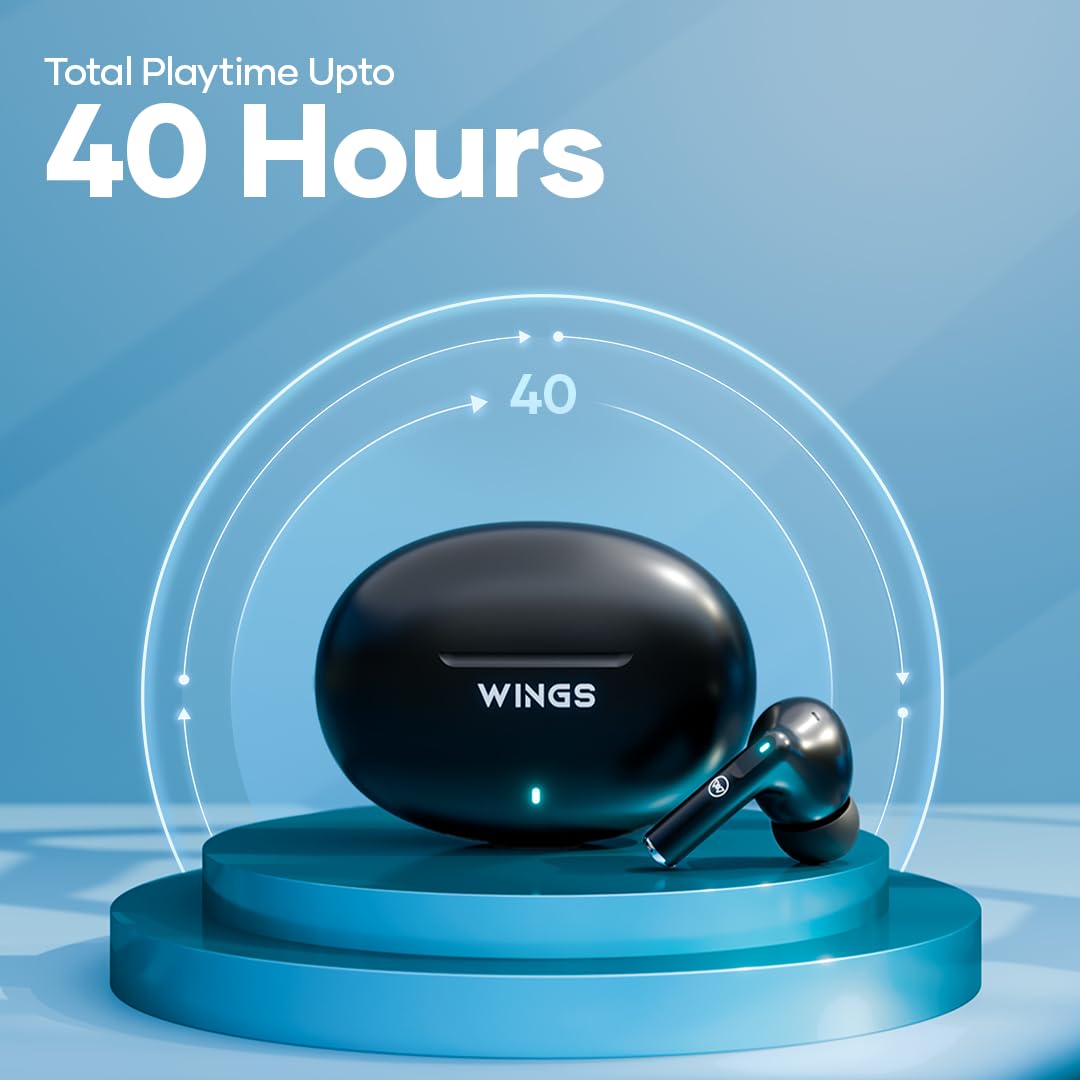
This image shows the Wings Hypebuds 230 TWS earphones and their charging case, highlighting the impressive 40-hour total playtime capability.
2. Berpasangan dengan Peranti Anda
The Hypebuds 230 use Bluetooth 5.3 for a stable connection up to 15 meters.
- Open the charging case. The earphones will automatically enter pairing mode, indicated by a flashing LED light on the earbuds.
- Pada peranti anda (telefon pintar, tablet, komputer riba), pergi ke tetapan Bluetooth dan hidupkan Bluetooth.
- Cari untuk available devices and select "Wings Hypebuds 230" from the list.
- Once connected, the LED indicator on the earphones will stop flashing or turn off, and you will hear a confirmation tone.
- For subsequent uses, the earphones will automatically connect to the last paired device when taken out of the case.
Mengendalikan Fon Telinga Anda
The Hypebuds 230 feature intuitive touch controls for easy management of music, calls, and voice assistant functions.

This composite image showcases several key features of the Wings Hypebuds 230: Bluetooth 5.3 connectivity with a 15m range, full touch controls on the earbuds, support for voice assistants, and convenient Type-C charging.
Kawalan Sentuh
| Fungsi | Tindakan |
|---|---|
| Main/Jeda Muzik | Ketik sekali pada salah satu fon telinga |
| Trek Seterusnya | Ketik dua kali pada fon telinga kanan |
| Trek Sebelumnya | Ketik dua kali pada fon telinga kiri |
| Jawab/Tamatkan Panggilan | Ketik sekali pada salah satu fon telinga |
| Tolak Panggilan | Tekan lama (2 saat) pada salah satu fon telinga |
| Aktifkan Pembantu Suara | Ketik tiga kali pada salah satu fon telinga |
Smart ENC (Environmental Noise Cancellation)
The Hypebuds 230 are equipped with Smart ENC microphones to reduce ambient noise during calls, ensuring your voice is heard clearly by the other party.

A visual representation of the Smart ENC technology within the Wings Hypebuds 230, showing how it reduces environmental noise for clearer audio.
Penyelenggaraan
Pembersihan
- Bersihkan fon telinga dan bekas pengecas dengan kerap menggunakan kain yang lembut, kering dan tidak berbulu.
- Jangan gunakan pembersih yang melelas, alkohol atau pelarut kimia.
- Perlahan-lahan keluarkan sebarang tahi telinga atau serpihan dari hujung telinga dan jaring pembesar suara menggunakan berus kecil yang lembut atau sapu kapas.
Rintangan Air (IPX5)
The Hypebuds 230 are rated IPX5 water-resistant, meaning they can withstand splashes of water and sweat. They are not designed for submersion in water. Avoid using them during swimming or showering.

The image displays the Wings Hypebuds 230 TWS earphones and their charging case covered in water droplets, visually confirming their IPX5 rating for water and sweat resistance.
Penyimpanan
When not in use, store the earphones in their charging case to protect them and ensure they remain charged. Store in a cool, dry place away from extreme temperatures.
Menyelesaikan masalah
- Fon telinga tidak berpasangan: Ensure both earphones are in the charging case, then open the lid to activate pairing mode. Make sure Bluetooth is enabled on your device and select "Wings Hypebuds 230". If issues persist, try forgetting the device on your phone and re-pairing.
- Hanya satu fon telinga berfungsi: Place both earphones back into the charging case, close the lid, wait a few seconds, then open it again. This often re-syncs them.
- Tiada bunyi: Periksa tahap kelantangan pada kedua-dua peranti dan fon telinga anda. Pastikan fon telinga disambungkan dengan betul ke peranti anda.
- Isu pengecasan: Verify the charging cable and adapter are working. Ensure the charging pins on the earphones and case are clean and free of debris.
- Kualiti panggilan yang lemah: Ensure the microphones are not obstructed. Move closer to your connected device to avoid signal interference.
Spesifikasi
| Nama Model | Hypebuds 230 (WL-HYPEBUDS230-BLK) |
| Teknologi Ketersambungan | Wayarles (Bluetooth 5.3) |
| Julat Bluetooth | Sehingga 15 meter |
| Saiz Pemacu Audio | Pemacu Dinamik 13mm |
| Jumlah Masa Main | Sehingga 40 Jam (dengan kes pengecasan) |
| Earphone Battery Life | Sehingga 8 Jam (caj tunggal) |
| Port Pengecasan | USB Jenis-C |
| Tahan Air | IPX5 (Kalis Air dan Peluh) |
| Kawalan Bunyi | Smart ENC (Environmental Noise Cancellation for calls) |
| Kaedah Kawalan | Kawalan Sentuh |
| Kawalan Suara | Disokong |
| bahan | Polikarbonat (PC) |
| Berat Barang | 250 Gram |
| Dimensi Produk | 6.2 x 2.7 x 4.3 cm |
Waranti dan Sokongan
For warranty information and customer support, please refer to the warranty card included in your product packaging or visit the official Wings website. If you encounter any issues not covered in this manual, please contact Wings customer service for assistance.


