pengenalan
This manual provides detailed instructions for the safe and effective use of your ONNAIS Large Biometric Gun Safe, Model KKNGS009. This safe is designed to secure firearms and valuables using advanced biometric fingerprint technology, a programmable keypad, and traditional key access. It features an internal light for visibility and an emergency power supply for reliable operation.
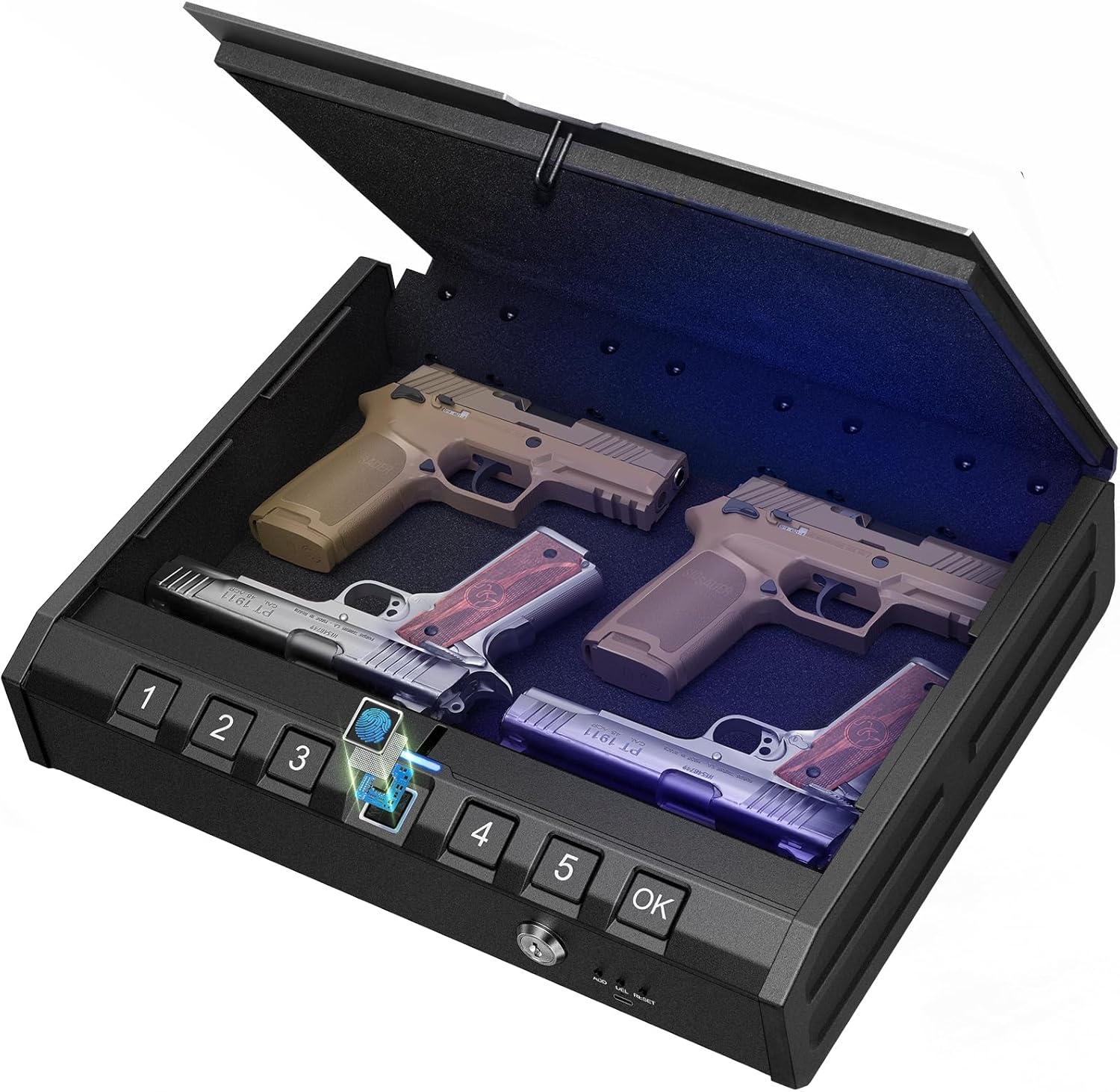
Image: ONNAIS Large Biometric Gun Safe with interior storage.
Kandungan Pakej
Sahkan bahawa semua item yang disenaraikan di bawah disertakan dalam pakej anda:
- ONNAIS Large Biometric Gun Safe
- Kabel Keselamatan
- Kunci Mekanikal (2)
- Manual Pengguna
- Skru Pemasangan (4)
- USB-C Emergency Power Cable

Image: All components included in the ONNAIS safe package.
Persediaan
1. Pemasangan Bateri
- Locate the battery compartment on the front panel of the safe.
- Buka penutup petak.
- Insert 4 AA batteries (not included) according to the polarity indicators.
- Tutup penutup petak bateri dengan selamat.
2. Initial Unlock
Upon first use, the safe must be opened using the mechanical key.
- Insert one of the provided mechanical keys into the keyhole on the front panel.
- Putar kekunci mengikut arah jam untuk membuka kunci peti besi.
- Lift the lid to open the safe.

Image: Manual key access for initial safe opening.
3. Menetapkan Kod Laluan
The safe must be open to set or change the passcode.
- Locate the 'SET' button inside the safe, usually near the battery compartment.
- Press the 'SET' button once. The keypad will illuminate.
- Enter a 6-digit passcode using the number buttons (1-5).
- Tekan butang 'OK' untuk mengesahkan.
- Re-enter the same 6-digit passcode.
- Press the 'OK' button again to finalize. A confirmation sound or light will indicate success.

Image: Keypad for setting and entering passcodes.
4. Mendaftar Cap Jari
The safe must be open to register new fingerprints.
- Locate the 'SET' button inside the safe.
- Press the 'SET' button twice. The fingerprint scanner will illuminate.
- Place your finger firmly on the fingerprint scanner. Lift and repeat 5 times, slightly adjusting the finger position each time to capture different angles.
- A confirmation sound or light will indicate successful registration.

Image: Fingerprint scanner for biometric access.
Arahan Operasi
1. Membuka dengan Cap Jari
- Place a registered finger firmly on the fingerprint scanner.
- The safe will unlock with a confirmation sound and the lid will open automatically.
2. Pembukaan dengan Kod Laluan
- Enter your 6-digit passcode using the number buttons.
- Press the 'OK' button. The safe will unlock with a confirmation sound and the lid will open automatically.
3. Opening with Mechanical Key
This method is used for initial setup or in case of battery failure.
- Masukkan kunci mekanikal ke dalam lubang kunci.
- Putar kekunci mengikut arah jam untuk membuka kunci peti besi.
- Angkat penutup untuk dibuka.
4. Bekalan Kuasa Kecemasan
If the batteries are completely drained, the safe can be temporarily powered using a USB-C cable.
- Connect a USB-C cable (provided) to the emergency power port on the front panel.
- Connect the other end of the USB-C cable to a power source (e.g., power bank, USB wall adapter).
- Once powered, use your registered fingerprint or passcode to open the safe.
- Replace the internal AA batteries as soon as possible.

Image: Emergency USB-C power port for external power supply.
Ciri Keselamatan
1. Security Cable
The included security cable allows you to tether the safe to a fixed object, preventing unauthorized removal.
- Unscrew the end of the security cable.
- Thread the cable around a secure, immovable object (e.g., bed frame, car seat anchor).
- Screw the end of the cable back into the designated port on the safe.
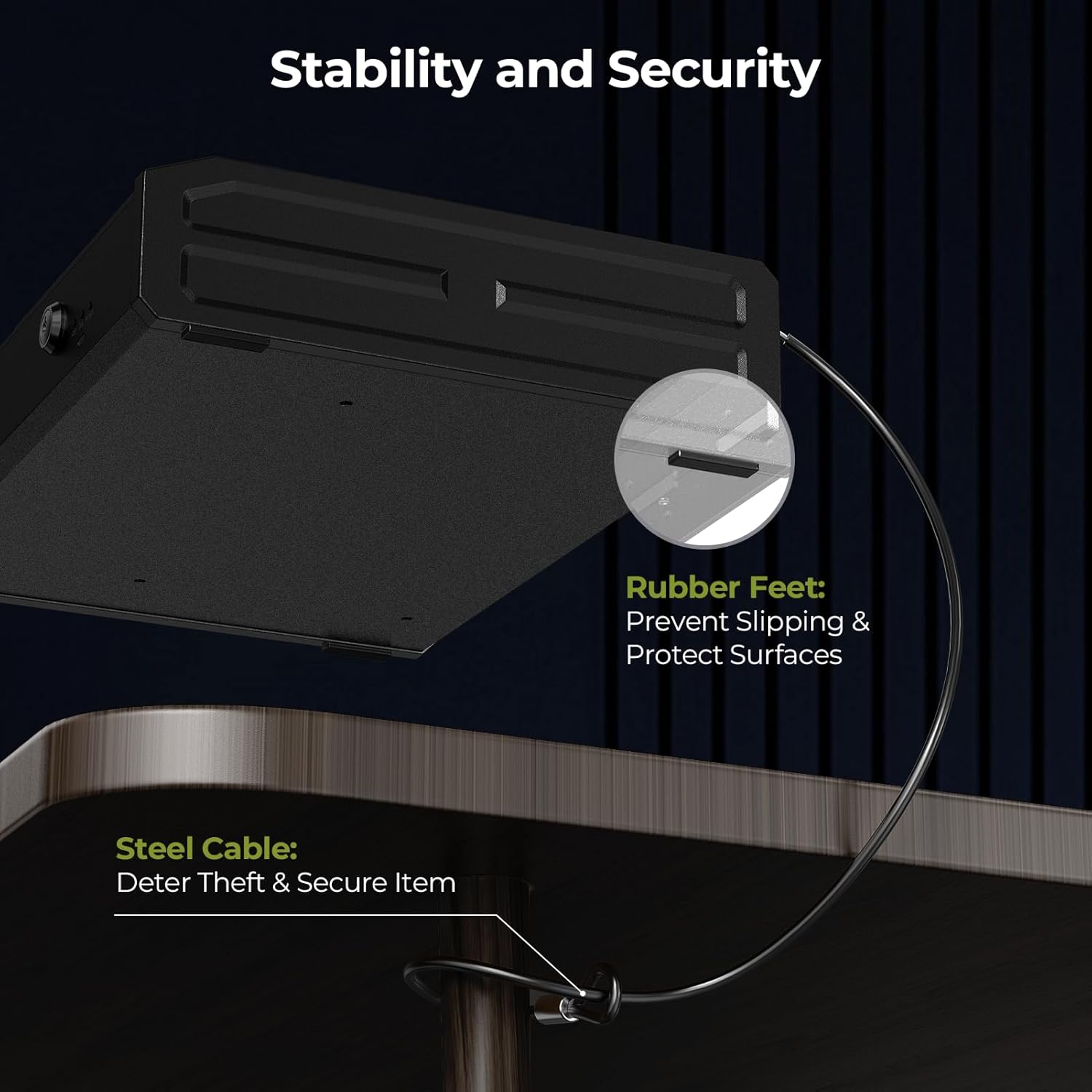
Image: Security cable attached to the safe and a fixed object.
2. Pilihan Pemasangan
The safe can be permanently mounted to a surface using the provided screws.
- Choose a suitable mounting location (e.g., inside a cabinet, to a wall).
- Mark the drill points using the pre-drilled holes on the bottom of the safe as a template.
- Gerudi lubang pilot ke permukaan pelekap.
- Pasangkan peti besi menggunakan skru pelekap yang disediakan.

Image: Mounting holes and screws for permanent installation.
Penyelenggaraan
- Penggantian Bateri: Replace all 4 AA batteries when the low battery indicator illuminates (usually a red light on the display).
- Pembersihan: Lap bahagian luar dengan kain lembut dan kering. Elakkan pembersih atau pelarut yang kasar.
- Kawalan Kelembapan: Place a desiccant packet (e.g., silica gel) inside the safe to absorb moisture and protect contents.
Menyelesaikan masalah
- Safe Not Opening with Fingerprint/Passcode: Check battery level. If low, replace batteries or use emergency power. Ensure correct finger placement or passcode entry.
- Kod Laluan Terlupa: Use the mechanical key to open the safe, then reset the passcode following the setup instructions.
- Cap Jari Tidak Dikenali: Re-register your fingerprint, ensuring proper placement and multiple scans. Ensure your finger is clean and dry.
- Tiada Kuasa: Replace batteries. If still no power, use the emergency USB-C power supply.
Spesifikasi
| Jenama | ONNAIS |
| Nombor Model | KKNGS009 |
| Dimensi Produk | 3.15"D x 11.81"W x 15.35"H |
| Jenis Kunci | Electronic Combination Lock, Biometric Fingerprint, Mechanical Key |
| bahan | Keluli Aloi |
| Berat Barang | 9.81 paun |
| Sumber Kuasa | 4 AA Batteries (not included), USB-C Emergency Power |
| Ciri Khas | Anti-Theft, Internal Light, Child-Safe Design |
Waranti dan Sokongan
For warranty information, technical support, or any questions regarding your ONNAIS Large Biometric Gun Safe, please refer to the contact information provided on the product packaging or the official ONNAIS webtapak. Simpan resit pembelian anda untuk tuntutan waranti.


