1. Pengenalan
Thank you for choosing the Dierya DK98se Mechanical Gaming Keyboard. This manual provides detailed instructions on how to set up, operate, and maintain your new keyboard. Please read this manual carefully before use to ensure optimal performance and longevity of your device.
2. Produk Lebihview
The Dierya DK98se is a compact yet functional 98-key mechanical keyboard designed for both gaming and professional use. It features durable mechanical switches, customizable backlighting, and an ergonomic design for comfortable extended use.

Figure 2.1: Dierya DK98se Mechanical Gaming Keyboard in white.

Gambar 2.2: Lebihview of the DK98se 98-key layout and dimensions (378 x 120 x 45 mm).
Kandungan Pakej:

Figure 2.3: Contents of the Dierya DK98se package.
- Dierya DK98se Mechanical Keyboard x 1
- Type-C Data Cable x 1
- Penarik Keycap x 1
- Manual Pengguna x 1
3. Persediaan
Menyambung Papan Kekunci:
- Cari port USB Jenis-C di bahagian belakang papan kekunci.
- Connect the provided Type-C data cable to the keyboard's Type-C port.
- Palamkan hujung kabel USB yang lain ke dalam port USB yang tersedia pada komputer anda.
- Papan kekunci ini boleh dipasang dan digunakan dan akan dikenali secara automatik oleh sistem pengendalian anda.

Figure 3.1: Connecting the keyboard via its Type-C port.
Keserasian:
- Keserasian Penuh: Windows 11 / 10 / 8 / 7 / XP.
- Keserasian Terhad: Mac OS, Vista, and Linux are compatible for basic typing and desktop use only. Advanced features may not be supported.
4. Arahan Operasi
Suis Mekanikal:
The Dierya DK98se keyboard is equipped with durable mechanical switches, offering a lifespan of 60 million keystrokes. This model features Suis Biru, known for their clicky, medium resistance, and audible click sound, providing crisp, precise tactile feedback suitable for typists.
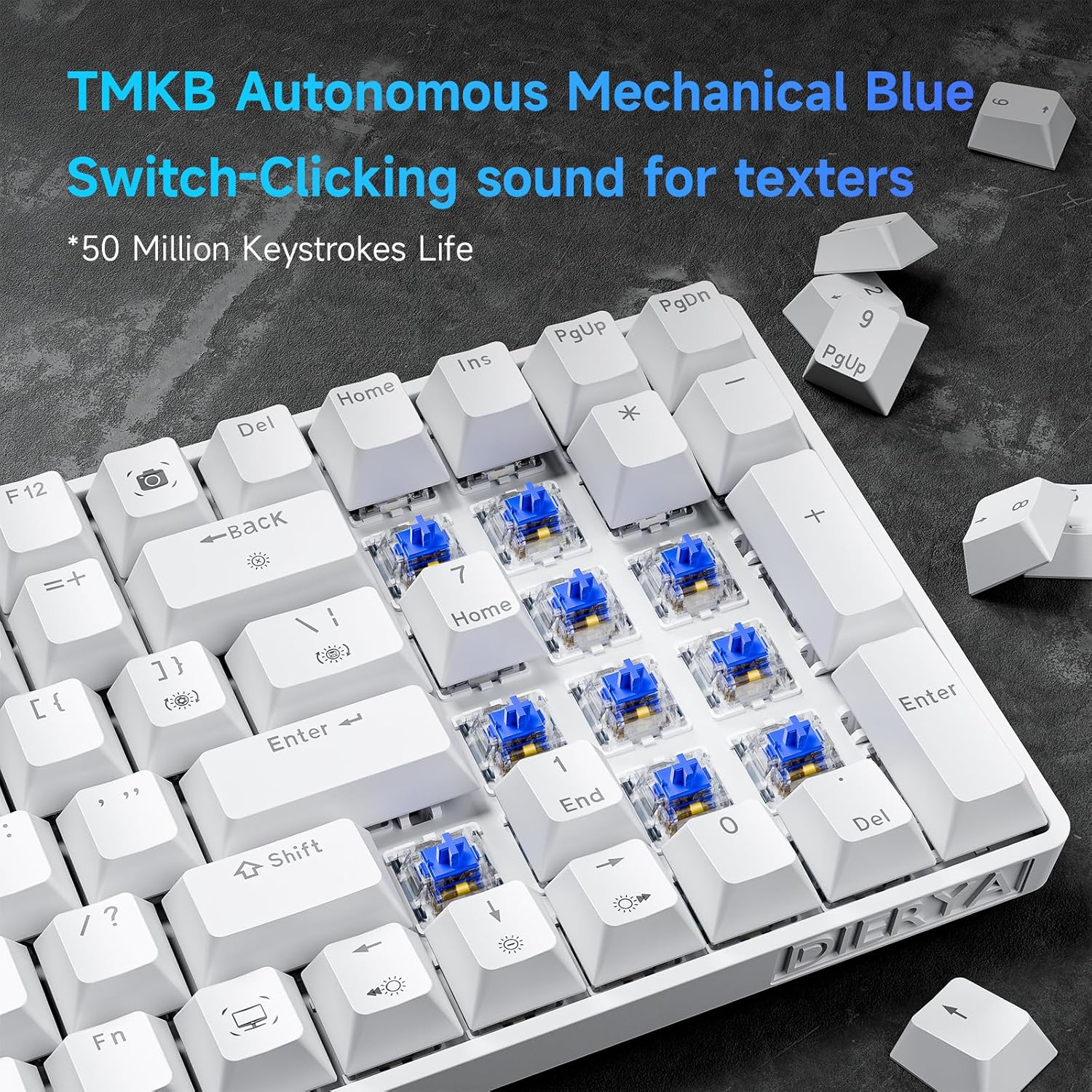
Rajah 4.1: Jarak dekat view of the TMKB Autonomous Mechanical Blue Switches.

Figure 4.2: Detailed specifications of the Mechanical Blue Switches, including actuation force and key travel.
Anti-Ghosting Kunci Penuh:
The keyboard supports full key anti-ghosting, ensuring that all key presses are registered accurately, even when multiple keys are pressed simultaneously. This feature is crucial for fast-paced gaming and efficient typing.

Figure 4.3: Demonstration of full key anti-ghosting, allowing multiple simultaneous key presses.
Reka bentuk ergonomik:
The DK98se features an ergonomic design with two-level adjustable tilt stands and anti-slip rubber pads to provide maximum comfort and reduce hand fatigue during prolonged use. The scientifically designed keycap shape further enhances typing comfort.
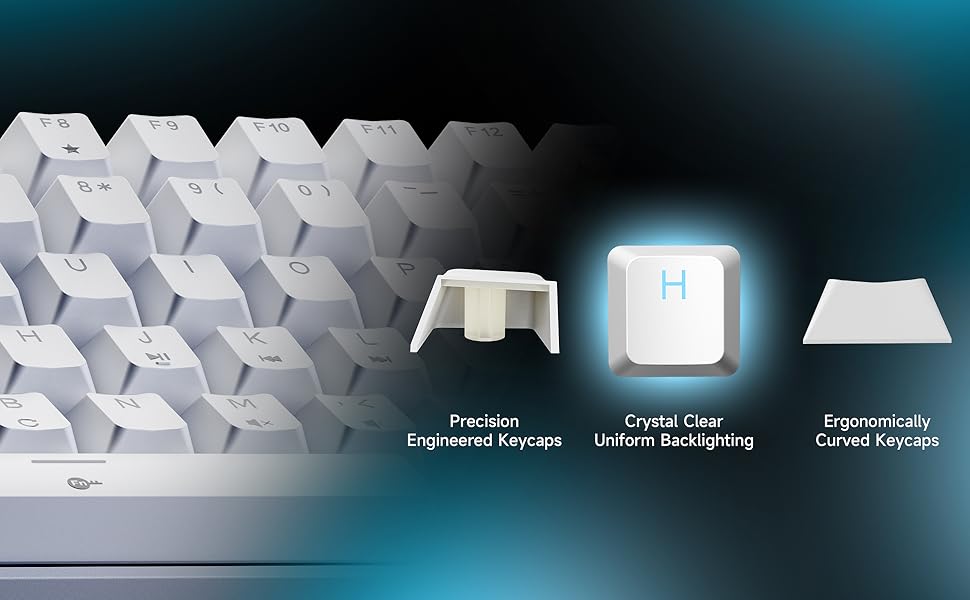
Figure 4.4: Illustration of the ergonomic design with adjustable rear feet and anti-skid pads.
5. Backlight Modes
The keyboard features a monochrome ice blue backlight with 15 different lighting modes. You can control the backlight effects using the following FN key combinations:

Figure 5.1: Visual guide for backlight controls.
- FN + | (Backslash key): Switch between 15 different backlight modes.
- FN + Ruang Belakang: Hidupkan/matikan lampu latar.
- FN + ↑ (Anak Panah Atas): Tingkatkan kecerahan lampu latar.
- FN + ↓ (Anak Panah Bawah): Kurangkan kecerahan lampu latar.
- FN + ← (Anak Panah Kiri): Kurangkan kelajuan lampu latar.
- FN + → (Anak Panah Kanan): Tingkatkan kelajuan lampu latar.
The keycaps are made with double-shot injection molding, allowing the backlight to shine through clearly and uniformly.
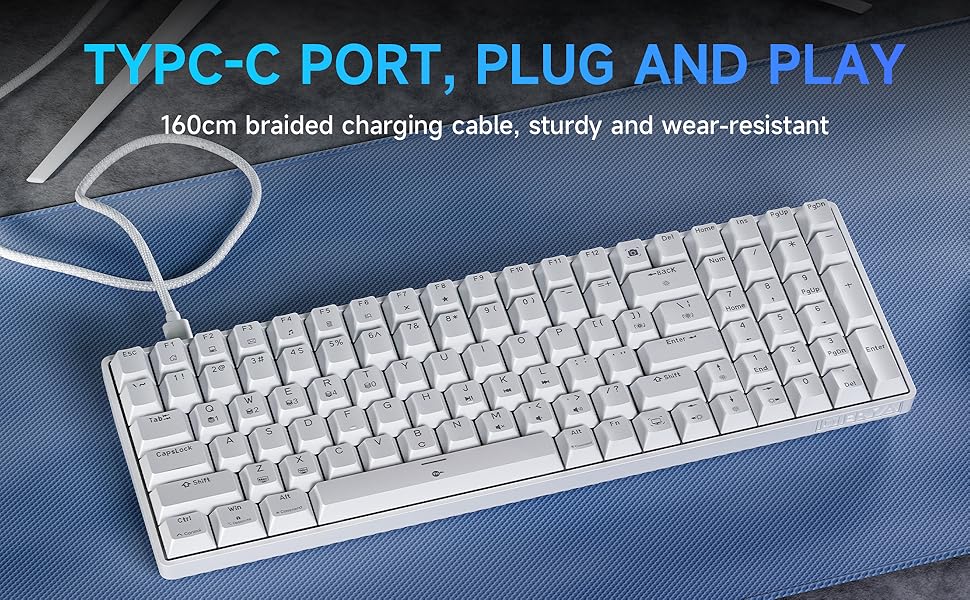
Figure 5.2: Illustration of crystal clear uniform backlighting and different keycap designs.
6. Penyelenggaraan
Membersihkan Papan Kekunci:
- Putuskan sambungan papan kekunci daripada komputer anda sebelum membersihkan.
- Gunakan kain lembut dan tidak berbulu sedikit dampdibasahkan dengan air atau larutan pembersih lembut untuk mengelap penutup kekunci dan permukaan papan kekunci.
- For deeper cleaning, use the provided keycap puller to carefully remove keycaps. Clean the area underneath with compressed air or a small brush.
- Pastikan papan kekunci benar-benar kering sebelum menyambungkannya semula.
Storan:
When not in use for extended periods, store the keyboard in a dry, dust-free environment away from direct sunlight and extreme temperatures.
7. Penyelesaian masalah
If you encounter any issues with your Dierya DK98se keyboard, please refer to the following common solutions:
- Papan kekunci tidak bertindak balas:
- Pastikan kabel USB-C disambungkan dengan selamat pada papan kekunci dan komputer.
- Cuba sambungkan papan kekunci ke port USB lain pada komputer anda.
- Mulakan semula komputer anda.
- Uji papan kekunci pada komputer lain untuk menolak isu khusus sistem.
- Lampu latar tidak berfungsi:
- Tekan FN + Ruang Belakang untuk menghidupkan/mematikan lampu latar.
- Ensure backlight brightness is not set to minimum (use FN + ↑).
- Keys not registering correctly (ghosting):
- The keyboard features full anti-ghosting. If you experience issues, ensure no software conflicts are present.
- Clean under the keycaps as per the maintenance section.
If the problem persists after trying these steps, please contact Dierya customer support for further assistance.
8. Spesifikasi
| Ciri | Penerangan |
|---|---|
| Jenama | Dierya |
| Nombor Model | DK98SE |
| warna | putih |
| Bilangan Kunci | 98 |
| Jenis Suis | Suis Biru Mekanikal |
| Teknologi Ketersambungan | USB-C (Berwayar) |
| Ciri Khas | Ergonomic Design, Anti-Ghosting, Adjustable Tilt Stands |
| Lampu latar | Single Color Ice Blue (15 modes) |
| Peranti Serasi | Komputer riba, PC |
| Penggunaan yang Disyorkan | Gaming, Professional |
9. Waranti dan Sokongan
Dierya is committed to providing high-quality products and excellent customer service. Your Dierya DK98se keyboard comes with the following:

Figure 9.1: Summary of Dierya's customer support and warranty.
- Sokongan Pelanggan 24 Jam: Pasukan sokongan khusus kami sedia membantu anda dengan sebarang pertanyaan atau masalah.
- Penggantian 30 Hari: Enjoy a 30-day replacement policy for any manufacturing defects.
- Waranti Kualiti 1 Tahun: Your keyboard is covered by a 1-year quality warranty from the date of purchase.
For support, please refer to the contact information provided on the product packaging or visit the official Dierya webtapak.


