1. Produk Lebihview
The EarFun Wave Pro are advanced active noise-canceling over-ear Bluetooth headphones designed to deliver a premium audio experience with exceptional comfort and extended battery life. Featuring LDAC Hi-Res Audio support, AI-powered clear calls, and multipoint connection, these headphones are engineered for immersive listening and seamless connectivity.

Image: EarFun Wave Pro Active Noise Canceling Headphones in Silver Black.
2. Apa yang ada di dalam Kotak
Sila semak kandungan pakej anda untuk memastikan semua item ada:
- Fon Kepala Bluetooth EarFun Wave Pro
- Kes Perjalanan
- Kabel Audio AUX
- Kabel USB-C
- Manual Pengguna

Image: The EarFun Wave Pro headphones neatly stored within their protective travel case.
3. Kawalan dan Petunjuk
The EarFun Wave Pro headphones feature intuitive controls for easy operation. Familiarize yourself with the button layout and LED indicators for optimal use.
Kawalan Fizikal
- Butang Kuasa: Digunakan untuk menghidupkan/mematikan kuasa dan memulakan pemasangan Bluetooth.
- Butang Kelantangan / Turun Kelantangan: Melaraskan kelantangan audio.
- Butang pelbagai fungsi: Controls playback (play/pause, skip tracks), call management (answer/end calls), and voice assistant activation.
- Butang ANC: Toggles between Active Noise Cancellation (ANC), Ambient Sound, and Normal modes.
Penunjuk LED
The LED indicator provides information on power status, battery level, and Bluetooth connection status.
4. Persediaan
4.1 Mengecas Fon Kepala
Before first use, fully charge your EarFun Wave Pro headphones. Connect the supplied USB-C cable to the charging port on the headphones and the other end to a USB power adapter (not included) or a computer's USB port.
- A full charge provides up to 80 hours of playtime with ANC off, or 55 hours with ANC on (at 60% volume).
- Pengecasan pantas selama 10 minit boleh memberikan sehingga 10 jam main balik.
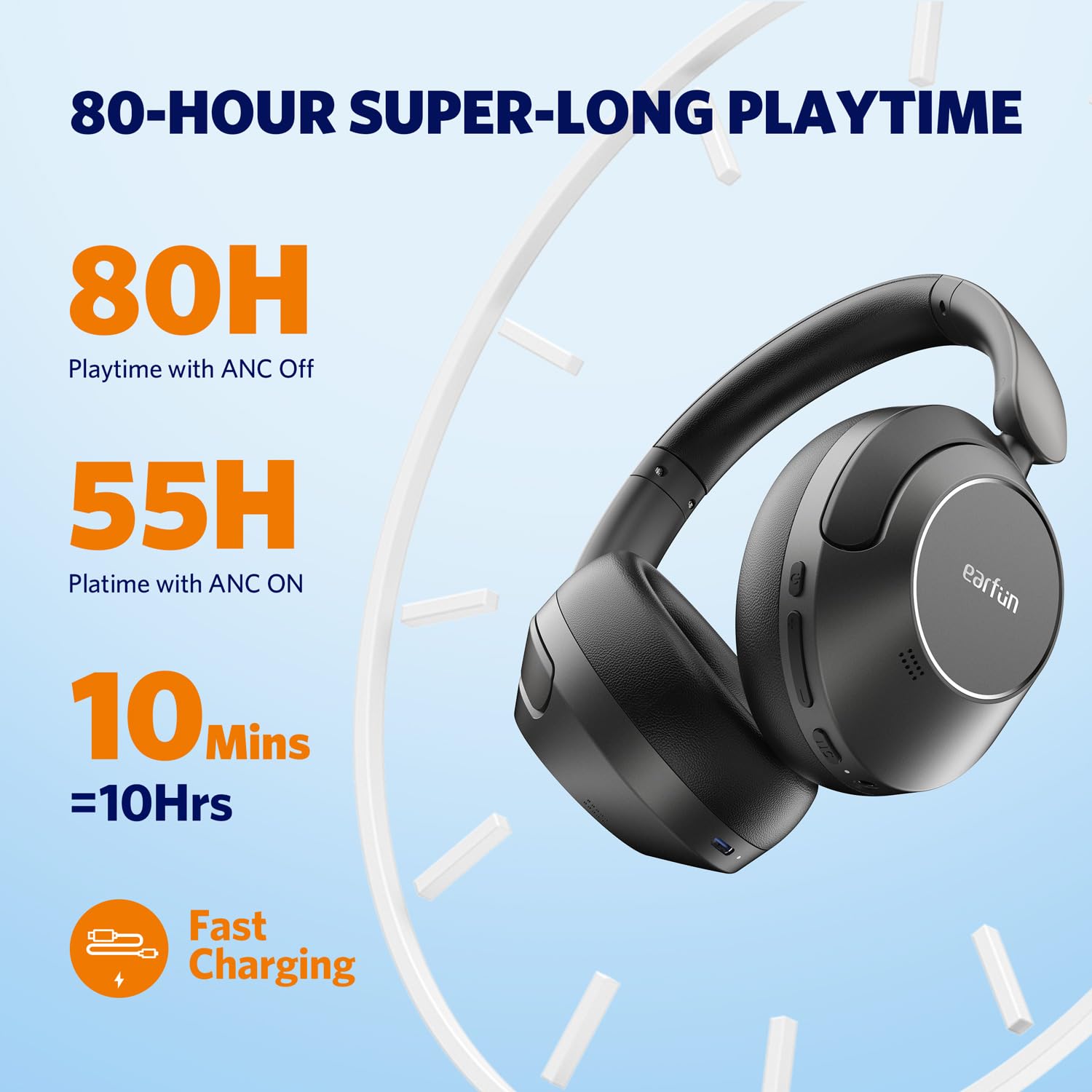
Image: Visual representation of the EarFun Wave Pro's impressive battery life, highlighting 80 hours with ANC off, 55 hours with ANC on, and 10 hours from a 10-minute quick charge.
4.2 Menghidupkan/Mematikan
- Untuk Menghidupkan: Tekan dan tahan butang Kuasa selama lebih kurang 2 saat sehingga penunjuk LED menyala.
- Untuk Mematikan: Tekan dan tahan butang Kuasa selama lebih kurang 5 saat sehingga penunjuk LED dimatikan.
4.3 Berpasangan Bluetooth
For first-time use, the headphones will automatically enter pairing mode when powered on. For subsequent pairing or connecting to a new device:
- Pastikan fon kepala dimatikan.
- Tekan dan tahan butang Kuasa selama 5 saat sehingga penunjuk LED berkelip biru dan merah, menunjukkan mod berpasangan.
- Pada peranti anda (telefon pintar, tablet, komputer), dayakan Bluetooth dan cari "EarFun Wave Pro" dalam senarai peranti yang tersedia.
- Pilih "EarFun Wave Pro" untuk menyambung. Penunjuk LED akan bertukar menjadi biru padu setelah disambungkan.

Image: EarFun Wave Pro headphones connected via Bluetooth to a smartphone, showing the 'Connected' status.
4.4 EarFun App Installation
Enhance your listening experience by downloading the custom EarFun App. The app allows you to personalize settings, customize touch controls, and manage multipoint connections.
- Cari untuk "EarFun Audio" on the Google Play Store (for Android) or Apple App Store (for iOS).
- Install the app and follow the on-screen instructions to connect your headphones.

Image: Screenshots of the EarFun App interface, demonstrating options for customizing controls, selecting noise canceling modes, and adjusting equalizer settings.
5. Arahan Operasi
5.1 Pembatalan Bising Aktif (ANC)
The EarFun Wave Pro features QuietSmart 2.0 Active Noise Canceling Technology, reducing external noise by up to 45dB. Use the ANC button to cycle through modes:
- ANC Hidupkan: Blocks out ambient noise for immersive listening.
- Bunyi Ambien: Membolehkan anda mendengar persekitaran anda sambil mendengar audio.
- Mod Biasa: ANC dimatikan.
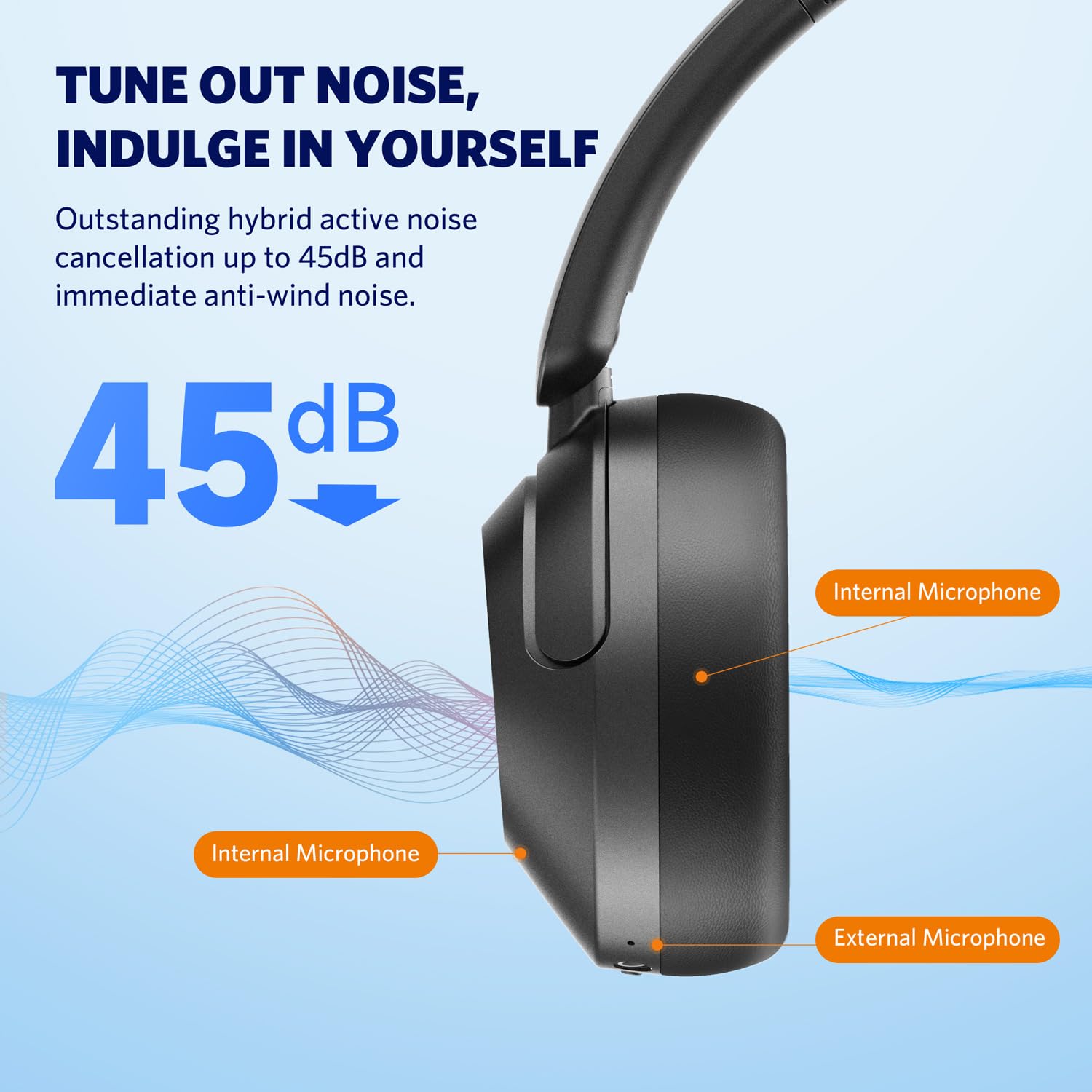
Image: Diagram illustrating the placement of internal and external microphones on the EarFun Wave Pro headphones, which contribute to the 45dB active noise cancellation.
5.2 LDAC Hi-Res Audio
Experience high-fidelity sound with LDAC support, transferring three times more detail than standard Bluetooth headphones. To activate LDAC, enable it within the EarFun App settings. Note that LDAC is primarily compatible with Android devices.

Image: A person enjoying music with EarFun Wave Pro headphones, highlighting the Hi-Res Audio and LDAC capabilities for rich sound details.
5.3 Sambungan Berbilang Titik
The EarFun Wave Pro supports multipoint connection, allowing you to seamlessly switch between two connected devices (e.g., a smartphone and a laptop). Manage connections via the EarFun App or manually.
Nota: Due to chip limitations, multipoint connection and LDAC cannot be simultaneously enabled. When LDAC is activated, multipoint connection will automatically turn off, and vice versa.

Image: EarFun Wave Pro headphones connected to both a smartphone and a laptop, illustrating the multipoint connection feature.
5.4 Membuat dan Menerima Panggilan
The headphones feature AI-powered 5 microphones for crystal-clear calls, reducing background noise and ampmeninggikan suara anda.
- Jawab/Tamatkan Panggilan: Tekan butang Pelbagai fungsi sekali.
- Tolak Panggilan: Tekan dan tahan butang Berbilang fungsi selama 2 saat.

Image: A person using EarFun Wave Pro headphones for a call, with a graphic illustrating how AI algorithms separate voice from background noise for clear communication.
5.5 Sambungan Berwayar (AUX)
You can use the EarFun Wave Pro headphones with the included 3.5mm AUX audio cable for a wired connection. This is useful when battery is low or for devices without Bluetooth.
Nota: When connected via AUX, the headphones will automatically turn off, disabling ANC, touch controls, and microphones.

Image: EarFun Wave Pro headphones connected to a smartphone via the 3.5mm AUX audio cable, demonstrating wired listening capability.
6. Penyelenggaraan
6.1 Pembersihan
- Lap fon kepala dengan kain lembut, kering dan tidak berbulu.
- Jangan gunakan bahan kimia yang keras, pelarut pembersih atau detergen yang kuat.
- Elakkan mendapat kelembapan di mana-mana bukaan.
6.2 Penyimpanan
- Store the headphones in their travel case when not in use to protect them from dust and damage.
- Elakkan menyimpan dalam suhu yang melampau atau kelembapan yang tinggi.
7. Penyelesaian masalah
If you encounter issues with your EarFun Wave Pro headphones, refer to the following common solutions:
| Masalah | Penyelesaian yang Mungkin |
|---|---|
| Fon kepala tidak dihidupkan | Pastikan fon kepala dicas. Sambungkan kepada sumber kuasa menggunakan kabel USB-C. |
| Tidak boleh berpasangan dengan peranti | Pastikan fon kepala berada dalam mod berpasangan (LED biru/merah berkelip). Matikan dan hidupkan Bluetooth pada peranti anda. Lupakan pasangan sebelumnya dan cuba lagi. |
| Tiada suara atau kelantangan rendah | Check volume levels on both headphones and connected device. Ensure headphones are properly connected. If using AUX cable, note that headphones are off and ANC/controls are disabled. |
| Kualiti panggilan kurang baik | Ensure microphones are not obstructed. Move closer to your device. Check network signal strength. |
| LDAC or Multipoint not working simultaneously | These features are mutually exclusive due to chip limitations. Disable one to enable the other. |
| Intermittent audio playback with LDAC | Keep the using distance within 2 meters, or disable LDAC if interruptions persist. |
8. Spesifikasi
| Ciri | Perincian |
|---|---|
| Nama Model | EarFun Wave Pro |
| Nombor Model | HP200B |
| Kawalan Bunyi | Pembatalan Bunyi Aktif (sehingga 45dB) |
| Teknologi Ketersambungan | Wayarles (Bluetooth) |
| Jack Fon Kepala | Jack 3.5 mm |
| Jenis Pemacu Audio | Pemandu Dinamik |
| Saiz Pemacu Audio | 40 mm |
| Hayat Bateri | Sehingga 80 jam (ANC dimatikan), 55 jam (ANC dihidupkan) |
| Kaedah Kawalan | Kawalan Sentuh / Media |
| Mikrofon | AI-Powered 5 Mics for Clear Calls |
| Berat badan | 267 Gram |
| warna | Perak Hitam |
| bahan | plastik |
| Negara Asal | China |
9. Waranti dan Sokongan
EarFun provides an 18-month warranty for every product. For 18 months after the date of purchase, if the product fails during normal use and cannot be resolved through corresponding measures, EarFun will provide solutions such as exchanges, returns, or refunds.
Maklumat Hubungan:
For support or warranty inquiries, please contact EarFun directly:
- e-mel: perkhidmatan@myearfun.com


