Digital Buds - Wired in-Ear Earphones User Manual
Model: GVEB16
Brand: groov e
pengenalan
Thank you for choosing the groov e Digital Buds. These USB-C earphones are designed to provide a high-quality audio experience for music playback and hands-free calls. This manual will guide you through the setup, operation, and maintenance of your new earphones to ensure optimal performance and longevity.
Kandungan Pakej
- Digital Buds USB-C Earphones
- Earbuds (3X Sizes) - Note: The product description mentions "Includes Earbuds (3X Sizes)", but "whats_in_the_box" only lists "Earphones". Assuming the different sizes are pre-attached or included as accessories with the main earphones.
Produk Selesaiview
Familiarize yourself with the components of your Digital Buds.
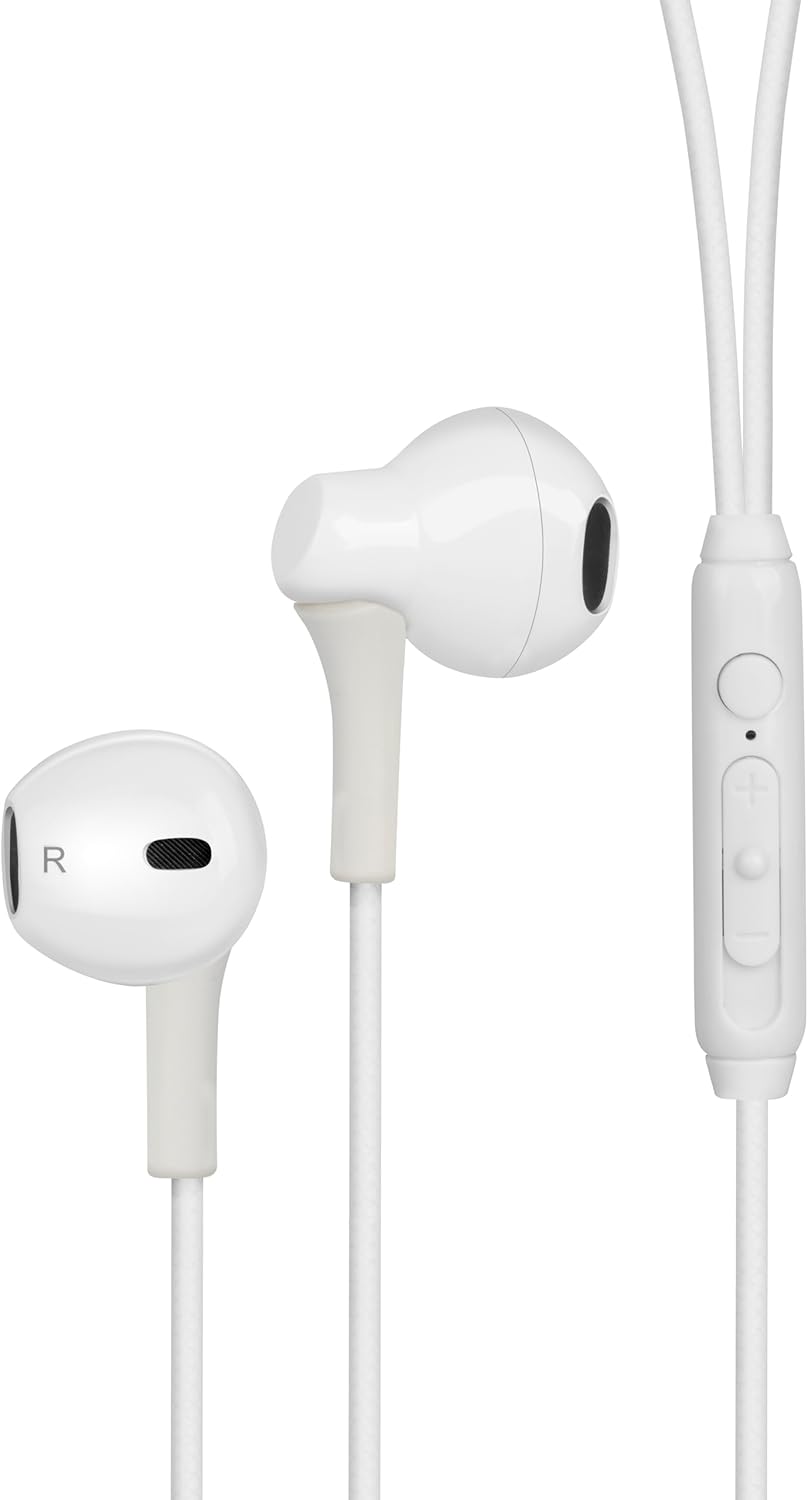
Figure 1: Digital Buds Earphones. This image shows both the left and right earbuds connected by their cable.

Figure 2: In-Line Remote and Microphone. The remote features volume up (+), volume down (-), and a multi-function button for calls and music control. The microphone is integrated into this unit.

Figure 3: USB-C Connector. This connector is used to plug the earphones into compatible devices such as smartphones, tablets, and laptops.
Persediaan
- Sambung ke Peranti: Locate the USB-C port on your smartphone, tablet, or laptop. Insert the USB-C connector of the Digital Buds firmly into the device's USB-C port.
- Penempatan Fon Telinga: Gently insert the earbuds into your ears. The earbud marked 'L' is for the left ear, and 'R' is for the right ear. Adjust them for a comfortable and secure fit. If necessary, try the different sized ear tips included to find the best fit for optimal sound quality and comfort.
- Pengiktirafan Awal: Your device should automatically recognize the earphones. You may need to select them as the audio output device in your device's sound settings.
Arahan Operasi
Alat kawalan jauh sebaris menyediakan kawalan mudah ke atas audio dan panggilan anda.
Main balik Muzik
- Main/Jeda: Tekan butang pelbagai fungsi sekali.
- Lagu Seterusnya: Tekan butang berbilang fungsi dua kali dengan cepat.
- Trek Sebelumnya: Tekan butang berbilang fungsi tiga kali dengan cepat.
- Kelantangan: Tekan butang '+'.
- Perlahankan suara: Tekan butang '-'.
Pengurusan Panggilan
- Jawab/Tamatkan Panggilan: Tekan butang berbilang fungsi sekali semasa panggilan masuk atau panggilan aktif.
- Tolak Panggilan: Tekan dan tahan butang berbilang fungsi selama lebih kurang 2 saat semasa panggilan masuk.
Pembantu Suara
- Aktifkan Pembantu Suara: Press and hold the multi-function button for approximately 2 seconds when not on a call or playing music. This will activate your device's default voice assistant (e.g., Google Assistant, Siri).
Penyelenggaraan
Proper care will extend the life of your Digital Buds.
- Pembersihan: Use a soft, dry, lint-free cloth to wipe the earbuds and cable. For stubborn dirt, slightly dampLap kain dengan air. Jangan gunakan bahan kimia yang keras atau pembersih yang kasar.
- Storan: When not in use, store the earphones in a clean, dry place, preferably in a small pouch or case to prevent tangling and damage.
- Elakkan Kelembapan: Do not expose the earphones to excessive moisture, rain, or liquids.
- Tangani dengan Berhati-hati: Avoid pulling on the cable excessively or bending the USB-C connector at sharp angles.
Menyelesaikan masalah
Jika anda menghadapi masalah, rujuk masalah dan penyelesaian biasa berikut.
| Masalah | Penyelesaian |
|---|---|
| Tiada bunyi dari fon telinga. |
|
| Mikrofon tidak berfungsi semasa panggilan. |
|
| Butang kawalan jauh tidak bertindak balas. |
|
Spesifikasi
| Ciri | Perincian |
|---|---|
| Jenama | alur e |
| Nama Model | Groove Digital Buds - White |
| Nombor Model Item | GVEB16 |
| Teknologi Ketersambungan | Berwayar (USB-C) |
| Penempatan Telinga | Di Telinga |
| Faktor Bentuk | Di Telinga |
| Kaedah Kawalan | Remote (In-line) |
| Komponen yang Disertakan | Fon telinga |
| bahan | Silikon, Plastik |
| Berat Barang | 1.06 auns |
| Dimensi Pakej | 6.61 x 2.36 x 1.26 inci |
| Peranti Serasi | Tablets, Mobile phones, Laptops, Desktops |
| Kegunaan Khusus Untuk Produk | Hiburan |
Waranti dan Sokongan
groov e products are manufactured to high standards and undergo rigorous quality checks. For information regarding warranty coverage, technical support, or customer service, please refer to the warranty card included with your purchase or visit the official groov e webtapak.
Sila simpan bukti pembelian anda untuk sebarang tuntutan waranti.


