1. Arahan Keselamatan
Baca semua arahan dengan teliti sebelum menggunakan perkakas. Simpan manual ini untuk rujukan masa hadapan.
- Pastikan voltage yang ditunjukkan pada perkakas sepadan dengan vol utama andatage sebelum menyambung.
- Jangan rendamkan perkakas, kord kuasa, atau palamkan ke dalam air atau sebarang cecair lain.
- Sentiasa tanggalkan plag perkakas daripada soket kuasa sebelum membersihkan dan apabila tidak digunakan.
- Jangan kendalikan perkakas dengan kord atau palam yang rosak, atau selepas perkakas tidak berfungsi atau rosak dalam apa jua cara.
- Jauhkan tangan dan kord daripada bahagian perkakas yang panas semasa operasi.
- Perkakas ini bertujuan untuk kegunaan isi rumah sahaja.
- Kanak-kanak harus diawasi untuk memastikan mereka tidak bermain dengan perkakas.
- Use only cold water in the water tank.
- Jangan penuhkan tangki air.
- Always ensure the portafilter is securely locked in place before brewing.
- Exercise caution when using the steam wand as hot steam can cause burns.
2. Produk Lebihview
The SCHNEIDER SCES2312WH espresso machine is designed for preparing espresso and milk-based coffee beverages. Familiarize yourself with its components:
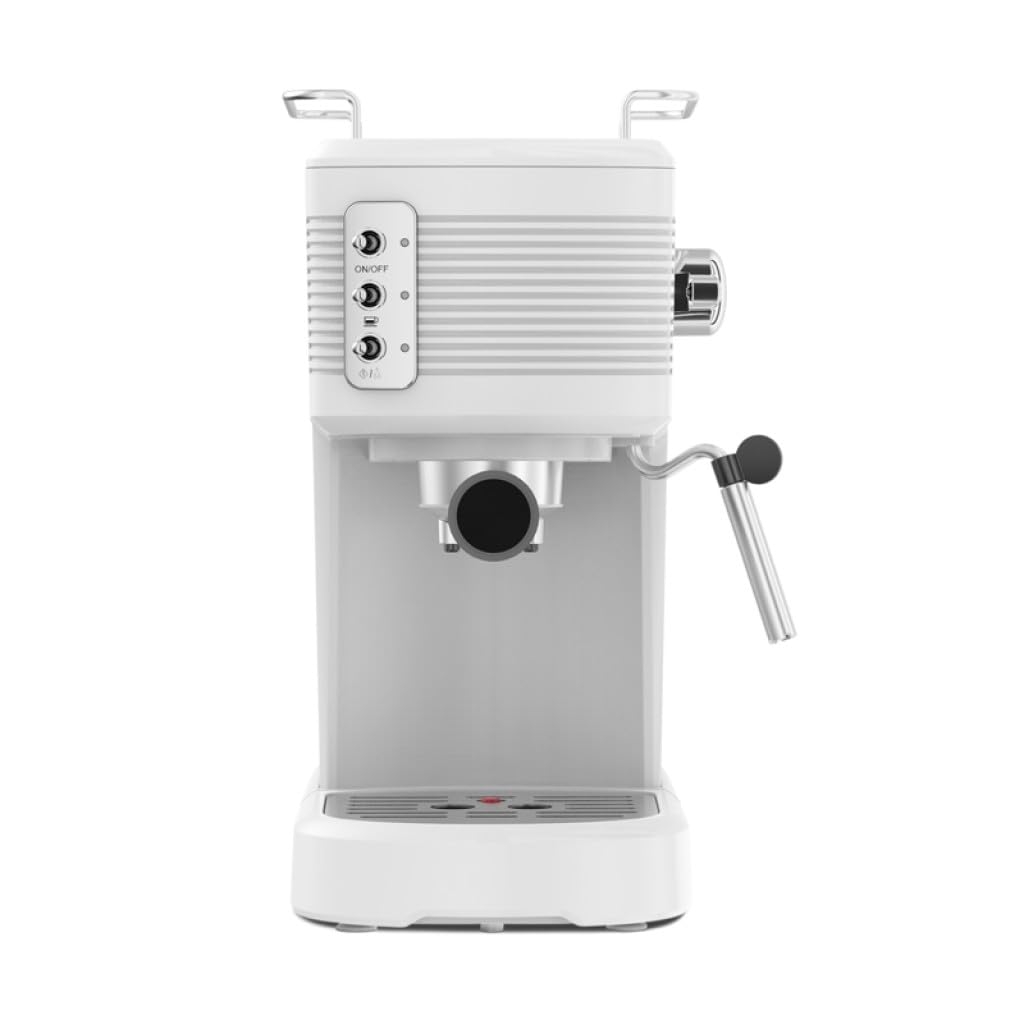
Imej: Bahagian hadapan view of the Schneider SCES2312WH Espresso Machine, showing the control panel, portafilter, and steam wand.
- Dulang Pemanasan Cawan: Terletak di atas mesin untuk memanaskan cawan terlebih dahulu.
- Tangki Air: Transparent, removable 1.2-liter tank with a level indicator.
- Panel Kawalan: Buttons for On/Off, Espresso brewing, and Steam function.
- Tongkat Stim: Untuk susu berbuih.
- Penapis Porta: Memegang kopi yang dikisar untuk dibancuh.
- Dulang Drip: Mengumpul cecair berlebihan dan boleh ditanggalkan untuk pembersihan.
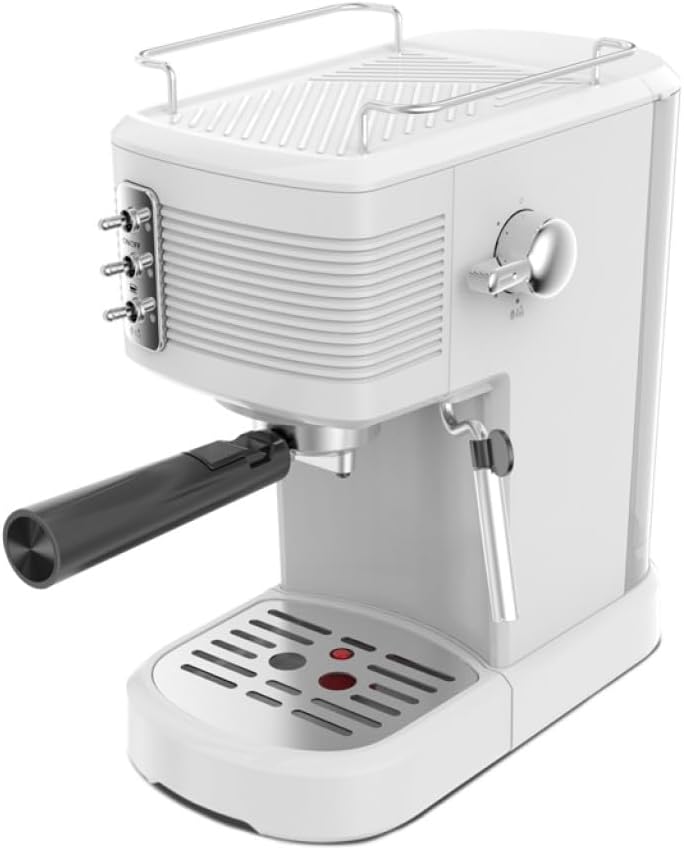
Imej: Atas ke bawah view of the Schneider SCES2312WH Espresso Machine, highlighting the cup warming tray and control knob.
3. Persediaan Awal
Sebelum penggunaan pertama, ikuti langkah berikut:
- Membongkar: Remove all packaging materials and ensure all parts are present.
- Pembersihan: Wash the water tank, portafilter, and filter basket with warm soapy water. Rinse thoroughly and dry. Wipe the exterior of the machine with a damp kain.
- Mengisi Tangki Air: Remove the transparent water tank from the back of the machine. Fill it with fresh, cold water up to the 'MAX' level indicator. Replace the tank securely.
- Priming the Pump (First Use):
- Place a cup under the portafilter outlet (without coffee).
- Plug in the machine and press the On/Off button. The indicator light will illuminate.
- Once the machine has preheated (indicator light stops flashing), press the Espresso brewing button. Allow water to flow through until the tank is about half empty. This primes the pump and flushes the system.
- Repeat this process with the steam wand by turning the steam knob to release steam for a few seconds.
4. Arahan Operasi
4.1. Membuat Espresso
- Panaskan: Ensure the water tank is filled. Plug in the machine and press the On/Off button. Wait for the indicator light to stop flashing, indicating the machine is preheated.
- Sediakan Kopi: Add finely ground espresso coffee to the filter basket in the portafilter. Tamp kopi sekata denganamper (not included) to create a compact puck. Do not overfill.
- Lampirkan Portafilter: Insert the portafilter into the brewing head and turn it firmly to the right until it is securely locked.
- Piala Tempat: Position one or two espresso cups on the drip tray, directly under the portafilter spouts.
- Brew Espresso: Press the Espresso brewing button. Coffee will begin to flow into the cup(s). Press the button again to stop the flow when the desired volume is reached.
- Buang Penapis Portabel: Carefully remove the portafilter by turning it to the left. Discard the used coffee grounds.

Imej: Sisi view of the Schneider SCES2312WH Espresso Machine with the portafilter attached, ready for brewing.
4.2. Susu Berbuih
Use the integrated steam wand to create creamy milk froth for cappuccinos and lattes.
- Sediakan Susu: Isi jag berbuih keluli tahan karat dengan susu sejuk (tenusu atau bukan tenusu) sehingga kira-kira satu pertiga penuh.
- Aktifkan Steam: Press the Steam button on the control panel. Wait for the indicator light to stop flashing, indicating the machine has reached steaming temperature.
- Bersihkan Tongkat Stim: Briefly turn the steam knob to release any condensed water from the wand into an empty cup. Turn the knob off.
- Susu Buih: Immerse the tip of the steam wand just below the surface of the milk. Turn the steam knob to release steam. Move the pitcher up and down gently to incorporate air and create froth.
- Berhenti mengukus: Once the desired texture and temperature are achieved, turn off the steam knob and remove the pitcher.
- Tongkat Stim Bersih: Segera lap tongkat wap dengan iklanamp kain untuk membuang sebarang sisa susu. Bersihkan tongkat itu sebentar sekali lagi untuk membersihkan sebarang penyumbatan dalaman.
5. Penyelenggaraan
5.1. Pembersihan Harian
Pembersihan yang kerap memastikan prestasi optimum dan memanjangkan jangka hayat mesin anda.
- Portafilter dan Bakul Penapis: Selepas setiap penggunaan, tanggalkan penapis porta, buang serbuk kopi, dan bilas penapis porta serta bakul penapis di bawah air yang mengalir.
- Dulang Drip: Empty and clean the drip tray regularly. It is removable for easy cleaning.
- Tongkat Stim: Seperti yang dinyatakan dalam arahan pengendalian, lap dan bersihkan tongkat stim serta-merta selepas setiap penggunaan.
- Luaran: Lap bahagian luar mesin dengan lembut, damp kain. Jangan gunakan pembersih atau penyental yang kasar.
5.2. Penyahkelasan
Mendapan mineral daripada air boleh terkumpul dari semasa ke semasa, lalu menjejaskan prestasi mesin. Nyahkerak mesin anda setiap 2-3 bulan, atau lebih kerap jika anda mempunyai air keras.
- Sediakan Penyelesaian Penyahkerak: Mix a commercial descaling solution with water according to the product instructions. Pour the solution into the water tank.
- Run Solution: Place a large container under the portafilter and steam wand. Turn on the machine and allow it to heat up.
- Brew Cycle: Run several brewing cycles (without coffee) until half of the solution has passed through the portafilter.
- Kitaran Stim: Turn the steam knob to release steam through the wand until the remaining solution has passed through.
- Bilas: Rinse the water tank thoroughly and fill it with fresh, cold water. Run several full tanks of clean water through both the brewing head and steam wand to flush out any descaling residue.
6. Penyelesaian masalah
Rujuk bahagian ini untuk isu biasa dan penyelesaiannya.
| Masalah | Kemungkinan Punca | Penyelesaian |
|---|---|---|
| Tiada kopi dispens | No water in tank; pump not primed; coffee too finely ground or over-tamped; mesin tersumbat. | Fill water tank; prime the pump; use coarser grind or less pressure; descale the machine. |
| Kopi lemah | Insufficient coffee grounds; coffee too coarsely ground; not enough tamptekanan dalam. | Tingkatkan jumlah kopi; gunakan kisar yang lebih halus;amp dengan lebih tegas. |
| Tiada wap dari tongkat | Steam button not activated; wand clogged; machine not at steaming temperature. | Ensure steam button is pressed and light is steady; clean/purge steam wand; wait for machine to heat up. |
| Air bocor dari mesin | Water tank not seated correctly; portafilter not locked properly; seals worn. | Reseat water tank; ensure portafilter is tight; contact customer support if seals are worn. |
7. Spesifikasi
- model: SCES2312WH
- Kuasa: 1100 Watt
- Tekanan: 15 bar
- Kapasiti Tangki Air: 1.2 Liter
- Voltage: 230 Volt
- Bahan: Aluminum (boiler)
- Dimensi (H x W x D): 32.6 cm x 17.9 cm x 28.4 cm
- Berat: 2.73 kg
- warna: putih
8. Waranti dan Sokongan
This product is covered by a warranty for a period of 2 years for spare parts availability from the date of purchase. Please retain your proof of purchase for any warranty claims.
For technical assistance, troubleshooting beyond this manual, or warranty inquiries, please contact Schneider customer support. Contact details can typically be found on the manufacturer's official webtapak atau pada pembungkusan produk.


