1. Maklumat Keselamatan
Please read all instructions carefully before installation and operation. Retain this manual for future reference. Improper installation or use may result in damage to the product or vehicle, and could void the warranty.
- Ensure all connections are secure and correctly wired to prevent electrical shorts or malfunctions.
- Do not attempt to disassemble or modify the device. This may cause damage and will void the warranty.
- Operate the monitor and camera system only within the specified voltagjulat e (9V-36V).
- Always prioritize safe driving. Do not operate the device in a manner that distracts from driving.
- Clean the screen and camera lenses with a soft, dry cloth. Avoid using harsh chemicals or abrasive materials.
2. Produk Lebihview
The VEKOOTO 10.36-inch IPS touch screen monitor with integrated DVR and BSD (Blind Spot Detection) system is designed to enhance safety for trucks and buses. It provides a clear, wide-angle view of the vehicle's surroundings, particularly the left side blind spot, and records footage for security and incident analysis.
Ciri-ciri Utama:
- Skrin Sentuh IPS 10.36 inci: Offers excellent 178° full-view display technology with wider viewing angles, faster response times, and superior color/contrast.
- 2-Channel Display: Supports split-screen viewing for simultaneous display of two camera feeds.
- AHD720P Camera Support: Provides clear images with advanced bright color separation, signal filtering, and 3D noise reduction technology.
- BSD Voice Alarm: Features adjustable alarm areas, volume, and sensitivity for blind spot detection.
- DVR Loop Recording: Supports continuous recording with real-time video viewing. Compatible with TF cards up to 256GB.
- Camera Image Mirroring: Allows for screen mirroring of camera images.
- Paparan Boleh Laras: Time, date, brightness, and screen color can be adjusted.
- Lebar Voltage Sokongan: Operates on 9V-36V power systems.
- Sokongan berbilang bahasa: Includes English, Korean, Japanese, and Chinese menu languages.
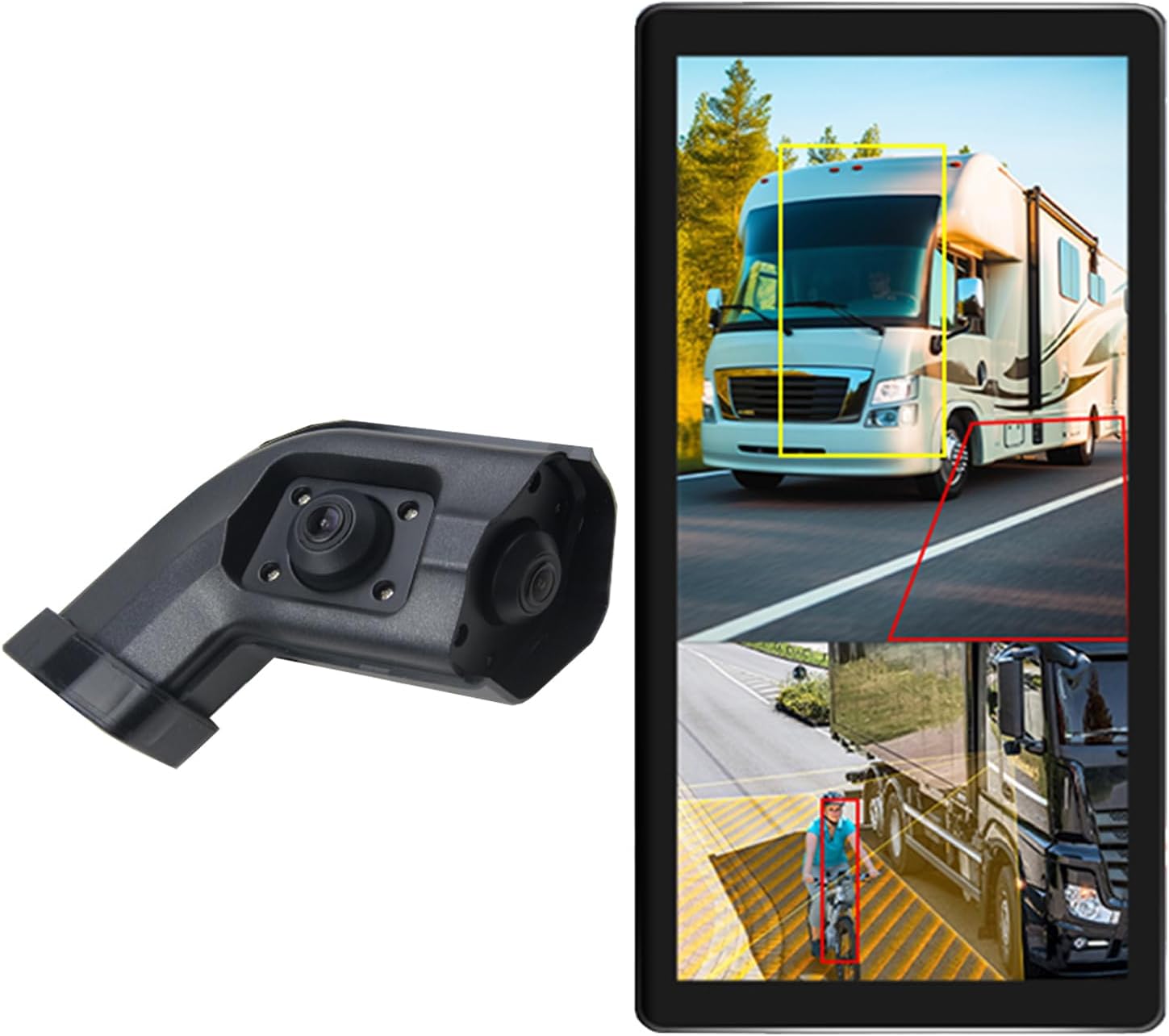
Image 2.1: The VEKOOTO 10.36-inch monitor and the left-side camera unit.
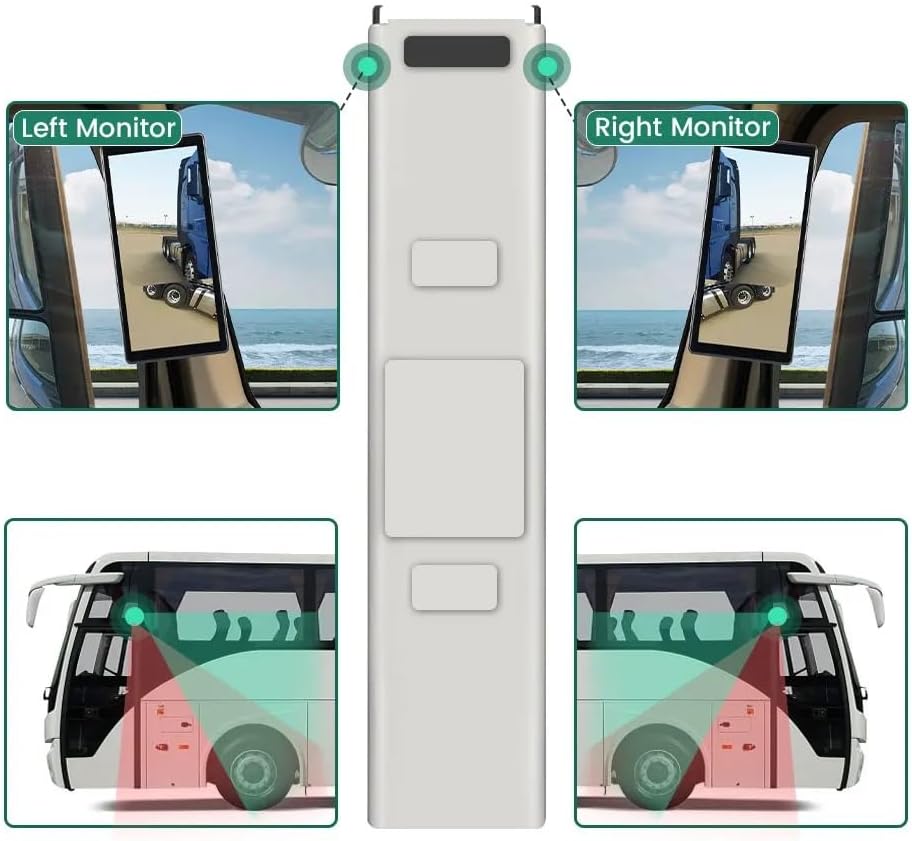
Image 2.2: The monitor displaying a split screen view, highlighting the BSD detection zones around a truck and a cyclist.
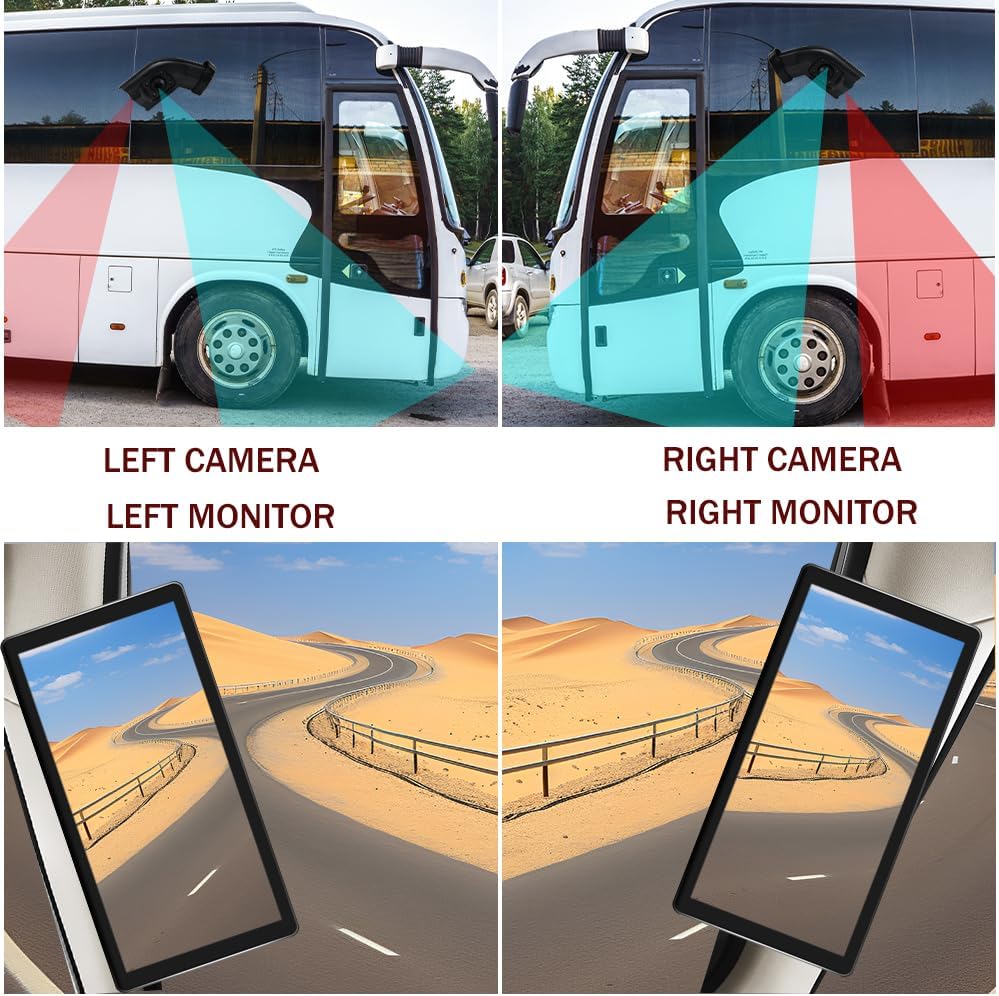
Image 2.3: A diagram illustrating the coverage areas of the left and right cameras on a bus, and how their views are displayed on the respective monitors.
3. Apa yang ada di dalam Kotak
Sahkan bahawa semua komponen ada dan dalam keadaan baik semasa membongkar.
- 10.36-inch Touch Screen Monitor
- Integrated dual camera (Left side specific)
- Kabel Kuasa
- Kabel Kamera
- kurungan
4. Persediaan dan Pemasangan
This section provides general guidelines for installation. Professional installation is recommended for optimal performance and safety.
4.1. Memasang Monitor
- Attach the provided bracket to the monitor.
- Securely mount the monitor in a location that provides clear visibility without obstructing the driver's view jalan raya.
4.2. Memasang Kamera
- The camera is designed for installation on the left side rearview cermin kenderaan itu.
- Ensure the camera is positioned to provide an optimal view of the blind spot area.
- Secure the camera firmly to prevent movement during vehicle operation.
4.3. Sambungan Pendawaian
Refer to the wiring diagram below for proper connections. Ensure the vehicle's power is off before making any electrical connections.
- ACC Power Supply (+): Connect to a switched 9V-36V power source that turns on with the vehicle's ignition.
- Ground (-): Connect to a reliable chassis ground point on the vehicle.
- Battery Power (+) (3A): Connect to a constant 9V-36V power source (e.g., directly to the battery with an inline 3A fuse) for DVR functionality.
- CH1/CH2: Connect the camera cables to the corresponding input channels on the monitor.

Image 4.1: Detailed wiring diagram showing connections for ACC power, ground, battery power, and camera inputs (CH1, CH2).
5. Arahan Operasi
5.1. Menghidupkan/Mematikan
The monitor will typically power on automatically when the vehicle's ignition is turned on (if connected to ACC power). To manually power off, press and hold the power button (if available) or turn off the vehicle's ignition.
5.2. Navigasi Asas
The system features an IPS touch screen for intuitive navigation. Tap icons or menu options to select functions. Use swipe gestures for scrolling through lists or pages.
5.3. Paparan Skrin Pisah
Access the display settings to enable or disable the 2-channel split screen view. This allows simultaneous monitoring of both camera feeds.
5.4. BSD (Blind Spot Detection) Settings
- Navigate to the BSD settings menu.
- Adjust Alarm Area: Define the specific zones where the BSD system will detect objects.
- Control Alarm Volume: Set the desired volume level for voice alarms.
- Laraskan Kepekaan: Modify the detection sensitivity to suit driving conditions and preferences.
5.5. DVR Recording and Playback
- Insert a TF card (up to 256GB, not included) into the designated slot for loop recording.
- The system will automatically begin loop recording when powered on.
- Kepada view recorded video, access the DVR playback menu. You can browse and play back footage terus pada monitor.

Image 5.1: The monitor interface showing support for video recording and a timeline indicating recorded events.
5.6. Pelarasan Imej
In the display settings, you can adjust parameters such as brightness, contrast, and color saturation to optimize the image quality for various lighting conditions.

Image 5.2: The monitor displaying different driving conditions (night, rain, blind spot) and icons for image adjustment, BSD voice alarm, and adjustable area settings.
6. Penyelenggaraan
Regular maintenance ensures the longevity and optimal performance of your VEKOOTO system.
- Pembersihan: Use a soft, lint-free cloth to clean the monitor screen and camera lenses. For stubborn smudges, slightly dampen the cloth with water. Avoid alcohol-based cleaners or abrasive materials.
- Pemeriksaan Kabel: Periodically check all cables and connections for wear, damage, or looseness. Secure any loose connections.
- Kemas Kini Perisian: Semak pengeluar website for any available firmware updates to ensure your system has the latest features and bug fixes.
- Perlindungan Alam Sekitar: Avoid exposing the monitor and camera to extreme temperatures, direct sunlight for prolonged periods, or excessive moisture.
7. Penyelesaian masalah
If you encounter issues with your VEKOOTO system, refer to the following common troubleshooting steps:
- Tiada Kuasa:
- Check all power cable connections (ACC, Battery, Ground).
- Ensure the vehicle's ignition is on if connected to ACC power.
- Verify the fuse on the battery power line (if applicable) is intact.
- No Camera Signal:
- Ensure the camera cable is securely connected to both the camera and the monitor (CH1/CH2).
- Check for any damage to the camera cable.
- Verify the camera itself is receiving power.
- Isu Kualiti Imej (Kabur, Herot):
- Clean the camera lens and monitor screen.
- Adjust the image settings (brightness, contrast, color) on the monitor.
- Pastikan kamera dipasang dengan selamat dan tidak bergetar.
- BSD Alarm Not Functioning:
- Check BSD settings for alarm area, volume, and sensitivity.
- Pastikan kamera view adalah jelas dan tidak terhalang.
- DVR Tidak Merakam:
- Ensure a compatible TF card is inserted and properly formatted.
- Check if the TF card is full; the system should loop record, but a full card might cause issues if not properly configured.
- Verify the battery power connection for continuous recording.
If these steps do not resolve the issue, please contact VEKOOTO customer support for further assistance.
8. Spesifikasi
| Ciri | Spesifikasi |
|---|---|
| Jenama | VEKOOTO |
| Nombor Model | kiri |
| Saiz Skrin | 10.36 Inci |
| Teknologi Paparan | IPS LCD |
| Resolusi Kamera | AHD720P |
| Voltage Sokongan | 9V-36V |
| Storan DVR | Max 256GB TF Card |
| Berat Barang | 4.4 paun |
| Dimensi Produk | 10.3"L x 2"W x 8"H (Monitor) |
| Jenis Pemasangan | Lekapan Permukaan |

Image 8.1: Dimensions of the 10.36-inch monitor and the camera unit in centimeters and inches.

Imej 8.2: Berbilang views of the monitor, showcasing its front, side, and rear with the attached mounting bracket.
9. Waranti dan Sokongan
For warranty information, product support, or technical assistance, please contact VEKOOTO customer service through the retailer where the product was purchased or visit the official VEKOOTO website. Please have your product model number and purchase date available when contacting support.


