1. Pengenalan
This manual provides essential information for using your new Tecno Spark 20C smartphone. It covers device setup, basic operations, maintenance tips, and troubleshooting common issues. Please read this manual carefully to ensure proper and safe use of your device.
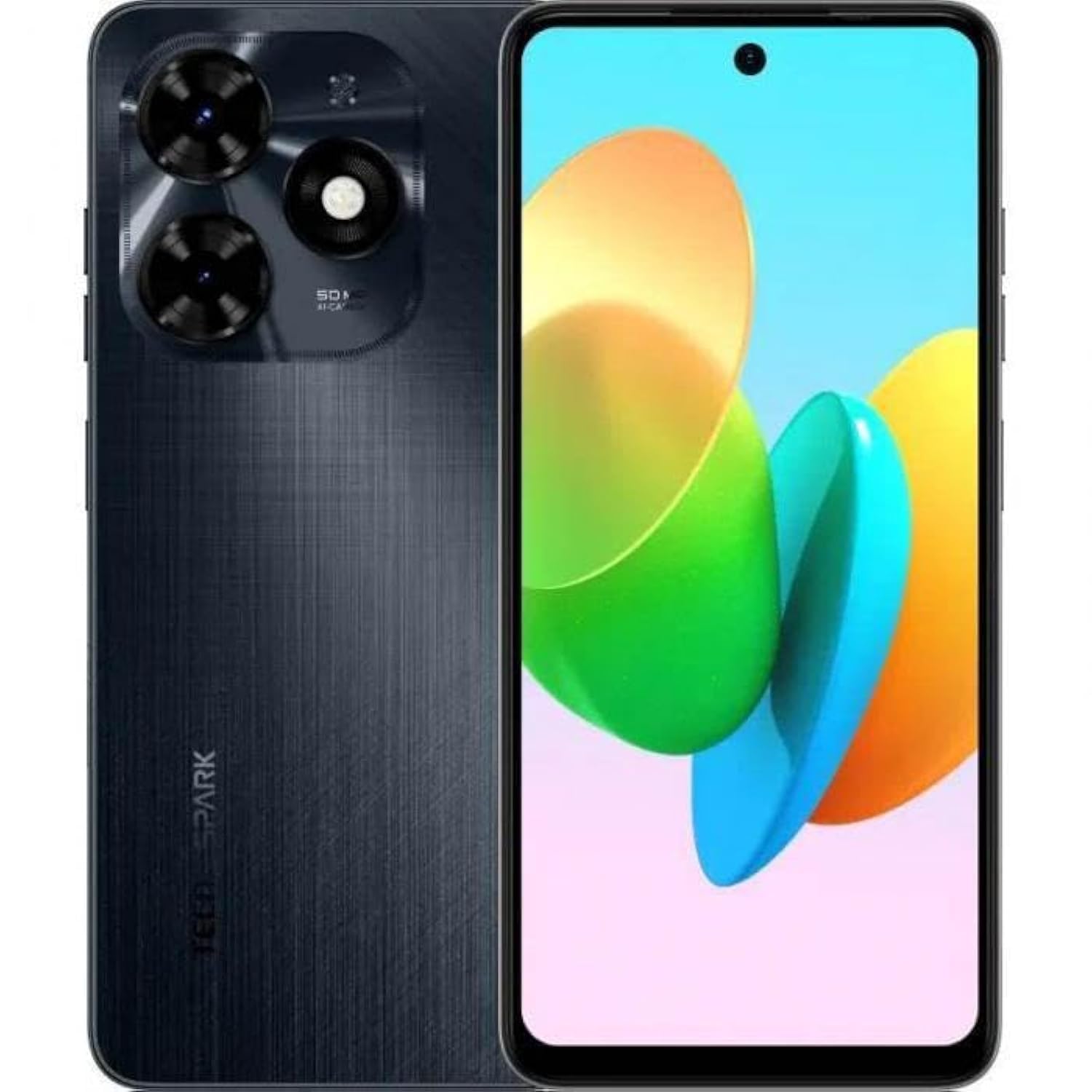
Imej 1.1: Depan view of the Tecno Spark 20C smartphone.
2. Kandungan Pakej
Upon unboxing your Tecno Spark 20C, please verify that the following items are included:
- Telefon Pintar Tecno Spark 20C
- Penyesuai Kuasa
- Kabel Pengecas USB
- Alat Ejector SIM
- Panduan Mula Pantas
- Kad Waranti
3. Peranti Lebihview
The Tecno Spark 20C features a 6.6-inch HD+ display. The device is equipped with a 50-megapixel main camera on the rear and an 8-megapixel front camera. Physical buttons typically include power/lock and volume controls. Ports usually include a USB charging port and a 3.5mm audio jack.
4. Persediaan
4.1. Installing SIM and MicroSD Cards
- Cari dulang kad SIM di sisi peranti anda.
- Masukkan alat ejektor SIM ke dalam lubang kecil di sebelah dulang dan tekan perlahan-lahan sehingga dulang terkeluar.
- Letakkan kad Nano-SIM dan/atau kad MicroSD anda ke dalam slot yang ditetapkan pada dulang. Pastikan kenalan emas menghadap ke bawah.
- Masukkan semula dulang dengan berhati-hati ke dalam peranti.
4.2. Hidupkan dan Konfigurasi Awal
- Tekan dan tahan butang Kuasa sehingga logo Tecno muncul.
- Ikut arahan pada skrin untuk memilih bahasa, rantau, sambung ke rangkaian Wi-Fi dan sediakan akaun Google anda.
- You may also be prompted to set up a screen lock (PIN, pattern, or fingerprint).
4.3. Mengecas Peranti
Connect the USB cable to the charging port on your phone and the other end to the power adapter. Plug the adapter into a wall outlet. The battery icon on the screen will indicate charging status. For optimal battery life, use the provided charger and cable.
5. Beroperasi
5.1. Navigasi Asas
Your Tecno Spark 20C uses a touchscreen interface. Common gestures include:
- Ketik: To open apps, select items, or confirm actions.
- Leret: To scroll through screens, lists, or pages.
- Cubit: Untuk mengezum masuk atau keluar pada imej dan web muka surat.
- Tekan lama: Untuk mengakses menu kontekstual atau mengalihkan ikon aplikasi.
5.2. Membuat Panggilan dan Menghantar Mesej
Untuk membuat panggilan, buka telefon aplikasi, masukkan nombor dan ketik ikon panggilan. Untuk menghantar mesej, buka Mesej app, tap the new message icon, enter the recipient's number or select from contacts, and type your message.
5.3. Menggunakan Kamera
Buka Kamera app. The Tecno Spark 20C features a 50-megapixel main camera with AI image processing algorithms and an 8-megapixel front camera. Tap the shutter button to take a photo. Swipe to switch between photo, video, and other modes like panorama. AI features can automatically optimize settings for different scenes.
5.4. Kesambungan Internet
Access the internet via Wi-Fi or mobile data (4G). To connect to Wi-Fi, go to Tetapan > Rangkaian & Internet > Wi-Fi, turn Wi-Fi on, and select your desired network. To enable mobile data, go to Tetapan > Rangkaian & internet > Rangkaian mudah alih and toggle Mobile data on.
5.5. NFC for Contactless Payments
The Tecno Spark 20C includes an NFC module. To use contactless payments, ensure NFC is enabled in Tetapan > Peranti yang disambungkan > NFC. Set up your preferred payment app and hold your phone near a compatible payment terminal.
6. Penyelenggaraan
6.1. Membersihkan Peranti Anda
Use a soft, lint-free cloth to gently wipe the screen and body of your phone. Avoid using harsh chemicals or abrasive materials, which can damage the device's finish or screen coating.
6.2. Penjagaan Bateri
To prolong battery life, avoid exposing your phone to extreme temperatures. It is recommended to keep the battery charge between 20% and 80% for daily use. Avoid completely draining the battery frequently.
6.3. Kemas Kini Perisian
Semak kemas kini perisian secara kerap untuk memastikan peranti anda mempunyai ciri terkini, tampung keselamatan dan peningkatan prestasi. Pergi ke Tetapan > Sistem > Kemas kini sistem untuk menyemak dan memasang kemas kini yang tersedia.
7. Penyelesaian masalah
Bahagian ini membincangkan isu biasa yang mungkin anda hadapi dengan Tecno Spark 20C anda.
- Peranti tidak dihidupkan: Ensure the battery is charged. Connect the charger and wait a few minutes before attempting to power on again. If it still doesn't turn on, try a forced restart by holding the Power button for about 10-15 seconds.
- Skrin tidak bertindak balas: If the screen is frozen, perform a forced restart. If the issue persists, ensure your hands are clean and dry, and the screen is free of debris.
- Isu rangkaian (tiada isyarat/Wi-Fi): Check if Airplane mode is off. For mobile data, ensure your SIM card is properly inserted and mobile data is enabled in settings. For Wi-Fi, try forgetting the network and reconnecting, or restart your router.
- Apl ranap atau beku: Try clearing the app's cache and data in Tetapan > Apl > [Nama Apl] > Storan & cache. If the problem continues, uninstall and reinstall the app. Ensure your device's software is up to date.
8. Spesifikasi
Key technical specifications for the Tecno Spark 20C:
| Sistem Operasi | Android T |
| Pemproses | Octa-core |
| Rangkaian | 4G |
| Saiz Skrin | 6.6 Inci HD+ |
| Resolusi | 720*1612 |
| RAM yang dipasang | 4 GB |
| Storan Dalaman | 256 GB |
| Kapasiti Bateri | 5000 mAh (as per product description) |
| Teknologi Ketersambungan | 4G, GSM |
| Pembawa Tanpa Wayar | Tidak dikunci untuk Semua Pengangkut |
| Dimensi Produk | 16.3 x 8 x 0.8cm; 410g |
9. Waranti dan Sokongan
Your Tecno Spark 20C smartphone comes with a limited warranty. Please refer to the warranty card included in your package for detailed terms and conditions, including coverage period and service procedures. For technical support or further assistance, please visit the official Tecno webtapak atau hubungi perkhidmatan pelanggan mereka.


