pengenalan
Thank you for choosing the Altec Lansing HYDRAJOLT 2.0 Magnetic Bluetooth Speaker. This manual provides essential information for setting up, operating, and maintaining your speaker to ensure optimal performance and longevity. Please read this manual thoroughly before using the product.
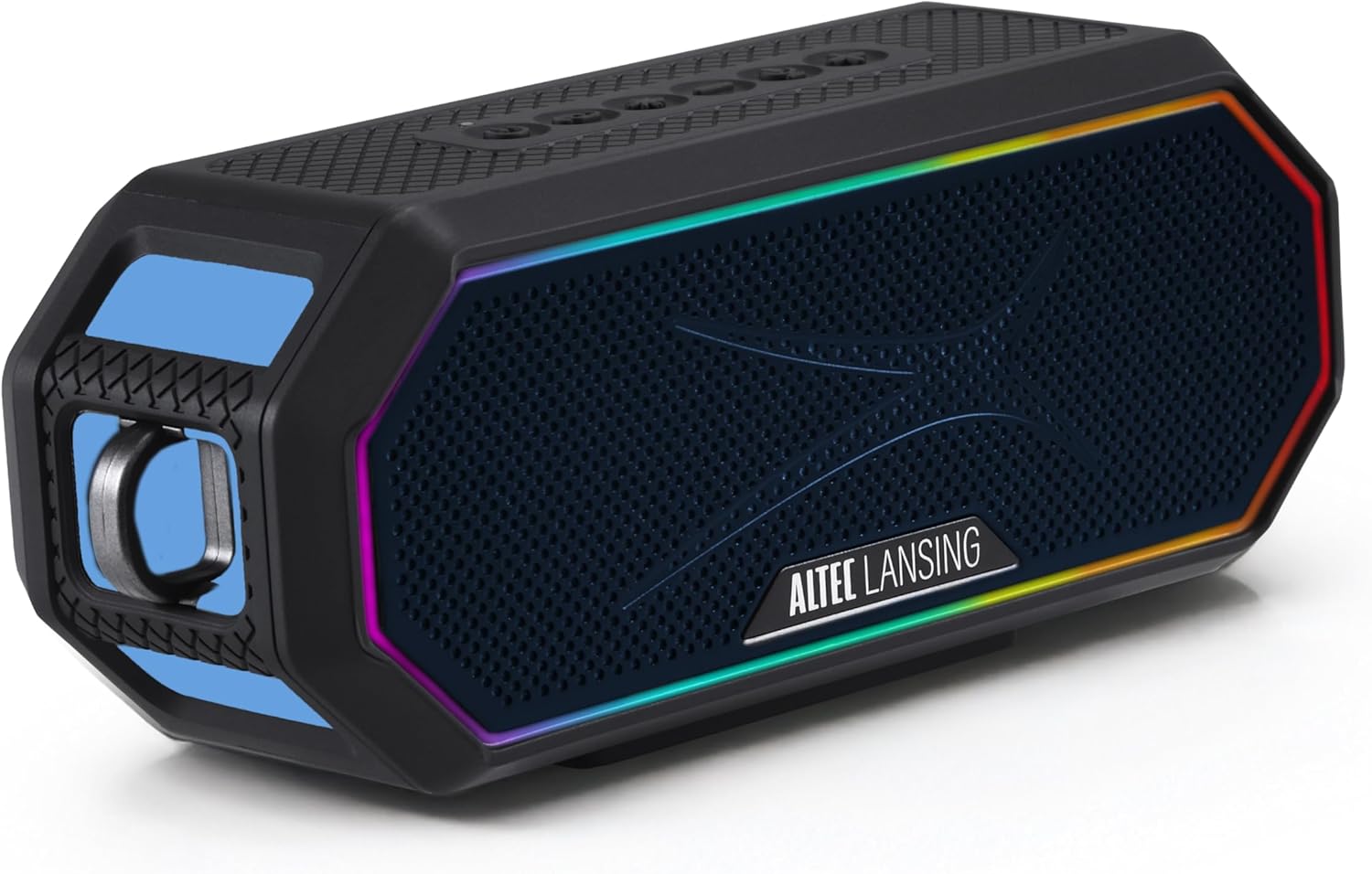
Image: The Altec Lansing HYDRAJOLT 2.0 speaker, showcasing its hexagonal design and vibrant multicolor LED lighting around the speaker grille.
Kandungan Pakej
Pastikan semua item ada dalam pakej anda:
- Altec Lansing HYDRAJOLT 2.0 Speaker
- Kabel Pengecas USB-C
- Mountable Carabiner Clip
- Pemasangan Speaker
- Manual Pengguna (dokumen ini)
Persediaan
Mengecas Speaker
Before first use, fully charge your HYDRAJOLT 2.0 speaker. The speaker features a USB-C quick charge port.
- Locate the USB-C charging port on the speaker, typically protected by a rubber flap.
- Open the rubber flap to expose the port.
- Connect the provided USB-C cable to the speaker's charging port.
- Sambungkan hujung kabel USB-C yang satu lagi ke penyesuai kuasa USB yang serasi (tidak disertakan) atau port USB komputer.
- Lampu penunjuk pengecasan akan menyala. Pengecasan penuh mengambil masa kira-kira 3 jam.
- Once fully charged, the indicator light will change or turn off, depending on the model. Disconnect the charging cable and close the rubber flap to maintain IP67 waterproof integrity.

Imej: A terperinci view of the speaker's charging and power bank ports, showing the USB-C input and USB-A output, both covered by a protective flap.
Berpasangan Bluetooth
Pair your speaker with a Bluetooth-enabled device for wireless audio playback.
- Power on the speaker by pressing and holding the Power button until you hear an audible cue or see the LED indicator light up.
- The speaker will automatically enter Bluetooth pairing mode, indicated by a flashing LED light (often blue).
- Pada telefon pintar, tablet atau peranti Bluetooth anda yang lain, navigasi ke tetapan Bluetooth.
- Select "HYDRAJOLT 2.0" from the list of available devices.
- Once connected, the speaker will provide an audible confirmation, and the LED light will become solid or flash differently.
- Your speaker is now ready for audio playback.
Arahan Operasi
Fungsi Butang
The HYDRAJOLT 2.0 features intuitive top-panel controls:

Image: A close-up of the speaker's top control panel, clearly labeling the functions of each button: ON/OFF, PAIRING, LED LIGHT MODES, VOLUME DOWN, VOICE ASSISTANT, and VOLUME UP.
- Hidupkan/Mati Kuasa: Tekan dan tahan butang Kuasa (⏻) untuk menghidupkan atau mematikan pembesar suara.
- Kelantangan Naik/Turun: Tekan ke + butang untuk meningkatkan kelantangan, dan - butang untuk mengurangkan kelantangan.
- Main/Jeda: Press the Play/Pause button (often integrated with the Power button or a separate icon) to control playback.
- Mod Lampu LED: Press the Light Mode button (often indicated by a lightbulb icon) to cycle through various multicolor LED lighting effects.
- Pembantu Suara: Press the Voice Assistant button (often indicated by a microphone icon) to activate your device's voice assistant (Siri or Google Assistant).
- Pairing Bluetooth: Press the Pairing button (often indicated by a Bluetooth icon) to enter pairing mode or clear existing pairings.
Party Sync Feature
The Party Sync feature allows you to connect over 100 HYDRA speakers together for an expansive audio experience.
- Ensure all speakers are powered on and not currently paired with any device.
- On the first speaker (the master speaker), press and hold the Party Sync button (refer to your speaker's specific button layout if not labeled).
- Once the master speaker is in Party Sync mode, activate Party Sync on all other speakers you wish to connect.
- The speakers will automatically connect to each other. The LED indicators will confirm successful connection.
- Pair your device to the master speaker via Bluetooth. Audio will now play across all connected speakers.
Pilihan Pemasangan
The HYDRAJOLT 2.0 offers versatile mounting options:
- Magnet terbina dalam: Securely attach the speaker to any metal surface for hands-free listening.
- Klip carabiner: Use the included mountable carabiner clip to hang the speaker from bags, loops, or other fixtures.
- Speaker Mount: Utilize the included mount for attachment to handlebars, poles, or similar structures.

Image: The Altec Lansing HYDRAJOLT 2.0 speaker demonstrating its strong magnetic attachment to a metal surface, highlighting its versatile placement.

Image: The Altec Lansing HYDRAJOLT 2.0 speaker attached to a mount, with a carabiner clip visible, illustrating its adaptability for various uses.
Penyelenggaraan
Waterproof and Durability Features
The HYDRAJOLT 2.0 is designed for rugged use with an IP67 rating, meaning it is waterproof, dustproof, and shockproof. It can even float in water.
- Kalis air (IP67): The speaker can be submerged in water up to 1 meter for 30 minutes. Ensure all port covers are securely closed before exposure to water.
- Kalis habuk: Protected against ingress of dust.
- kalis kejutan: Designed to withstand drops and impacts from normal use.

Image: The Altec Lansing HYDRAJOLT 2.0 speaker demonstrating its IP67 waterproof capability, floating on water.
Pembersihan dan Penyimpanan
- To clean, wipe the speaker with a soft, damp kain. Jangan gunakan bahan kimia yang keras atau pembersih yang kasar.
- Ensure the speaker is completely dry before charging or opening any port covers.
- Simpan pembesar suara di tempat yang sejuk dan kering jauh dari cahaya matahari langsung dan suhu yang melampau.
Menyelesaikan masalah
| Masalah | Kemungkinan Punca | Penyelesaian |
|---|---|---|
| Speaker tidak dihidupkan. | Bateri lemah. | Cas pembesar suara sepenuhnya. |
| Tidak boleh berpasangan melalui Bluetooth. | Pembesar suara tidak dalam mod berpasangan; Bluetooth peranti dimatikan; terlalu jauh dari peranti. | Ensure speaker is in pairing mode (flashing LED). Turn device Bluetooth off/on. Move speaker closer to device (within 100ft). Clear previous pairings. |
| Tiada bunyi atau kelantangan rendah. | Kelantangan terlalu rendah pada pembesar suara atau peranti; sumber audio yang salah. | Increase volume on both speaker and connected device. Ensure correct audio output is selected on your device. |
| Party Sync not working. | Speakers not in Party Sync mode; too many speakers connected. | Ensure all speakers are in Party Sync mode. Verify no more than 100 speakers are attempting to connect. |
Spesifikasi
| Ciri | Perincian |
|---|---|
| Nama Model | HydraJolt 2.0 |
| Kuasa Keluaran | 12 Watt (6W x 2 RMS) |
| Hayat Bateri | Sehingga 16 Jam |
| Masa Mengecas | Approximately 3 Hours (USB-C Quick Charge) |
| Julat Tanpa Wayar | Up to 100ft (Bluetooth) |
| Tahan Air | IP67 (Waterproof, Dustproof, Shockproof, Floats) |
| Ketersambungan | Bluetooth |
| Ciri Khas | Built-in Microphone, Party Sync, Multicolor LED, Magnetic Mounting |
| Dimensi Produk | 7.6"D x 3.2"W x 4.6"H |
| Berat Barang | 1.7 paun |
Waranti dan Sokongan
Altec Lansing products come with a limited warranty. For detailed warranty information, product registration, or technical support, please visit the official Altec Lansing webtapak atau hubungi perkhidmatan pelanggan mereka.
Anda juga boleh melawat Altec Lansing Store on Amazon untuk maklumat lanjut dan penawaran produk.
Video Produk Rasmi
No official seller instruction videos are available for embedding at this time based on the provided criteria.


