pengenalan
Thank you for choosing the Sentry HPXBTA105 True Wireless Earbuds. These earbuds are designed to provide a superior audio experience with active noise canceling technology, comfortable wear, and intuitive touch controls. This manual will guide you through the setup, operation, and maintenance of your new earbuds to ensure optimal performance and longevity.
Maklumat Keselamatan
Sila baca semua amaran dan arahan keselamatan dengan teliti sebelum menggunakan produk ini untuk mengelakkan kecederaan atau kerosakan. Simpan manual ini untuk rujukan masa hadapan.
- Jangan dedahkan fon telinga atau bekas pengecasan kepada suhu, kelembapan atau cecair yang melampau.
- Elakkan daripada menjatuhkan, menjejaskan atau membuka peranti.
- Gunakan hanya kabel pengecasan yang disediakan atau setara yang diperakui.
- Prolonged exposure to loud volumes may cause hearing damage. Adjust volume to a safe level.
- Jangan gunakan fon telinga dalam situasi di mana ketidakupayaan untuk mendengar bunyi ambien boleh membahayakan (contohnya, memandu, berbasikal, berjalan kaki dalam lalu lintas).
- Jauhkan daripada kanak-kanak dan haiwan peliharaan.
Apa yang ada dalam Kotak
Sahkan bahawa semua item terdapat dalam pembungkusan:
- Sentry HPXBTA105 True Wireless Earbuds (Left and Right)
- Kes Pengecasan
- Kabel Pengecas USB
- Manual Pengguna (dokumen ini)

Figure 1: Product packaging showing the Sentry HPXBTA105 True Wireless Earbuds and charging case.
Produk Selesaiview
Familiarize yourself with the components of your Sentry HPXBTA105 True Wireless Earbuds.

Figure 2: The Sentry HPXBTA105 True Wireless Earbuds shown outside and inside their open charging case.
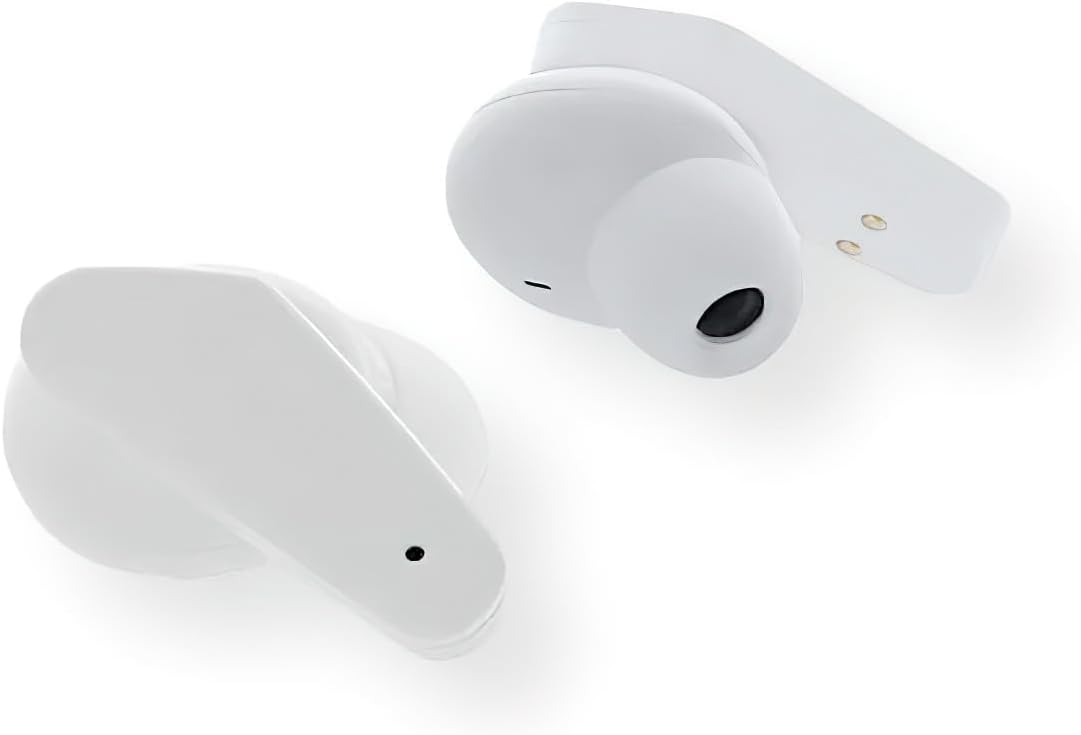
Rajah 3: Gambar jarak dekat view of the Sentry HPXBTA105 True Wireless Earbuds, highlighting their design and in-line microphone.
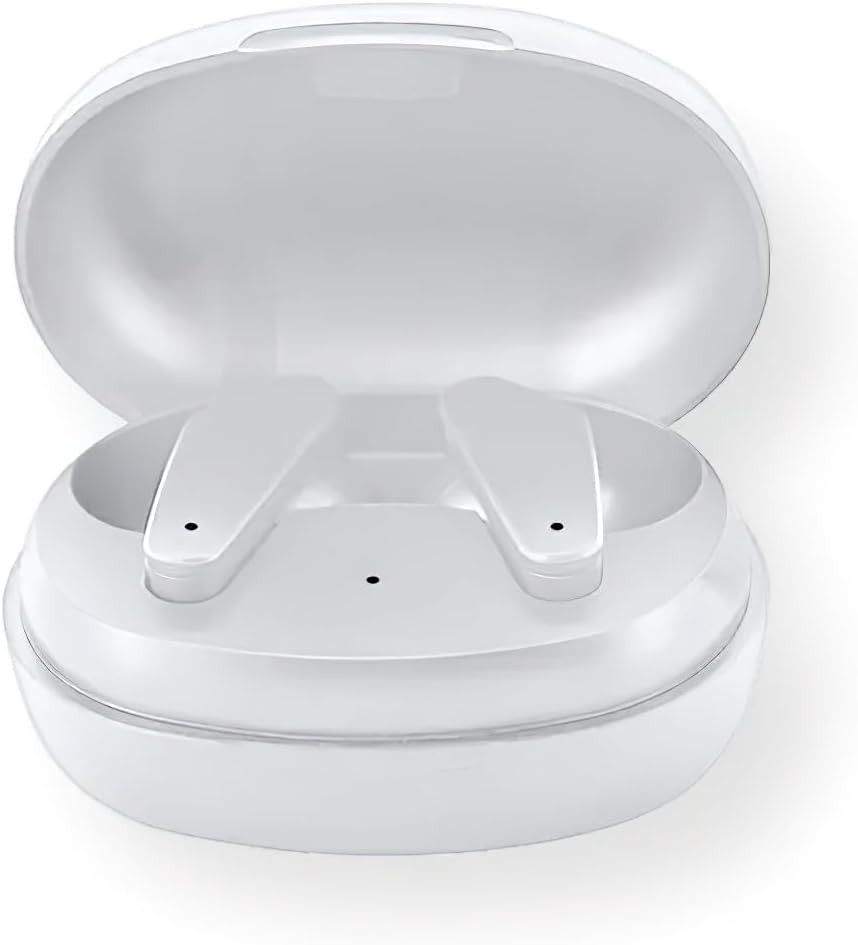
Figure 4: The Sentry HPXBTA105 charging case with both earbuds securely placed inside.
The earbuds feature a sleek white design with touch control buttons for easy operation. They are equipped with an in-line microphone for clear call handling and extra soft noise reduction earpads for comfort and effective noise cancellation.
Persediaan
1. Mengecas Fon Telinga dan Sarung
Sebelum penggunaan pertama, cas sepenuhnya fon telinga dan bekas pengecas.
- Place the earbuds into the charging case, ensuring they are properly seated.
- Sambungkan kabel pengecas USB ke port pengecasan pada kes dan hujung satu lagi ke sumber kuasa USB (cth, komputer, penyesuai dinding).
- The indicator lights on the case and/or earbuds will show charging status. Refer to the specific light patterns in the quick start guide for details.
- Setelah dicas sepenuhnya, cabut kabel pengecasan.
2. Berpasangan Bluetooth
Pair your earbuds with your device (smartphone, tablet, laptop) for wireless audio.
- Pastikan fon telinga dicas dan diletakkan di dalam bekas pengecasan.
- Buka penutup bekas pengecas. Fon telinga akan memasuki mod berpasangan secara automatik (lampu penunjuk akan berkelip).
- Pada peranti anda, pergi ke tetapan Bluetooth dan hidupkan Bluetooth.
- Cari untuk available devices. Select "HPXBTA105" from the list.
- Once connected, the earbuds will indicate successful pairing (e.g., a voice prompt or steady light).
- Fon telinga akan menyambung semula secara automatik ke peranti gandingan terakhir apabila dikeluarkan daripada sarung, jika Bluetooth didayakan pada peranti.
Arahan Operasi
Kawalan Sentuh
The Sentry HPXBTA105 earbuds feature intuitive touch controls on each earbud. The specific functions may vary slightly, but common controls include:
- Main/Jeda: Ketik sekali pada salah satu fon telinga.
- Lagu Seterusnya: Ketik dua kali pada fon telinga kanan.
- Trek Sebelumnya: Ketik dua kali pada fon telinga kiri.
- Kelantangan: Ketik tiga kali pada fon telinga kanan.
- Perlahankan suara: Ketik tiga kali pada fon telinga kiri.
- Jawab/Tamatkan Panggilan: Ketik sekali pada sama ada fon telinga semasa panggilan masuk atau panggilan aktif.
- Tolak Panggilan: Tekan dan tahan pada mana-mana fon telinga semasa panggilan masuk.
- Aktifkan Pembantu Suara: Press and hold for 2 seconds on either earbud (e.g., Siri, Google Assistant).
- Togol Mod ANC/Ketelusan: Long press (e.g., 3 seconds) on either earbud. Refer to the quick start guide for exact gesture.
Pembatalan Bunyi Aktif (ANC)
The earbuds are equipped with Active Noise Canceling technology to reduce ambient noise. This feature is ideal for travel or noisy environments.
- To activate ANC, use the designated touch control gesture (as described above).
- You may hear a slight change in audio quality when ANC is engaged, which is normal.
- To deactivate ANC or switch to Transparency Mode (if available), repeat the touch control gesture.
Video 1: Official product video demonstrating key features and design of the Sentry HPXBTA105 True Wireless Earbuds, including active noise canceling.
Penyelenggaraan
Penjagaan yang betul akan memanjangkan hayat fon telinga anda.
- Pembersihan: Lap perlahan fon telinga dan bekas pengecas dengan kain lembut, kering dan tidak berbulu. Jangan gunakan bahan kimia yang keras atau bahan yang melelas.
- Storan: Apabila tidak digunakan, simpan fon telinga dalam bekas pengecasnya untuk melindunginya dan memastikan ia dicas. Simpan di tempat yang sejuk dan kering.
- Elakkan Air: Fon telinga tidak kalis air. Elakkan pendedahan kepada air, peluh atau hujan.
Menyelesaikan masalah
Jika anda menghadapi masalah dengan fon telinga anda, cuba penyelesaian berikut:
| Masalah | Penyelesaian yang Mungkin |
|---|---|
| Fon telinga tidak berpasangan |
|
| Tiada bunyi dari satu fon telinga |
|
| Kes pengecas tidak dicas |
|
| Active Noise Canceling not working |
|
Spesifikasi
| Ciri | Perincian |
|---|---|
| Nama Model | HPXBTA105 |
| Teknologi Ketersambungan | Wayarles (Bluetooth) |
| Unit Drive | 10mm |
| Julat Kekerapan | 20Hz - 20KHz |
| Sensitiviti | 103dB +/- 3dB |
| Impedans | 32 ohm |
| Kawalan Bunyi | Pembatalan Bunyi Aktif |
| Mikrofon | Mikrofon dalam talian |
| Jenis Kawalan | Butang Kawalan Sentuh |
| warna | putih |
| Berat Barang | 6.4 auns |
| Dimensi Pakej | 8 x 5.75 x 2.5 inci |
Waranti dan Sokongan
Sentry products are designed and manufactured to the highest quality standards. For information regarding warranty coverage, technical support, or service, please refer to the warranty card included with your product or visit the official Sentry webtapak. Simpan bukti pembelian anda untuk tuntutan waranti.
For further assistance, you may also refer to the product detail page on Amazon.com: https://www.amazon.com/dp/B0D5DP1G3M


