1. Pengenalan
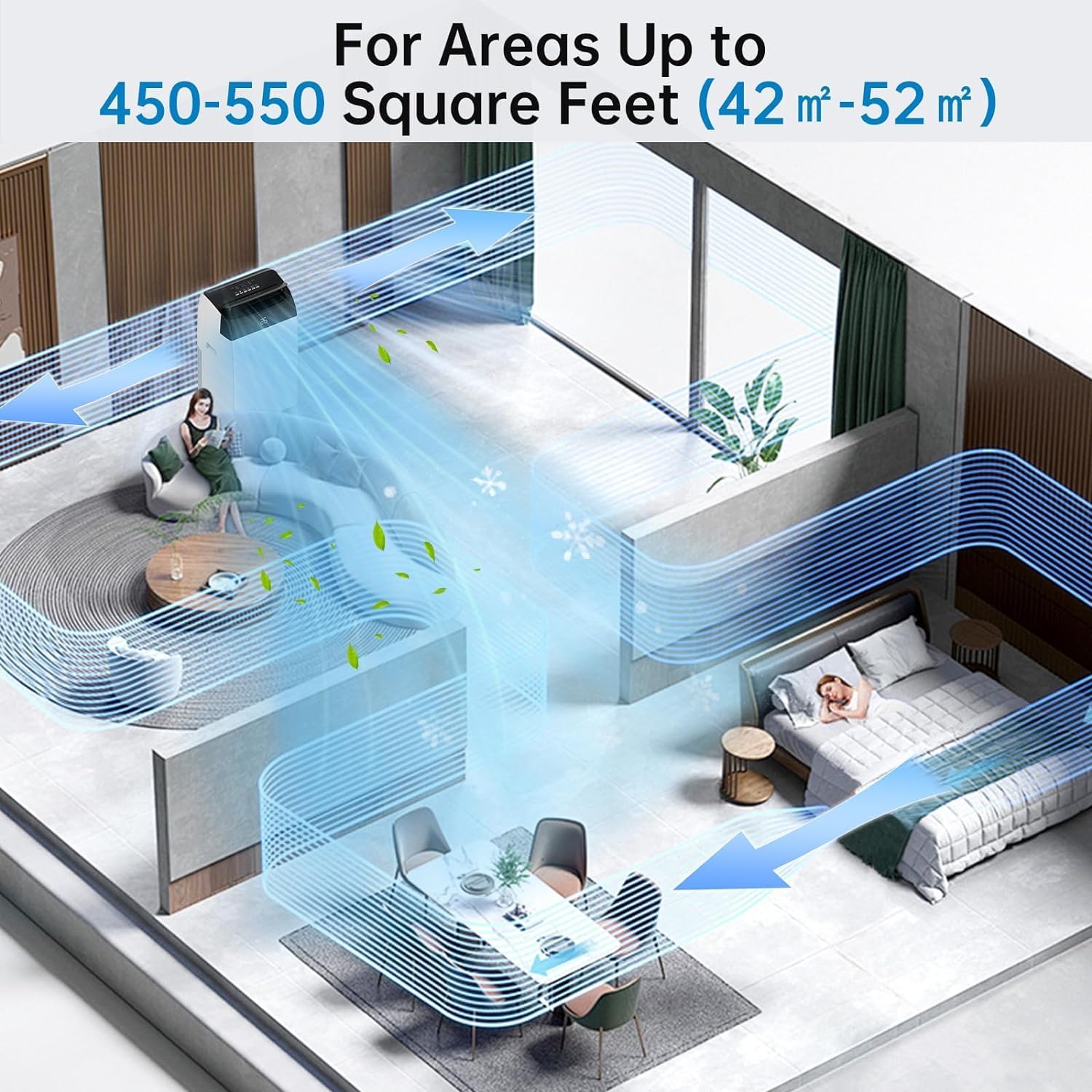
Thank you for choosing the Acekool Mobile Air Conditioner. This 3-in-1 unit provides cooling, dehumidifying, and fan functions, designed for optimal comfort in your home or office. With a powerful 12000 BTUs cooling capacity, it is suitable for rooms up to 550 square feet (approximately 52 square meters). This manual provides essential information for safe operation, installation, maintenance, and troubleshooting to ensure long-lasting performance of your appliance.
Please read this manual thoroughly before operating the unit and keep it for future reference.
2. Arahan Keselamatan
Untuk mengelakkan kecederaan pada pengguna atau orang lain dan kerosakan harta benda, arahan berikut mesti dipatuhi. Operasi yang salah kerana mengabaikan arahan boleh menyebabkan bahaya atau kerosakan.
Langkah Keselamatan Am:
- Always use the unit on a flat, stable surface to prevent tipping.
- Do not block air inlets or outlets. Maintain at least 20 cm clearance from walls or other objects.
- Jangan masukkan jari atau objek asing ke dalam saluran masuk/saluran keluar udara.
- Jauhkan unit daripada gas mudah terbakar atau bahan mudah terbakar.
- Pastikan kord kuasa tidak rosak atau tersepit.
- Jangan kendalikan unit dengan tangan yang basah.
- Cabut plag unit sebelum membersihkan atau melakukan sebarang penyelenggaraan.
- Perkakas ini tidak dimaksudkan untuk digunakan oleh orang (termasuk kanak-kanak) yang kurang keupayaan fizikal, deria atau mental, atau kurang pengalaman dan pengetahuan, melainkan mereka telah diberi pengawasan atau arahan mengenai penggunaan perkakas oleh orang yang bertanggungjawab untuk keselamatan mereka.
- Kanak-kanak harus diawasi untuk memastikan bahawa mereka tidak bermain dengan perkakas.
Keselamatan Elektrik:
- Connect the unit to a properly grounded electrical outlet with the correct voltage (220V).
- Do not use extension cords or multi-sockets with this appliance.
- Jika kord kuasa rosak, ia mesti diganti oleh pengilang, ejen servisnya, atau orang yang berkelayakan yang serupa untuk mengelakkan bahaya.
3. Produk Lebihview
Familiarize yourself with the components and controls of your Acekool Mobile Air Conditioner.
Kandungan Pakej:
- Mobile Air Conditioner Unit
- Alat Kawalan Jauh
- Hos Ekzos
- Slide Bar (Window Kit)
- Penyambung Bar Slaid
- Exhaust Pipe Joint (2 pieces)

Rajah 3.1: Package Contents and Dimensions. This image shows the main unit with its dimensions (36cm depth, 42cm width, 70cm height) and all accessories included in the box, such as the remote control, exhaust hose, slide bar, slide bar connector, and two exhaust pipe joints.

Rajah 3.2: Berakhirview of the Acekool Portable Air Conditioner and its accessories, including the main unit, remote control, and various components for window installation.
Panel Kawalan dan Alat Kawalan Jauh:
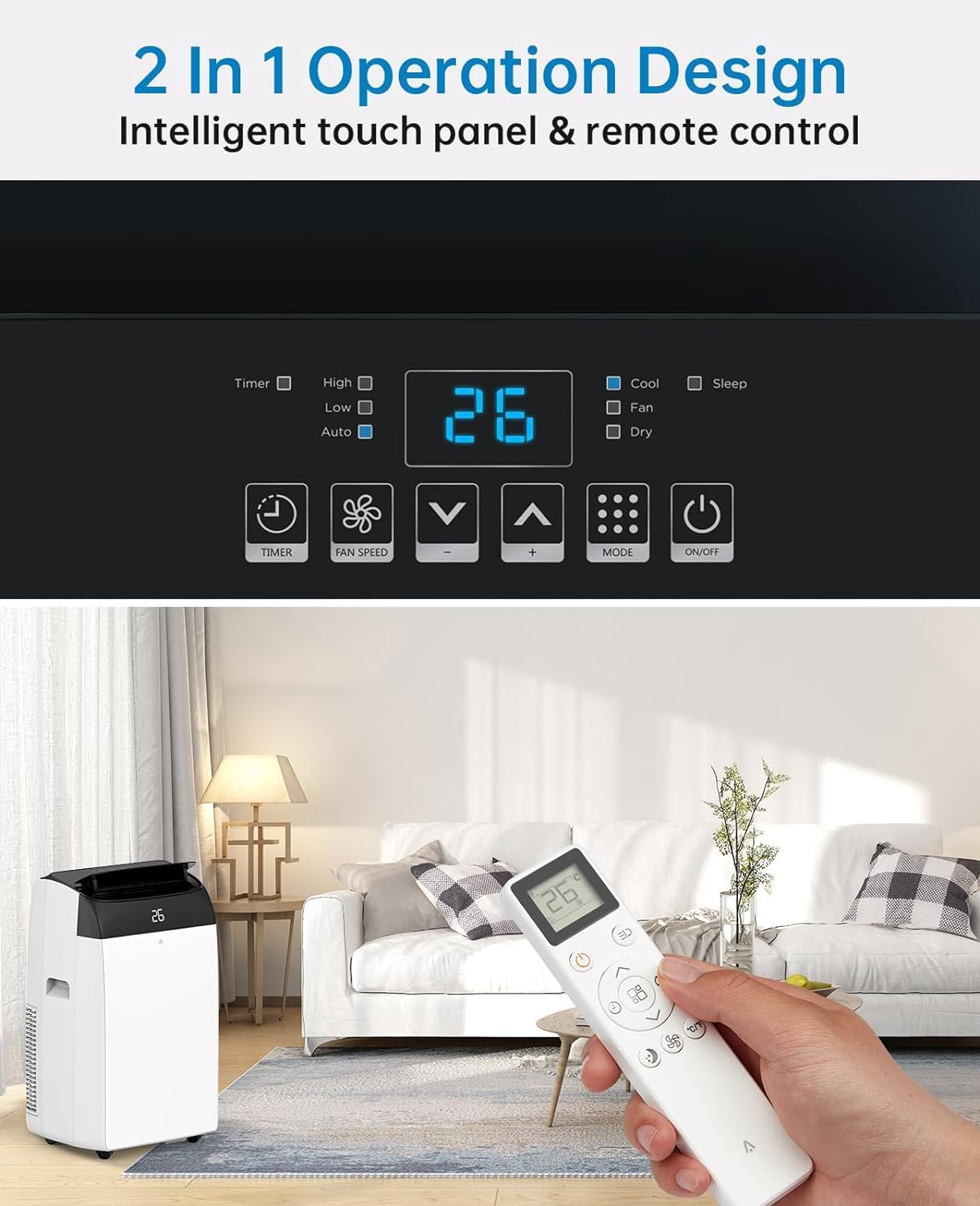
The unit can be operated via the intelligent touch panel on top of the unit or the included remote control.
Rajah 3.3: Control Panel and Remote Control. This image highlights the digital display showing "26" and various touch buttons for Timer, Fan Speed, Mode, and Power. Below, a hand holds the remote control, demonstrating its use with the air conditioner in a living room setting.
- Paparan Digital: Shows current temperature or timer settings.
- Butang Kuasa: Menghidupkan/Mematikan unit.
- Butang Mod: Cycles through Cool, Fan, and Dehumidify modes.
- Butang Naik/Turun Suhu: Laraskan suhu yang dikehendaki dalam mod Sejuk.
- Butang Kelajuan Kipas: Memilih kelajuan kipas (Rendah, Sederhana, Tinggi).
- Butang Pemasa: Sets the 24-hour timer for automatic operation.
- Butang Mod Tidur: Mengaktifkan operasi senyap untuk kegunaan waktu malam.
4. Persediaan
Proper installation of the exhaust hose is crucial for efficient cooling. This unit is designed for window installation.
Pemasangan Hos Ekzos:
- Attach the exhaust pipe joint to one end of the exhaust hose by twisting it clockwise until secure.
- Attach the slide bar connector to the other end of the exhaust hose.
- Connect the assembled exhaust hose to the exhaust outlet on the back of the air conditioner unit.
- Adjust the slide bar (window kit) to fit your window opening. Secure it in place.
- Insert the slide bar connector into the opening of the adjusted window kit, ensuring a tight seal to prevent air leakage.

Rajah 4.1: Easy Installation Steps. This image illustrates the process of connecting the exhaust hose to the unit and the window kit, ensuring proper ventilation for the air conditioner.
Penting: Ensure the exhaust hose is as straight and short as possible to maximize cooling efficiency. Avoid kinks or sharp bends.
5. Arahan Operasi
Your Acekool Mobile Air Conditioner offers three primary functions: Cooling, Fan, and Dehumidifying.
Mod Pengendalian:
Rajah 5.1: Multipurpose 3-in-1 Function. This graphic illustrates the three main operating modes: Cool Mode (18°C-32°C), Dry Mode (45L/Days dehumidification), and Fan Mode (3 Speeds).
- Mod Sejuk:
Cools your room by expelling hot air outside. Set your desired temperature between 18°C and 32°C using the Up/Down buttons. The unit will cycle on and off to maintain the set temperature.
- Mod Kipas:
Circulates air without cooling. Ideal for improving air circulation. Select from three fan speeds (Low, Medium, High) using the Fan Speed button.
- Dehumidify Mode (Dry Mode):
Removes excess moisture from the air, with a capacity of up to 45 liters per day. This mode helps maintain indoor humidity between 40% and 60%. The fan speed is typically fixed in this mode.
Fungsi Pemasa:
The 24-hour timer allows you to set a specific time for the unit to turn on or off automatically. Press the Timer button and use the Up/Down buttons to set the desired duration.
Mod tidur:
Activate Sleep Mode for quieter operation during nighttime. In this mode, the fan speed is reduced, and the temperature may gradually increase to save energy and ensure comfortable sleep. The noise level can be as low as 48dB.

Rajah 5.2: Sleep Mode & Quiet Operation. This image shows the air conditioner in a bedroom setting, highlighting its quiet operation at 48dB, along with features like 24h Smart Timer, Sleep Mode, Auto Shut Off, and Ultra Quiet.
6. Penyelenggaraan
Penyelenggaraan tetap memastikan prestasi optimum dan memanjangkan jangka hayat penghawa dingin anda.
Membersihkan Penapis Udara:
The air filter should be cleaned every two weeks or more frequently depending on usage and air quality. A clean filter improves air quality and unit efficiency.
- Cabut plag penghawa dingin dari salur keluar kuasa.
- Cari panel penapis udara, biasanya di bahagian belakang atau sisi unit.
- Keluarkan penapis dengan menariknya keluar perlahan-lahan.
- Wash the filter under running water (warm, soapy water can be used for heavy dirt).
- Rinse thoroughly and allow the filter to air dry completely before reinserting it. Do not expose to direct sunlight.
- Once dry, reinsert the filter into its slot.

Rajah 6.1: Washable Filter. This image demonstrates how to remove the air filter from the back of the unit and wash it under a faucet, emphasizing its reusability and ease of cleaning.
Mengeluarkan air pekat:
This air conditioner features an advanced self-evaporation technology, which automatically evaporates most of the condensed water and expels it with the exhaust air. This significantly reduces the need for manual drainage.

Rajah 6.2: Self-Evaporation System and Efficient Condensing System. This diagram illustrates the internal workings of the air conditioner, showing how condensed water is evaporated and how the efficient condensing system operates.
However, in high humidity conditions or during prolonged dehumidification mode, the internal water tank may fill up. When this happens, the unit will stop operating and display an error code (refer to troubleshooting section). You will need to manually drain the water:
- Cabut palam unit.
- Letakkan kuali atau dulang cetek di bawah port saliran di bahagian bawah belakang unit.
- Tanggalkan palam longkang.
- Biarkan semua air mengalir sepenuhnya.
- Gantikan palam longkang dengan kuat.
7. Penyelesaian masalah
Sebelum menghubungi perkhidmatan pelanggan, sila rujuk jadual berikut untuk isu biasa dan penyelesaiannya.
| Masalah | Kemungkinan Punca | Penyelesaian |
|---|---|---|
| Unit tidak dihidupkan. | No power; Power cord damaged; Water tank full. | Check power connection; Inspect power cord; Drain water tank. |
| Unit tidak menyejukkan dengan berkesan. | Air filter dirty; Exhaust hose blocked/kinked; Room too large; Doors/windows open. | Clean air filter; Check exhaust hose for obstructions; Ensure room size is within capacity; Close all doors and windows. |
| Unit bising. | Unit not on a level surface; Fan speed too high; Obstruction in fan. | Place on a flat surface; Reduce fan speed; Check for foreign objects. |
| Kebocoran air. | Palam longkang tidak selamat; Unit condong. | Ensure drain plug is firmly in place; Place unit on a level surface. |
| Alat kawalan jauh tidak berfungsi. | Batteries dead/incorrectly inserted; Obstruction between remote and unit. | Replace batteries; Ensure clear line of sight to unit's receiver. |
8. Spesifikasi
Detailed technical specifications for the Acekool Mobile Air Conditioner.
| Ciri | Spesifikasi |
|---|---|
| Jenama | Acekool |
| Nombor Model | TAC-12CHPB/DM7 |
| Kapasiti Penyejukan | 12000 BTU |
| Kapasiti Dehumidifikasi | 45 Liter/Hari |
| Dimensi Produk (L x W x H) | 35.8 x 41.9 x 68.8 cm |
| Berat badan | 30.8 Kilogram |
| Voltage | 220 Volt |
| Wattage | 1780 Watt |
| Tahap Kebisingan | 65 dB (Operating), as low as 48dB (Sleep Mode) |
| Kelas Kecekapan Tenaga | A |
| Jenis Pemasangan | Tingkap |
| Ciri Khas | Dehumidifier, 24H Timer, Digital Display, Remote Control, Self-Evaporation System |
9. Waranti dan Sokongan
For warranty information and customer support, please refer to the warranty card included with your product packaging or visit the official Acekool website. Ensure you have your model number (TAC-12CHPB/DM7) and purchase details ready when contacting support.
For further assistance, please contact Acekool customer service through their official channels.


