pengenalan
Thank you for choosing the RHM L268 Karaoke Machine. This powerful and versatile system is designed to deliver clear, dynamic sound and vibrant lighting effects for an immersive karaoke experience. This manual provides detailed instructions for setting up, operating, and maintaining your device to ensure optimal performance and enjoyment.
Maklumat Keselamatan
- Baca semua arahan sebelum menggunakan produk.
- Jangan dedahkan unit kepada air atau kelembapan berlebihan.
- Pastikan pengudaraan yang betul untuk mengelakkan terlalu panas.
- Use only the provided power adapter. This machine is designed for indoor use and does not contain a battery for the main unit.
- Keep the microphone and the machine within 10 feet for the best voice effect.
- Jangan cuba membuka atau membaiki unit sendiri. Rujuk semua servis kepada kakitangan yang berkelayakan.
Senarai Pembungkusan
Sila semak kandungan pakej anda untuk memastikan semua item ada:
- RHM L268 Karaoke Machine x 1
- Wireless Microphones x 2
- Penyesuai Kuasa x 1
- Kabel AUX x 1
- Charging Cable for Wireless Microphones x 1
- Bag for Wireless Mics x 1
- Manual Pengguna x 1

Image: The RHM L268 Karaoke Machine with its two wireless microphones, showcasing reka bentuknya yang padat.
Ciri-ciri Produk
- Support for Up to 4 Microphones: Comes with two rechargeable wireless microphones that automatically sync. Two additional 6.5mm jacks allow for connecting two wired microphones (not included) for group performances.
- Powerful & Clear Sound: Equipped with 2x15W tweeters and a 30W subwoofer, delivering 60W of clear, powerful audio with balanced bass and treble. Ideal for home parties.
- Color Changing LED Lights: Features two lighting modes with 7 color changes that sync with the music, enhancing the party atmosphere. Lights can be turned off.
- Pelbagai Pilihan Sambungan: Supports Bluetooth, Line IN (AUX), and USB connections for versatile compatibility with TVs, phones, iPads, tablets, and other devices.
- Bes & Treble Boleh Laras: Dedicated controls on the speaker allow for tailoring audio output to your preference, ensuring a rich and immersive sound experience.
- Mikrofon tanpa wayar: Rechargeable 500mAh battery provides approximately 4 hours of play time after a 2-hour charge. Features LED light effects and a control panel for volume and echo.

Image: A group of friends enjoying karaoke, demonstrating the machine's ability to support multiple microphones simultaneously.
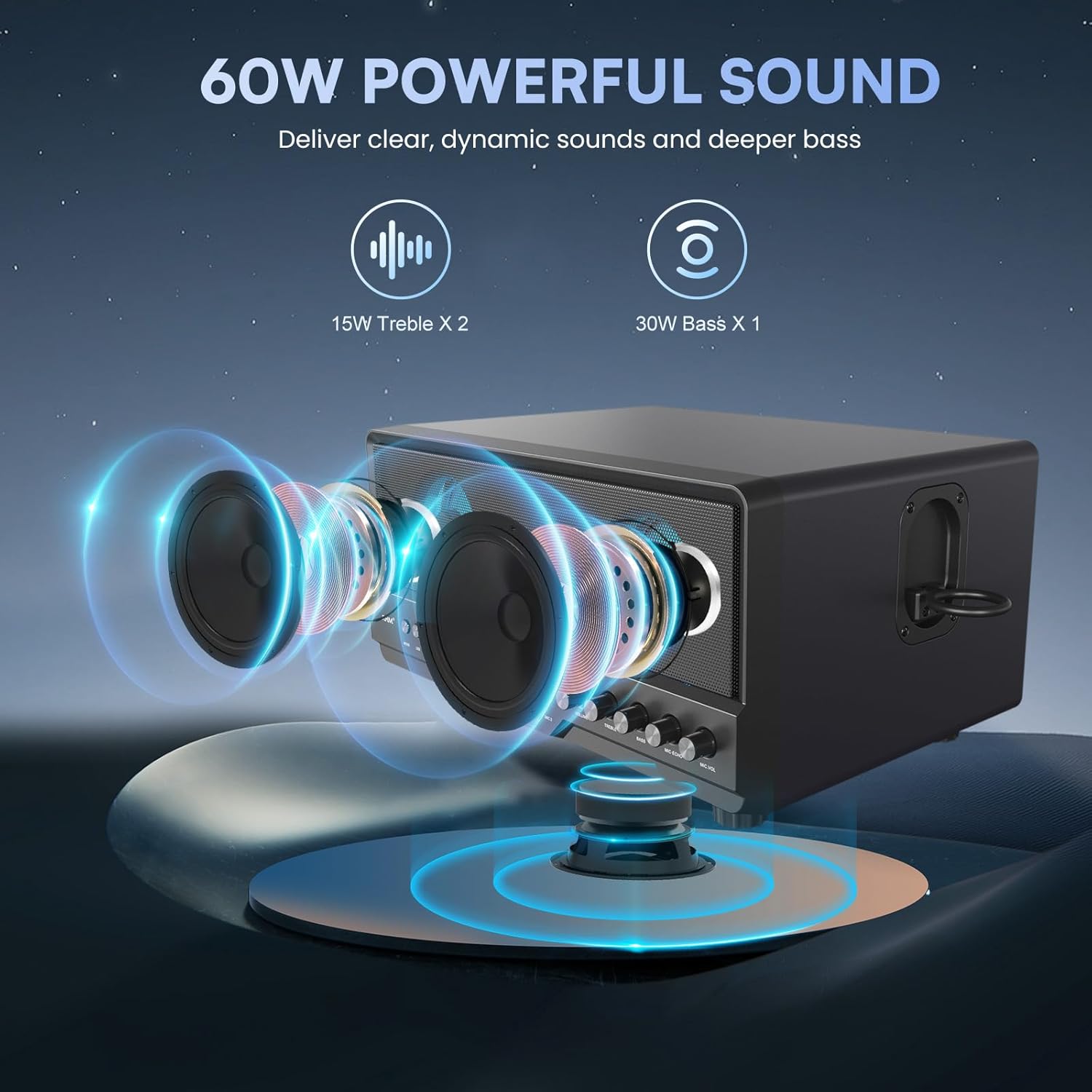
Image: An illustrative diagram highlighting the 15W tweeters and 30W subwoofer for powerful sound delivery.

Imej: Berbilang views of the karaoke machine demonstrating its various colorful LED lighting effects.

Image: The karaoke machine connected to a laptop, highlighting its Bluetooth, AUX, and USB connectivity options.

Image: A visual representation of the wireless microphones' battery life and charging duration.
Panduan Persediaan
1. Sambungan Kuasa
- Connect the provided power adapter to the DC IN port on the back of the karaoke machine.
- Plug the power adapter into a standard wall outlet. The main unit requires continuous power and does not have an internal battery.
2. Persediaan Mikrofon
- mengecas: Use the provided charging cable to charge the wireless microphones. A full charge takes approximately 2 hours.
- Berpasangan: Turn on the wireless microphones. They will automatically sync with the karaoke machine.
- Wired Microphones (Optional): If using wired microphones, plug them into the MIC 1 or MIC 2 6.5mm jacks on the front panel.
3. Menyambung ke Sumber Audio
- Bluetooth:
- Press the "MODE" button on the karaoke machine until "BT" appears on the display.
- Enable Bluetooth on your device (phone, tablet, TV).
- Select "RHM L268" from the list of available devices to pair.
- AUX (Line IN):
- Connect one end of the AUX cable to the "LINE IN" port on the karaoke machine.
- Sambungkan hujung satu lagi ke bicu output audio peranti anda.
- Press the "MODE" button until "LINE" appears on the display.
- USB:
- Masukkan pemacu USB yang mengandungi audio files ke dalam port USB.
- Press the "MODE" button until "USB" appears on the display. The machine will automatically play compatible audio files.
Arahan Operasi
Kawalan Panel Depan:
- ARAHAN: Press to switch between Bluetooth, AUX, and USB input modes.
- LED: Press to cycle through different LED lighting modes or turn them off.
- Tombol Kelantangan: Adjusts the overall music volume.
- Tombol TREBLE: Adjusts the high-frequency sound (treble).
- Tombol BASS: Adjusts the low-frequency sound (bass).
- MIC ECHO Knob: Melaraskan kesan gema untuk mikrofon.
- Tombol MIC VOL: Melaraskan kelantangan mikrofon.
- Play/Pause, Next/Previous Track Buttons: Control media playback in USB or Bluetooth mode.
Wireless Microphone Controls:
- Butang Kuasa: Tekan dan tahan untuk menghidupkan/mematikan mikrofon.
- Butang LED: Press to change the LED light color on the microphone.
Penyelenggaraan
- Pembersihan: Use a soft, dry cloth to clean the exterior of the machine and microphones. Do not use liquid cleaners or abrasive materials.
- Storan: When not in use, store the karaoke machine and accessories in a cool, dry place away from direct sunlight and extreme temperatures.
- Penjagaan Mikrofon: Keep microphones dry and avoid dropping them. Store them in the provided bag when not in use.
Menyelesaikan masalah
| Masalah | Kemungkinan Punca | Penyelesaian |
|---|---|---|
| Tiada bunyi dari pembesar suara. | Volume too low; incorrect input mode; loose connection. | Increase volume; ensure correct mode (BT/AUX/USB); check all cable connections. |
| Microphones not connecting/no sound. | Microphones off; low battery; out of range; interference. | Turn on microphones; charge microphones; keep mics within 10ft of machine; check for interference. |
| Loud voice prompts when changing modes. | Default system setting. | This is a known characteristic. Ensure overall volume is adjusted before changing modes. Contact customer support for potential software updates if available. |
| Sound distortion or feedback. | Microphone too close to speaker; MIC VOL too high; BASS/TREBLE settings too high. | Increase distance between mic and speaker; lower MIC VOL; adjust BASS/TREBLE knobs. |
| Lampu LED tidak berfungsi. | LED function turned off. | Press the "LED" button to activate or change light modes. |
Spesifikasi
| Ciri | Perincian |
|---|---|
| Nombor Model | RM-L268 |
| Dimensi (L x W x H) | 14.96 x 9.84 x 8.07 inci |
| Berat Barang | 14.17 paun |
| Output Speaker | 2x15W Tweeters, 1x30W Subwoofer (Total 60W) |
| Sokongan Mikrofon | 2 Wireless Mics included, 2 Wired Mic inputs (6.5mm Jack) |
| Wireless Mic Battery | 500mAh Lithium Ion (4 hours play, 2 hours charge) |
| Ketersambungan | Bluetooth 5.2, 3.5mm AUX (Line IN), USB |
| Sumber Kuasa | Plug In Electric (AC 1.1E+2 Volts) |
| Lampu LED | 2 modes, 7 color changing effects |
| Kawalan Boleh Laras | Volume, Treble, Bass, Mic Echo, Mic Volume |
Waranti dan Sokongan
For warranty information or technical support, please refer to the contact details provided in your product packaging or visit the official RHM webtapak. Simpan resit pembelian anda sebagai bukti pembelian.


