1. Pengenalan
The KONNWEI KW450 is a comprehensive OBD2 diagnostic scanner designed for both VAG group vehicles (Volkswagen, Audi, Seat, Skoda) and universal OBDII/EOBD compliant cars. This advanced, user-friendly tool enables technicians and car owners to accurately diagnose and perform maintenance functions on various vehicle systems. It supports a wide range of special functions for VAG vehicles and standard OBDII diagnostic capabilities for all compatible cars.
The device is certified with CE, FCC, and RoHS, ensuring compliance with safety and environmental standards.
2. Persediaan dan Penggunaan Awal
2.1 Kandungan Pakej
- KONNWEI KW450 Diagnostic Scanner
- Kabel OBD2
- USB Cable for updates
- Manual Pengguna
2.2 Connecting to Your Vehicle
- Cari Penyambung Pautan Data (DLC) 16-pin kenderaan. Ini biasanya terletak di bawah papan pemuka di sebelah pemandu.
- Pastikan penyalaan kenderaan berada dalam kedudukan OFF.
- Firmly plug the OBD2 cable into the vehicle's DLC port.
- Hidupkan penyalaan kenderaan kepada kedudukan ON (enjin dimatikan). Pengimbas akan dihidupkan secara automatik.
2.3 Tetapan Bahasa
Upon first use, or if you need to change the language, navigate to the 'Settings' menu on the device. Select 'Language' and choose your preferred language (English is the default).
3. Arahan Operasi
3.1 VAG Special Functions
The KW450 provides 9 special maintenance functions specifically for Volkswagen, Audi, Seat, and Skoda vehicles. Access these functions from the main menu by selecting the appropriate VAG vehicle brand.
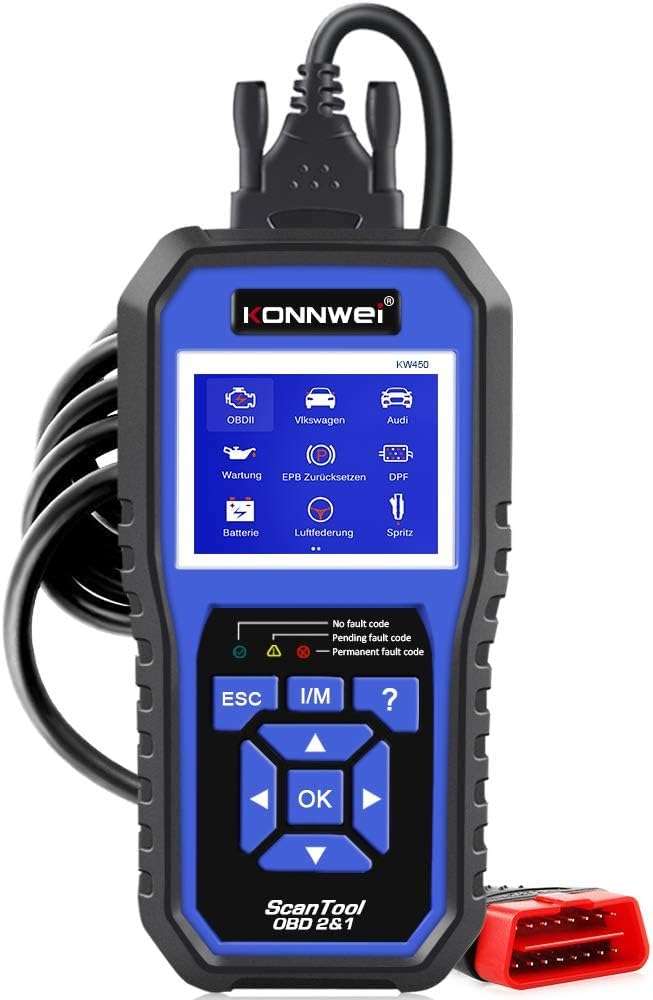
Figure 1: KONNWEI KW450 displaying its 9 special functions for VAG vehicles. These include Oil Service Reset, TPS Replacement Reset, Electronic Parking Brake (EPB) Reset, Battery Matching, Diesel Particulate Filter (DPF) Regeneration, Steering Angle Sensor (SAS) Calibration, Injector Coding, Suspension Adjustment, and Lamp Tetapan.
- Set Semula Perkhidmatan Minyak: Menetapkan semula lampu servis minyak selepas penukaran minyak.
- Tetapan Semula Penggantian TPS: Calibrates the throttle position sensor.
- Tetapan Semula EPB: Resets the electronic parking brake system for pad replacement.
- Padanan Bateri: Mendaftarkan bateri baharu dengan sistem kenderaan.
- Penjanaan Semula DPF: Initiates the regeneration process for the Diesel Particulate Filter.
- Penentukuran SAS: Menentukur penderia sudut stereng.
- Pengekodan Penyuntik: Mengekod nilai penyuntik baharu ke dalam ECU.
- Pelarasan Penggantungan: Adjusts vehicle suspension settings.
- Lamp Tetapan: Configures vehicle lighting parameters.
3.2 Universal OBDII/EOBD Functions
For all other OBDII/EOBD compliant vehicles, the KW450 offers standard diagnostic capabilities. Select 'OBDII' from the main menu to access these functions.
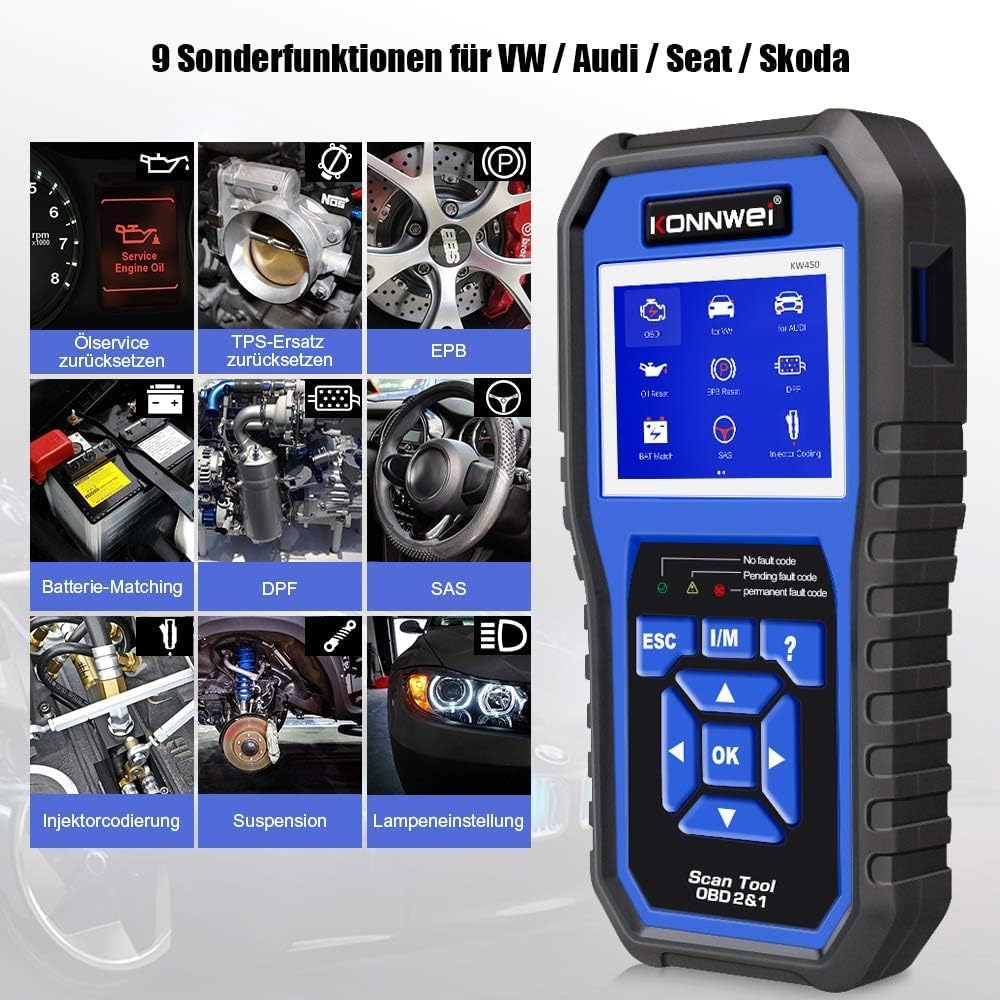
Figure 2: KONNWEI KW450 displaying universal OBD2 functions. These include Read Codes, Erase Codes, Live Data, Freeze Frame, O2 Sensor Test, I/M Readiness, On-Board Monitor Test, EVAP System Test, DTC Code Lookup, and VIN Information.
- Baca Kod: Mendapatkan Kod Masalah Diagnostik (DTC) daripada komputer kenderaan.
- Padamkan Kod: Membersihkan DTC daripada komputer kenderaan dan mematikan Penunjuk Kerosakan Lamp (MIL).
- Data Langsung: Memaparkan aliran data masa nyata daripada sensor kenderaan.
- Bingkai pegun: Shows a snapshot of operating conditions at the time a fault occurred.
- Ujian Sensor O2: Mendapatkan semula keputusan ujian monitor sensor O2.
- Kesediaan Saya / M: Memeriksa kesediaan monitor berkaitan pelepasan.
- Ujian Monitor On-Board: Retrieves results for on-board diagnostic monitoring tests.
- Ujian Sistem EVAP: Memulakan ujian Sistem Kawalan Pelepasan Sejatan.
- Carian Kod DTC: Menyediakan penerangan terperinci tentang DTC.
- Maklumat VIN: Displays Vehicle Identification Number and other vehicle information.
4. Penyelenggaraan
4.1 Kemas Kini Perisian
The KONNWEI KW450 supports lifetime free software updates to ensure compatibility with new vehicle models and diagnostic protocols. To update the device:
- Download the 'Uplink' software from the official KONNWEI website onto a computer running Windows XP, 7, 8, or 10.
- Install the 'Uplink' software.
- Sambungkan pengimbas KW450 ke komputer anda menggunakan kabel USB yang disediakan.
- On the scanner, press and hold the 'OK' button while plugging in the USB cable. The scanner screen should indicate 'Update Mode'.
- Open the 'Uplink' software on your computer and click 'Check Update'. Follow the on-screen instructions to complete the update process.

Figure 3: The KONNWEI KW450 connected to a computer for software updates. The 'Uplink' software facilitates the update process, ensuring the device has the latest diagnostic capabilities.
4.2 Pembersihan dan Penyimpanan
- Bersihkan peranti dengan lembut, damp kain. Jangan gunakan pembersih atau pelarut yang melelas.
- Store the scanner in a dry, cool place, away from direct sunlight and extreme temperatures.
- Keep the cables free from kinks and damage.
5. Penyelesaian masalah
| Masalah | Kemungkinan Punca | Penyelesaian |
|---|---|---|
| Peranti tidak dihidupkan. | Loose connection to DLC; vehicle ignition not ON; faulty OBD2 cable. | Ensure cable is securely connected. Turn ignition to ON. Try a different OBD2 port if available or check cable for damage. |
| Ralat komunikasi dengan kenderaan. | Incorrect protocol selected; vehicle not OBDII compliant; faulty vehicle DLC. | Verify vehicle is OBDII compliant. Check vehicle manual for DLC issues. Try on another compatible vehicle. |
| Tidak dapat mengosongkan kod kesalahan. | Underlying issue not resolved; ignition not ON; specific codes cannot be cleared by generic OBD2. | Address the root cause of the fault. Ensure ignition is ON. Some manufacturer-specific codes require specialized tools. |
| Kemas kini perisian gagal. | Incorrect 'Uplink' software version; unstable USB connection; firewall/antivirus blocking. | Download the latest 'Uplink' software. Ensure a stable USB connection. Temporarily disable firewall/antivirus. |
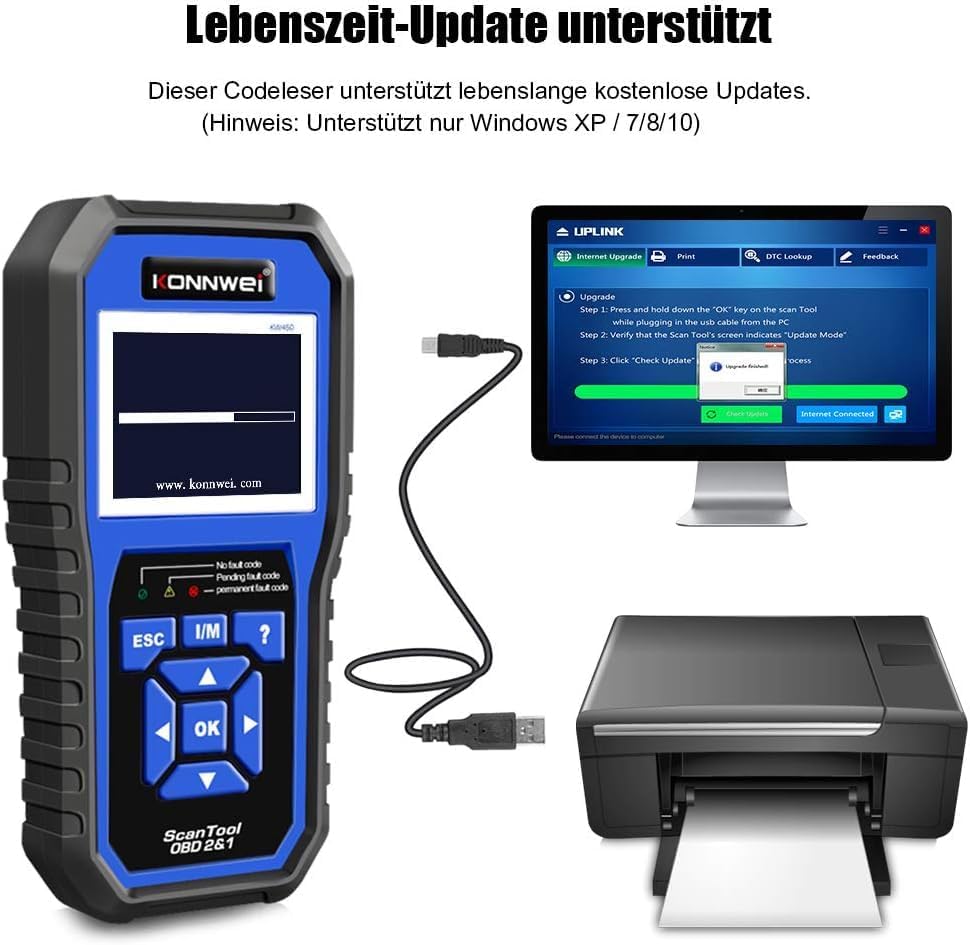
Figure 4: The KONNWEI KW450 main screen, showing indicators for 'No fault code', 'Pending fault code', and 'Permanent fault code' which are crucial for troubleshooting.
6. Spesifikasi
| Ciri | Perincian |
|---|---|
| Jenama | KONNWEI |
| Model | KW450 |
| Saiz Skrin | 5 inci |
| Sistem Pengoperasian (untuk kemas kini) | Windows XP, 7, 8, 10 |
| Sumber Kuasa | Wired (via OBD2 port) |
| Dimensi Produk (L x W x H) | 15.01 x 10 x 5 cm |
| Berat Barang | 20 gram |
| Pensijilan | CE, FCC, Mematuhi RoHS |
7. Maklumat Waranti
Please refer to the warranty card included with your product or contact the retailer/manufacturer for specific warranty terms and conditions. Extended warranty options may be available from third-party providers.
8. Sokongan Pelanggan
For technical assistance, troubleshooting, or general inquiries, please contact KONNWEI customer support through their official website or the contact information provided in your product packaging. Ensure you have your product model (KW450) and purchase details ready when contacting support.


