1. Pengenalan
Thank you for choosing the USX MOUNT Full Motion TV Wall Mount. This manual provides comprehensive instructions for the safe and correct installation, operation, and maintenance of your new TV mount. Please read this manual thoroughly before installation to ensure proper setup and to prevent damage or injury. Keep this manual for future reference.
This full motion TV mount is designed for most 47-84 inch flat screen, LED, and 4K TVs, supporting weights up to 132 lbs (60 kg). It accommodates VESA patterns from 200x100mm to 600x400mm and is compatible with 8-inch, 12-inch, and 16-inch wood studs.
2. Maklumat Keselamatan
AMARAN: Failure to read and follow all instructions may result in personal injury, property damage, or voiding of your warranty. If you have any questions, please contact customer service.
- This product is intended for installation on wood stud walls, solid concrete walls, or brick walls. DO NOT MOUNT ON DRYWALL ALONE!
- Ensure the wall structure can safely support the combined weight of the mount and your television. The maximum weight capacity for this mount is 132 lbs (60 kg).
- Verify your TV's VESA pattern is within the supported range (200x100mm to 600x400mm) and its size is between 47-84 inches.
- Sentiasa gunakan pencari stud untuk mencari stud kayu dengan tepat.
- Do not overtighten screws; overtightening can cause damage to the mount or your TV.
- Jangan sekali-kali melebihi kapasiti berat maksimum.
- Jauhkan kanak-kanak dan haiwan peliharaan semasa pemasangan.
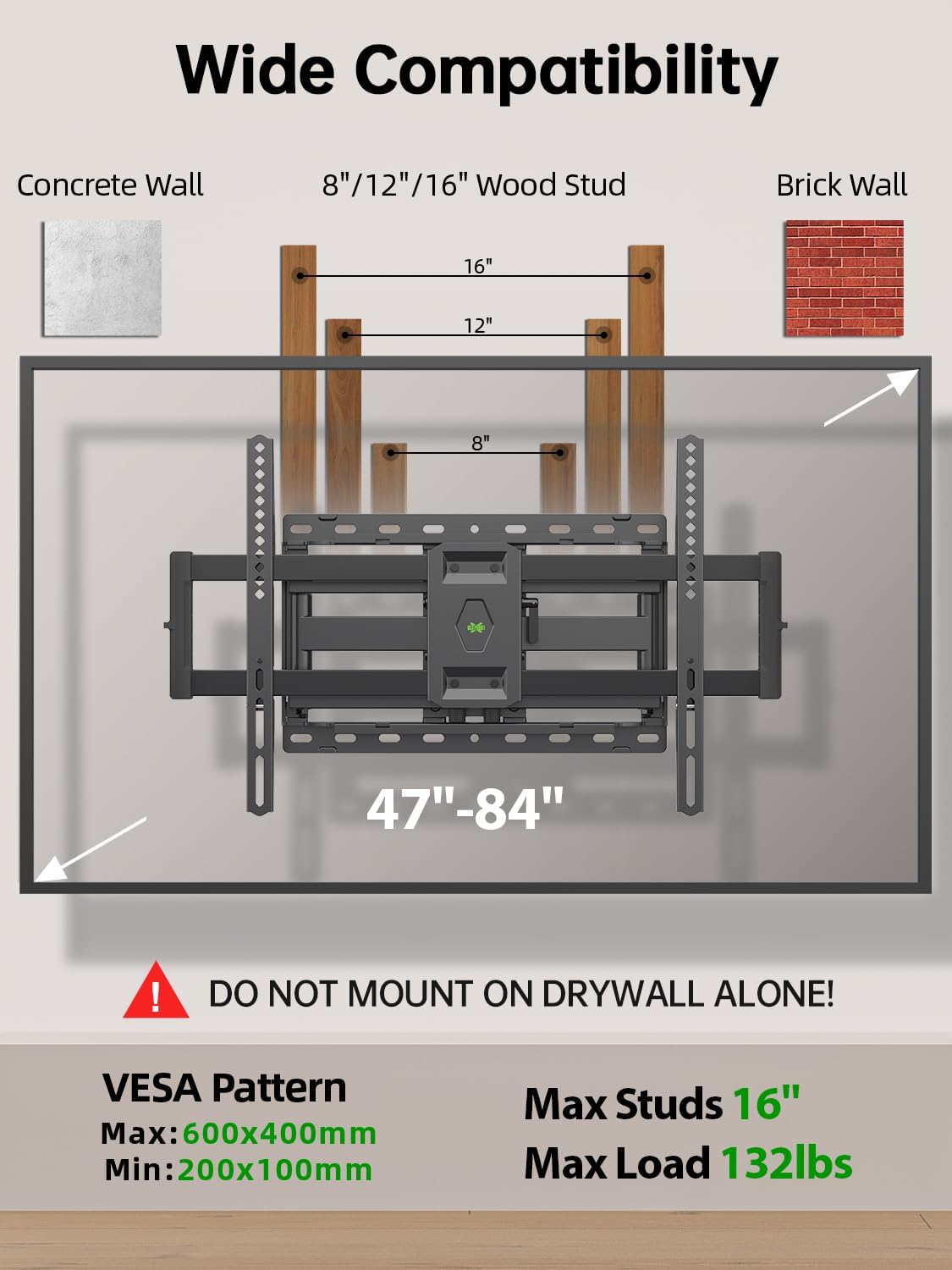
Image: This diagram illustrates the wide compatibility of the mount, showing it fits TVs from 47 to 84 inches, supports VESA patterns from 200x100mm to 600x400mm, and is designed for 8, 12, or 16-inch wood studs. A prominent warning states: "DO NOT MOUNT ON DRYWALL ALONE!"
3. Kandungan Pakej
Please check that all components are present and undamaged before installation. If any parts are missing or defective, contact customer service for assistance.

Image: This image displays the complete package contents, including the main wall mount assembly, TV attachment brackets, an HDMI cable, a bubble level, and three cable ties.
- Pemasangan Plat Dinding
- Pendakap TV (2 keping)
- Mounting Hardware Kit (screws, washers, spacers for various TV models)
- Tahap Buih
- Pengikat Kabel (3 keping)
- Kabel HDMI
Nota: The hardware kit includes various screws for different TV models. Refer to the detailed instruction sheet included in the package to identify the correct screws for your TV. Concrete anchors are not included in the standard package to prevent misuse on wood studs or drywall. If concrete anchors (10x50mm) are required, please contact USX MOUNT customer service.
4. Alatan Diperlukan (Tidak Termasuk)
- Pensel
- Pita Pengukur
- Pencari Belajar
- Bor Power
- Drill Bits (e.g., 5/32" (4mm) for pilot holes into wood studs)
- Pemutar Skru Kepala Phillips
- Socket Wrench (for tightening lag bolts)
- Cermin Mata Keselamatan
5. Persediaan dan Pemasangan
Follow these steps carefully for a secure installation. It is recommended to have at least two people for installation.
- Step 1: Pre-installation Check
Confirm your TV's weight, size, and VESA pattern are compatible with the mount. Identify your wall type (wood stud, solid concrete, or brick). - Step 2: Locate Wood Studs
Use a stud finder to locate the edges and center of the wood studs in your desired mounting location. Mark the center of the studs. This mount is compatible with 8-inch, 12-inch, and 16-inch stud spacing. - Langkah 3: Pasang Plat Dinding pada Dinding
Position the wall plate at the desired height and use the included bubble level to ensure it is perfectly horizontal. Mark the pilot hole locations. Drill pilot holes into the center of the studs. Secure the wall plate to the wall using the provided lag bolts and washers. Ensure all bolts are tightened securely. - Langkah 4: Pasangkan Kurungan TV pada TV
Carefully place your TV face down on a soft, clean surface. Identify the correct screws, washers, and spacers from the hardware kit that fit your TV's VESA mounting holes. Attach the two TV brackets to the back of your TV. Ensure they are centered and securely fastened. - Langkah 5: Pasang TV ke Plat Dinding
With assistance, carefully lift the TV with the attached brackets and hook them onto the wall plate. Ensure the brackets are properly seated on the wall plate's hooks. - Step 6: Secure TV to Mount
Engage the security lock mechanism on the TV brackets to prevent accidental dislodging of the TV from the wall plate. Refer to the detailed diagram in your package for the specific locking mechanism. - Step 7: Post-Installation Leveling Adjustment
After mounting, you can make a fine-tune horizontal leveling adjustment of +/-3 degrees to ensure your TV is perfectly straight.
6. Pengendalian dan Pelarasan
This full motion mount offers various adjustments for optimal viewkeselesaan.

Image: This image details the mount's construction, pointing out features like the easy tilting adjustment, the robust six-arm structure for stability, the security lock mechanism, and the heavy-duty steel wall plate.
- Pelarasan Kecondongan: The mount allows for a tilt range of +5° (upward) to -15° (downward). This feature helps reduce glare and optimize your viewing angle. Loosen the tilt knobs on the TV brackets, adjust to the desired angle, and then retighten the knobs to secure the position.

Image: This graphic demonstrates the tilt functionality, showing the TV adjusting from +5 degrees to -20 degrees to effectively reduce screen glare from various light sources.
- Pelarasan Pusing: The dual articulating arms allow for a swivel range of up to ±45° (left or right), depending on your TV size and wall distance. This enables you to achieve a perfect view from various seating positions in the room. Gently push or pull the TV to the desired swivel angle.

Image: This image illustrates the swivel capability, showing the TV rotating up to 45 degrees to the left or right, allowing for optimal viewing from different areas of a room.
- Pelanjutan dan Penarikan Balik: The mount can extend your TV up to 16.49 inches (41.9 cm) from the wall and retract back to a slim profile of 2.40 inches (6.1 cm), saving valuable space and maintaining a neat appearance.

Image: This diagram visually represents the flexible extension and retraction of the mount, showing it can extend the TV up to 11.97 inches from the wall and retract to a minimum distance of 1.5 inches.
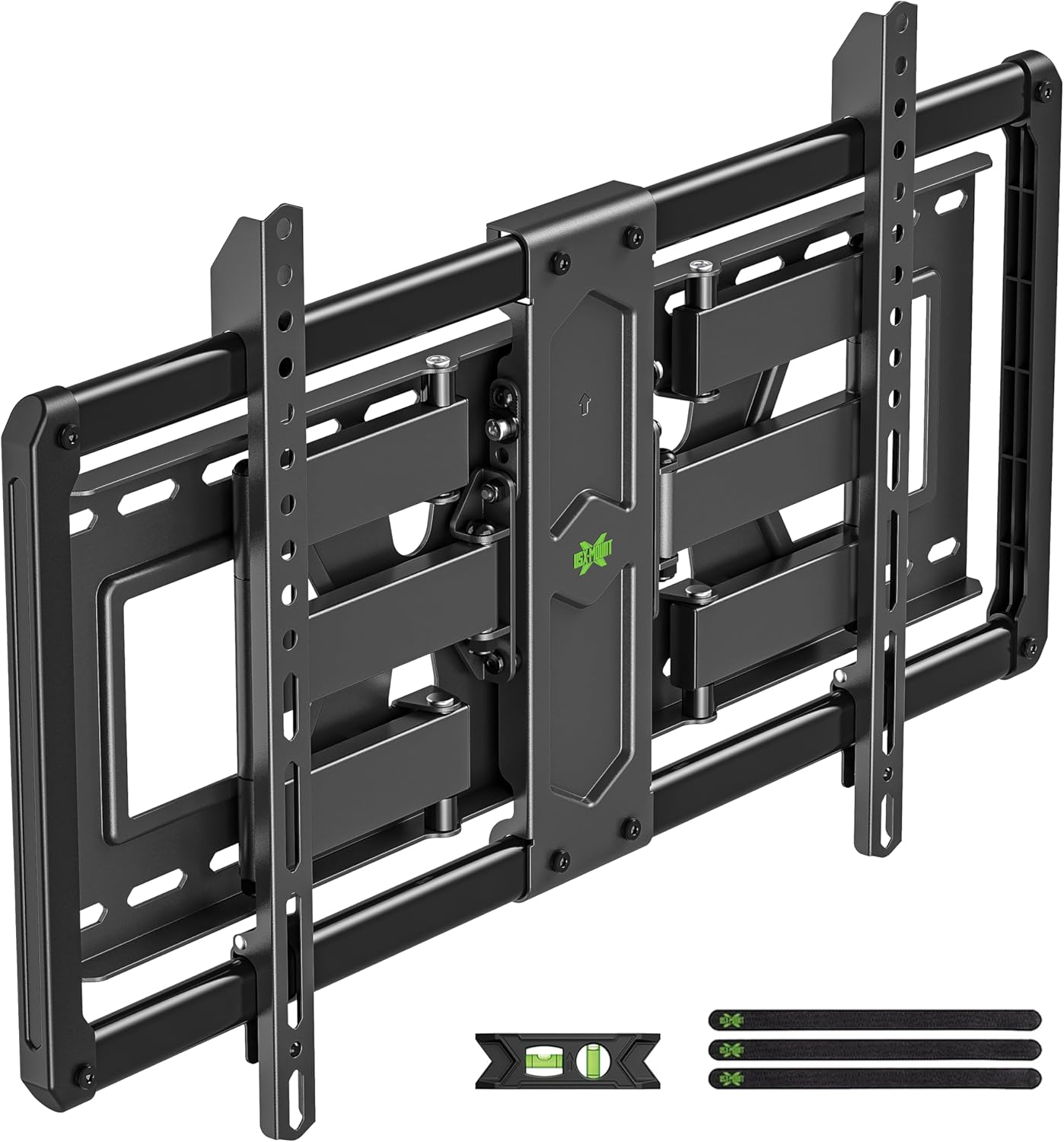
Image: This image shows the TV mount in its fully retracted position, demonstrating its super slim profile against the wall, which helps save space.
7. Penyelenggaraan
- Pemeriksaan biasa: Periodically check all screws and connections to ensure they remain tight and secure. Loose connections can lead to instability.
- Pembersihan: Clean the mount with a soft, dry cloth. Avoid using abrasive cleaners or solvents, as they may damage the finish.
- Pergerakan: If the mount's movement becomes stiff over time, a small amount of silicone-based lubricant can be applied to the articulating joints. Do not use oil-based lubricants.
8. Penyelesaian masalah
- TV tidak rata selepas pemasangan: Use the post-installation leveling adjustment feature (+/-3°) to fine-tune the horizontal position. If this is insufficient, recheck the wall plate installation to ensure it is perfectly level.
- Mount feels loose or unstable: Immediately remove the TV from the mount. Recheck all wall plate fasteners and TV bracket screws to ensure they are securely tightened. Verify the wall structure is appropriate for the mount and TV weight.
- Difficulty adjusting tilt/swivel: Ensure no cables are snagged or interfering with movement. Check if any adjustment knobs or bolts are overtightened, preventing movement. Loosen slightly if necessary, adjust, then retighten.
- Bahagian yang hilang atau komponen yang rosak: Do not proceed with installation. Contact USX MOUNT customer service for replacement parts.
9. Spesifikasi
| Nombor Model | B0D4DYX8MR |
| Jenis Pemasangan | Lekap di dinding |
| Jenis Pergerakan | Mengartikulasikan, Berpusing, Condongkan |
| Saiz TV yang Serasi | 47-84 inci |
| Kapasiti Berat | 132 paun (60 kg) |
| Keserasian VESA | 200x100mm hingga 600x400mm |
| Sudut Kecondongan | +5° / -15° |
| Sudut Pusing | ±45° (max, depends on TV size) |
| Sambungan daripada Wall | 2.40 inci (ditarik balik) hingga 16.49 inci (dipanjangkan) |
| Keserasian Stud Dinding | 8", 12", 16" Wood Studs |
| Meratakan Selepas Pemasangan | ±3° |
10. Waranti dan Sokongan Pelanggan
USX MOUNT provides a 10-year warranty for this product, covering defects in materials and workmanship under normal use. Our friendly US-based customer service team is available to assist you with any questions, concerns, or issues you may encounter during installation or use.
For support, please refer to the contact information provided on the product packaging or visit the official USX MOUNT webtapak.


