1. Pengenalan
This manual provides detailed instructions for the safe installation, operation, and maintenance of the Philips CR6RLMCCT LED Recessed Can Retrofit Kit. The Lightolier Commercial retrofit Downlight DualSelect is designed for easy installation and features adjustable lumen and Color Correlated Temperature (CCT) output. It is suitable for various applications including retail, residential, and office environments. Please read this manual thoroughly before installation and retain it for future reference.
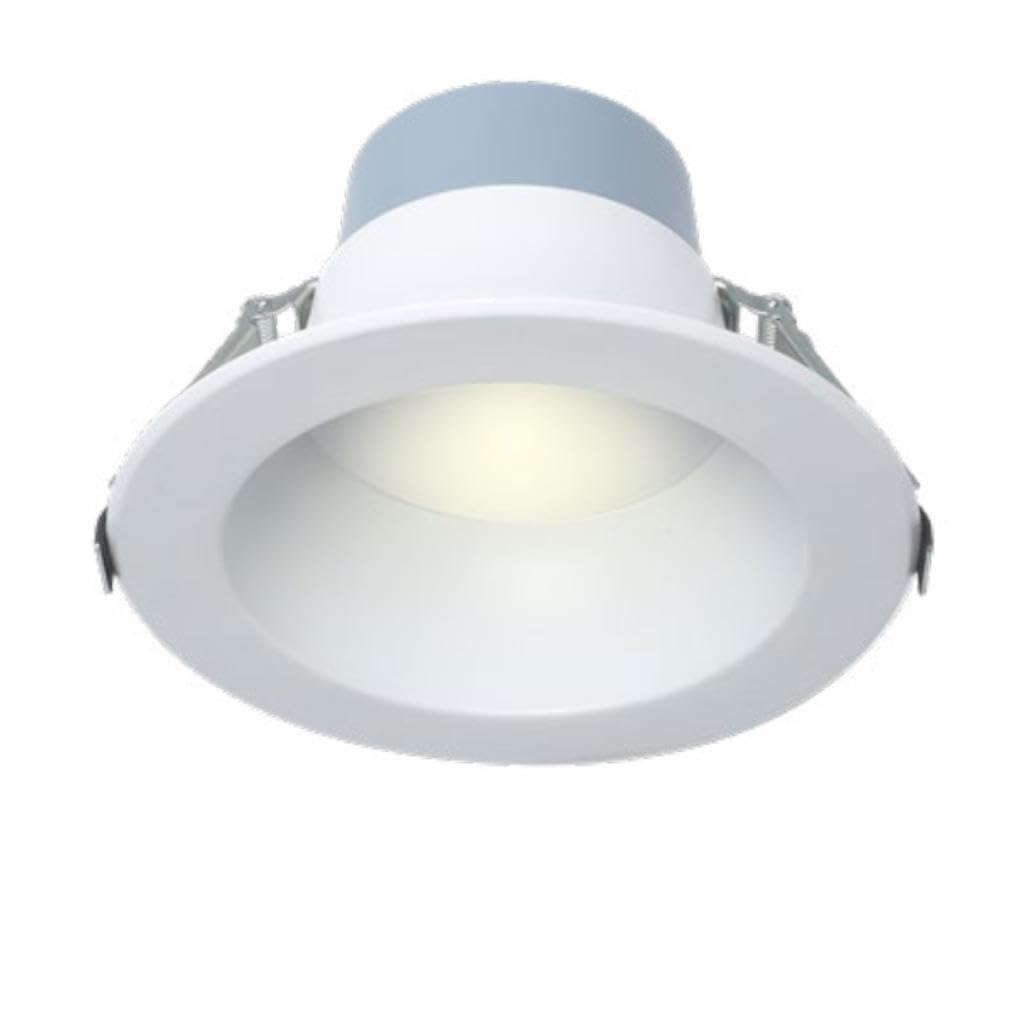
Image 1.1: Philips CR6RLMCCT LED Recessed Can Retrofit Kit. This image shows the complete retrofit kit, including the LED module and mounting springs, ready for installation into an existing recessed housing.
2. Maklumat Keselamatan
WARNING: RISK OF ELECTRIC SHOCK. Disconnect power at the fuse or circuit breaker before installation or servicing.
- Pemasangan mesti dilakukan oleh juruelektrik bertauliah mengikut semua kod elektrik nasional dan tempatan.
- Pastikan bekalan voltage adalah serasi dengan lekapan (120V AC).
- Jangan ubah suai atau ubah suai lekapan. Sebarang pengubahsuaian boleh membatalkan jaminan dan menimbulkan bahaya keselamatan.
- Jangan pasang di lokasi di mana suhu operasi melebihi suhu undian lekapan.
- Pakai cermin mata dan sarung tangan keselamatan semasa pemasangan.
- Peranti ini tidak dimaksudkan untuk digunakan dengan pintu keluar kecemasan.
3. Kandungan Pakej
Carefully unpack the fixture and inspect for any damage. Ensure all components are present:
- 1 x Philips CR6RLMCCT LED Recessed Can Retrofit Kit
- 1 x Standard E26 Screw-in Adapter (for connecting to existing socket)
- 2 x Torsion Springs or Friction Clips (pre-attached to fixture)
- 1 x Manual Pengguna (dokumen ini)
Visual aid: An image here would typically show all the components listed above laid out clearly.
4. Persediaan (Pemasangan)
- Matikan Kuasa: Locate the circuit breaker or fuse box controlling the recessed lighting fixture. Turn off the power to the circuit before beginning installation.
- Remove Existing Trim and Bulb: Carefully remove the existing trim ring and light bulb from the recessed housing. If the housing has a socket plate, remove it as well.
- Connect E26 Adapter: Screw the provided E26 screw-in adapter into the existing socket within the recessed housing. Ensure it is securely tightened.
-
Connect Retrofit Kit: Locate the twist-lock connector on the retrofit kit. Plug this connector into the E26 adapter's receptacle. Ensure a firm connection.
Visual aid: An image here would show the E26 adapter screwed into the housing socket and the retrofit kit's connector being plugged into it.
-
Adjust CCT and Lumen Settings (Pre-Installation): Before pushing the fixture into the housing, locate the CCT and lumen selector switches on the side of the retrofit kit. Select your desired color temperature and brightness level. Refer to Section 5 for details on these settings.
Visual aid: An image here would highlight the CCT and lumen selector switches on the side of the retrofit kit.
-
Install into Housing: Gently push the retrofit kit up into the recessed housing. The torsion springs or friction clips will secure the fixture in place. Ensure the fixture is flush with the ceiling.
Visual aid: An image here would demonstrate pushing the retrofit kit into the recessed housing until it is flush.
- Pulihkan Kuasa: Once the fixture is securely installed, turn the power back on at the circuit breaker or fuse box.
- Operasi Ujian: Hidupkan suis lampu untuk mengesahkan operasi yang betul.
5. Arahan Operasi
The Philips CR6RLMCCT LED Recessed Can Retrofit Kit features DualSelect technology, allowing adjustment of both Color Correlated Temperature (CCT) and lumen output.
5.1. Melaraskan Suhu Warna (CCT)
The CCT selector switch is located on the side of the fixture. This switch allows you to choose from multiple color temperature options (e.g., 2700K, 3000K, 3500K, 4000K, 5000K). To change the CCT:
- Turn off power to the fixture at the wall switch.
- Carefully pull the fixture down from the recessed housing to access the switch.
- Slide the CCT switch to your desired color temperature setting.
- Push the fixture back into the housing until it is flush.
- Pulihkan kuasa dan ujian.
5.2. Adjusting Lumen Output
The lumen selector switch is also located on the side of the fixture, adjacent to the CCT switch. This switch allows you to select different brightness levels (e.g., 800 lumens, 1000 lumens, 1200 lumens). To change the lumen output:
- Turn off power to the fixture at the wall switch.
- Carefully pull the fixture down from the recessed housing to access the switch.
- Slide the lumen switch to your desired brightness level.
- Push the fixture back into the housing until it is flush.
- Pulihkan kuasa dan ujian.
Visual aid: An image here would clearly label and show the CCT and lumen selector switches and their available settings.
6. Penyelenggaraan
The Philips CR6RLMCCT LED Recessed Can Retrofit Kit requires minimal maintenance.
- Pembersihan: Pastikan kuasa dimatikan sebelum membersihkan. Gunakan kain lembut, kering, atau sedikit keringamp cloth to wipe the surface of the fixture. Do not use abrasive cleaners, solvents, or cleaners containing alcohol, as these can damage the finish or electrical components.
- Panjang Umur LED: The integrated LED light source is designed for long life and does not require bulb replacement.
7. Penyelesaian masalah
If you experience issues with your retrofit kit, refer to the following troubleshooting guide:
| Masalah | Kemungkinan Punca | Penyelesaian |
|---|---|---|
| Cahaya tidak menyala. |
|
|
| Cahaya berkelip atau malap. |
|
|
| Incorrect CCT or lumen output. |
|
|
If the problem persists after attempting these solutions, contact Philips customer support.
8. Spesifikasi
- model: 131273 CR6RLMCCT
- Jenama: Philips
- Jenis: Kit Retrofit Boleh Tersembunyi LED
- Keserasian Perumahan: 5-6 Inch Recessed Housing
- Bahan: Kuprum (komponen dalaman)
- Kuantiti Pakej Item: 1
- Bateri Diperlukan: Tidak
- CCT boleh laras: Yes (Multiple settings, e.g., 2700K, 3000K, 3500K, 4000K, 5000K)
- Adjustable Lumen Output: Yes (Multiple settings)
- Input Voltage: 120V AC
9. Waranti dan Sokongan
Philips products are manufactured to the highest quality standards. This product is covered by Philips' standard limited warranty. Please refer to the official Philips website or your purchase documentation for specific warranty terms and conditions applicable to your region.
For technical support, troubleshooting assistance, or warranty claims, please contact Philips Customer Service:
- Webtapak: www.philips.com/support
- telefon: Refer to the Philips support webtapak untuk nombor hubungan serantau.
When contacting support, please have your product model number (131273 CR6RLMCCT) and proof of purchase readily available.


