Produk Selesaiview
The ATTACK SHARK L80 is a versatile ultra-light wireless gaming headset designed for an immersive audio experience across multiple platforms. It offers tri-mode connectivity: Bluetooth 5.3, 2.4GHz wireless, and a 3.5mm wired connection, ensuring compatibility with PCs, laptops, tablets, and mobile phones. Featuring 40mm Pro-G drivers for precise sound reproduction and a detachable omnidirectional noise-cancelling microphone for clear communication, the L80 is built for extended gaming sessions with its 600mAh battery providing up to 50 hours of playtime.
Kandungan Pakej
Sila pastikan semua item berikut disertakan dalam pakej anda:
- ATTACK SHARK L80 Gaming Headset
- Manual Pengguna
- Kabel Audio 3.5mm
- 2-in-1 2.4G Receiver (USB-A and Type-C)
- Kabel Pengecasan Jenis-C
- Mikrofon boleh tanggal

Image: The ATTACK SHARK L80 headset with its complete set of accessories, including the user manual, various cables, and the 2-in-1 receiver.
Panduan Persediaan
1. Mengecas Alat Dengar
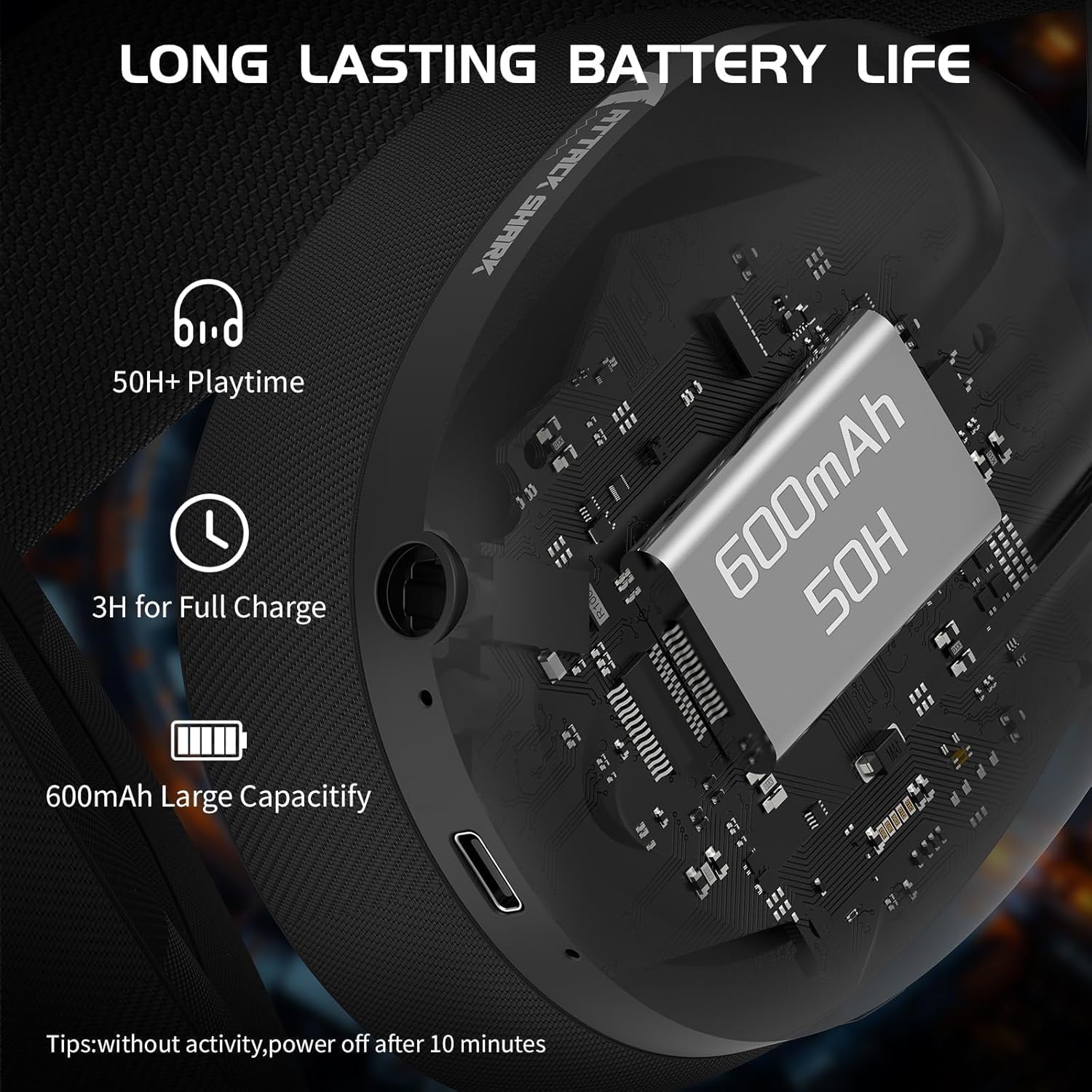
Before first use, fully charge the headset. Connect the supplied Type-C charging cable to the headset's charging port and the other end to a USB power source. The indicator light will show charging status. A full charge takes approximately 3 hours.
The 600mAh battery provides up to 50 hours of playtime at 50% volume and up to 200 hours of standby time via Bluetooth.

Imej: Terperinci view of the headset's charging port and internal battery capacity.
2. Memasang Mikrofon
The L80 headset comes with a detachable omnidirectional microphone. Insert the microphone jack firmly into the designated port on the left earcup until it clicks into place. The microphone is flexible and can be adjusted 360° for optimal positioning.

Image: The headset with its detachable, adjustable microphone, highlighting its noise-cancelling capability.
3. Menyambungkan Alat dengar
The ATTACK SHARK L80 supports three connection modes: 2.4GHz Wireless, Bluetooth, and Wired (3.5mm).
3.1. Sambungan Wayarles 2.4GHz
For low-latency gaming, use the 2.4GHz wireless mode. The headset includes a 2-in-1 USB-A and Type-C receiver.
- Plug the 2.4GHz receiver into an available USB-A or Type-C port on your PC, laptop, PS4/PS5 console, or Switch dock.
- Long press the power button on the headset for 3 seconds to turn it on.
- Double-click the multi-function button (usually the power button) to switch to 2.4G mode. The indicator light will turn white.
- The headset will automatically connect to the receiver.
Note: When using the USB-A connection, the USB-C plug must also be inserted into the receiver for a complete connection.
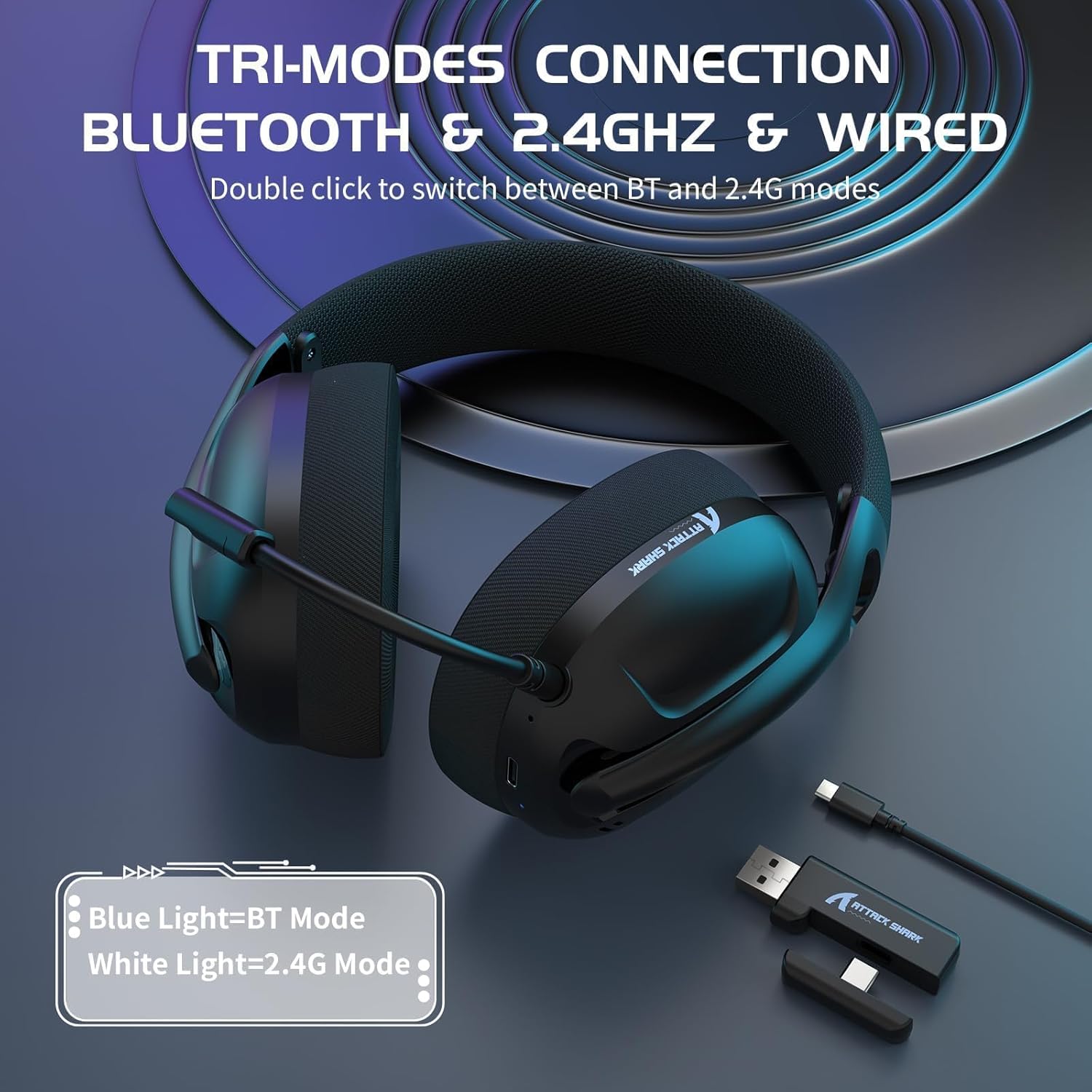
Image: The headset illustrating its tri-mode connectivity and the 2-in-1 USB receiver.
Imej: A terperinci view of the 2-in-1 USB receiver, demonstrating its compatibility with both USB-A and Type-C ports and its low latency performance.
3.2. Sambungan Bluetooth
For mobile devices and general wireless use:
- Long press the power button on the headset for 3 seconds to turn it on.
- Double-click the multi-function button to switch to Bluetooth mode. The indicator light will turn blue.
- On your device (smartphone, tablet, laptop), enable Bluetooth and search for "ATTACK SHARK L80" in the list of available devices.
- Select the headset to pair. Once paired, the indicator light will remain solid blue.
3.3. Sambungan Berwayar (3.5mm)
For devices with a 3.5mm audio jack or when battery is low:
- Connect one end of the supplied 3.5mm audio cable to the headset's 3.5mm port.
- Connect the other end to the 3.5mm audio jack on your device (PC, console controller, mobile phone, etc.).
- Alat dengar akan bertukar secara automatik kepada mod berwayar.
Note: In wired mode, volume adjustment for PS4/PS5/Xbox may need to be done via the controller or console settings.
Arahan Operasi
Kawalan Alat dengar
The ATTACK SHARK L80 features intuitive controls located on the earcups:

Image: A visual guide to the headset's control layout and functions.
- Butang Kuasa / Butang Pelbagai Fungsi:
- Tekan Lama (3 saat): Kuasa Hidup / Mati.
- Klik: Play/Pause audio. Answer/Hang up phone calls.
- Klik dua kali: Switch between Bluetooth and 2.4G wireless modes.
- Butang Naik Kelantangan (+):
- Klik: Tingkatkan kelantangan.
- Tekan lama: Lagu sebelumnya.
- Butang Turun Kelantangan (-):
- Klik: Kurangkan volum.
- Tekan lama: Lagu seterusnya.
- Butang Mikrofon:
- Klik: Mute/Unmute microphone. A voice prompt will indicate microphone status.
- Lampu Penunjuk:
- Cahaya Biru: Mod Bluetooth.
- Cahaya Putih: 2.4G Mode.
- Lampu Merah: Bateri lemah.
Melaraskan Alat dengar
The L80 headset features an adjustable headband and breathable mesh earmuffs for comfortable wear during long periods.
- Pelarasan destar: Gently slide the earcups up or down along the headband to find a comfortable fit for your head size.
- penutup telinga: The ultra-soft and breathable memory foam earmuffs are designed for comfort and to reduce pressure, ensuring a pleasant experience even during extended use.

Image: The headset's breathable mesh earmuffs, designed for comfort and airflow.

Image: Illustration of the adjustable headband, designed to fit various head sizes.
Penyelenggaraan dan Penjagaan
Proper maintenance ensures the longevity and optimal performance of your ATTACK SHARK L80 headset.
- Pembersihan: Use a soft, dry cloth to wipe the headset. For the earmuffs, a slightly damp Kain boleh digunakan, tetapi pastikan ia benar-benar kering sebelum digunakan. Jangan gunakan bahan kimia yang keras atau pembersih yang kasar.
- Storan: Simpan alat dengar di tempat yang sejuk dan kering jauh dari cahaya matahari langsung dan suhu yang melampau. Elakkan meletakkan objek berat pada set kepala.
- Penjagaan Bateri: To preserve battery life, avoid fully discharging the headset frequently. If storing for an extended period, charge the battery to about 50% every few months.
- Tahan Air: Fon kepala ini tidak kalis air. Elakkan pendedahan kepada air atau kelembapan berlebihan.
Menyelesaikan masalah
If you encounter issues with your ATTACK SHARK L80 headset, please refer to the following common solutions:
Tiada Bunyi / Kelantangan Rendah
- Ensure the headset is powered on and connected correctly (2.4GHz, Bluetooth, or Wired).
- Semak tahap kelantangan pada kedua-dua set kepala dan peranti anda yang disambungkan.
- If using 2.4GHz, ensure the receiver is properly plugged in and the headset is in 2.4G mode (white indicator light).
- If using Bluetooth, ensure the headset is paired and connected (blue indicator light).
- If using wired connection, ensure the 3.5mm cable is fully inserted into both the headset and the device.
- Uji dengan sumber audio atau peranti lain untuk menolak isu khusus peranti.
Mikrofon Tidak Berfungsi
- Pastikan mikrofon yang boleh ditanggalkan dipasang dengan kukuh pada alat dengar.
- Press the microphone button on the headset to ensure it is not muted. A voice prompt will confirm its status.
- Check microphone settings on your connected device (e.g., Windows Sound Settings, game audio settings) to ensure the L80 headset microphone is selected as the input device and its volume is not muted.
- Uji mikrofon dengan aplikasi atau peranti lain.
Connection Issues (Wireless)
- 2.4GHz: Ensure the 2.4G receiver is within 10 meters (33 feet) of the headset and there are no significant obstructions. Try plugging the receiver into a different USB port.
- Bluetooth: Ensure Bluetooth is enabled on your device and the headset is in pairing mode or already paired. Try unpairing and re-pairing the headset. Keep the headset within 10 meters of the device.
- Ensure the headset is not simultaneously connected to another device in the same mode.
- Double-check that you are in the correct mode (Bluetooth or 2.4G) by double-clicking the multi-function button.
Fon Kepala Tidak Mengecas
- Ensure the Type-C charging cable is securely connected to both the headset and the power source.
- Try a different USB charging port or power adapter.
- Pastikan kabel pengecasan tidak rosak.
Spesifikasi Teknikal
| Ciri | Perincian |
|---|---|
| Nama Model | L80 |
| Jenama | SERANGAN JEUNG |
| Teknologi Ketersambungan | Wireless (2.4GHz, Bluetooth 5.3), Wired (3.5mm) |
| Saiz Pemandu | 40mm |
| Julat Kekerapan | 20 Hz - 20,000 Hz |
| Impedans | 32 ohm |
| Mikrofon | Detachable, Omnidirectional, Noise-Cancelling |
| Kapasiti Bateri | 600 mAh |
| Masa bermain | Sehingga 50 jam (pada volum 50%) |
| Masa Mengecas | lebih kurang 3 jam |
| Berat badan | 180 gram (lebih kurang) |
| Peranti Serasi | PC, Laptop, Tablet, Mobile Phones, PS4, PS5, Switch |
| bahan | plastik |

Image: The headset highlighting its ultra-light design and compatibility across various gaming platforms.
Waranti dan Sokongan
For warranty information and customer support, please refer to the official ATTACK SHARK webtapak atau hubungi tempat pembelian anda. Simpan bukti pembelian anda untuk sebarang tuntutan jaminan.
You can visit the ATTACK SHARK store on Amazon for more information: ATTACK SHARK Amazon Store


