pengenalan
This manual provides detailed instructions for the proper use and care of your artfone Smart_500 Phone Case. Designed for the Smart_500 smartphone, this case offers enhanced protection and convenient features to improve your device experience.
Ciri-ciri Produk
- Smart On/Off Sensor: The integrated sensor allows your smartphone screen to automatically turn on or off when the case is opened or closed. This feature helps conserve battery life and provides quick access to notifications and calls without manual unlocking.
- Durable Materials & Protection: The exterior is crafted from high-quality PU leather, offering a comfortable grip and protection against scratches and dirt. The interior features a shock-resistant TPU shell to safeguard your Smart_500 from impacts and drops. All stitching is precise for long-lasting durability.
- Integrated Stand Function: The case includes a built-in, adjustable stand function, allowing for optimal viewing angles. This is ideal for watching videos or making video calls without needing additional accessories.
- Penutupan Magnetik: A strong integrated magnetic clasp securely holds the case closed, preventing accidental opening and protecting your screen.
- Card Slot & Lanyard Attachment: A separate compartment inside the case provides space for a credit card, ID, or cash. An additional loop allows for attaching a hand lanyard, keeping your smartphone secure and easily accessible.
Pemasangan
- Ensure your artfone Smart_500 smartphone is clean and free of debris.
- Align your smartphone with the TPU inner shell of the case.
- Gently press the phone into the case, ensuring all edges are securely fitted within the TPU frame. Verify that all ports and buttons are accessible and functional.

Image: The artfone Smart_500 phone case with the smartphone inserted, displaying the overall design and fit.

Imej: Terbuka view of the artfone Smart_500 phone case, highlighting the card slots and the flexible TPU phone holder.
Penggunaan
- Smart On/Off: Simply open the front flap to wake your phone's screen and close it to put the screen to sleep.
- Menggunakan Pendirian: Fold the back flap of the case to create a triangular stand. Adjust the angle as desired for hands-free viewing.
- Card Storage: Insert credit cards, ID cards, or cash into the designated slot inside the front flap.
- Lampiran Lanyard: If desired, thread a lanyard through the small hole located at the bottom corner of the case to secure your device.
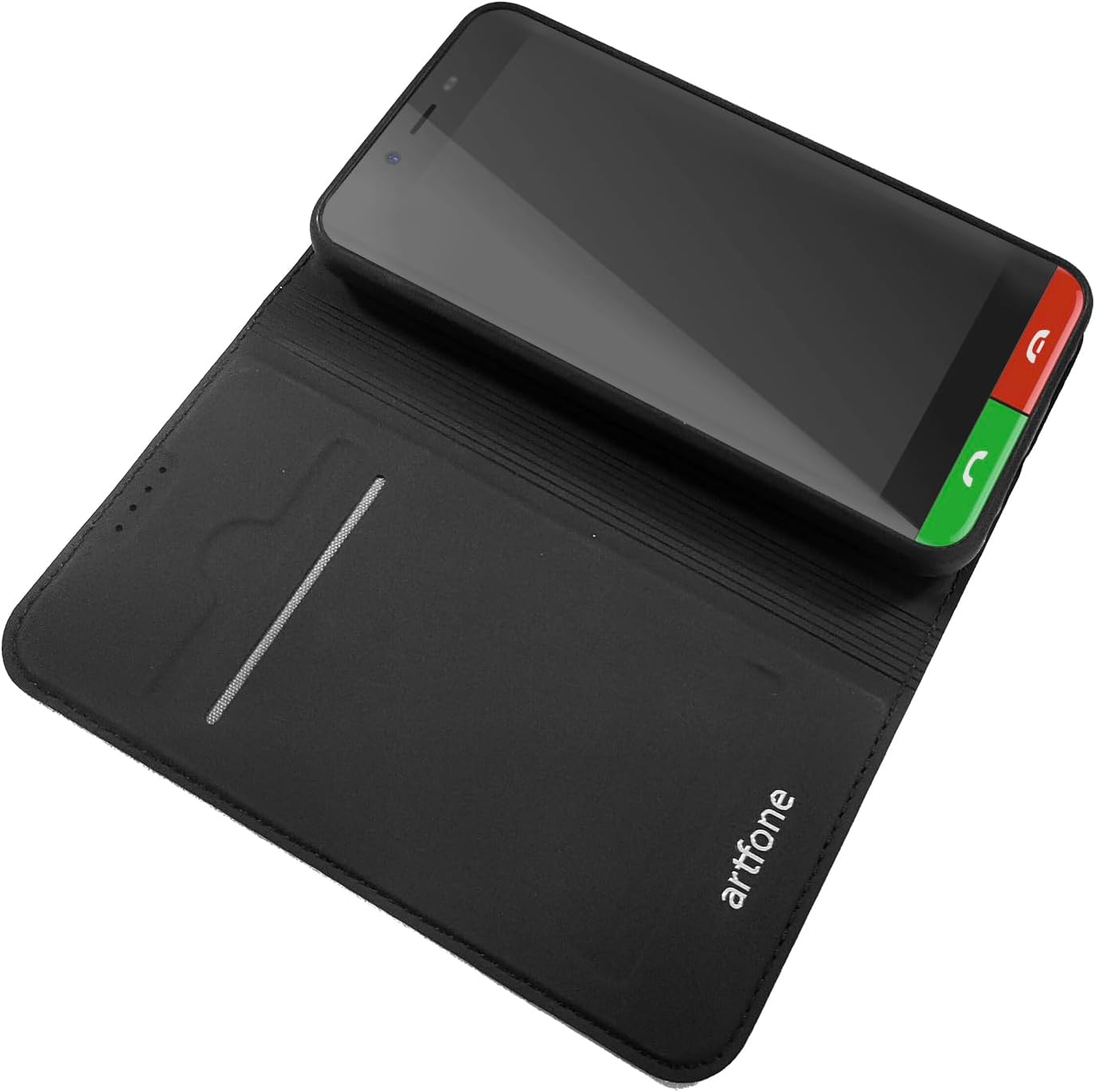
Image: The artfone Smart_500 phone case configured as a stand, showing the phone in a horizontal viewkedudukan.

Imej: Sebelah view of the artfone Smart_500 smartphone within its protective case, demonstrating easy access to side buttons.
Penjagaan dan Penyelenggaraan
- Clean the case regularly with a soft, damp kain. Elakkan bahan kimia yang keras atau pembersih yang kasar.
- Do not expose the case to extreme temperatures or direct sunlight for prolonged periods.
- Keep the magnetic closure free from metallic debris to ensure proper function.
Spesifikasi
| Ciri | Perincian |
|---|---|
| Jenama | artfone |
| Peranti Serasi | Smart_500 |
| Jenis Produk | Sarung Boleh Lipat |
| warna | Hitam |
| bahan | PU Leather, Thermoplastic Polyurethane (TPU) |
| Ciri Khas | Magnetic Closure, Card Slot, Stand Function, Smart On/Off Sensor |
| Tahap Ketahanan Air | Bukan Kalis Air |
Apa yang ada dalam Kotak
- 1 x artfone Smart_500 Phone Case
Maklumat Waranti
This product comes with a 2-year manufacturer's warranty. Please retain your proof of purchase for any warranty claims. For details on warranty coverage and terms, please refer to the official artfone webtapak atau hubungi sokongan pelanggan.
Sokongan
For further assistance, troubleshooting, or product inquiries, please visit the artfone Brand Store on Amazon or contact artfone customer service directly.


