1. Pengenalan dan Lebihview
The CORSAIR iCUE LINK LX120 RGB 120mm PWM Fans Starter Kit is designed to provide efficient cooling and vibrant RGB lighting for your PC system. This kit includes three 120mm fans, each featuring 18 RGB LEDs across dual light loops, and an iCUE LINK System Hub for simplified connectivity.
Ciri-ciri utama termasuk:
- Pencahayaan RGB yang Menakjubkan: 18 LEDs per fan across dual light loops for customizable and synchronized lighting effects.
- Effective and Efficient Cooling: PWM controlled speeds up to 2,400 RPM, delivering 69.9 CFM airflow and 5.22mm H2O static pressure.
- Kesambungan Ringkas: The iCUE LINK ecosystem allows fans to connect directly to each other with bridge connectors, reducing cable clutter.
- Teknologi Panduan Udara CORSAIR: Anti-vortex vanes concentrate airflow for optimal cooling performance.
- Operasi senyap: Magnetic Dome bearings minimize noise and friction for extended fan life.
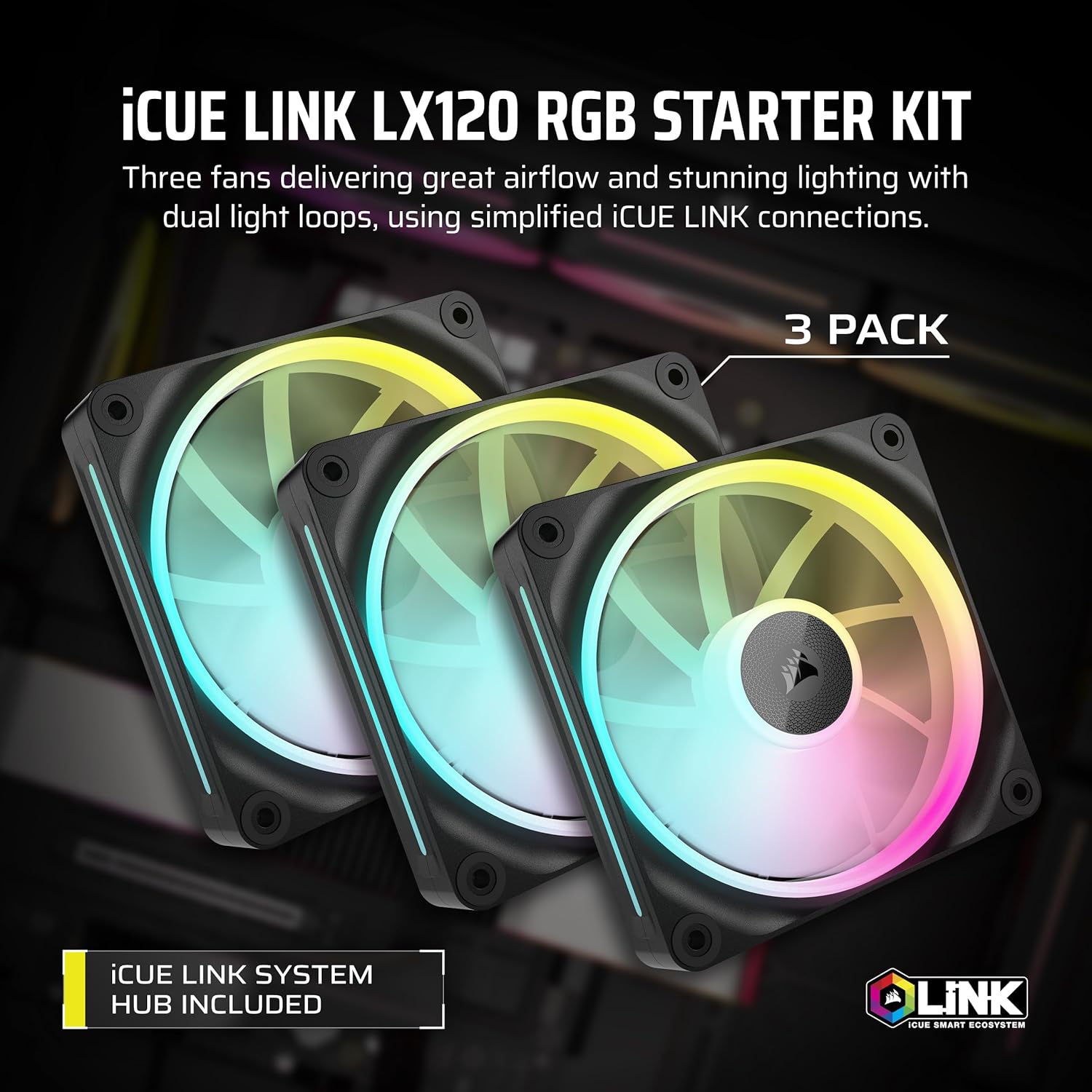
Image: Three CORSAIR iCUE Link LX120 RGB fans in a triple pack, showcasing their dual light loops and included iCUE Link System Hub.
Video: Tamat rasmiview of iCUE LINK LX RGB Fans, highlighting key features and benefits.
2. Arahan Persediaan
The iCUE LINK ecosystem simplifies PC building by reducing cable clutter. Follow these steps to set up your CORSAIR iCUE Link LX120 RGB fans:
- Connect the iCUE LINK System Hub: Connect the included iCUE LINK System Hub to your power supply using the provided PCIe 6-pin power cable and to your motherboard via a USB 2.0 header for control.
- Daisy-Chain Fans: Use the iCUE LINK bridge connectors to connect your fans directly to each other. This creates a seamless bank of fans that connect to the System Hub with a single cable. Ensure proper alignment for secure connection.
- Mount Fans: Secure the fans to your PC case or radiator using the provided QuikTurn screws. These screws are designed for easy and robust installation.
- Pengurusan Kabel: Route the single iCUE LINK cable from the last fan in your chain to one of the ports on the iCUE LINK System Hub.

Image: Close-up of an iCUE LINK connector, showing its reversible design for easy daisy-chaining.
Video: Detailed guide on setting up the iCUE LINK system, including hub and fan connections.
3. Arahan Operasi
Once physically installed, the CORSAIR iCUE Link LX120 RGB fans are controlled via the CORSAIR iCUE software. This software allows for comprehensive customization of both cooling performance and RGB lighting.
- Pasang Perisian iCUE: Muat turun dan pasang versi terkini perisian CORSAIR iCUE daripada Corsair rasmi webtapak.
- Pengesanan Peranti: Launch iCUE. The software should automatically detect your iCUE LINK System Hub and connected fans.
- Configure Cooling Profiles: Navigate to the cooling section in iCUE. You can set custom fan curves based on temperature, fixed RPM, or choose from preset modes like Quiet, Balanced, or Extreme.
- Sesuaikan Pencahayaan RGB: In the lighting effects section, select from a variety of preset lighting modes or create your own custom effects. The dual light loops and 18 LEDs per fan offer extensive customization options.

Image: CORSAIR iCUE Link LX120 RGB fan showcasing advanced lighting effects with iCUE software.
Video: In-depth review and demonstration of CORSAIR iCUE Link LX120 fans, including software control and performance.
4. Penyelenggaraan
Regular maintenance ensures optimal performance and longevity of your CORSAIR iCUE Link LX120 RGB fans.
- Penyingkiran habuk: Periodically clean fan blades and frames to prevent dust buildup, which can impede airflow and increase noise. Use compressed air or a soft brush.
- Bearing Longevity: The Magnetic Dome bearings are designed for extended life and require no lubrication. Avoid disassembling the fan hub.
- Pemeriksaan Kabel: Ensure all iCUE LINK cables and connectors are securely attached and free from damage.

Image: Diagram illustrating the low-friction Magnetic Dome Bearing technology in CORSAIR fans.
5. Penyelesaian masalah
If you encounter issues with your CORSAIR iCUE Link LX120 RGB fans, consider the following:
- Peminat Tidak Berputar/Tiada RGB:
- Check all cable connections to the iCUE LINK System Hub and between fans.
- Ensure the System Hub is receiving power from the PSU and is connected to a motherboard USB 2.0 header.
- Verify that iCUE software is running and the fans are detected. Try restarting iCUE or your PC.
- Pencahayaan RGB yang Salah:
- In iCUE, ensure the correct lighting setup is applied and that the physical order of fans matches the software configuration.
- Update iCUE software and firmware for the System Hub and fans.
- Unusual Fan Noise (Ramping):
- Update the firmware of your iCUE LINK System Hub and fans via iCUE software. Recent updates have addressed fan ramptingkah laku.
- Adjust fan curves in iCUE to a less aggressive profile (e.g., 'Quiet' or 'Balanced').
6. Spesifikasi
| Ciri | Spesifikasi |
|---|---|
| Dimensi Produk | 4.72"P x 4.72"L x 0.98"T (120mm x 120mm x 25mm) |
| Jenama | Corsair |
| Jenis Penyambung Kuasa | 4-Pin (PWM) |
| Kaedah Penyejukan | kipas |
| Peranti Serasi | Desktop |
| Tahap Kebisingan | 10 - 36 Desibel |
| bahan | Copper (likely referring to internal components, not fan frame) |
| Kelajuan Putaran Maksimum | 2400 RPM |
| Kapasiti Aliran Udara | 69.9 Kaki Kubik Seminit (CFM) |
| Tekanan Statik | 5.22 mmH2O |
| Nombor Model Item | CO-9051026-WW |
| UPC | 840006682899 |
7. Waranti dan Sokongan
CORSAIR products are designed and manufactured to the highest quality standards. This product is covered by a manufacturer's warranty. For detailed warranty information, please refer to the official Corsair webtapak atau kad jaminan yang disertakan dengan produk anda.
For technical support, troubleshooting assistance, or to access drivers and software updates, please visit the official Corsair support page:


