pengenalan
Thank you for choosing the Tracer M45 Portable Bluetooth Speaker. This manual provides essential information for the safe and efficient use of your device. Please read it thoroughly before operating the speaker and keep it for future reference.
The Tracer M45 is a versatile 45W portable Bluetooth speaker designed for high-quality audio playback from various sources, including Bluetooth-enabled devices, FM radio, and other audio inputs. It features a robust design and intuitive controls for an enhanced listening experience.
Maklumat Keselamatan
- Jangan dedahkan pembesar suara kepada air, kelembapan atau suhu yang melampau.
- Elakkan daripada menjatuhkan atau menundukkan pembesar suara kepada impak yang kuat.
- Jangan buka, baiki atau ubah suai pembesar suara sendiri. Rujuk semua servis kepada kakitangan yang berkelayakan.
- Jauhkan pembesar suara daripada sumber haba dan cahaya matahari langsung.
- Gunakan hanya kabel pengecasan dan penyesuai kuasa yang ditentukan.
- Bersihkan pembesar suara dengan kain lembut dan kering. Jangan gunakan pembersih atau pelarut yang melelas.
- Pastikan pengudaraan yang betul semasa mengendalikan pembesar suara.
Kandungan Pakej
Sila pastikan semua item ada dalam pakej:
- Tracer M45 Portable Bluetooth Speaker
- Kabel Pengecasan
- Alat Kawalan Jauh
- Manual Pengguna (dokumen ini)
Produk Selesaiview
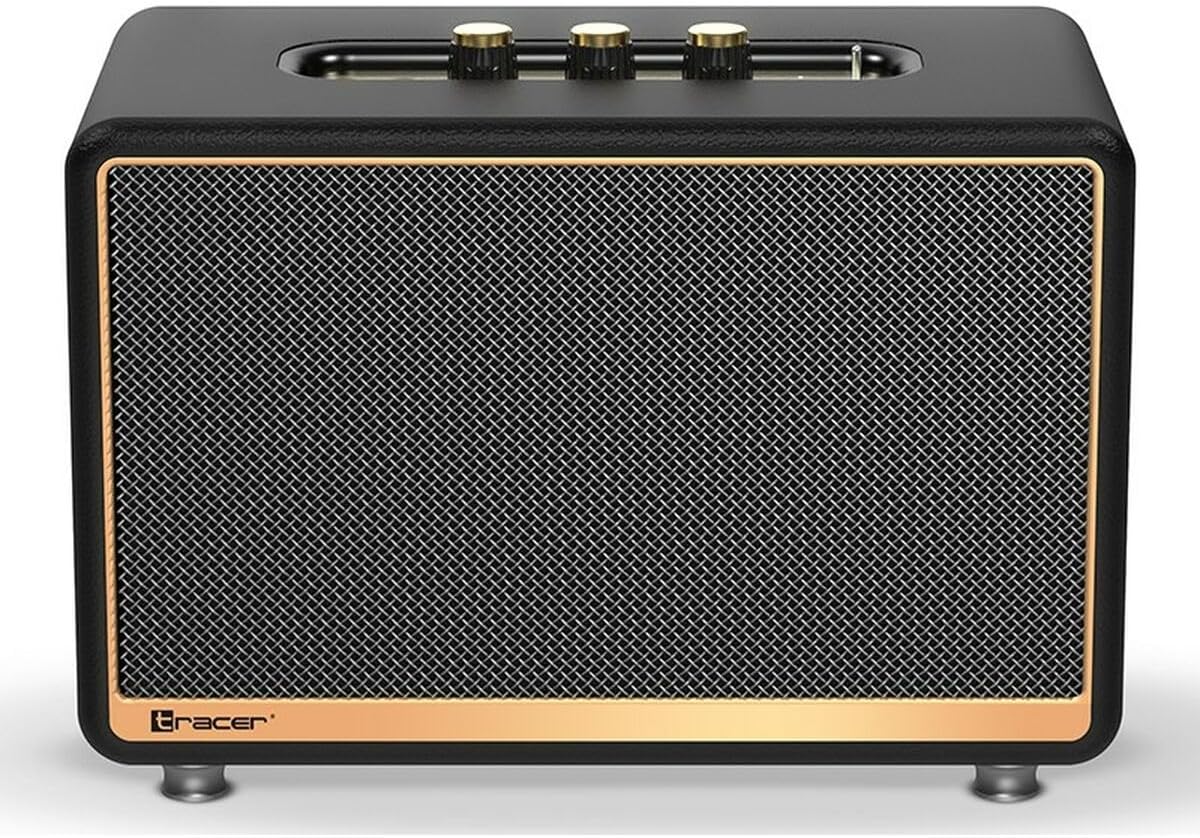
Rajah 1: Depan view of the Tracer M45 Portable Bluetooth Speaker. The speaker features a black mesh grille with a gold-colored trim, and three gold-colored control knobs are visible on the top panel. The Tracer logo is located at the bottom left of the grille.
Kawalan dan Pelabuhan
Familiarize yourself with the various controls and ports on your Tracer M45 speaker:
- Power Button/Switch: Located on the rear or top panel, used to turn the speaker ON/OFF.
- Tombol Kelantangan: Three gold-colored knobs on the top panel for adjusting volume, bass, and treble.
- Butang Mod: To switch between Bluetooth, FM Radio, and other input modes.
- Butang Main/Jeda: Untuk mengawal main balik audio.
- Butang Trek Sebelumnya/Seterusnya: For navigating through tracks or FM radio stations.
- Port Pengecasan: Untuk menyambungkan kabel pengecasan.
- Aux-in Port: Untuk menyambungkan peranti audio luaran melalui kabel audio 3.5mm.
- Port USB: (If present) For playing music from a USB drive.
- Penunjuk LED: Menunjukkan status kuasa, status pengecasan dan status berpasangan Bluetooth.
Persediaan
1. Mengisi Speaker
Before first use, fully charge the speaker. Connect the charging cable to the speaker's charging port and the other end to a suitable USB power adapter (not included) or a computer's USB port. The LED indicator will show the charging status and turn off or change color when fully charged.
2. Menghidupkan/Mematikan
To turn the speaker ON, locate the power switch/button and slide it to the "ON" position or press and hold it for a few seconds. The LED indicator will light up. To turn OFF, repeat the process.
3. Berpasangan Bluetooth
- Ensure the speaker is ON and in Bluetooth mode. If not, press the Mode button until you hear a Bluetooth pairing prompt or see the LED indicator flashing rapidly.
- Pada telefon pintar, tablet atau peranti Bluetooth anda yang lain, dayakan Bluetooth.
- Cari untuk available devices. You should see "Tracer M45" or a similar name in the list.
- Select "Tracer M45" to connect. Once paired, the speaker will indicate a successful connection (e.g., a sound prompt or steady LED light).
- The speaker will automatically reconnect to the last paired device when in range and Bluetooth is enabled.
4. Connecting via Aux-in
For devices without Bluetooth, connect a 3.5mm audio cable (not included) from your device's headphone jack to the speaker's Aux-in port. The speaker should automatically switch to Aux mode, or you may need to press the Mode button.
5. Persediaan Radio FM
To use the FM Radio function, switch the speaker to FM mode using the Mode button. For best reception, ensure the speaker is in an open area. Press and hold the Play/Pause button to auto-scan and save available FM stations. Use the Previous/Next Track buttons to navigate between saved stations.
Beroperasi
Main Semula Asas
- Main/Jeda: Tekan butang Main/Jeda sekali untuk memainkan atau menjeda audio.
- Kawalan Kelantangan: Rotate the main volume knob on the top panel to increase or decrease the volume. Use the bass and treble knobs to adjust sound equalization.
- Trek Seterusnya / Sebelumnya: Press the Next or Previous track buttons to skip to the next or previous song/station.
Menggunakan Alat Kawalan Jauh
The Tracer M45 comes with a remote control for convenient operation. Ensure the remote has working batteries. The remote allows you to control power, mode, volume, track navigation, and FM radio functions from a distance.
Penyelenggaraan
- Pembersihan: Wipe the speaker's surface with a soft, dry, lint-free cloth. Do not use liquid cleaners, sprays, or solvents.
- Storan: Apabila tidak digunakan untuk tempoh yang lama, simpan pembesar suara di tempat yang sejuk dan kering, jauh dari cahaya matahari langsung dan suhu yang melampau.
- Penjagaan Bateri: Untuk memanjangkan hayat bateri, elakkan daripada menyahcas sepenuhnya bateri dengan kerap. Cas pembesar suara dengan kerap, walaupun tidak digunakan.
Menyelesaikan masalah
| Masalah | Kemungkinan Punca | Penyelesaian |
|---|---|---|
| Speaker tidak dihidupkan. | Bateri hampir habis atau habis. | Cas pembesar suara sepenuhnya. |
| Tidak boleh berpasangan melalui Bluetooth. | Pembesar suara tidak berada dalam mod berpasangan; Bluetooth dimatikan pada peranti; peranti terlalu jauh. | Pastikan pembesar suara berada dalam mod gandingan Bluetooth. Hidupkan Bluetooth pada peranti anda. Alihkan peranti lebih dekat dengan pembesar suara (dalam jarak 10 meter). |
| Tiada bunyi. | Volume is too low; incorrect input mode; device not playing. | Increase speaker and device volume. Check if the correct input mode (Bluetooth, Aux) is selected. Ensure audio is playing on the connected device. |
| Penerimaan radio FM yang lemah. | Isyarat lemah; gangguan. | Relocate the speaker to an area with better signal. Perform auto-scan again. |
Spesifikasi
| Ciri | Perincian |
|---|---|
| Nombor Model | S9174238 |
| Jenama | Pengesan |
| Teknologi Ketersambungan | Bluetooth 5.0 |
| Kuasa Output Maksimum | 45 Watt |
| Jenis Pembesar Suara | Portable Bluetooth Speaker (with Subwoofer component) |
| Mod Keluaran Audio | ASAS |
| Jenis Pemasangan | Meja Papan |
| Ciri Khas | Wireless, LED Indicator, ON/OFF Switch, FM Radio |
| Penggunaan yang Disyorkan | For computer, For smartphone or tablet |
| Jenis Pengawal | Alat Kawalan Jauh |
| warna | Hitam |
| Dimensi Produk (L x W x H) | 22 x 20 x 32 cm (8.66 x 7.87 x 12.6 inci) |
| Berat badan | 4.04 kg (8.9 lbs) |
Waranti dan Sokongan
Tracer products are designed and manufactured to the highest quality standards. For information regarding warranty coverage, please refer to the warranty card included with your product or visit the official Tracer webtapak. Simpan resit pembelian anda sebagai bukti pembelian.
For technical support, troubleshooting assistance, or service inquiries, please contact Tracer customer support through their official channels. Contact information can typically be found on the product packaging or the manufacturer's webtapak.
Nota: Terma dan syarat jaminan mungkin berbeza mengikut wilayah.


