1. Pengenalan
Si Hitamview Tab 90WiFi is an advanced 11-inch Android 15 tablet designed for versatile use, from entertainment to productivity. It features a powerful Octa-core UMS9230 processor, a vibrant IPS display with Widevine L1 support, and a long-lasting 8200mAh battery. This manual provides essential information to help you get started and make the most of your device.

Figure 1.1: Blackview Tab 90WiFi 11-inch Android 15 Tablet (Gray model shown).
Video 1.1: Tamat rasmiview daripada Hitamview Tablet 11 inch Android 14 Tablets Tab 90WiFi, highlighting key features and design.
Ciri-ciri Utama:
- Sistem pengendalian: Android 15 with upgraded privacy permissions and personalization options.
- Pemproses: Octa-core UMS9230 for smooth multi-tasking.
- paparan: 11-inch Incell HD display (1280x800 pixels) with 83% screen-to-body ratio and TÜV certification for reduced visual fatigue. Supports Widevine L1 for HD streaming.
- Memori & Storan: 12GB RAM (4GB physical + 8GB virtual) and 128GB ROM, expandable up to 2TB via TF card.
- Kamera: 13MP rear AI camera and 8MP front camera.
- Bateri: 8200mAh large battery with 10W USB-PD fast charging.
- Ketersambungan: 5G WiFi and Bluetooth 5.0.
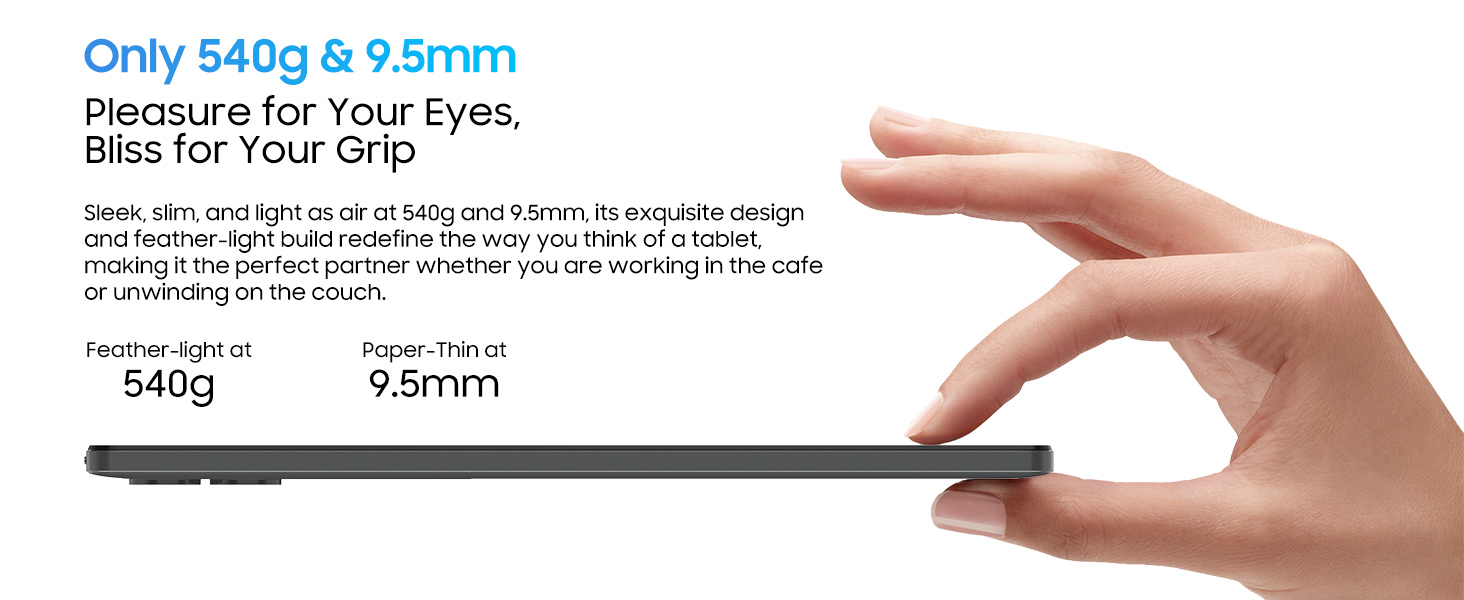
- Reka bentuk: Stylish all-metal body, 9.5mm thin, and weighs 540 grams.
2. Apa yang ada di dalam Kotak
Setelah membuka kotak Hitam andaview Tab 90WiFi, please ensure all the following items are present:
- Hitamview Tab 90WiFi Tablet
- Kabel USB
- Penyesuai Kuasa
- Manual Pengguna
3. Persediaan Awal
3.1 Menghidupkan/Mematikan
To power on your tablet, press and hold the Butang Kuasa (located on the left side when holding the tablet in landscape mode) for 3-5 seconds until the Blackview logo appears. To power off, press and hold the Butang Kuasa until a power-off menu appears, then select 'Power off'.
3.2 Tatarajah Awal
Setelah dihidupkan pertama, tablet akan membimbing anda melalui wizard persediaan awal. Ikuti gesaan pada skrin untuk:
- Select your language (English is default).
- Sambung ke rangkaian Wi-Fi.
- Sign in with your Google account (or create one).
- Sediakan kunci skrin (PIN, corak, kata laluan atau ID Wajah).
- Choose navigation preference (gestural or 3-button navigation).
3.3 Memasukkan Kad TF (Pilihan)
To expand storage, insert a TF (microSD) card into the dedicated slot. Use the provided SIM removal tool to open the card tray located on the right side of the tablet. Carefully place the TF card into the tray, ensuring correct orientation, and reinsert the tray into the tablet.
Rajah 3.1: Sisi view of the tablet illustrating the USB-C port, headphone jack, and TF card slot.
4. Mengendalikan Tablet Anda
4.1 Navigasi Asas
Navigate the Android 15 interface using either gestural controls (swipes from edges) or the traditional 3-button navigation bar at the bottom of the screen (Back, Home, Recents). You can switch between these options in the tablet's settings under 'Gestures & Keys'.
4.2 Pengurusan Sistem
The pre-installed Pengurus Sistem app allows you to optimize tablet performance, free up storage space, manage power saving modes, and control app permissions. Regularly use this feature to maintain optimal device health.
4.3 Penggunaan Apl
- Gedung Google Play: Access millions of apps, games, movies, and books.
- notebook: A versatile app for drawing, typing, or recording audio notes.
- Kalkulator: Includes standard and scientific functions.
- Radio FM: Requires wired headphones (not included) to act as an antenna.
- Pejabat WPS: Pre-installed suite for document, presentation, and spreadsheet creation.
4.4 Penggunaan Media
The 11-inch IPS display and Widevine L1 support ensure a high-quality viewing experience for streaming services like Netflix, Disney+, and Hulu. Dual Smart-K Box Speakers provide immersive audio.

Figure 4.1: Widevine L1 support enables high-definition streaming from popular platforms.
4.5 Ciri-ciri Produktiviti
- Mod PC: Transform your tablet into a productivity powerhouse, ideal for work and study.
- Skrin Pisah: Utilize Split View 2.0 for seamless multitasking, allowing two apps to run side-by-side.
- Sokongan Stylus: Enhance note-taking and drawing with compatible stylus devices (stylus not included).
4.6 Penggunaan Kamera
The tablet is equipped with a 13MP rear AI camera and an 8MP front camera. The camera app allows you to switch between photo and video modes, adjust aspect ratios, and fine-tune focus and brightness. The AI features enhance portrait clarity and image realism.

Figure 4.2: The 13MP rear camera and 8MP front camera capture moments in stunning detail.
5. Penyelenggaraan
5.1 Bateri dan Pengecasan
The 8200mAh battery provides extended usage. For optimal battery life, use the included 10W USB-PD fast charger. It takes approximately 3 hours to fully charge the tablet. Avoid exposing the tablet to extreme temperatures.

Figure 5.1: The 8200mAh battery ensures extended usage without frequent recharging.
5.2 Kemas Kini Perisian
Ensure your tablet is connected to Wi-Fi to receive and install system updates. Regular updates provide performance improvements, enhanced privacy protection, new features, and advanced security measures.
5.3 Pembersihan dan Penjagaan
Use a soft, lint-free cloth to clean the screen and body of the tablet. Avoid using harsh chemicals or abrasive materials. Keep the tablet away from water and excessive dust.
6. Penyelesaian masalah
6.1 Isu dan Penyelesaian Biasa
- Tablet tidak boleh dihidupkan: Pastikan bateri telah dicas. Sambungkan ke penyesuai kuasa dan cuba lagi.
- Isu sambungan Wi-Fi: Check if Wi-Fi is enabled in settings. Restart your router and the tablet.
- Apl ranap atau beku: Close the app and reopen it. Clear the app's cache in settings (Apps & notifications > App info > Storage & cache > Clear cache).
- Prestasi perlahan: Use the System Manager to optimize performance and free up space. Close unnecessary background apps.
- Screen rotation not working: Check if auto-rotate is enabled in quick settings or display settings.
7. Spesifikasi
| Ciri | Spesifikasi |
|---|---|
| Jenama | Hitamview |
| Nama Model | Tab 90WiFi |
| Sistem Operasi | Android 14 (Boleh dinaik taraf kepada Android 15) |
| Saiz Skrin | 11 Inci |
| Resolusi Skrin | 1280 x 800 Pixels (HD Incell Display) |
| Pemproses | Unisoc UMS9230 Octa-core 1.6 GHz |
| RAM | 12 GB (4GB fizikal + 8GB maya) |
| Saiz Memori Denyar | 128 GB |
| Storan Boleh Dikembangkan | Sehingga 2TB (Kad TF) |
| belakang Webresolusi cam | 13 MP |
| Depan Webresolusi cam | 8 MP |
| Kapasiti Bateri | 8200 mAh |
| Jenis Wayarles | 802.11a/b/g/n/ac (5G WiFi) |
| Bluetooth | Bluetooth 5.0 |
| Berat Barang | 2.16 paun (lebih kurang 540 gram) |
| Dimensi Produk | 10.5 x 7.2 x 0.29 inci (lebih kurang 256.9 x 168.5 x 9.5 mm) |
8. Waranti dan Sokongan
Every Blackview Tab 90WiFi tablet comes with a Waranti 720 hari tanpa kebimbangan. Hitamview products undergo strict examination and high-quality testing processes to ensure a great user experience. Users can enjoy free repair warranty and lifetime technician support.
Menghubungi Sokongan:
If you have any questions or require assistance, please contact Blackview customer service through the Amazon order page. Support is available 24 hours a day.

Figure 8.1: Blackview offers a 2-year warranty and lifetime technical support.


