1. Pengenalan
This manual provides essential instructions for the safe and efficient installation, operation, and maintenance of the Philips Xitanium LED Driver, Model 143070-300. This device is designed to power LED lighting systems, converting high voltage AC input into a stable DC output suitable for LED modules. Please read this manual thoroughly before installation and keep it for future reference.
2. Maklumat Keselamatan
AMARAN: Risk of electric shock. Installation should be performed by a qualified electrician in accordance with all national and local electrical codes.
- Disconnect power at the circuit breaker before installing or servicing.
- Pastikan pembumian yang betul untuk mengelakkan kejutan elektrik.
- Jangan melebihi vol input yang ditentukantage or output current ratings.
- Do not attempt to open or modify the driver. There are no user-serviceable parts inside.
- Keep the driver away from water, moisture, and flammable materials.
- Ensure adequate ventilation around the driver to prevent overheating.
3. Produk Lebihview
The Philips Xitanium LED Driver (Model 143070-300) is a high-performance, constant current LED driver designed for reliable operation in various lighting applications. It features a wide input voltage range and precise output current control.
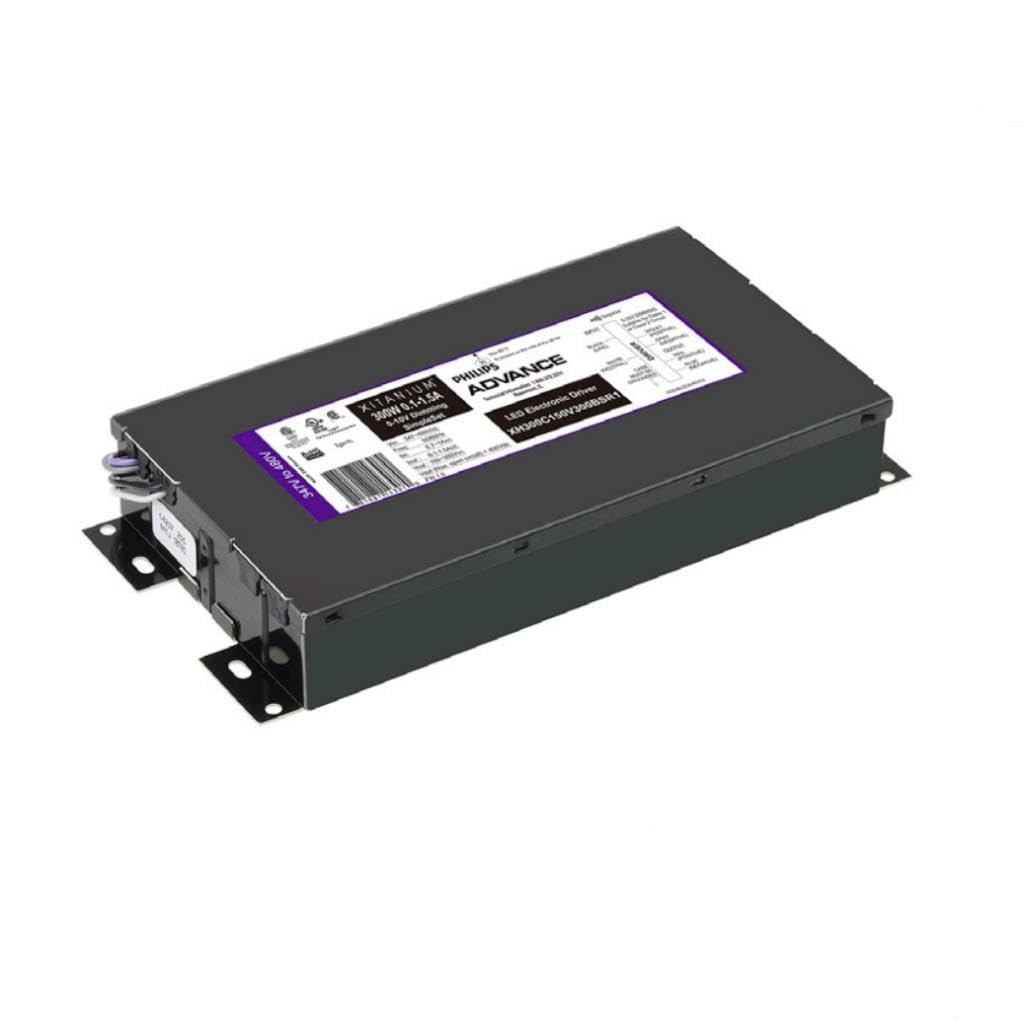
Rajah 1: Depan view of the Philips Xitanium LED Driver, Model 143070-300. This image shows the compact rectangular housing of the LED driver, typically black or metallic gray, with product labels visible on the top surface. The labels indicate the model number, electrical ratings, and safety certifications. The input and output terminals are usually located on the ends of the unit, though not clearly visible in this general front view.
Ciri-ciri utama termasuk:
- High efficiency for energy savings.
- Robust design for extended lifespan.
- Suitable for 347/480V AC input applications.
- Constant current output for stable LED performance.
4. Persediaan & Pemasangan
Before beginning installation, ensure all power is disconnected at the main circuit breaker. Refer to local and national electrical codes for proper wiring practices.
4.1 Pemasangan
Mount the LED driver securely to a flat, stable surface using appropriate fasteners. Ensure there is sufficient clearance around the driver for proper heat dissipation. Avoid mounting in enclosed spaces without ventilation.
4.2 Sambungan Pendawaian
Identify the input (AC) and output (DC) terminals on the driver. The driver typically has clearly marked terminals for Line (L), Neutral (N), and Ground (GND) for AC input, and positive (+) and negative (-) for DC output.
- Connect the AC input wires from the power source to the corresponding input terminals (L, N, GND) on the driver. Ensure correct voltage (347V or 480V AC) is supplied.
- Connect the DC output wires from the driver to the LED module(s). Ensure correct polarity (+ to + and - to -).
- Sahkan semua sambungan selamat dan terlindung dengan betul.
Note: Consult the wiring diagram provided with your specific LED fixture or module for detailed connection instructions.
5. Arahan Operasi
Once installation is complete and all connections are verified, restore power at the circuit breaker. The LED driver will automatically power the connected LED modules. No user adjustments are typically required for standard operation.
- Hidupkan kuasa: Apply AC power to the input terminals. The connected LEDs should illuminate.
- Matikan: Disconnect AC power from the input terminals. The connected LEDs will turn off.
For dimming functionality, if supported by your specific driver model and LED modules, refer to the separate dimming control instructions.
6. Penyelenggaraan
The Philips Xitanium LED Driver is designed for maintenance-free operation. However, periodic inspection is recommended to ensure optimal performance and safety.
- Pembersihan: Ensure power is off before cleaning. Gently wipe the exterior of the driver with a dry, soft cloth. Do not use liquid cleaners or solvents.
- Pemeriksaan: Periodically check for any visible damage to the housing or wiring. Ensure all connections remain secure. Verify that ventilation openings are not obstructed.
Do not attempt to repair the driver. If the unit is damaged or malfunctioning, contact qualified service personnel or Philips support.
7. Penyelesaian masalah
If the LED driver or connected LEDs are not functioning as expected, refer to the following common issues and solutions:
| Masalah | Kemungkinan Punca | Penyelesaian |
|---|---|---|
| LEDs do not illuminate. | No AC input power. Pendawaian yang tidak betul. Modul LED rosak. Driver failure. | Periksa pemutus litar dan bekalan kuasa. Verify all input and output connections. Test LED module with a known good driver. Replace driver if other components are functional. |
| LEDs flicker or dim unexpectedly. | Voltan input AC tidak stabiltage. Sambungan longgar. Terlalu panas. Pemalap yang tidak serasi (jika berkenaan). | Pastikan bekalan kuasa stabil. Periksa dan selamatkan semua sambungan pendawaian. Pastikan pengudaraan yang mencukupi. Sahkan keserasian dimmer. |
| Driver is hot to the touch. | Pengudaraan tidak mencukupi. Lebihan beban. Suhu persekitaran yang tinggi. | Improve airflow around the driver. Ensure total LED load does not exceed driver capacity. Relocate driver to a cooler environment if possible. |
Jika langkah penyelesaian masalah tidak menyelesaikan masalah, hubungi khidmat pelanggan Philips.
8. Spesifikasi
The following specifications apply to the Philips Xitanium LED Driver, Model 143070-300:
| Ciri | Perincian |
|---|---|
| Nombor Model | 143070-300 (XI SS 300W 0.1-1.5A 300V 347-480V R) |
| Input Voltage | 347-480V AC |
| Kuasa Keluaran | 300 Watt |
| Julat Arus Keluaran | 0.1-1.5 Amps (Constant Current) |
| Keluaran Voltage | Sehingga 300V DC |
| Penilaian Semasa | 1.5 Amps |
| Jenama | Philips |
| ASIN | B0D2RPMTVZ |
| UPC | 781087143070 |
9. Maklumat Waranti
Philips products are manufactured to the highest quality standards. This Philips Xitanium LED Driver is covered by a limited warranty. For specific warranty terms and conditions applicable to your region and product, please refer to the official Philips Lighting website or contact Philips customer support. Keep your purchase receipt as proof of purchase for warranty claims.
10. Sokongan Pelanggan
For technical assistance, product inquiries, or warranty service, please contact Philips customer support. You can find contact information, including phone numbers and online support portals, on the official Philips Lighting webtapak:
Visit Philips Lighting Support Webtapak
Please have your product model number (143070-300) and purchase date available when contacting support.