1. Pengenalan
Thank you for choosing the Tronsmart KH02 Kids Wireless Headphones. This manual provides detailed instructions for setting up, operating, maintaining, and troubleshooting your headphones to ensure a safe and enjoyable listening experience for children.
2. Apa yang ada di dalam Kotak
- 1 x Tronsmart KH02 Wireless Kids Headphones
- 1 x Kad Waranti
- 1 x Manual Pengguna
- 1 x Kabel Jenis-C
- 1 x Kabel Aux-in
3. Produk Lebihview
The Tronsmart KH02 headphones are designed for children, featuring a volume limit function, long battery life, and a comfortable, durable design. They support both wireless (Bluetooth) and wired (3.5mm Aux-in) connections.

Image: Tronsmart KH02 Kids Wireless Headphones in Princess Pink, showcasing reka bentuk keseluruhan.
Video: Tamatview of the Tronsmart KH02 Wireless Kids Headphones, highlighting features like portability, durability, comfortable fit, safe volume control, long playtime, and dual mode (wireless/wired).
4. Persediaan dan Sambungan
4.1 Mengecas Fon Kepala
Before first use, fully charge the headphones. Connect the provided Type-C cable to the charging port on the headphones and the other end to a USB power source. A full charge takes approximately 2 hours and provides up to 45 hours of playtime.

Image: A child enjoying music with Tronsmart KH02 headphones, emphasizing the 45-hour battery life.
4.2 Sambungan Tanpa Wayar (Bluetooth)
- Hidupkan kuasa: Press and hold the 'Multifunction' button for 2 seconds to turn on the headphones. The indicator light will flash, indicating pairing mode.
- Dayakan Bluetooth: Pada peranti anda (telefon pintar, tablet, dll.), pergi ke tetapan Bluetooth dan pastikan Bluetooth didayakan.
- pasangan: Cari untuk "Tronsmart KH02" in the list of available devices and select it to connect. Once connected, the indicator light will stop flashing.
Video: Demonstrates how to operate the Tronsmart KH02 Wireless Kids Headphones, including power on, Bluetooth pairing, music control, and call management.

Image: Tronsmart KH02 headphones demonstrating wireless connectivity with a smartphone.
4.3 Wired Connection (3.5mm Aux-in)
To use the headphones in wired mode, simply plug the provided 3.5mm Aux-in cable into the headphone's audio jack and the other end into your device's 3.5mm audio output. This mode is useful when the battery is depleted or for devices without Bluetooth connectivity.

Image: Children using Tronsmart KH02 headphones in both wireless and wired modes.
5. Arahan Operasi
5.1 Kawalan Asas
- Hidupkan/Mati Kuasa: Press and hold the 'Multifunction' button for 2 seconds.
- Main/Jeda Muzik: Press the 'Multifunction' button once.
- Kelantangan: Press the 'Volume +' button once.
- Perlahankan suara: Press the 'Volume -' button once.
- Lagu Seterusnya: Press and hold the 'Volume +' button for 2 seconds.
- Trek Sebelumnya: Press and hold the 'Volume -' button for 2 seconds.
- Jawab/Tamatkan Panggilan: Press the 'Multifunction' button once.
- Tolak Panggilan: Double-press the 'Multifunction' button.
5.2 Volume Limit Control
The headphones feature a three-level volume control switch to protect children's hearing. You can select between 74dB, 85dB, and 93dB depending on the environment and age of the child. Adjust the switch located on the earcup to your desired volume limit.

Image: Visual representation of the volume limit settings (74dB for sleep, 85dB for study, 93dB for travel).
5.3 Built-in HD Microphone
The integrated HD microphone allows for clear, hands-free calls, making the headphones suitable for online learning or communication.

Image: Child using headphones with a laptop, highlighting the built-in HD microphone.
6. Penyelenggaraan
6.1 Pembersihan
Wipe the headphones with a soft, dry cloth. Do not use abrasive cleaners or solvents. Keep the charging port and audio jack free of dust and debris.
6.2 Penyimpanan
The headphones feature a foldable design for compact storage and portability. When not in use, fold them to save space and protect them from damage. Store in a cool, dry place away from extreme temperatures.

Image: Features of the Tronsmart KH02 headphones, including adjustable headband, soft ear pads, eco-friendly materials, and foldable design.
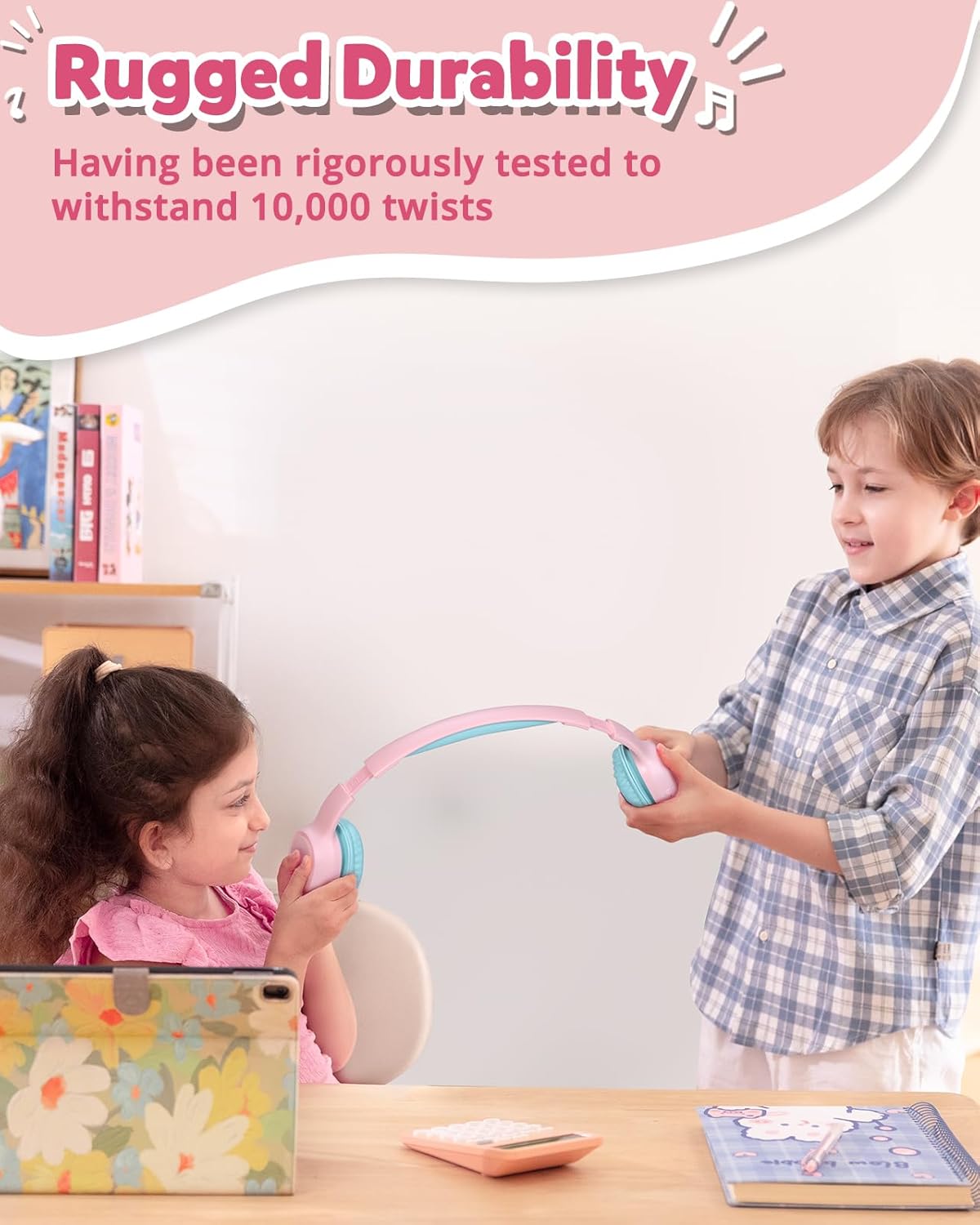
Image: Children demonstrating the durability and flexibility of the headphones' headband.
7. Penyelesaian masalah
- Fon kepala tidak dihidupkan: Pastikan fon kepala dicas sepenuhnya.
- Tidak boleh berpasangan dengan peranti:
- Pastikan Bluetooth didayakan pada peranti anda dan fon kepala berada dalam mod berpasangan.
- Gerakkan fon kepala lebih dekat dengan peranti anda.
- Try resetting the headphones by pressing and holding the 'Multifunction' and 'Volume +' buttons simultaneously for 5 seconds.
- Tiada bunyi atau kelantangan rendah:
- Semak tahap kelantangan pada kedua-dua fon kepala dan peranti anda yang disambungkan.
- Pastikan fon kepala disambungkan dengan betul (Bluetooth atau berwayar).
- Verify the volume limit switch is set to an appropriate level.
- Kualiti panggilan yang lemah: Ensure the microphone is not obstructed and you are in an area with good signal strength.
8. Spesifikasi
| Ciri | Perincian |
|---|---|
| Nama Model | KH02 |
| Teknologi Ketersambungan | Wayarles (Bluetooth 5.3) |
| Jack Fon Kepala | Jack 3.5 mm |
| Had Kuantiti | 74dB, 85dB, 93dB |
| Hayat Bateri | Sehingga 45 Jam |
| Masa Mengecas | 2 Jam |
| Mikrofon Terbina dalam | Yes (HD Mic) |
| Reka Bentuk Boleh Dilipat | ya |
| Destar boleh laras | Yes (Four levels) |
| Bahan Pad Telinga | Imitation Protein Leather |
| bahan | Eco-friendly Plastic |
| Berat Barang | 5.9 auns |
| Dimensi Produk | 6.17 x 2.89 x 7.07 inci |
| Julat Bluetooth | 49 Kaki |
| Respons Kekerapan | 20 Hz |
| Sensitiviti | 93 dB |
| Impedans | 8 ohm |
9. Waranti dan Sokongan
The Tronsmart KH02 Kids Wireless Headphones come with a Warranty Card. Please refer to the card for specific warranty terms and conditions. For product support, technical assistance, or further inquiries, please contact Tronsmart customer service through their official webtapak atau peruncit tempat produk itu dibeli.


