1. Pengenalan
This manual provides detailed instructions for the safe and effective operation, maintenance, and troubleshooting of your Acebeam Terminator M2-X Dual Head Spot/Flood EDC Flashlight. Please read this manual thoroughly before using the product to ensure optimal performance and longevity.
2. Arahan Keselamatan
- Perlindungan Mata: Do not shine the flashlight directly into eyes. The powerful beam can cause temporary vision impairment or permanent damage.
- Amaran Panas: The flashlight may become hot during prolonged use at high output levels. Handle with care to avoid burns.
- Keselamatan Bateri:
- Use only the recommended 18650 Lithium-Ion battery.
- Jangan buka, tebuk atau litar pintas bateri.
- Jauhkan bateri daripada air dan api.
- If the battery is damaged or leaking, discontinue use immediately.
- Kanak-kanak: Jauhkan daripada kanak-kanak.
- Pembongkaran: Do not attempt to disassemble the flashlight head or body, as this may damage the device and void the warranty.
3. Kandungan Pakej
Upon opening your Acebeam Terminator M2-X package, please verify that all items are present and in good condition.
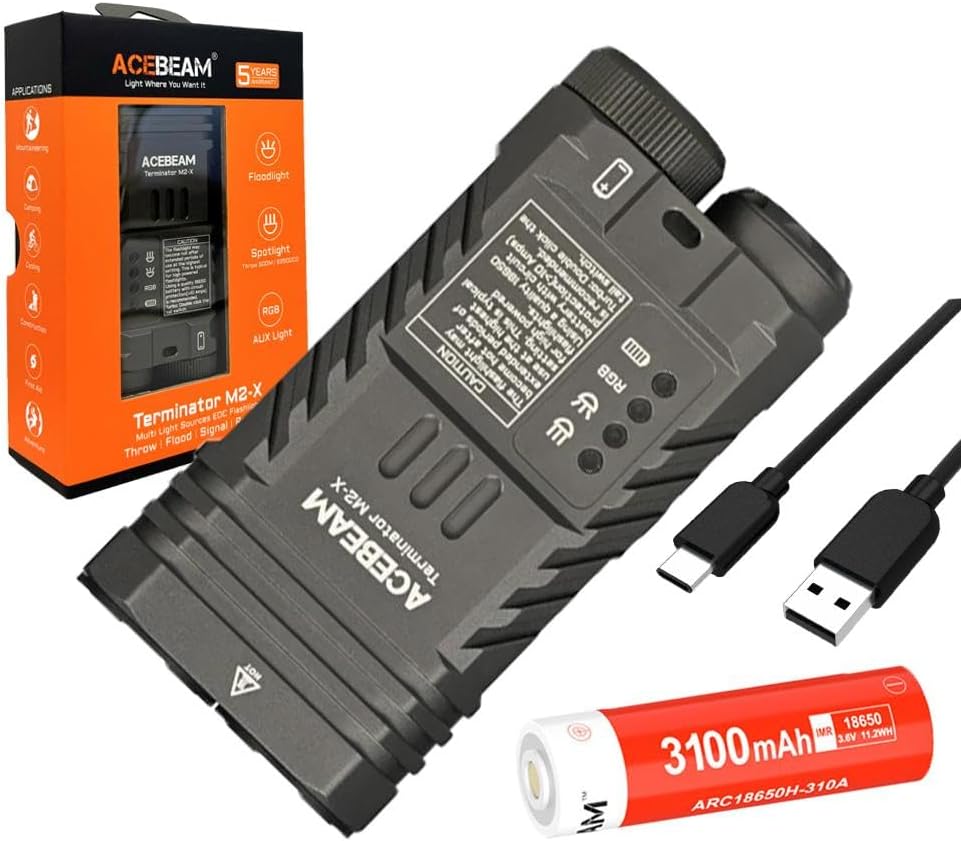
Rajah 3.1: The Acebeam Terminator M2-X flashlight, an included 3100mAh 18650 battery, and two USB-C charging cables.
- Acebeam Terminator M2-X Flashlight
- Acebeam ARC18650H-310A 3100mAh 18650 Li-ion Battery (with integrated USB-C charging port)
- Kabel Pengecas USB-C
- Manual Pengguna (dokumen ini)
- Lanyard (if included)
- Spare O-rings (if included)
4. Produk Lebihview
The Acebeam Terminator M2-X is a compact, dual-head EDC (Everyday Carry) flashlight featuring both a floodlight and a spotlight, along with auxiliary RGB lights. It is designed for versatility in various lighting scenarios.

Rajah 4.1: The compact design and dimensions of the M2-X, suitable for everyday carry.
4.1 Ciri-ciri Utama
- Sumber Cahaya Dwi: Independent floodlight and spotlight for varied illumination needs.
- High CRI Floodlight: Nichia 519A 5000K High CRI90 LEDs for accurate color rendering.
- Sorotan Kuat: Long-range beam for distant illumination.
- Auxiliary RGB Lights: Multiple color options and signal modes.
- Reka bentuk padat: Durable aluminum construction with a detachable body clip for easy carry.
4.2 Komponen

Rajah 4.2: Terperinci view of the floodlight (left) and spotlight (right) heads.
- Floodlight Head: Contains 3x Nichia 519A 5000K High CRI90 LEDs.
- Spotlight Head: Single LED for focused, long-distance beam.
- Auxiliary Light Emitters: Located within the floodlight head for RGB functions.
- Suis Ekor: For power on/off and brightness adjustment.
- Butang Sisi: For switching between floodlight, spotlight, and auxiliary light modes.
- Penutup Bateri: Removable for battery access.
- Body Clip: Detachable stainless steel clip for secure attachment.
5. Persediaan
5.1 Pemasangan Bateri
- Tanggalkan penutup ekor lampu suluh dengan memusingkannya lawan arah jam.
- Insert the included Acebeam 18650 battery with the positive (+) terminal facing towards the flashlight head.
- Screw the tail cap back on clockwise, ensuring it is tightened completely. The flashlight will not operate if the tail cap is not fully secured.
5.2 Pengecasan Awal
The included 18650 battery features an integrated USB-C charging port. It is recommended to fully charge the battery before first use.
- Locate the USB-C port on the side of the 18650 battery.
- Connect the provided USB-C cable to the battery's port and to a USB power source (e.g., wall adapter, computer USB port).
- The indicator light on the battery will show charging status (typically red for charging, green for fully charged).
- Once fully charged, disconnect the cable and reinsert the battery into the flashlight.
6. Arahan Operasi
The Acebeam Terminator M2-X features a tail switch for power and brightness, and a side button for mode selection (Floodlight, Spotlight, Auxiliary Light).
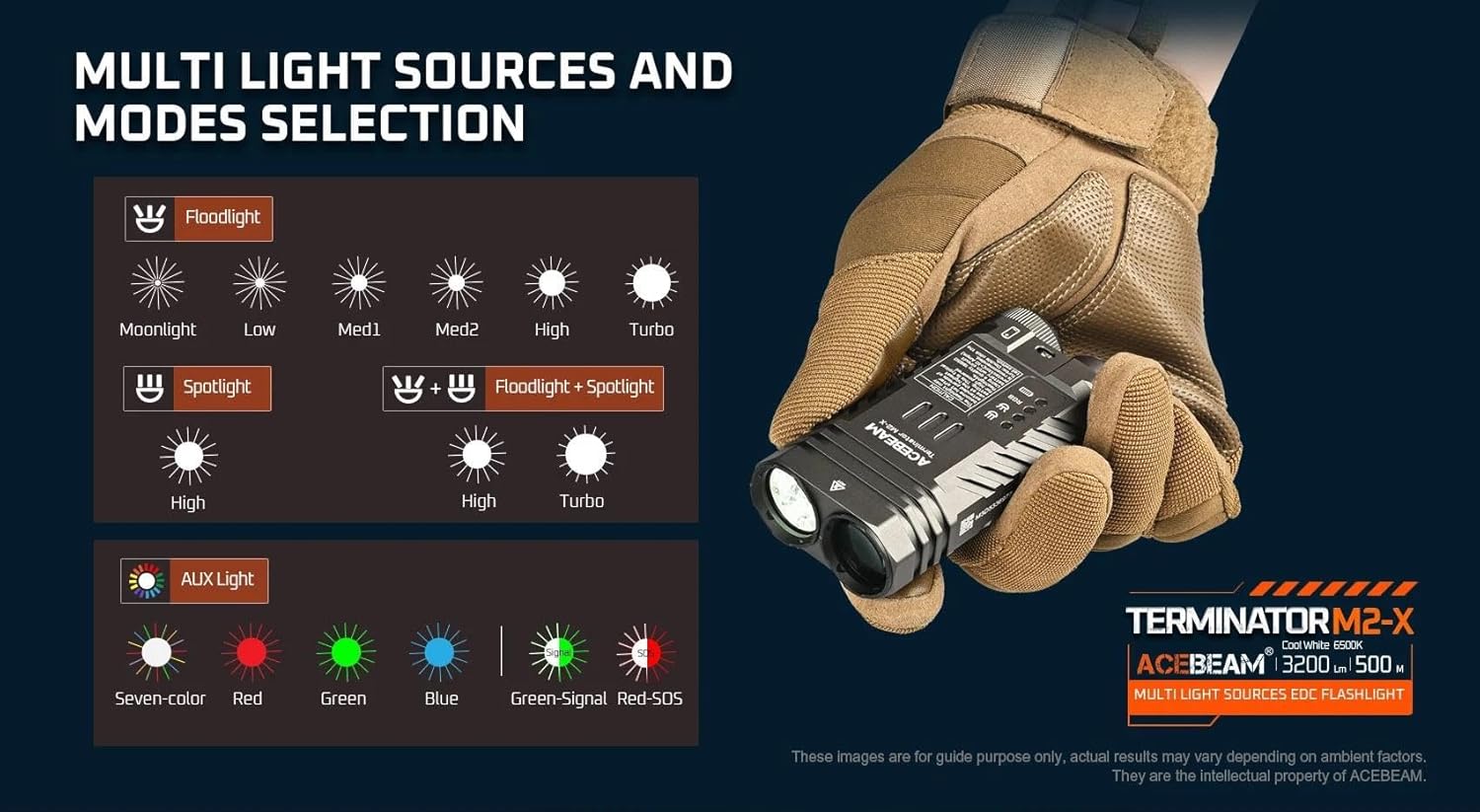
Rajah 6.1: Berakhirview of multi-light sources and mode selection.
6.1 Basic Operation (Tail Switch)
- HIDUP/MATI Kuasa: Single click the tail switch to turn the flashlight ON or OFF.
- Brightness Adjustment (Floodlight/Spotlight): When the light is ON, press and hold the tail switch to cycle through brightness levels (Moonlight, Low, Med1, Med2, High, Turbo for Floodlight; High for Spotlight). Release the switch at your desired level. The light will memorize the last used brightness level for Floodlight and Spotlight independently.
- Turbo Segera: From OFF, press and hold the tail switch for approximately 1 second to activate Turbo mode directly. Release to turn OFF.
- Moonlight Mode (Floodlight only): From OFF, press and hold the tail switch for approximately 0.5 seconds to activate Moonlight mode.
6.2 Mode Selection (Side Button)
The side button controls which light source is active (Floodlight, Spotlight, or Auxiliary Light).
- Switching Main Modes: Single click the side button to cycle between Floodlight, Spotlight, and Auxiliary Light modes. The flashlight will remember the last selected mode.
- Floodlight + Spotlight (Combined Mode): From either Floodlight or Spotlight mode, double-click the side button to activate both simultaneously. Double-click again to return to the previous single mode.
- Strobe (Floodlight): From Floodlight mode, triple-click the tail switch to activate Strobe. Single click the tail switch to turn OFF.
6.3 Mod Lampu Bantu
When in Auxiliary Light mode (selected via the side button), the tail switch controls the RGB light functions.

Rajah 6.2: Available auxiliary light modes.
- Cycling RGB Colors: With the auxiliary light ON, single click the tail switch to cycle through: Seven-color automatic cycle, Red, Green, Blue, Green-Signal Light, Red-SOS.
- Turning OFF Auxiliary Light: Press and hold the tail switch while in Auxiliary Light mode to turn it OFF.
6.4 Penunjuk Aras Bateri
The M2-X features an indicator light to show battery status. This indicator typically turns red when the battery charge drops below 20%.
7. Penyelenggaraan
- Pembersihan: Bersihkan badan lampu suluh dengan lembut, damp kain. Jangan gunakan pembersih atau pelarut yang melelas.
- Benang dan cincin O: Periodically lubricate the threads and O-rings with silicone grease to maintain water resistance. Replace O-rings if they appear damaged or worn.
- Penjagaan Bateri:
- Simpan bateri di tempat yang sejuk dan kering apabila tidak digunakan.
- Jika menyimpan untuk tempoh yang lama, cas bateri sehingga kapasiti lebih kurang 50%.
- Avoid fully discharging the battery, as this can reduce its lifespan.
8. Penyelesaian masalah
| Masalah | Kemungkinan Punca | Penyelesaian |
|---|---|---|
| Flashlight does not turn ON. |
|
|
| Keluaran cahaya malap atau berkelip. |
|
|
| Cannot switch between Floodlight/Spotlight/Auxiliary modes. | Side button malfunction or incorrect operation. | Ensure you are single-clicking the side button. If issue persists, contact support. |
| Auxiliary RGB lights are very dim. | This is normal operation for the auxiliary lights. | The auxiliary RGB lights are designed for low output signaling and close-range use, not for illumination. |
9. Spesifikasi
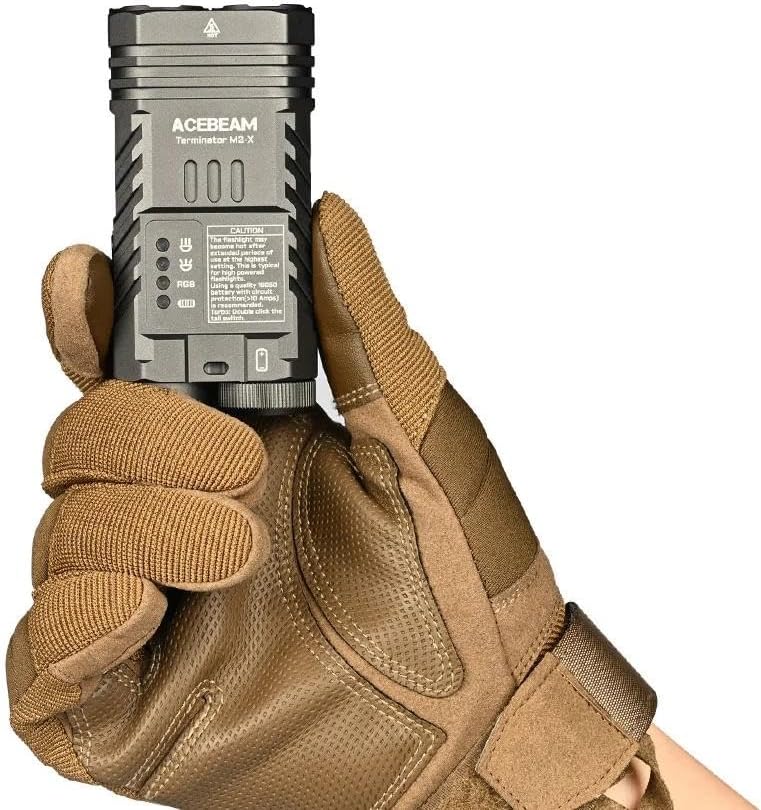
Rajah 9.1: Detailed technical parameters for the M2-X.
| Ciri | Perincian |
|---|---|
| Model | Acebeam Terminator M2-X |
| LED (Floodlight) | 3x Nichia 519A 5000K High CRI90 |
| Max Output (Floodlight) | 2,000 Lumen |
| Max Output (Spotlight) | 900 Lumen |
| Max Runtime (Floodlight Moonlight) | 38 jam |
| Max Runtime (Spotlight High) | 1 jam 50 minit |
| Max Beam Distance (Floodlight) | 164 meter |
| Max Beam Distance (Spotlight) | 500 meter |
| Max Beam Intensity (Floodlight) | 6724 cd |
| Max Beam Intensity (Spotlight) | 62500 cd |
| Lampu Bantu | Seven-color cycle, Red, Green, Blue, Green-Signal, Red-SOS (0.5 lumens each) |
| Sumber Kuasa | 1x 18650 Lithium-Ion Battery (included) |
| bahan | aluminium |
| Tahap Ketahanan Air | Kalis air |
| Dimensi (Panjang x Tinggi x Lebar) | 95.4mm x 48.5mm x 29mm (3.75 "x 1.90" x 1.14 ") |
| Berat (termasuk bateri) | 197.2g (6.95 oz) |
10. Waranti dan Sokongan
For warranty information and customer support, please refer to the official Acebeam website or contact your authorized Acebeam dealer. Keep your purchase receipt as proof of purchase for any warranty claims.
Acebeam Official Webtapak: www.acebeam.com


