Produk Selesaiview
The EZVALO Motion Activated RV Step Lights are designed to provide convenient and energy-efficient illumination for your recreational vehicle. Featuring a 4000mAh rechargeable battery, motion sensor activation, adjustable color temperatures, and stepless dimming, these lights enhance safety and comfort in various indoor and outdoor settings.
This product is ideal for campers, RVs, travel trailers, and other areas requiring temporary or motion-activated lighting.
Apa yang ada dalam Kotak
- 2 x 11.81 inch Motion Sensor Lights
- 2 x 3m Adhesive Magnetic Strip
- 1 x Kabel Pengecas USB C
- Manual Arahan
Ciri-ciri
- Gerakan Diaktifkan: Detects human movement within 13 feet/120 degrees, automatically turning on and off after 20 seconds of no movement (in night mode).
- Bateri boleh dicas semula: Built-in 4000mAh rechargeable battery provides 15-45 days of use in Auto Mode or 8 hours on MAX brightness in Always-On Mode.
- Pencahayaan boleh laras: Features 24 premium LED beads with three adjustable color temperatures (warm white 3000K, natural light 4500K, cool white 6500K) and 10% to 100% stepless dimming with memory function.
- Reka Bentuk Serbaguna: 120° wide-angle sensor and 90° adjustable design for precise light direction.
- Pemasangan Mudah: Two installation methods: built-in strong magnet for metal surfaces or 3M adhesive tape for flat surfaces. Lights are easily removable for charging.
Persediaan dan Pemasangan
Follow these steps to install your EZVALO Motion Activated RV Step Lights:
- Sediakan Permukaan: Pastikan permukaan pemasangan bersih, kering dan licin.
- Attach Magnetic Strip:
Peel off the protective film from one side of the 3M adhesive magnetic strip. Firmly press the adhesive side onto the desired installation location. For optimal adhesion, allow 24 hours before attaching the light unit.

Image: A three-panel image illustrating the magnetic installation process: peeling the protective film, sticking the magnetic strip, and mounting the light.
- Pasang Cahaya:
Align the light unit with the installed magnetic strip. The built-in magnets will securely attach the light to the strip. Ensure the motion sensor is facing the desired detection area.
- Laraskan Penderia Gerakan: The motion sensor can be rotated 90 degrees to optimize the detection angle.
- Caj Permulaan: Before first use, fully charge the light using the provided USB C charging cable. The power indicator light will change when fully charged.
Video: An official EZVALO operation guide demonstrating the installation and basic functions of the under cabinet lights, including attaching the magnetic strip and adjusting the sensor.
Arahan Operasi
The EZVALO RV Step Lights offer multiple operating modes and adjustable settings:
Pemilihan Mod
Use the slide switch on the light unit to select the desired mode:
- ON (Always-On Mode): The light remains continuously on until manually turned off or battery is depleted.
- Day Mode (Motion Detection): The light activates with motion detection regardless of ambient light conditions. It turns off after 20 seconds of inactivity.
- Night Mode (Motion Detection in Dark Environments): The light activates only when motion is detected in dark environments. It turns off after 20 seconds of inactivity. This mode conserves battery life.
- OFF (Power Off): The light is completely off.
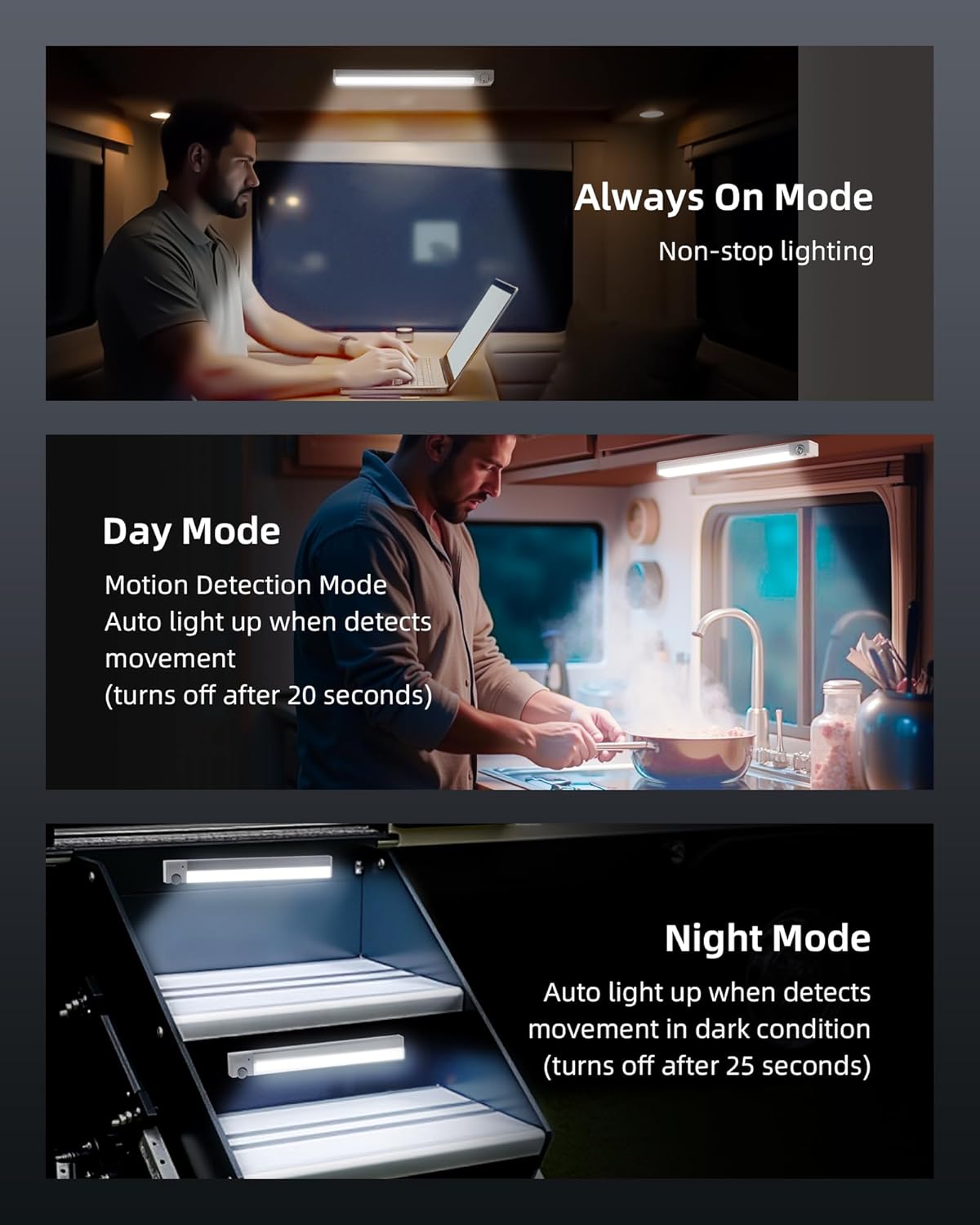
Image: Visual representation of the three operating modes (Always On, Day Mode, Night Mode) and their respective icons on the light unit's switch.
Melaraskan Suhu dan Kecerahan Warna
The light features a touch control for adjusting color temperature and brightness:
- Tukar Suhu Warna: Single press the touch button to cycle through warm white (3000K), natural light (4500K), and cool white (6500K).
- Laraskan Kecerahan: Long press the touch button to adjust brightness from 10% to 100%. The light will remember your last brightness setting.
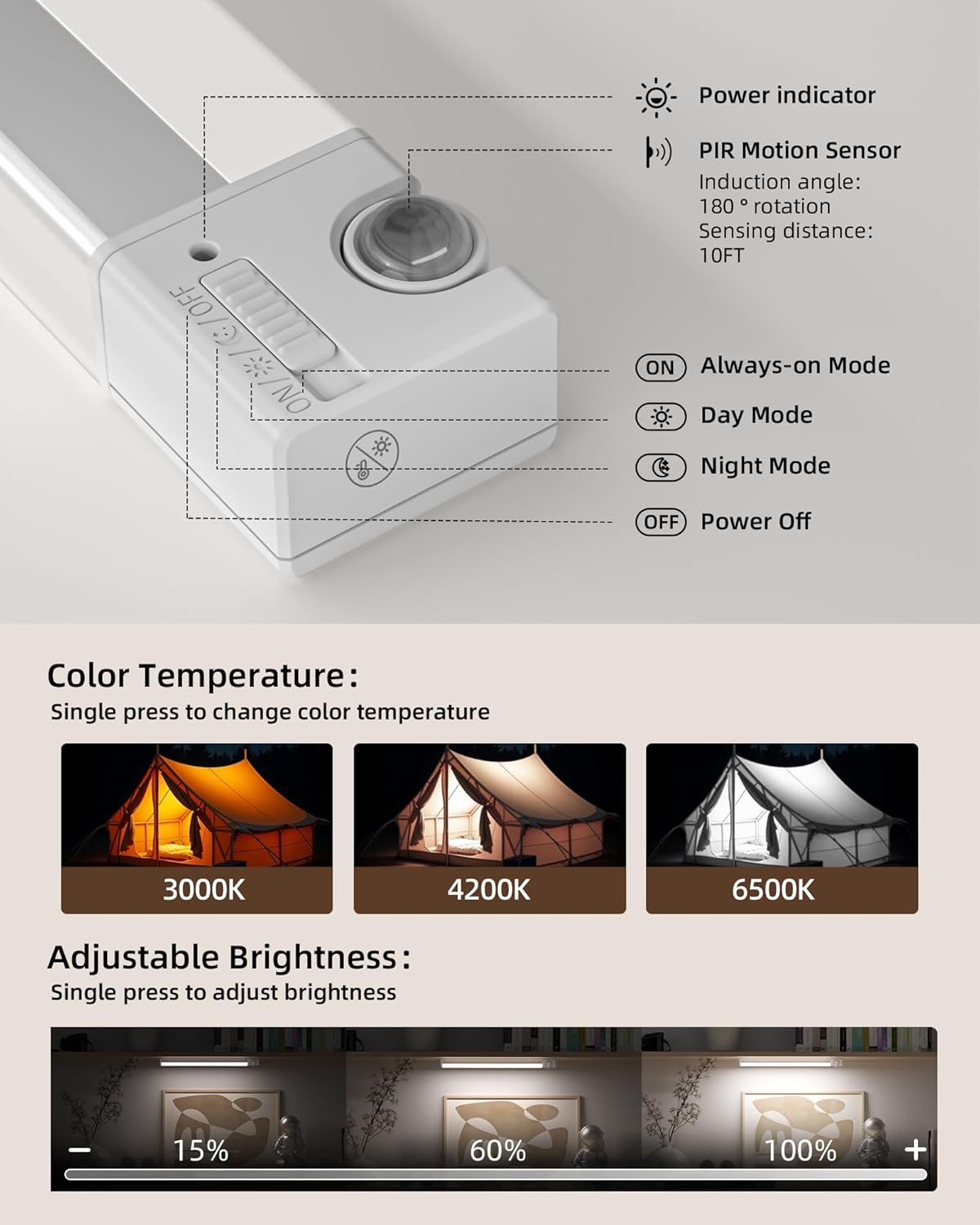
Image: A diagram illustrating how to change color temperature with a single press and adjust brightness with a long press on the control button.
Mengecas Bateri
When the battery is low, the light output may decrease or the light may not turn on. To charge:
- Gently detach the light unit from the magnetic strip.
- Connect the provided USB C charging cable to the charging port on the light unit and to a compatible USB power source (e.g., USB wall adapter, power bank, computer USB port).
- The power indicator light will show charging status. A full charge typically takes approximately 4 hours.
- Once fully charged, reattach the light unit to the magnetic strip.
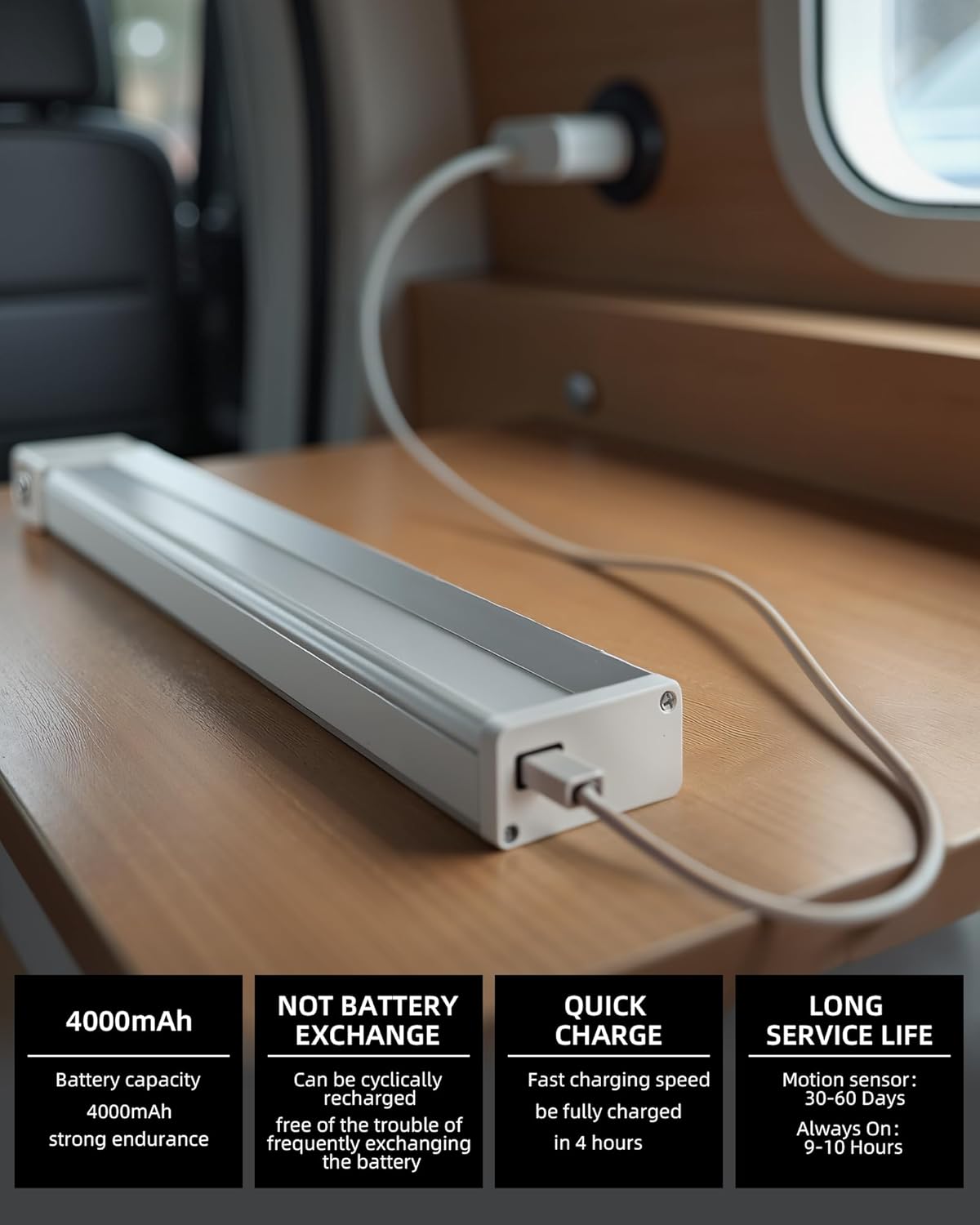
Image: The EZVALO light unit being charged via a USB-C cable, highlighting its 4000mAh battery capacity and quick charging feature.
Penyelenggaraan
- Pembersihan: Wipe the light unit with a soft, dry cloth. Do not use abrasive cleaners or solvents.
- Penjagaan Bateri: To prolong battery life, avoid fully discharging the battery frequently. Recharge when the light output noticeably diminishes.
- Storan: If storing the lights for an extended period, charge them to about 50% and store in a cool, dry place. Recharge every 3-6 months to prevent deep discharge.
- Tahan Air: Produk ini adalah tidak kalis air. Avoid exposure to rain, splashes, or high humidity.
Menyelesaikan masalah
| Masalah | Kemungkinan Punca | Penyelesaian |
|---|---|---|
| Cahaya tidak menyala. | Bateri habis. | Charge the light unit using the USB C cable. |
| Sensor gerakan tidak berfungsi. | Incorrect mode selected (e.g., ON mode). Sensor obstructed or misaligned. Insufficient darkness (in Night Mode). | Ensure Day Mode or Night Mode is selected. Check sensor orientation and clear any obstructions. Test in a darker environment for Night Mode. |
| Light falls off the surface. | Adhesive strip not properly applied or surface not clean. | Ensure surface is clean and dry before applying the adhesive strip. Press firmly and allow 24 hours for adhesion. Replace strip if necessary. |
| Kecerahan atau suhu warna tidak boleh dilaraskan. | Tekan butang yang salah. | Single press for color temperature change. Long press for brightness adjustment. |
Spesifikasi
| Ciri | Perincian |
|---|---|
| Jenama | EZVALO |
| Nama Model | EZL2411A |
| Sumber Kuasa | Dikuasakan Bateri (termasuk 1 bateri Lithium Ion) |
| Kapasiti Bateri | 4000mAh |
| Jenis Sumber Cahaya | LED (24 LED beads) |
| Kecerahan | 130 Lumen (Maks) |
| Suhu Warna | 3000K (Warm White), 4500K (Natural Light), 6500K (Cool White) |
| Peredupan | 10% to 100% Stepless Dimmable |
| Sudut Penderia Pergerakan | 120 degrees (Adjustable 90 degrees) |
| Julat Penderia Pergerakan | Sehingga 13 kaki |
| Masa Automatik | 20 seconds (after no motion detected) |
| bahan | Akrilonitril Butadiena Stirena, Aluminium |
| Dimensi Produk | 1.4"L x 0.9"W x 11.8"H |
| Berat Barang | 0.8 auns (seunit) |
| Tahap Ketahanan Air | Bukan Tahan Air |
Waranti dan Sokongan
EZVALO menawarkan a Waranti Seumur Hidup for this product. If you have any questions or concerns regarding your wireless RV step lights, please do not hesitate to contact EZVALO customer service. We are committed to providing excellent customer service and ensuring your satisfaction.
For support, please refer to the contact information provided in your product packaging or visit the official EZVALO webtapak.


