pengenalan
The XO Dash Cam XJ03 is a versatile 3-in-1 dash camera designed to provide comprehensive surveillance for your vehicle. Featuring 1080P high-resolution recording, a flexible rotatable lens for front and interior views, 24-hour parking monitoring, seamless loop recording, and G-sensor technology, this device ensures critical moments are captured and preserved. Its compact design and user-friendly interface make it an essential tool for enhancing driving safety and security.
Apa yang ada dalam Kotak

Image: The XO Dash Cam XJ03 with its suction cup mount, rear camera, and car charger cable.
- 1 x XO Dash Cam (Main Unit)
- 1 x Manual Pengguna
- 1 x Kamera Belakang
- 1 x Car Charger (Type-C)
- 1 x Mount (Suction Cup)
Persediaan
1. Memasang Dash Cam

Image: The compact dash cam mounted on a car's windshield, demonstrating its unobtrusive placement.
- Bersihkan kawasan pada cermin depan anda di mana anda ingin memasang kamera papan pemuka. Pastikan ia tidak menghalang view.
- Pasang pelekap cawan sedutan pada sesondol pemuka.
- Press the suction cup firmly against the cleaned windshield and engage the locking mechanism to secure it.
- Adjust the angle of the dash cam to ensure it captures the desired view jalan di hadapan.
2. Sambungan Kuasa
- Connect the Type-C end of the car charger cable to the dash cam's power input port.
- Palamkan hujung pengecas kereta yang satu lagi ke dalam soket pemetik api kenderaan anda.
- Route the cable neatly along the windshield trim to avoid interference with driving.
3. Pemasangan Kamera Belakang (Pilihan)
- Sambungkan kabel kamera belakang ke port yang ditetapkan pada unit cam dash utama.
- Pasang kamera belakang pada cermin depan belakang anda, pastikan ia jelas view.
- Route the cable discreetly to the front unit.
4. Masukkan Kad SD Mikro
- Before first use, insert a compatible Micro SD card (not included, maximum support 64GB) into the designated slot on the dash cam. Ensure the card is formatted within the device settings for optimal performance.
Arahan Operasi
1. Hidupkan/Mati Kuasa
- The dash cam will automatically power on and begin recording when your vehicle's ignition is turned on.
- Ia akan mati secara automatik apabila pencucuhan dimatikan.
- Untuk menghidupkan/mematikan secara manual, tekan dan tahan butang kuasa.
2. 1080P High-Resolution Recording
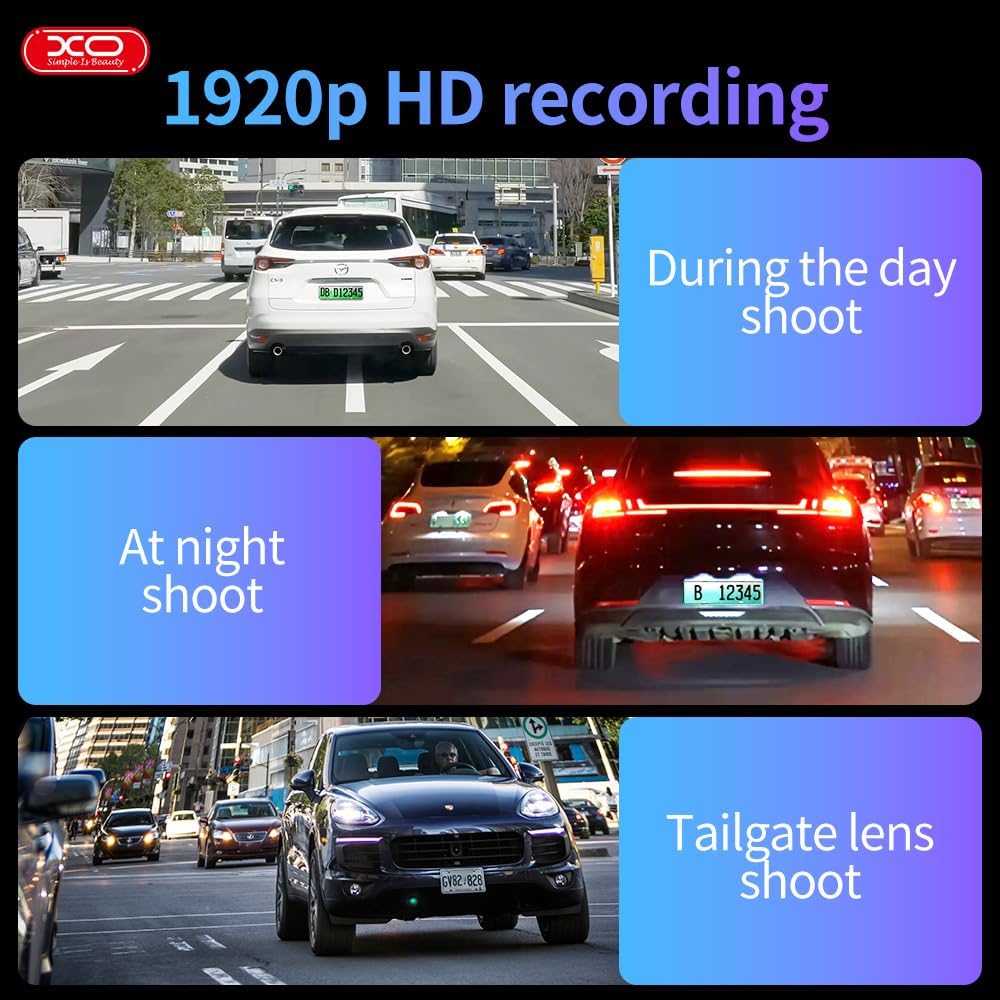
Imej: Visual examples of the dash cam's 1920p HD recording capability in various lighting conditions and perspectives.
The dash cam records in crystal-clear 1920x1080P resolution at 30 frames per second, ensuring all details like license plates and street signs are captured clearly. This high resolution provides crucial evidence in case of incidents.
3. Flexible Rotatable Lens
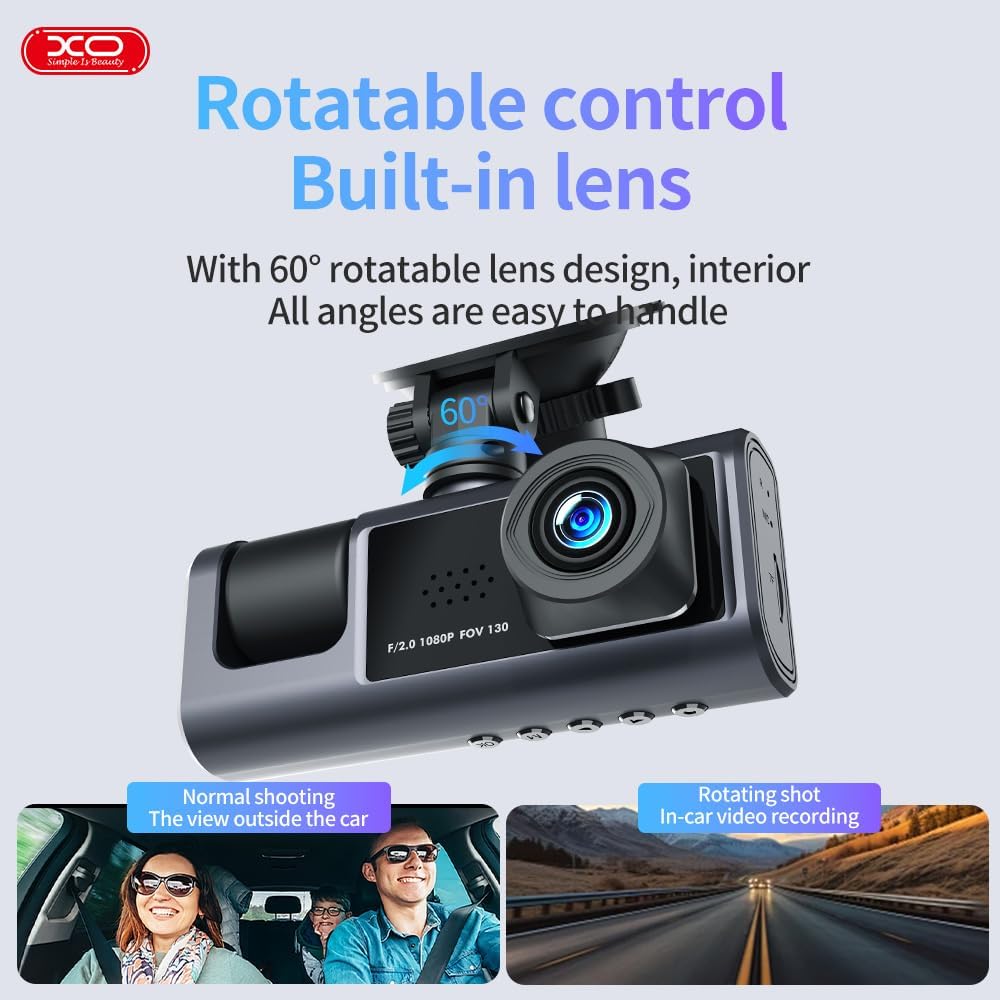
Image: The dash cam unit with an arrow indicating the 60-degree rotation capability of the lens.
The built-in lens can be rotated up to 60 degrees, allowing you to record either the front view of the road or the interior of the vehicle. Adjust the lens manually to suit your recording needs.
4. Pemantauan Tempat Letak Kereta 24 Jam

Image: A graphic illustrating the 24-hour parking monitoring feature, showing the dash cam active while the car is parked.
When your car is parked and the engine is off, the dash cam automatically activates its parking monitor. Using built-in sensors, it detects motion or impact and records footage to a separate file, providing continuous security for your vehicle.
5. Seamless Loop Recording & G-Sensor Technology

Image: A visual representation of loop recording, showing older files being overwritten, and a lock icon symbolizing G-sensor protection.
The loop recording feature ensures uninterrupted recording by automatically overwriting the oldest files when the storage card is full. The built-in G-sensor detects sudden collisions or impacts, automatically locking the current video file to prevent it from being overwritten, preserving it as critical evidence.
6. Pengesanan Pergerakan
When enabled, motion detection allows the dash cam to automatically start recording if it detects movement near the vehicle while parked. Recording stops if no motion is detected, conserving storage space.
7. Time Lapse Functionality (Parking Mode)
In parking mode, the dash cam can utilize a time-lapse feature to record continuously over extended periods at a reduced frame rate. This saves storage and battery power while still providing a detailed, accelerated view of prolonged events.
8. 2" Built-In Display
The integrated 2-inch display allows for convenient management and playback of recordings directly on the device. You can review footage, adjust settings, and ensure proper functionality without needing external equipment.
Penyelenggaraan
- Pembersihan: Gunakan kain lembut dan kering untuk membersihkan kanta dan skrin kamera papan pemuka. Elakkan menggunakan pembersih atau pelarut yang kasar.
- Storan: If storing the dash cam for an extended period, remove the Micro SD card and store the device in a cool, dry place away from direct sunlight.
- Kad SD mikro: Periodically format your Micro SD card (at least once a month) within the dash cam's settings to ensure optimal performance and prevent data corruption. Back up any important recordings before formatting.
- Kemas kini Firmware: Check the official XO webtapak untuk sebarang kemas kini perisian tegar yang tersedia bagi memastikan kamera papan pemuka anda mempunyai ciri terkini dan pembetulan pepijat.
Menyelesaikan masalah
| Masalah | Kemungkinan Punca | Penyelesaian |
|---|---|---|
| Dash cam tidak dihidupkan. | No power supply; faulty cable; battery drained. | Check car charger connection and vehicle's power outlet. Ensure the car charger is functional. Charge the dash cam if it has an internal battery. |
| Rakaman berhenti atau membeku. | Micro SD card full or corrupted; low-quality SD card; firmware issue. | Format the Micro SD card. Use a high-speed (Class 10 or U1/U3) Micro SD card. Update firmware if available. |
| Kualiti video kurang baik. | Kanta kotor; filem pelindung masih pada kanta; tetapan resolusi yang salah. | Clean the lens with a soft cloth. Remove any protective film. Check settings to ensure 1080P resolution is selected. |
| G-sensor terlalu sensitif/tidak cukup sensitif. | G-sensor sensitivity setting is too high/low. | Adjust the G-sensor sensitivity level in the dash cam's settings menu. |
| Monitor tempat letak kereta tidak berfungsi. | Parking monitor feature disabled; insufficient power supply in parking mode. | Ensure parking monitoring is enabled in settings. Check if the dash cam is receiving continuous power (e.g., via hardwire kit for 24H monitoring). |
Spesifikasi

Image: A diagram detailing the product's dimensions, input, battery, memory, and other technical specifications.
| Ciri | Perincian |
|---|---|
| Nama Model | XJ03 |
| Resolusi Video | 1920x1080P (Front Camera) |
| Resolusi Kamera Belakang | VGA (640*480) |
| Skrin Paparan | 2 inci |
| Putaran Kanta | 60 degrees (Rotatable) |
| G-Sensor | Built-in (Vibration sensor DA 360) |
| Rakaman Gelung | Disokong |
| Pemantauan Tempat Letak Kereta | Supported (24-hour) |
| Pengesanan Pergerakan | Disokong |
| Sokongan Kad Memori | Micro SD, 8-64GB (Max 64GB) |
| Ketersambungan | Jenis-C |
| Dimensi Produk | 4 x 10 x 4 cm |
| Berat badan | 500 g |
| Bateri | 1 Polimer Litium (termasuk) |
| Pengeluar | XO |
| Negara Asal | China |
Waranti dan Sokongan
The XO Dash Cam XJ03 comes with a 1-Year XOUAE Warranty, providing coverage for repairs and replacements as needed. For any technical support, warranty claims, or inquiries, please contact XOUAE customer service through their official channels.
Extended warranty options are also available:
- Waranti Lanjutan 1 Tahun oleh Salama Care
- Waranti Lanjutan 2 Tahun oleh Salama Care
Please refer to the warranty card included in your package or the product listing on Amazon for detailed terms and conditions regarding warranty coverage and support contact information.