1. Pengenalan
This manual provides detailed instructions for the proper use and maintenance of your Ordtop i13 Wireless Earbuds. Please read this manual thoroughly before using the product to ensure optimal performance and longevity.

Image 1.1: Ordtop i13 Wireless Earbuds and Charging Case.
2. Kandungan Pakej
Sahkan bahawa semua item yang disenaraikan di bawah disertakan dalam pakej anda:
- 2x Ear Buds (Left and Right)
- 1x Sarung Pengecasan Ringan
- 1x Kabel USB-C
- 3x Ear Caps (S/M/L sizes)
- 1x Manual Pengguna

Imej 2.1: Kandungan Pakej.
3. Produk Lebihview
The Ordtop i13 Wireless Earbuds feature advanced Bluetooth 5.4 technology for stable connections, Hi-Fi stereo sound with 13mm dynamic drivers, and 4 ENC noise-reducing microphones for clear calls. They are designed for comfort and durability with an IP7 waterproof rating.
Ciri-ciri Utama:
- Bluetooth 5.4: Provides a faster, more stable connection with a range of up to 15 meters.
- Bunyi Stereo Hi-Fi: Equipped with 13mm large-size speakers for powerful bass and clear high-mid frequencies.
- 4 ENC Noise Reduction Microphones: Ensures clear voice transmission during calls by reducing background noise.
- Main Semula Lanjutan: Up to 8 hours of continuous use per charge, with the charging case providing an additional 4 charges for a total of 40 hours.
- Paparan Kuasa LED: The charging case features a smart LED display to show remaining power levels.
- IP7 Kalis Air: Nano-coating protects against water and sweat, suitable for sports and outdoor activities.
- Reka bentuk ergonomik: Each earbud weighs only 3.8g for comfortable, secure fit.
- Kawalan Sentuhan Pintar: Urus muzik, panggilan dan pembantu suara terus daripada fon telinga.
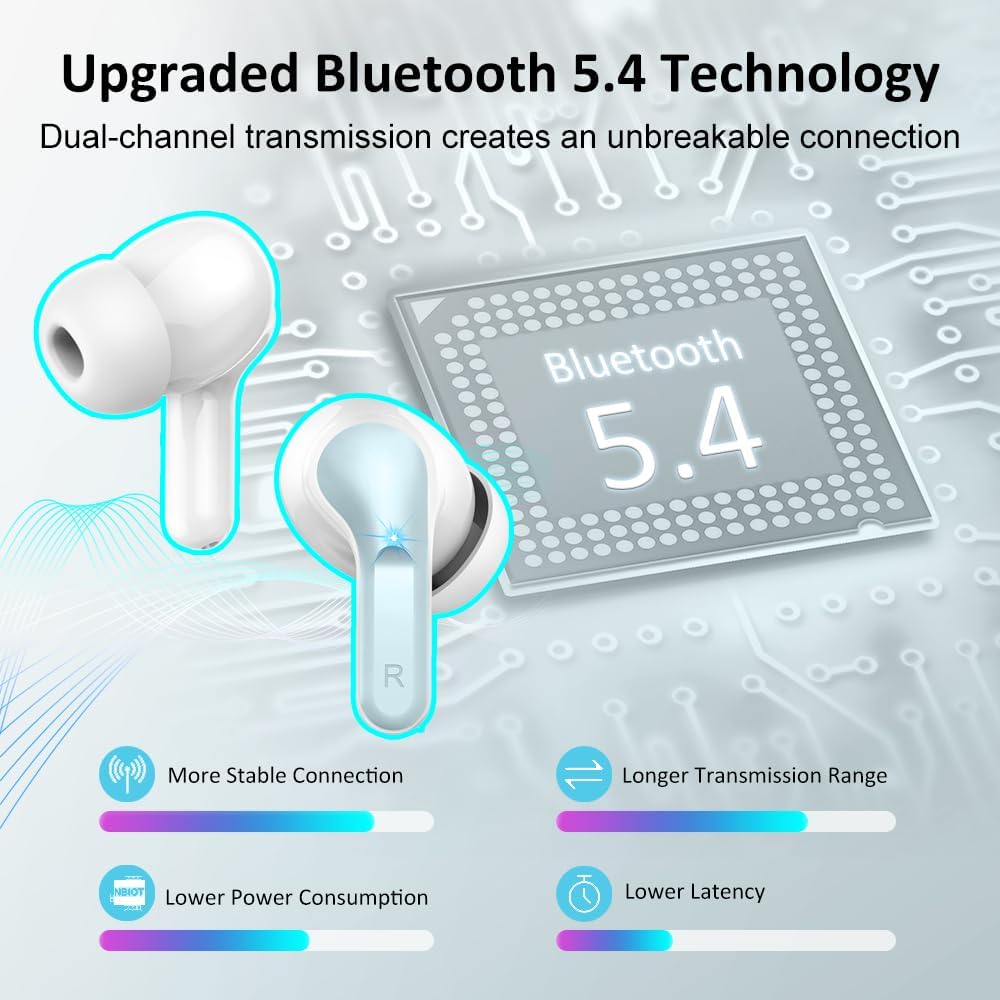
Image 3.1: Bluetooth 5.4 Technology.

Image 3.2: Audio Technology and Call Clarity.
4. Persediaan
4.1 Pengecasan Awal
Sebelum penggunaan pertama, cas sepenuhnya fon telinga dan bekas pengecas.
- Letakkan kedua earbud ke dalam cas pengecasan.
- Connect the USB-C cable to the charging case and a power source.
- The LED display on the case will show the charging progress. A full charge for the case takes approximately 1 hour.
- Fon telinga akan dicas secara automatik apabila diletakkan di dalam bekas.

Image 4.1: Dual LED Power Display and Battery Life.
4.2 Berpasangan dengan Peranti
The earbuds support one-step pairing after the initial setup.
- Pastikan fon telinga dicas.
- Buka bekas pengecas. Fon telinga akan memasuki mod berpasangan secara automatik.
- On your device (smartphone, PC, tablet, etc.), enable Bluetooth.
- Cari untuk peranti Bluetooth yang tersedia dan pilih "i13" daripada senarai.
- Once connected, the earbuds will automatically pair with your device whenever the case is opened.
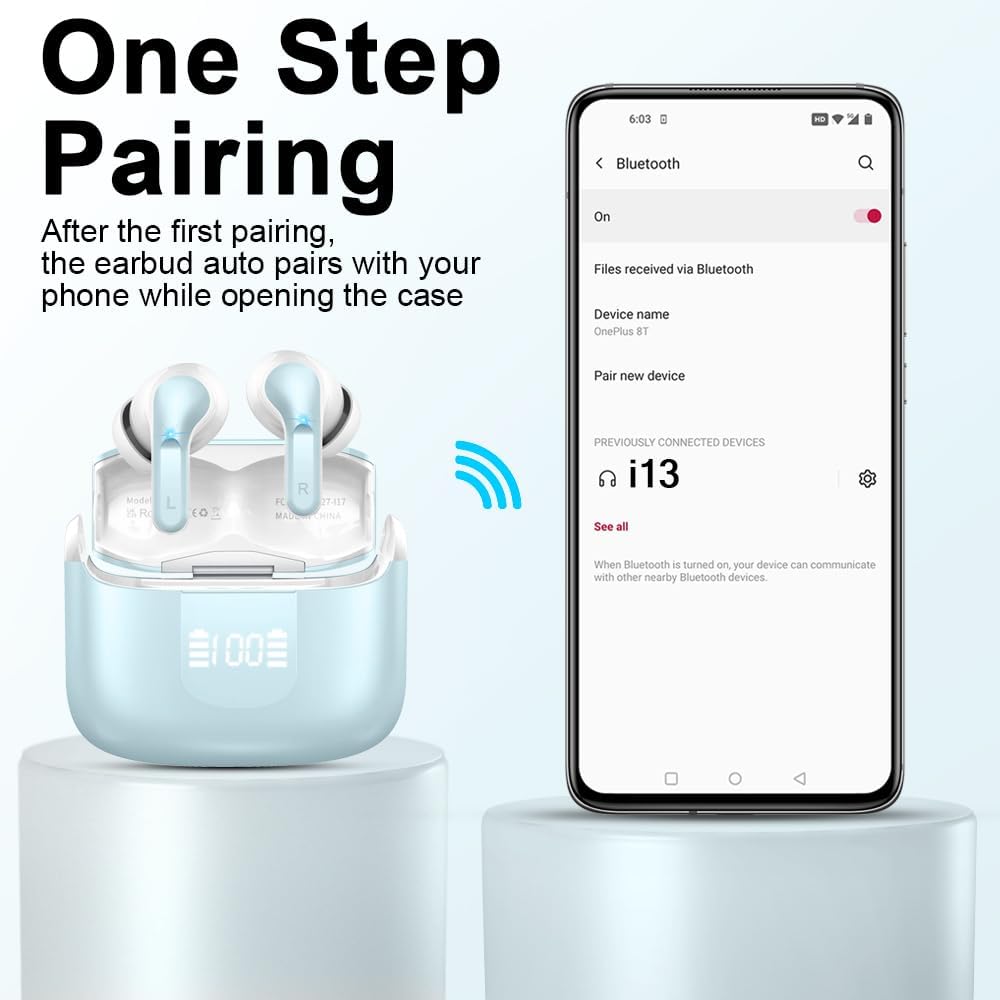
Image 4.2: One-Step Pairing Process.
5. Arahan Operasi
5.1 Kawalan Sentuh Pintar
The Ordtop i13 earbuds feature touch-sensitive areas for various functions:
| Tindakan | Fungsi |
|---|---|
| Ketuk Panjang 1s (R) | Lagu Seterusnya |
| Ketuk Panjang 1s (L) | Lagu Sebelumnya |
| Ketik Pendek | Jawab/Tamatkan Panggilan |
| Once Click (R/L) | Main/Jeda Muzik |
| Ketuk Panjang | Tolak Panggilan |
| Triple Tap (R/L) | Aktifkan Pembantu Suara (Siri, Pembantu Google) |
| Ketik Dua Kali (L) | Kelantangan Kurang |
| Ketik Dua Kali (R) | Kelantangan Naik |

Image 5.1: Smart Touch Control Functions.
5.2 Penggunaan Fon Telinga Tunggal
Either earbud can be used independently. Simply take one earbud out of the case, and it will connect to your device. This is useful for safe driving or sharing audio.
6. Penyelenggaraan
6.1 Pembersihan
Bersihkan fon telinga dan bekas pengecas anda dengan kerap untuk mengekalkan prestasi dan kebersihan yang optimum.
- Gunakan kain lembut, kering dan tidak berbulu untuk mengelap fon telinga dan bekas pengecas.
- Gently remove any earwax or debris from the ear tips and speaker mesh using a small, clean brush or cotton swab.
- Elakkan menggunakan bahan yang kasar, pelarut atau bahan kimia yang keras.
6.2 Waterproofing (IP7 Rating)
The earbuds are rated IP7 waterproof, meaning they can withstand immersion in water up to 1 meter for 30 minutes. This makes them suitable for sports and protection against sweat and rain.
- Jangan sengaja menenggelamkan bekas pengecas, kerana ia tidak kalis air.
- Pastikan fon telinga kering sebelum meletakkannya semula ke dalam bekas pengecas untuk mengelakkan kerosakan.
- The waterproof rating may decrease over time with normal wear and tear.

Image 6.1: IP-X7 Waterproof Feature.
6.3 Penyimpanan
Apabila tidak digunakan, simpan fon telinga dalam bekas pengecasnya untuk melindunginya dan memastikan ia dicas.
7. Penyelesaian masalah
If you encounter issues with your Ordtop i13 Wireless Earbuds, refer to the following common solutions:
| Masalah | Penyelesaian yang Mungkin |
|---|---|
| Fon telinga tidak berpasangan | Ensure earbuds are charged. Place them back in the case, close, then open again. Turn off and on Bluetooth on your device. Forget "i13" from your device's Bluetooth list and re-pair. |
| Hanya satu fon telinga berfungsi | Ensure both earbuds are charged. Place both earbuds back in the charging case, close the lid, wait a few seconds, then open again. Check if both earbuds are connected in your device's Bluetooth settings. |
| Tiada suara atau kelantangan rendah | Check the volume level on both your device and the earbuds. Ensure earbuds are properly seated in your ears. Clean any debris from the earbud speakers. |
| Kes pengecas tidak dicas | Ensure the USB-C cable is securely connected to both the case and the power source. Try a different USB-C cable or power adapter. |
| Kualiti panggilan yang lemah | Ensure the microphones are not obstructed. Move closer to your connected device. Avoid environments with excessive background noise. |
| Fon telinga terjatuh | Try different sizes of ear tips (S/M/L) to find the most secure and comfortable fit for your ears. |
8. Spesifikasi
| Ciri | Perincian |
|---|---|
| Nama Model | i13-New |
| Teknologi Ketersambungan | Wayarles (Bluetooth) |
| Versi Bluetooth | 5.4 |
| Julat Bluetooth | 15 Meter |
| Penempatan Telinga | Di Telinga |
| Faktor Bentuk | Di Telinga |
| Jenis Pemacu Audio | Pemacu Dinamik (13mm) |
| Hayat Bateri (Earbud) | 8 Jam (cas sekali) |
| Hayat Bateri (dengan Sarung Pengecasan) | 40 Jam |
| Masa Pengecasan (Kes) | lebih kurang 1 Jam |
| Tahap Ketahanan Air | IP7 Kalis Air |
| Kaedah Kawalan | Sentuh |
| Mikrofon | 4 ENC Noise Reduction Mics |
| Peranti Serasi | Smartphones, PCs, Tablets, Laptops, TVs |
| Berat Barang (Fon Telinga) | 3.8g |
| Dimensi Produk | 0.79 x 0.79 x 1.18 inci |
| bahan | plastik |
9. Maklumat Keselamatan
WARNING!!! Do not disassemble, hit, or burn the device. Doing so may result in damage, fire, or injury.
Always use the product according to the instructions provided. Keep out of reach of children. Avoid prolonged exposure to high volume levels to prevent hearing damage.

Image 9.1: Safety Warning from Packaging.
10. Waranti dan Sokongan
For warranty information or technical support, please refer to the contact details provided with your purchase or visit the official Ordtop webtapak. Simpan bukti pembelian anda untuk tuntutan waranti.
Manufacturer: Ordtop
Producer Name: Shenzhen Shengdaren Technology Co.Ltd
Address: 2nd&3rd Floor, 3D Printing Industrial Park, No.17-1, Guanlan Avenue, Longhua District, Shenzhen, China
Telefon: +86-0755-21508085

Image 10.1: Manufacturer Information.


