Produk Selesaiview
The JTEMAN 360 Rotating Cell Phone Stand with Wireless Bluetooth Speaker with Light is a versatile device designed to enhance your mobile experience. It integrates a rotatable phone stand, a Bluetooth speaker, and an atmosphere light into a single unit. This manual provides detailed instructions for its setup, operation, and maintenance.
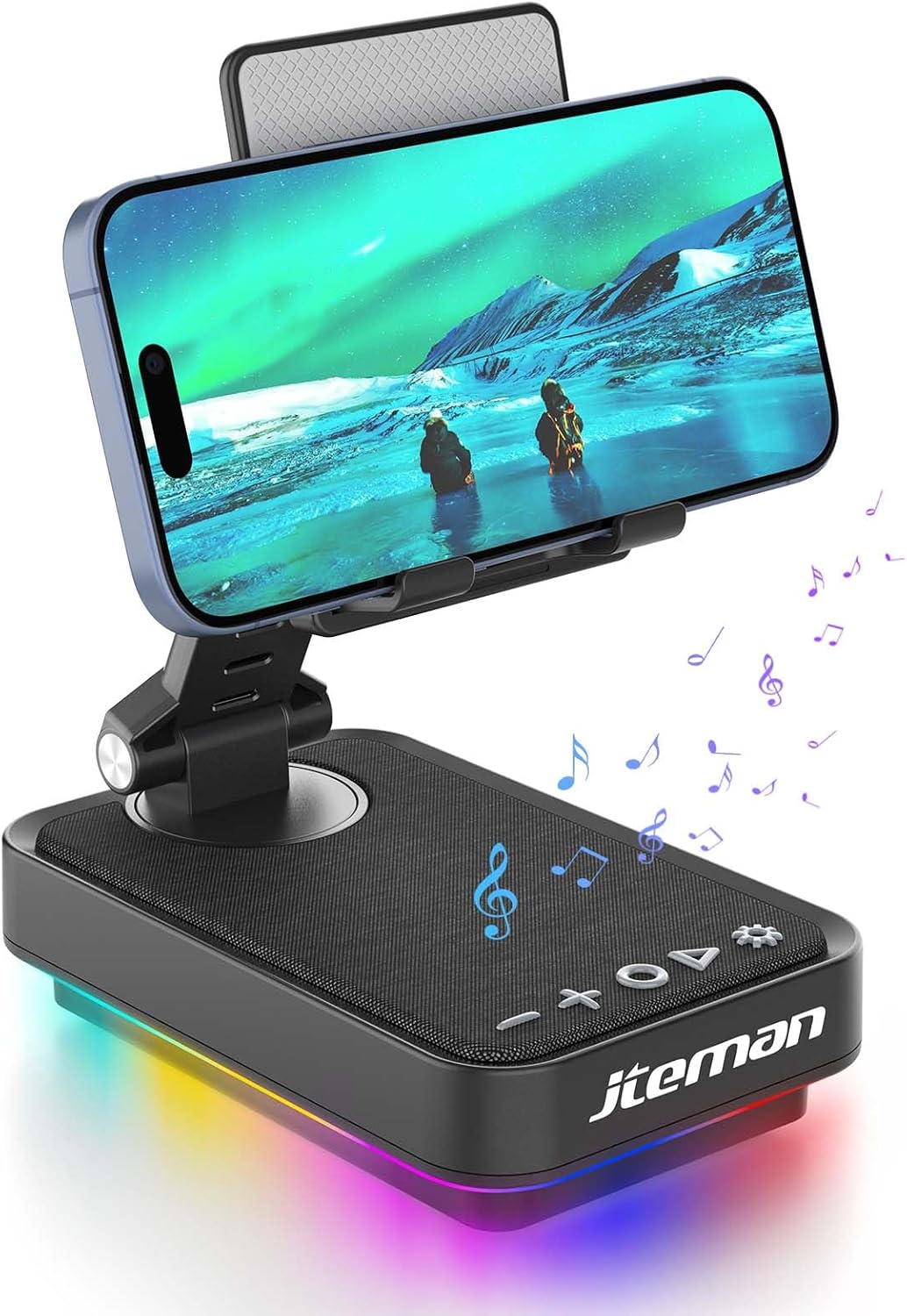
Figure 1: JTEMAN 360 Rotating Cell Phone Stand with Wireless Bluetooth Speaker with Light.
Komponen yang Disertakan:
- Bluetooth Speaker (with integrated phone stand and light)
- Kabel Jenis-C
- Manual Arahan
Panduan Persediaan
1. Membuka kotak dan Pemeriksaan Awal:
Carefully remove all components from the packaging. Inspect the device and accessories for any signs of damage. Ensure all listed components are present.
Video 1: Unboxing and initial setup of the JTEMAN phone stand and Bluetooth speaker.
2. Preparing the Phone Stand:
Before first use, locate and remove the silicone protective patch from the device's base. This patch protects the surface during shipping.
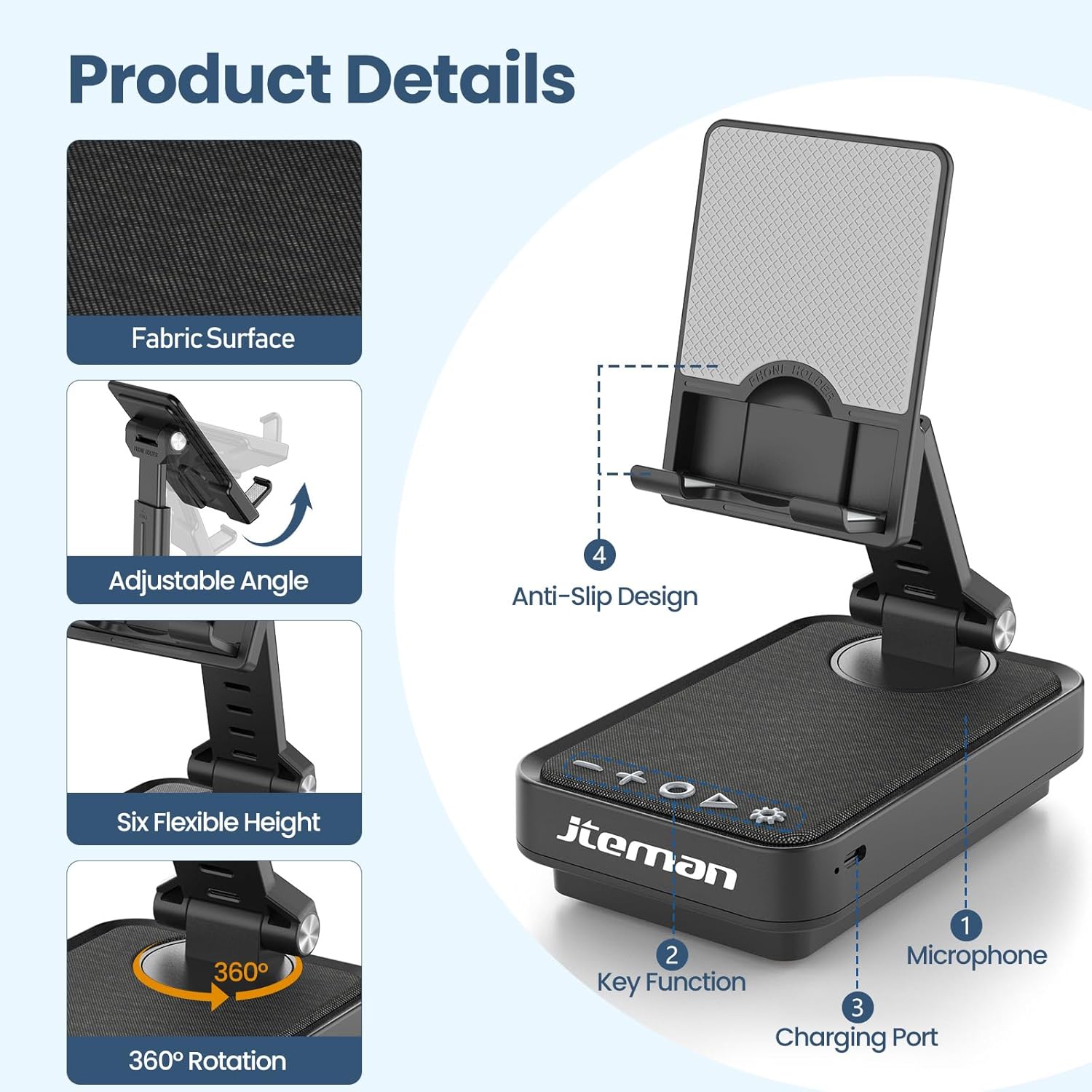
Figure 2: Product details and components. Note the anti-slip design and key functions.
3. Mengecas Peranti:
Connect the provided Type-C cable to the charging port on the device and the other end to a compatible USB power adapter (not included). The power indicator light will show red during charging and turn green when fully charged.
- Lampu Merah: Bateri sedang dicas.
- Lampu Hijau: Bateri dicas penuh.

Rajah 3: Kapasiti bateri dan anggaran masa penggunaan.
4. Berpasangan Bluetooth:
- Long press the Power ON/OFF button (3) for 3 seconds to turn on the speaker. The speaker will enter pairing mode, indicated by a flashing blue light.
- Pada telefon pintar atau tablet anda, navigasi ke tetapan Bluetooth.
- Select "L39-1" from the list of available devices.
- Once connected, the blue light will become solid.

Figure 4: Bluetooth connection with a laptop, demonstrating wireless audio playback.
Arahan Operasi
Panel Kawalan Terlaluview:

Rajah 5: Terperinci view panel kawalan dan fungsinya.
- VOL- (1): Tekan untuk mengurangkan kelantangan.
- VOL+ (2): Tekan untuk menambah kelantangan.
- Answer/Hang up/Play/Pause/Next (4):
- Tekan pendek untuk memainkan/menjeda muzik.
- Short press to answer/hang up calls.
- Tekan lama untuk melangkau ke trek seterusnya.
- Power ON/OFF (3):
- Tekan lama selama 3 saat untuk menghidupkan/mematikan pembesar suara.
- Double press to switch between Bluetooth and AUX modes.
- Short press to adjust the brightness of the atmosphere lights (4 levels).
- Atmosphere Light (5):
- Long press for 3 seconds to turn on/off the light.
- Short press to switch lighting mode (11 modes available, 3 modes sync with music).
- Mikrofon (6): Untuk panggilan bebas tangan.
- Port Pengecasan (7): Type-C input for charging.
- Lampu Penunjuk Kuasa (8): Shows charging status and Bluetooth connection status.
Phone Stand Adjustment:
The phone stand features 360° rotation and adjustable height and angle to suit various viewing needs. The anti-slip silicone pads ensure device stability.

Figure 6: The phone stand supports a wide range of devices, including smartphones and tablets (4-13 inches).
The stand is foldable for easy portability.

Figure 7: The foldable design allows for easy storage and transport.
Penyelenggaraan
Pembersihan:
Wipe the device with a soft, dry cloth. Do not use abrasive cleaners, solvents, or harsh chemicals, as these may damage the surface or internal components. Avoid exposing the device to excessive moisture.
Storan:
When not in use for extended periods, store the device in a cool, dry place away from direct sunlight and extreme temperatures. Ensure the device is fully charged before storing to prolong battery life.
Penjagaan Bateri:
To maximize battery lifespan, avoid fully discharging the battery frequently. Charge the device regularly, even if not in constant use. Do not expose the battery to high temperatures.
Menyelesaikan masalah
| Masalah | Kemungkinan Punca | Penyelesaian |
|---|---|---|
| Peranti tidak dihidupkan. | Bateri lemah. | Charge the device using the provided Type-C cable. |
| Tidak dapat menyambung melalui Bluetooth. | Bluetooth tidak didayakan pada peranti; pembesar suara tidak dalam mod berpasangan; terlalu jauh dari pembesar suara. | Ensure Bluetooth is enabled on your phone/tablet. Long press Power ON/OFF button to enter pairing mode (flashing blue light). Move device closer to the speaker. |
| Tiada bunyi dari pembesar suara. | Volume too low; device not connected; AUX mode active. | Increase volume on both the speaker and your connected device. Verify Bluetooth connection. Double press Power ON/OFF button to switch to Bluetooth mode if in AUX mode. |
| Atmosphere lights not working. | Lampu dipadamkan; bateri lemah. | Long press the Atmosphere Light button (5) to turn on. Charge the device. |
Spesifikasi
| Ciri | Perincian |
|---|---|
| Nama Model | L39-1 |
| Jenis Pemasangan | Pemasangan Atas Meja |
| Jenis Pembesar Suara | Bunyi Sekeliling |
| Ciri Khas | Lampu LED |
| Penggunaan yang Disyorkan | Untuk Telefon Pintar atau Tablet |
| Peranti Serasi | Smartphone, Tablet (4-13 inches) |
| Jenis Pengawal | Butang, Sentuh |
| Saluran Bunyi Sekeliling | 2.0 |
| Dimensi Produk | 5.3"D x 3.5"W x 2.3"H |
| Adakah Kalis Air | PALSU |
| Sumber Kuasa | Dikuasakan Bateri |
| Jenis Bateri | 1 Litium Ion (termasuk) |
| Jenis Pemacu Audio | Pemandu Dinamik |
| Kesambungan Wayarles | Bluetooth 5.3 |
| Kuasa Output Maksimum Pembesar Suara | 5 Watt |
| Respons Kekerapan | 1 KHz |
| Berat Barang | 15.5 auns |
Maklumat Waranti
This JTEMAN product comes with a Waranti Satu Tahun dari tarikh pembelian. Waranti ini meliputi kecacatan dan kerosakan pembuatan di bawah penggunaan biasa. Ia tidak meliputi kerosakan yang disebabkan oleh salah guna, kemalangan, pengubahsuaian tanpa kebenaran atau haus dan lusuh biasa.
Please retain your proof of purchase for warranty claims. For detailed warranty terms and conditions, refer to the official JTEMAN webtapak atau hubungi sokongan pelanggan.
Sokongan Pelanggan
If you encounter any issues or have questions not covered in this manual, please contact JTEMAN customer support. Provide your product model number (L39-1) and a detailed description of the issue to assist our support team.
For the most up-to-date contact information, please visit the official JTEMAN webtapak: JTEMAN Store on Amazon


